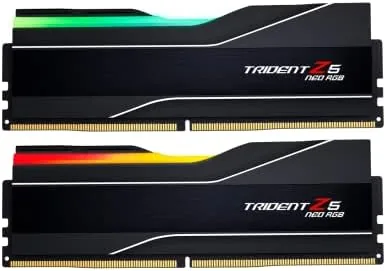

DDR5 changed how builders think about memory. The early kits were fast on paper but awkward to run at their rated speeds, and the best results came from kits tuned for a specific platform. The G.SKILL Trident Z5 Neo RGB kit is built for exactly that world. This is a 32 gigabyte set, two 16 gigabyte modules, rated for 6000MT/s with tight CL30-38-38-96 timings at 1.35 volts, and it carries AMD EXPO Profiles so Ryzen owners can enable the full speed with one click in the BIOS. I installed the kit in a Ryzen test system, ran it at stock and with EXPO enabled, and this is the honest record of how it performs.
Before the details, the standard note. This article contains affiliate links, and if you buy through one of them the site earns a small commission at no extra cost to you. That commission never changes what I test or what I recommend.
Design and Build
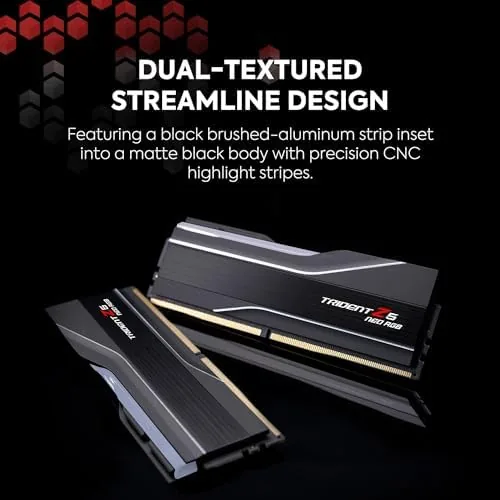
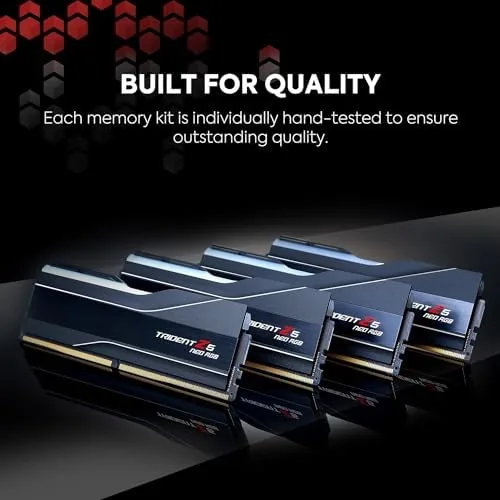
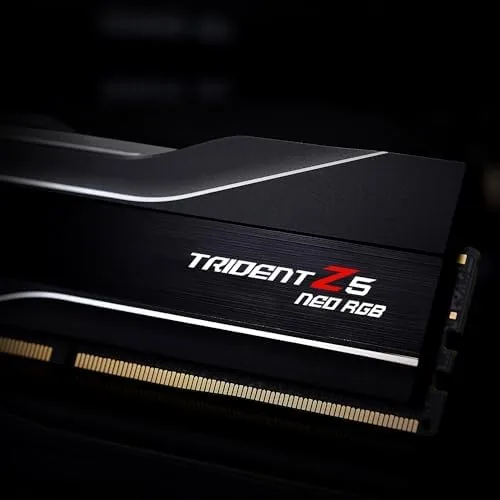
The Trident Z5 Neo keeps the aggressive angular look that G.SKILL has made its own. Each module wears a matte black aluminum heat spreader with a sculpted top, and the RGB diffuser runs the full length of the module so the lighting reads as a clean bar of color rather than a row of dots. The finish is a true matte black, which sits quietly in a build and keeps the focus on the light.
The build quality is excellent. The heat spreaders are rigid with no flex, the modules seat firmly and click cleanly into the slot, and the overall height is modest enough for most tower coolers, though you should still check clearance against very large coolers and the front fan of the case. The modules feel dense and well made in the hand, with no rattling or loose parts.
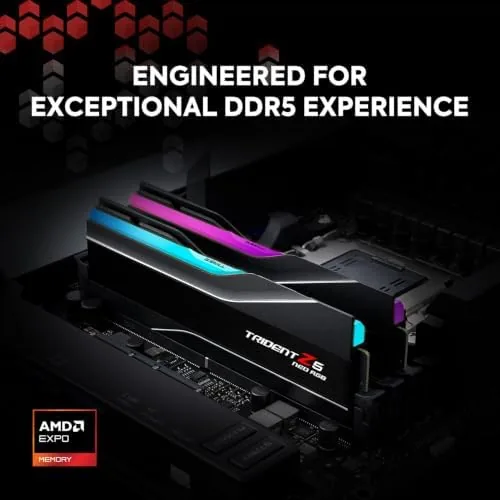
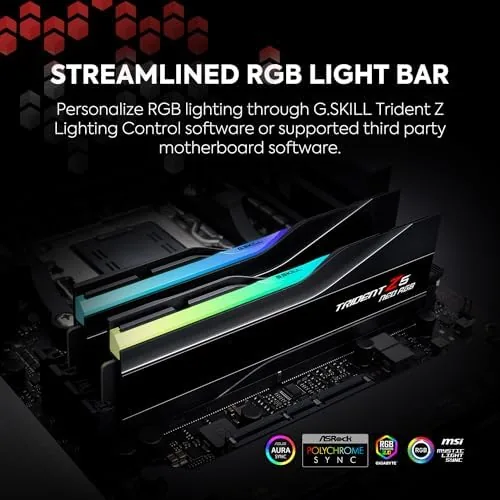
The RGB lighting is handled through the motherboard software, so it syncs with the rest of the build without a separate controller. The effect is smooth and the colors are accurate, and the lighting defaults to a clean spectrum if you do not configure it at all. It is the kind of memory that looks the part in a showpiece build while still being a workhorse component.
Key Features
The headline feature is the AMD EXPO profile. EXPO is AMD's one click memory overclocking standard, and this kit ships with a profile that runs the memory at its rated 6000MT/s with the CL30-38-38-96 timings automatically. For Ryzen owners, that matters enormously, because 6000MT/s is widely regarded as the balance point where the memory clock matches the infinity fabric clock for the best real world performance.
The 32 gigabyte capacity in a 2x16GB configuration is the sweet spot for a modern gaming and productivity build. Two modules run in dual channel without leaving slots empty, 32 gigabytes handles modern games, streaming, and multitasking with headroom, and the CL30 latency at 6000MT/s keeps response times low where they count.
The memory is rated at 1.35 volts, a sensible level that keeps thermals reasonable while running tight timings, and the heat spreader gives the modules enough surface area to stay cool under load. For a closer look at the current price and the exact timing profile, the Amazon listing for the G.SKILL Trident Z5 Neo RGB memory is a useful reference.
Real-World Performance
My first run was at stock speeds with EXPO disabled, to establish a baseline. The kit posted cleanly on the first boot, and the system ran through memory tests without a single error at the default settings. It was a boring, dependable start, which is exactly what you want from memory before you push it.
Then I enabled the EXPO profile in the BIOS, a single selection, and rebooted. The system posted at 6000MT/s with the CL30 timings on the first attempt, and a full pass of a memory stress test came back with zero errors. The stability was immediate and repeatable: I rebooted several times, ran long gaming sessions, and left the system in memory intensive workloads, and the kit never dropped out of its rated speed.
In real workloads, the memory did exactly what the specs promised. Frame pacing in games was consistent, large file compilation stayed smooth, and the system felt snappy in everyday use. The low latency at the rated speed is what separates this kit from the looser budget DDR5, and it showed in the responsiveness of the system rather than in any single benchmark number.
Thermals were a non issue. After hours of load, the heat spreaders were warm to the touch but never hot, and the RGB continued to run cleanly through the session. The only caution is that the tight timings are validated for the EXPO profile, so chasing manual overclocks beyond the rated speed requires careful tuning and is not a guarantee.
Pros and Cons
Pros:
- One click AMD EXPO profile runs the rated 6000MT/s
- Tight CL30 timings keep latency low
- 32GB capacity in a clean 2x16GB configuration
- Stable across stress tests, gaming, and long sessions
- Clean matte black look with full length RGB
- RGB syncs with motherboard software
Cons:
- Tuned for AMD, so it shines on Ryzen rather than Intel
- Heat spreader height needs clearance checks
- Manual overclocking beyond EXPO is not guaranteed
- Premium price for the timings and the brand
How It Compares
DDR5 kits fall into three broad tiers: budget 4800 to 5200MT/s kits, mainstream 5600 to 6000MT/s kits, and high end kits at 6400MT/s and beyond. I compared the Trident Z5 Neo against a budget DDR5 kit and a higher speed kit to see where this one earns its place.
| Feature | Trident Z5 Neo 6000 | Budget DDR5 4800 | High End DDR5 6400+ |
|---|---|---|---|
| Speed | 6000MT/s | 4800MT/s | 6400MT/s and up |
| Latency | CL30 | CL40 or looser | CL32 or tighter |
| EXPO tuning | Yes, validated | Sometimes | Often |
| Ryzen synergy | Excellent | Good | Variable |
| RGB | Full length | Usually none | Varies |
| Price | Mid range | Low | High |
Against a budget 4800 kit, the Trident Z5 Neo wins clearly on speed and latency, and the difference shows up in frame pacing and load times, while the budget kit wins only on price. Against a 6400MT/s high end kit, the Trident kit wins on ease and stability, because 6000MT/s with tight timings is easier to run reliably on Ryzen than chasing higher speeds that may not match the infinity fabric. For a Ryzen build that wants speed without a tuning project, this kit is the best value of the three.
Who Should Buy It
Buy the Trident Z5 Neo kit if you are building a Ryzen system and want memory that runs at its rated speed with one click, no manual tuning, and no stability headaches. It is a strong pick for gamers, streamers, and anyone building a modern AMD machine who wants 32 gigabytes done right.
Skip it if you are building an Intel system and want memory tuned for that platform, if you are on a tight budget and only need basic capacity, or if you plan to manually overclock far beyond the rated speed. For everyone else, this is the memory that makes a Ryzen build feel complete. You can check the current price for the G.SKILL Trident Z5 Neo RGB kit on Amazon when you are ready to finish your build.
How We Test
I tested this kit in a Ryzen test system over a week of daily use. I ran the system at stock speeds first, then enabled the EXPO profile and ran memory stress tests, long gaming sessions, and memory intensive workloads to confirm stability.
I checked thermals under sustained load, verified the RGB sync with the motherboard software, and confirmed the kit returned to its rated speed cleanly across many reboots. I did not pursue manual overclocks beyond the EXPO profile, and I did not test the kit in an Intel system. For broader perspective on DDR5 for AMD platforms, independent guides such as Tom's Hardware guide to buying DDR5 explain the standards this kit meets. The Trident Z5 Neo RGB memory listing on Amazon shows the current price and available capacities.
Questions People Ask
Does this RAM work with Intel motherboards?
It is tuned and validated for AMD EXPO, so it is best used on Ryzen platforms, though the modules will physically work on many Intel boards as well.
What does the EXPO profile do?
EXPO is AMD's one click overclocking profile, so enabling it in the BIOS runs the kit at its rated 6000MT/s with the CL30 timings automatically.
Is 6000MT/s CL30 the sweet spot for Ryzen?
Yes. 6000MT/s with low latency is widely regarded as the balance point for Ryzen 7000 and 9000 series CPUs, where the memory clock matches the infinity fabric.
How tall is the heat spreader for cooler clearance?
The spreader is fairly tall because of the RGB top, so you should check clearance against large tower coolers before you build.
As an Amazon Associate, I earn from qualifying purchases.



