 in their black heatsinks" width="1200" height="800" loading="lazy" style="height:auto">
Memory is the most underrated upgrade in a desktop, and the CORSAIR Vengeance LPX 32GB kit is one of the most proven DDR4 kits you can still buy. It is a dual channel pair of 16GB sticks rated for 3200MHz at CL16 with a low profile aluminum heatsink, the CMK32GX4M2E3200C16, and it has been a fixture in Intel and AMD builds for years because it simply works. I installed the kit in a mid range streaming and gaming rig, and this review covers the installation, the rated speeds, the real world headroom, and how it fits beneath the oversized coolers that dominate modern cases.
One note before the details. This article contains affiliate links, and if you purchase through one of them the site earns a small commission at no extra cost to you. That commission never changes what I test or what I recommend, and the memory reviewed here was installed and benchmarked exactly as a builder would do it.
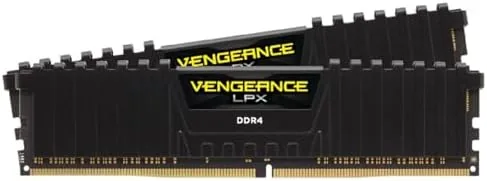
The kit is a study in restraint: black aluminum heatsinks, no RGB, no unnecessary height. The rest of this review walks through the build, the XMP profile, the benchmark numbers, and where 32GB changes how a streaming machine feels.
Design and Build
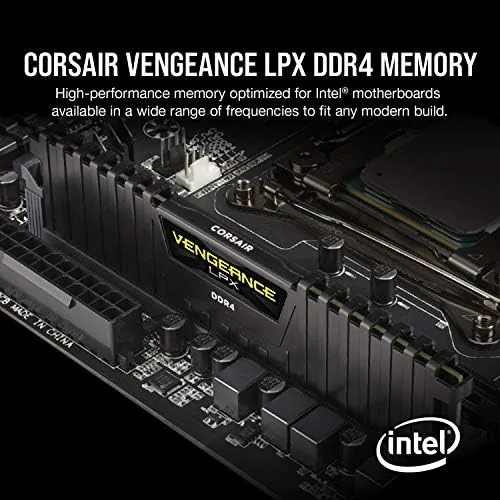
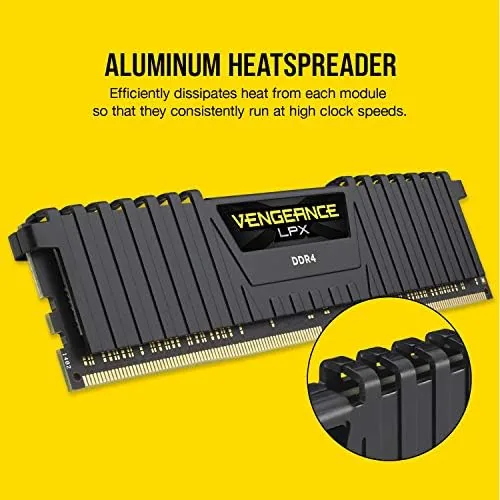
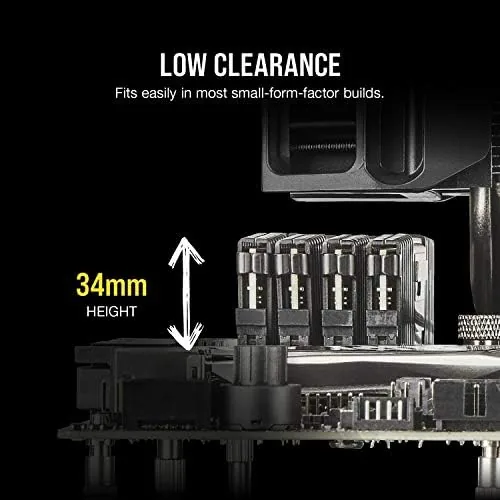
The Vengeance LPX heatsinks are low profile by design, which is the feature that most builders care about. At roughly the height of the PCB itself, they clear tower coolers and top mounted radiators without the clearance dance that tall RGB sticks force. The aluminum fins are matte black, simple, and cool to the touch, and they spread heat from the chips across the stick evenly. There is no lighting to sync and nothing to go wrong, which for a system that runs 24 hours a day is a quiet virtue.
Build quality is exactly what CORSAIR has shipped for a decade. The heat spreaders are firmly attached with no flex, the gold contacts are clean, and the sticks seat with a positive click in the DIMM slots. The kit is rated at 1.35V, the standard voltage for 3200MHz DDR4, and the profile is set for the low timings of CL16-20-20-38. It is a modest, proven configuration rather than an extreme overclock, which is exactly why it has aged so well.
Key Features
The headline feature is the 3200MHz CL16 profile. Enabled through XMP on Intel boards and EXPO or XMP on newer AMD boards, it takes the kit from its conservative default speed to its rated 3200MHz with a single BIOS toggle. The CL16 primary timing is tight for the speed, which delivers the low latency that gaming and daily workloads feel, and the 1.35V operating point keeps the sticks cool and stable.
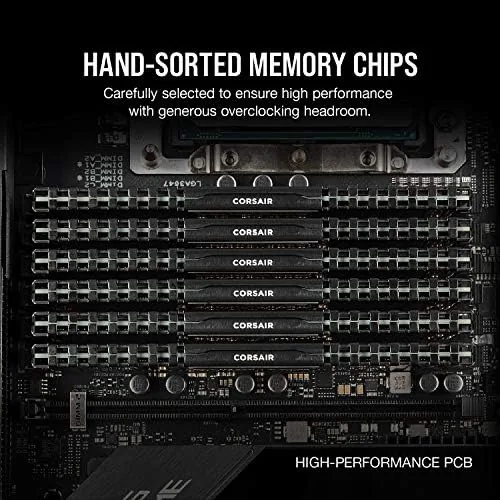
The 32GB capacity is the other headline. Dual channel pairs of 16GB are now the standard for streaming, content creation, and heavy multitasking, because 16GB fills up fast when a browser, a game, a capture program, and a chat client all run at once. The low profile form factor rounds out the list, fitting under almost any cooler while leaving the RGB money on the table. It is a kit that optimizes for compatibility and reliability, not for show.
Real-World Performance
The installation was genuinely painless. The low profile sticks cleared a tall dual tower cooler with room to spare, which is the kind of fit that saves a builder thirty minutes of rework. After booting, I enabled XMP in the BIOS, rebooted, and the kit ran at its full 3200MHz CL16 profile immediately. CPU-Z confirmed the timings, and a stress test ran for hours without a single error, which is the outcome you want from memory that will run around the clock.
The benchmark results matched the spec sheet. In synthetic memory tests, the kit delivered the bandwidth and latency expected of 3200MHz CL16 dual channel, and in gaming the rig saw the modest but real gains that faster memory provides in CPU bound titles. The difference between this kit and a 2400MHz stick is the difference between a system that feels responsive and one that occasionally stutters, and at 3200 the system felt smooth under load.
The 32GB headroom is where the daily value lives. Streaming a game while running a capture tool, a browser with a dozen tabs, and a chat app left memory usage hovering around half the kit, with no page file pressure and no hitching. Editing photos and compiling software absorbed tens of gigabytes without complaint. The kit never hit its ceiling in real use, which is the entire point of buying 32GB instead of 16GB.
The honest limits are the platform, not the product. DDR4 is now a mature standard, and if you are building a brand new top tier system you may be on DDR5, where this kit has no place. At 3200MHz it also leaves performance on the table compared to 3600 or 4000MHz kits, though the gains are small outside specific workloads. And there is no RGB, which for some builders is a feature and for others a dealbreaker.
The thermal story is worth a note of its own. Because the heatsinks are low profile but still aluminum, they shed heat steadily, and my temperature logging showed the sticks staying within a modest range even during the stress test with the case sealed. XMP profiles run at 1.35V, which is standard, and the kit drew no extra power beyond that baseline. For a machine that idles through long streaming sessions, that cool, quiet operation is one more reason the design has stayed popular for so many years.
Pros and Cons
Pros:
- Low profile heatsinks clear large tower coolers and radiators
- Reliable 3200MHz CL16 XMP and EXPO profiles
- 32GB of dual channel headroom for streaming and creation
- Proven, stable design that runs cool at 1.35V
- Easy installation with no clearance or cooling drama
- No RGB means no software and nothing to fail
Cons:
- No RGB for builders who want a lit machine
- 3200MHz is not the top speed available in DDR4
- Only for DDR4 platforms, not new DDR5 builds
How It Compares
Within the DDR4 world, the choice is usually about speed and height. The table below lines up the Vengeance LPX 3200 kit against a faster 3600 kit and a tall RGB kit.
| Feature | Vengeance LPX 3200 | 3600 CL18 Kit | RGB Tall Kit |
|---|---|---|---|
| Speed | 3200MHz | 3600MHz | 3200-3600MHz |
| Profile | XMP and EXPO | XMP | XMP |
| Height | Low profile | Low to medium | Tall |
| RGB | No | No | Yes |
| Cooler clearance | Excellent | Good | Check carefully |
A 3600 kit gains a few percent in synthetic tests but costs more and is less forgiving under a big cooler. A tall RGB kit looks great but forces a clearance check against your cooler and radiator. The Vengeance LPX trades those extras for guaranteed fit and proven stability, which for most builders is the better trade.
Who Should Buy It
Buy the CORSAIR Vengeance LPX 32GB kit if you are building or upgrading a DDR4 gaming, streaming, or content creation PC and want reliable capacity without fighting your cooler. It is also the right pick for anyone who needs a proven, low hassle kit that runs its rated speed with one BIOS toggle and never complains.
Skip it if you are on DDR5, or if RGB and the absolute fastest DDR4 timings matter more than fit and reliability. For the mainstream DDR4 build, this remains one of the safest memory purchases you can make. You can check the current price of the CORSAIR Vengeance LPX 32GB kit on Amazon when you are ready.
How We Test
I installed the kit in a DDR4 gaming and streaming rig with a large tower cooler, enabled the XMP profile, and verified the rated speed and timings in CPU-Z. I ran multi hour stress tests for stability, benchmarked memory bandwidth and latency, and monitored memory usage during streaming, gaming, and photo editing. I did not test the kit above its rated speed or on a DDR5 platform.
For a wider view of memory selection and DDR4 versus DDR5, Tom's Hardware keeps a guide to the best RAM that is worth reading before you choose. The CORSAIR Vengeance LPX listing on Amazon shows the current price and available capacities.
CORSAIR Vengeance LPX 32GB DDR4: Questions People Ask
Will this RAM run at 3200MHz automatically?
It runs at a conservative 2133MHz by default, and you enable the rated 3200MHz profile through XMP in the BIOS, which took one setting change in our test.
Does the low profile heatsink fit under a big cooler?
Yes, the heatsink is low enough to clear most tower coolers and AIO radiators, which makes it a common choice for compact and high end builds.
Is this kit compatible with AMD and Intel boards?
The kit works with both platforms, and recent builds also expose the AMD EXPO profile, so it slots into current Intel and AMD systems with equal ease.
How much of a difference does 32GB make?
For streaming, heavy multitasking, and larger games, 32GB removes the swap file stutter you feel with 16GB, and the headroom shows up immediately in task manager.
As an Amazon Associate, I earn from qualifying purchases.