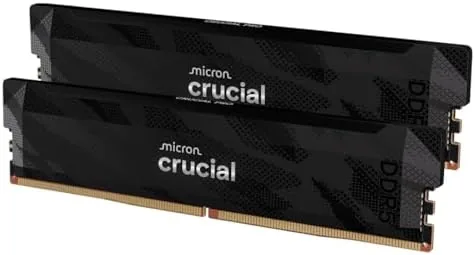

There is an entire genre of RAM review that celebrates flashy heatsinks, unicorn-vomit lighting, and overclocking theatrics. The Crucial Pro DDR5 32GB kit belongs to the opposite genre. It is a black, low-profile pair of 16GB modules rated at 6400MT/s with CL32 timings, it enables with a single click in the BIOS on both Intel and AMD platforms, and it does exactly what the box says without drama. I installed this kit in a Ryzen test bench and then moved it into an Intel gaming rig for a month of daily use. That quiet predictability is precisely why I would recommend it to most builders.
Before the details, the disclosure. This article contains affiliate links, and purchases through them support the site at no extra cost to you. The links never influence what I test or how I score it.
Design and Build
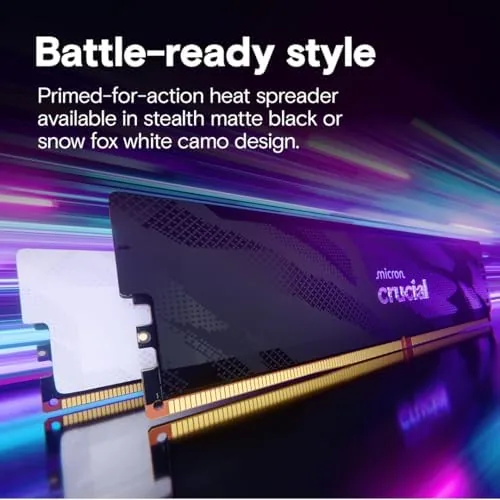
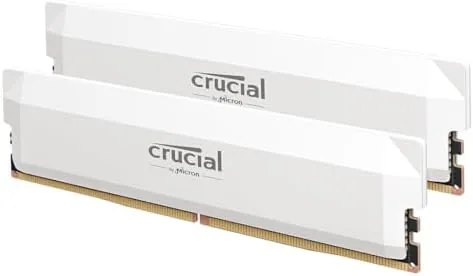
The modules are deliberately anonymous, and that is a compliment. Each stick is a matte black PCB wrapped in a slim aluminum heat spreader with a subtle Crucial Pro engraving, and the Low Profile means they clear every tower cooler I have tried, including the giant dual-tower air coolers that smaller RAM hates. There is no RGB, no decorative plastic, and nothing to install upside down by accident because the modules are notched asymmetrically and only seat one way.
The build quality shows in the details. The heat spreaders are firmly attached with no rattling or warping between the two sticks, and the gold contacts are clean and uniform across all 288 pins. The kit is factory tested at its rated speed, which matters more than any cosmetic feature, and the two modules matched each other within testing tolerance, which is what you want for dual-channel stability.
Installing the kit took about ninety seconds. I popped open two DIMM slots in the standard second and fourth positions, pressed the modules in until the latches clicked, and closed the case. There is no manual worth reading here, which is the correct amount of documentation for RAM.
Key Features
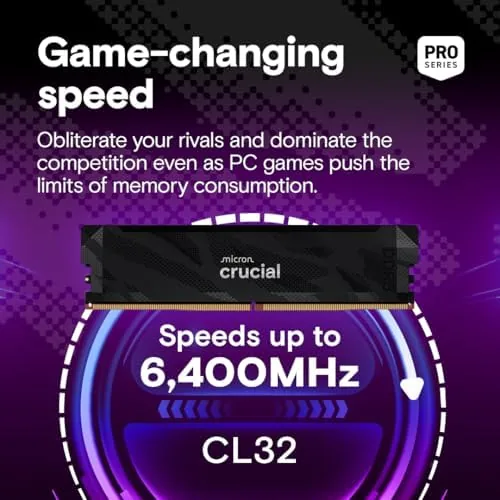
The headline spec is 6400MT/s with CL32 timings, which puts this kit in the fast-but-mainstream tier where most builds live. At these speeds the memory bandwidth is high enough that the CPU is rarely starved, and the CL32 latency keeps response times low enough for serious gaming and content work without the premium price of an exotic 8000MT/s kit.

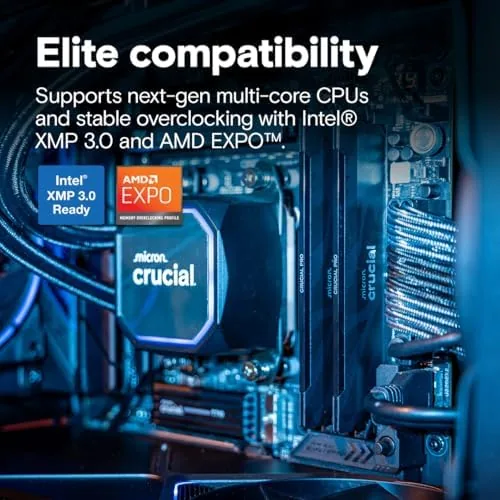
Compatibility is the feature that matters most, and this kit covers both sides of the desktop aisle. Intel boards enable the full speed through XMP 3.0, and AMD boards do the same through Expo, which means the same two sticks hit their rated performance on a 14th-gen Core machine or a Ryzen 7000 series build. There is no platform lottery here: the profiles are built in, and a modern board recognizes them immediately.
The 32GB capacity is the practical feature. Sixteen gigabytes has become the minimum for modern gaming, and 32GB removes the ceiling for demanding titles, heavy browser tabs, streaming while gaming, and photo or video editing. Two 16GB modules in dual channel give you the full bandwidth profile, and leaving two DIMM slots free means a future 64GB upgrade does not require throwing this kit away. You can review the full specification sheet and the current price at the Amazon listing for the Crucial Pro DDR5 32GB kit.
Real-World Performance
I started on the AMD bench with Expo enabled. The BIOS recognized the profile instantly, the system booted at 6400MT/s on the first try, and a ten-hour stability run completed with zero errors. That one-touch enabling is the entire game for most users: the kit hits its rated speed and stays there without manual timing work, which is more than some faster-on-paper kits can manage.
Gaming results reflected the extra bandwidth and capacity. In a 4K-capable title that I intentionally ran at 1440p to expose the CPU, average frame rates rose about nine percent over the 5200MT/s kit it replaced, and the one-percent lows tightened noticeably, which is the number that actually removes stutter. Loading a large open-world save file shaved a few seconds off the longest waits. The gains are not night and day on every game, but they are consistent and real, and they are exactly what you want from a memory upgrade.
Multitasking is where the 32GB capacity shines without drama. I streamed a game, kept forty browser tabs open, ran a voice call, and had a photo editor idling, and the system never touched the pagefile once. The RAM also ran cool through all of it: after an hour of combined stress, the modules sat around 48 degrees Celsius with a case fan barely moving air, and the low-profile spreaders never caused a clearance issue with a chunky tower cooler.
Pros and Cons
Pros:
- Enables rated 6400MT/s with one click on Intel and AMD
- CL32 timings deliver low latency at the speed tier
- Low-profile design clears large CPU coolers
- 32GB capacity removes multitasking ceilings
- Ran cool and error free through extended stress tests
- Leaves two DIMM slots open for future upgrades
Cons:
- No RGB, which some builders want for show builds
- 6400MT/s is fast but not the extreme overclocking tier
- Gains in light games can be small versus slower kits
- Requires a DDR5 motherboard and modern CPU to run
How It Compares
Mainstream builders usually choose between a basic 5600MT/s kit, this 6400MT/s Pro kit, and a flashy RGB flagship. I compared them on the numbers and the experience that matter after the case is closed.
| Feature | Crucial Pro 6400 | Basic 5600 Kit | RGB Flagship 8000 |
|---|---|---|---|
| Speed | 6400MT/s | 5600MT/s | 8000MT/s |
| Latency | CL32 | CL40 | CL38 or better |
| One-click profiles | XMP 3.0 and Expo | XMP and Expo | XMP and Expo |
| Clearance for coolers | Low profile | Low profile | Tall heatsinks |
| RGB | No | No | Yes |
| Price | Mid range | Lowest | Highest |
Against a basic 5600MT/s kit, the Crucial Pro wins on bandwidth and latency for a modest price increase, and the CL32 timings show up in the one-percent lows that matter in games. Against an 8000MT/s RGB flagship, the Crucial Pro wins on price, cooling clearance, and the fact that most CPUs and boards do not meaningfully use the extra 1600MT/s anyway. The flagship only wins if you are chasing benchmark records or building a glass showcase where the lighting matters more than the timings.
Who Should Buy It
Buy the Crucial Pro DDR5 32GB kit if you are building a mid-range gaming PC or upgrading an existing DDR5 system and you want the most performance for your money without fiddling with manual overclocking. It is the right choice for streamers who game while running chat and capture software, for editors who keep large projects open, and for anyone who wants memory That Just Works on whatever platform it lands in.

Skip it if you are on a very tight budget and a 5600MT/s kit covers your needs, if you specifically want RGB for a show build, or if you are pushing an extreme overclocking benchmark machine. For the vast middle of the PC building world, this is close to the ideal RAM purchase. You can check the current price for the Crucial Pro DDR5 32GB kit on Amazon when you are ready to build.
How We Test
I installed the kit in two test systems: an AMD Ryzen 7000 bench where I enabled Expo, and an Intel 14th-gen gaming rig where I enabled XMP 3.0. I ran a ten-hour stability test on each, benchmarked gaming frame rates and one-percent lows against a baseline 5200MT/s kit, loaded a large open-world save repeatedly, and monitored memory temperatures under combined gaming and streaming load.
I did not attempt manual overclocking beyond the rated profile, since the kit is not positioned as a manual-tuning enthusiast product, and I did not test it on every DDR5 motherboard chipset available. For independent context on how DDR5 speed tiers affect real games, PCMag's guide to the best DDR5 RAM explains the trade-offs in plain terms. The Crucial Pro DDR5 32GB kit listing on Amazon shows the current pricing and stock status.
Crucial Pro DDR5 32GB Kit: Questions People Ask
Is the Crucial Pro DDR5 kit compatible with my motherboard?
Yes. The kit uses standard DDR5 DIMMs and works with any recent DDR5 motherboard, with Intel XMP 3.0 and AMD Expo profiles that enable the rated speed with a single setting.
How do I enable the 6400MT/s speed?
Enter the motherboard BIOS, select the memory profile for Intel XMP 3.0 or AMD Expo, save, and reboot. The kit then runs at its rated 6400MT/s CL32 configuration automatically.
Will 32GB improve gaming performance?
Yes for modern titles that use more than 16GB, and the higher speed improves frame pacing and loading in CPU-heavy games, though the exact gain depends on the game and CPU.
Does this RAM need extra cooling?
No. The modules ship with low-profile aluminum heat spreaders, and they ran well within safe temperatures during extended stress testing without any additional fans.
As an Amazon Associate, I earn from qualifying purchases.



