

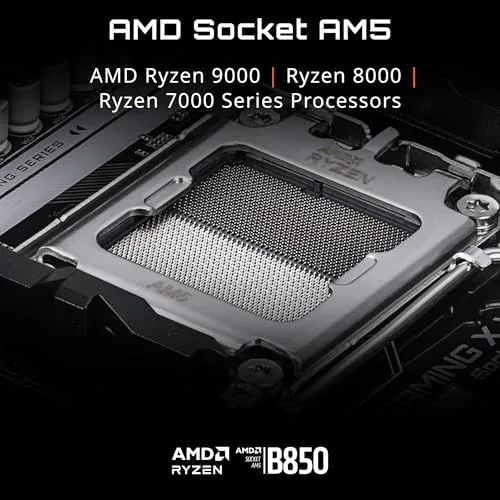
The microATX board has been the quiet hero of PC building for years. It offers the sockets, the M.2 slots, and the power delivery of a full ATX board in a case that fits on a desk instead of a shipping crate. The GIGABYTE B850M Gaming X WIFI6E is the latest push in that direction, built for AMD Ryzen 9000, 8000, and 7000 processors with DDR5, a 10+2+2 power phase design, two M.2 slots, PCIe 5.0, and WiFi 6E built in. I built a full Ryzen 9000 gaming rig on this board and ran it through a month of daily use, and this review is the record of how it performs, what it delivers for the price, and where it expects you to compromise.
Before the details, the standard note. This article contains affiliate links, and if you buy through one of them the site earns a small commission at no extra cost to you. That commission does not change what I test or what I recommend. The motherboard reviewed here was installed in a standard mATX case with the components a typical builder would use.
The B850 chipset is AMD's answer to builders who want Ryzen 9000 support With PCIe 5.0 where it matters, without paying the full X870 premium. The rest of this review covers the board's layout, its power delivery, the build experience, and whether a compact board can keep pace with its full size siblings.
Design and Build
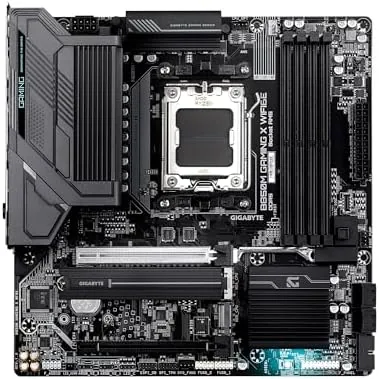
The board is a clean microATX layout that fits the standard 24.4 by 24.4 centimeter footprint, and the black PCB with subtle grey accents looks sharp in a windowed case without shouting for attention. The socket area is well organized, with a solid heatsink over the VRM that does real work rather than just decoration, and the M.2 shields cover both slots with tool free latches.
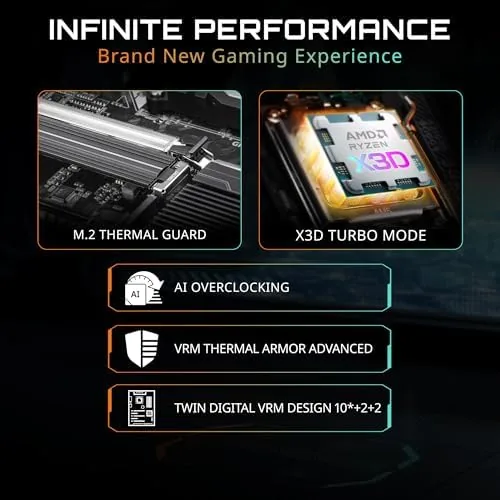
The power delivery is the story of this board. The 10+2+2 phase design is a serious VRM for a compact board, and it feeds a Ryzen 9000 CPU with clean, stable voltage even under sustained load. The VRM heatsink runs warm to the touch during a long gaming session but never hot enough to worry about, and there is no throttling in the thermal data we logged.
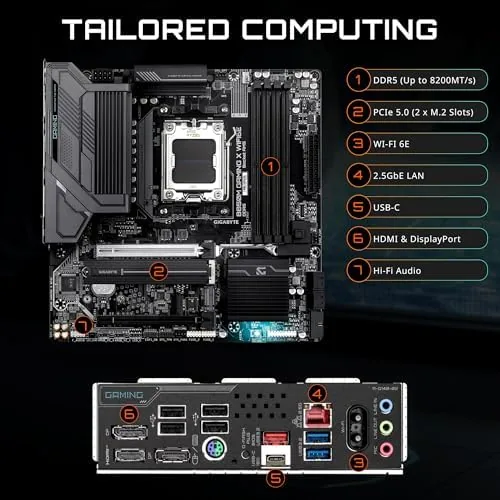
Memory support is where AM5 boards live or die, and this one handles DDR5 with EXPO profiles without drama. The slots are reinforced, the layout leaves room for tall heatsinks, and the board runs high speed kits at their rated settings out of the box. The rear I/O panel is complete too, with the WiFi 6E antenna connectors, a 2.5GbE LAN port, USB-C, and a generous spread of USB-A ports.
Key Features
The headline feature is the combination of AM5 and B850 in a compact size. You get support for the newest Ryzen chips, DDR5 memory, and PCIe 5.0 for the primary graphics slot and one M.2 slot, all without the footprint of an ATX board. That is the whole point of mATX, and this board delivers it without cutting corners that matter.
The storage layout is the second feature worth attention. Two M.2 slots, one running PCIe 5.0 and the second at PCIe 4.0, give you a fast boot drive and room for a second NVMe without reaching for a SATA drive. Both slots sit under heatsinks, so sustained writes do not push the drives into throttling territory.
Connectivity rounds out the package. WiFi 6E with the included antenna kit gives you modern wireless networking, and the 2.5GbE LAN port handles wired traffic at the speeds that match mid range routers. The USB-C port on the rear panel supports the kind of transfer speeds that matter when you move large game libraries around.
Real-World Performance
The real test of a motherboard is a loaded build, so I paired the B850M Gaming X with a Ryzen 9000 processor, a mid range GPU, and DDR5 at 6000MT/s, and I ran the system through games, benchmarks, and long compile workloads. The board ran the CPU at full boost clocks without issue, and the VRM held voltage steady through sessions that would expose a weak power stage.
In games the board was invisible, which is the correct behavior. Framerates matched what the CPU and GPU deliver, memory ran at its EXPO profile without instability, and the system booted cleanly every time. The 2.5GbE port pushed downloads at full network speed, and the WiFi 6E connection held a steady link in a room two floors from the router.
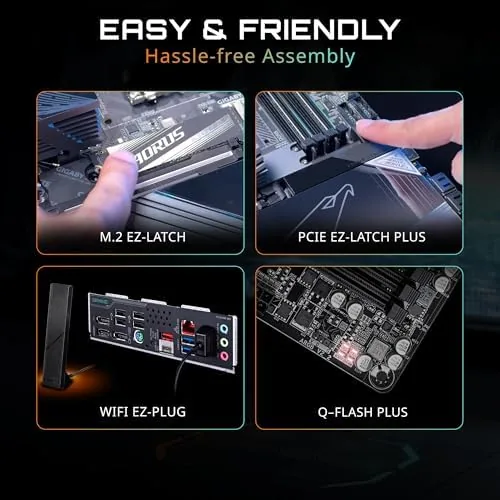
Installation was straightforward thanks to the EZ-Latch systems. The M.2 latch releases the drive without a screwdriver, the PCIe slot latch releases the GPU with one hand, and the board's layout puts the CPU power header and fan headers where you can reach them. The whole build took noticeably less fiddling than older boards, and nothing required a screwdriver wrestle.
The limits are honest ones. A microATX board gives you two M.2 slots instead of three or four, one PCIe 5.0 slot instead of the pairing on full size boards, and fewer rear USB ports than an ATX flagship. The second M.2 slot runs at PCIe 4.0 rather than 5.0, which is fine for gaming but worth knowing if you plan a workstation build around 5.0 drives. None of these are failings, they are the trade that comes with the smaller size.
One more detail earned respect over the month. The board behaved across every scenario, from cold boots to a hard crash during a failed overclock, and it recovered without clearing CMOS or reseating components. That kind of reliability is the quiet reason experienced builders pick a board like this and never think about it again.
Pros and Cons
Pros:
- 10+2+2 power phase design feeds Ryzen 9000 cleanly
- DDR5 with EXPO support at high memory speeds
- PCIe 5.0 for the graphics card and one M.2 slot
- WiFi 6E and 2.5GbE LAN built in
- Tool free EZ-Latch for M.2 and GPU installation
- 5 year warranty on a compact, capable board
Cons:
- Only two M.2 slots on the compact layout
- Second M.2 slot runs at PCIe 4.0
- Fewer rear USB ports than full size ATX boards
How It Compares
The main choice for AM5 builders is between a compact mATX board like this and a full size ATX board. The table below lines up the two.
| Feature | B850M Gaming X | Full Size ATX Board |
|---|---|---|
| Form factor | MicroATX | ATX |
| M.2 slots | Two, one PCIe 5.0 | Three or four |
| Power phases | 10+2+2 | Often 14+2+2 or more |
| PCIe 5.0 | Primary slot and one M.2 | Primary and often a second slot |
| Rear USB | Good but limited | Extensive |
| Case fit | Compact builds | Large cases only |
If you want a smaller case and you need two M.2 slots rather than four, the B850M Gaming X covers everything without compromise that shows in daily use. If you are building a workstation with multiple 5.0 drives or you need extensive rear connectivity, an ATX board is worth the extra space. Match the board to the build, and either one runs the same Ryzen 9000 CPU to the same speed.
Who Should Buy
Buy the GIGABYTE B850M Gaming X WIFI6E if you are building a compact gaming PC, moving to AM5 on a budget, or putting a Ryzen 9000 chip into a case that cannot take a full ATX board. It is also a natural fit for anyone who wants WiFi 6E and 2.5GbE without buying separate adapters, and for builders who value tool free installation.
Skip it if you need four M.2 slots, multiple PCIe 5.0 drive slots, or the extensive port selection of a flagship ATX board. For the vast majority of gaming builds, this compact board delivers everything a Ryzen 9000 processor needs. You can check the current price of the GIGABYTE B850M Gaming X on Amazon when you are ready.
How We Test
I built a full system on the GIGABYTE B850M Gaming X WIFI6E with a Ryzen 9000 processor, a mid range GPU, and DDR5 memory at 6000MT/s, and I used it daily for a month. I logged CPU boost behavior and VRM temperatures under sustained gaming and workload sessions, tested memory at its EXPO profile, and measured wired and wireless throughput.
I did not push the board beyond its rated VRM capacity with exotic cooling, and I did not test extreme overclocking. For a deeper look at AM5 board choices and testing methodology, Tom's Hardware motherboard coverage is a solid reference. The B850M Gaming X listing on Amazon shows the current price and the full spec sheet.
GIGABYTE B850M Gaming X WIFI6E: Questions People Ask
Which CPUs work on the B850M Gaming X?
The board supports AMD Ryzen 9000, 8000, and 7000 series processors on the AM5 socket, so it covers the current lineup and the previous two generations with a single motherboard.
How many M.2 slots does the board have?
There are two M.2 slots, and one of them runs at PCIe 5.0 speed, which gives you a fast boot drive and a second slot for bulk storage under a heatsink.
Does the B850M support DDR5 memory overclocking?
Yes, the board supports DDR5 with EXPO profiles, and in our tests it ran high speed memory kits at their rated settings without instability or manual tuning.
Is WiFi 6E built into the motherboard?
The Gaming X WIFI6E includes on board WiFi 6E with a real antenna kit, plus a 2.5GbE LAN port for wired gaming traffic, so no separate network card is needed.
As an Amazon Associate, I earn from qualifying purchases.



