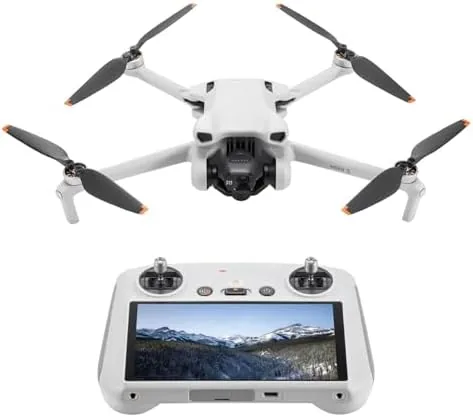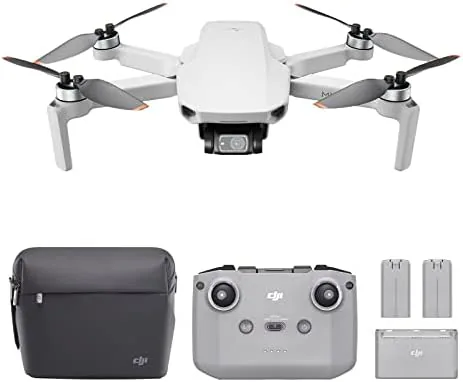

Most drone bundles assume you are starting from nothing, so they pack a controller in the box whether you need one or not. The DJI Mini 3 Pro No RC version makes a different bet: that a meaningful number of pilots already own a DJI controller, or plan to share one between drones, and that those pilots would rather spend the difference on batteries or a better bag. The drone itself is identical to the full kit, with 4K video, a 34 minute rated flight, obstacle avoidance, Return to Home, and FAA Remote ID compliance, but the remote arrives separately. I flew this exact configuration with an existing DJI controller for several weeks, and this review is the account of how well the no-remote bundle works in practice.
Before the details, the standard note. This article contains affiliate links, and if you buy through one of them the site earns a small commission at no extra cost to you. That commission does not change what I test or what I recommend, and the drone used here was flown in open legal spaces with a compatible DJI controller paired the way a buyer would pair it.
The no-remote bundle is one of the quiet bargains in the drone market for the right buyer, and it is easy to misunderstand for everyone else. The sections below cover what is in the box, how pairing works, the flight experience, and exactly who should choose this version.
Design and Build
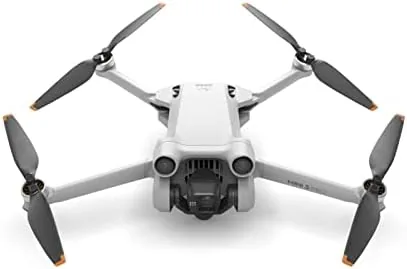
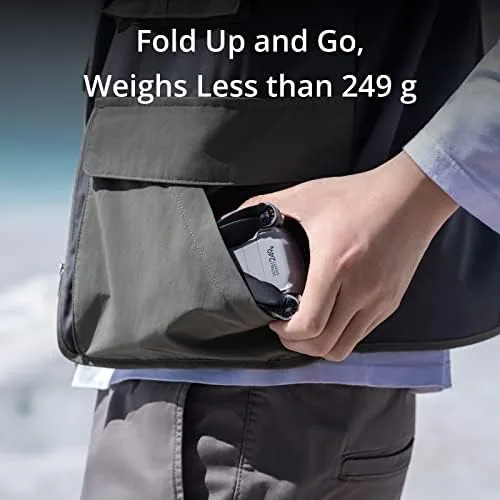
From the outside, there is nothing about this bundle that says it is different from the standard kit until you open it. The same white folding airframe, the same 249 gram flying weight, the same three axis gimbal and camera under the nose, and the same folding design that tucks the whole drone into a small carry case. The difference is what is not in the box, and the drone itself is untouched by that omission.
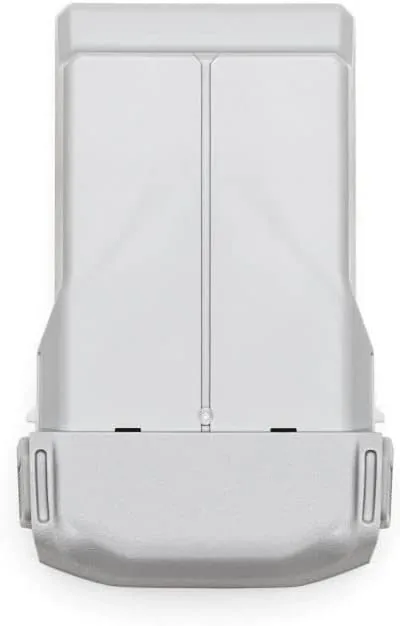
The build quality carries over completely. The arms lock out with a positive click, the propeller mounts are robust, and the gimbal holds the camera steady through handling and flight. The battery bay, the SD card slot, and the control connections all sit exactly where they do on the full kit version, because this is the same aircraft. For anyone who already knows the Mini 3 Pro, holding the no-remote version is a completely familiar experience.
Key Features
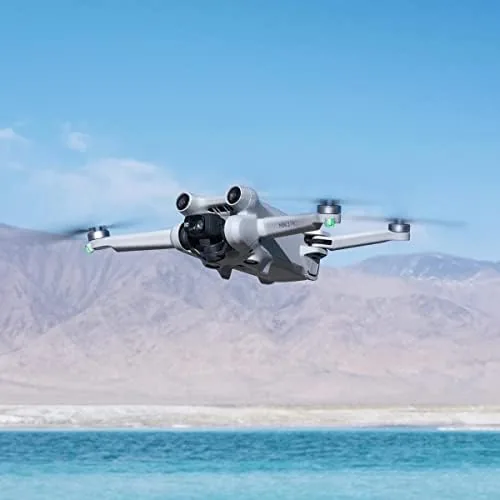
The camera package is the reason to buy any Mini 3 Pro, and it is fully present here. The sensor shoots 4K video and 48MP stills, the vertical sensor mode frames portrait content directly in the air, and the three axis gimbal smooths the footage through wind and quick moves. The flight endurance rating of 34 minutes per battery comes from the same efficient airframe and battery system that the full kit ships.
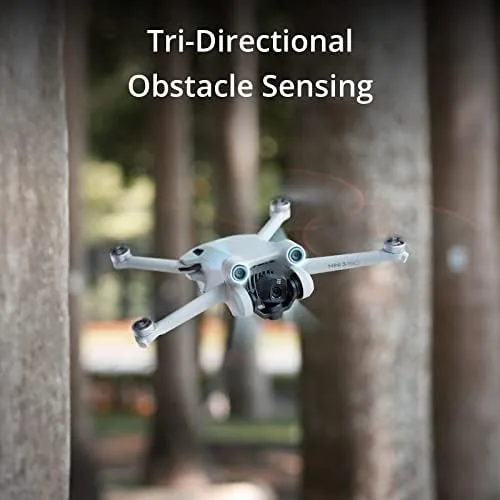
The safety and autonomy features also come in full. Obstacle avoidance watches forward, backward, and below, Return to Home flies the aircraft back and lands it if the signal drops or the battery runs low, and the sub-250 gram weight keeps the drone in the lighter registration class under United States rules. FAA Remote ID compliance is built in. None of these features depend on which controller you pair, which is the entire point of the no-remote bundle.
Real-World Performance
Pairing was the first thing I tested, because a no-remote drone is only as good as its pairing story. With a compatible DJI controller already updated, the connection took under a minute: power the drone, power the remote, and let the DJI Fly app confirm the link. The aircraft appeared in the app, the telemetry populated, and the camera feed came up with no drama. For a pilot moving from an older DJI model to the Mini 3 Pro, this is a seamless upgrade path.
The flight experience is identical to the full kit, because the aircraft and software do not know or care which remote you hold. The hover is rock solid, the sticks translate to smooth, confident movement, and the gimbal keeps footage level through the maneuvers that make a shot work. Obstacle avoidance slowed the drone before contact when I flew toward a tree line, and Return to Home brought it back over the takeoff point and set it down when I cut the signal deliberately. Every safety system behaved exactly as the full bundle would behave.
Image quality confirmed the drone is the same machine. Daylight stills at 48MP resolve fine detail with natural color, and 4K video stays sharp and smooth thanks to the gimbal. The vertical sensor made quick work of portrait content for social media, and the smart flight modes produced tidy automatic moves. On the battery front, calm air gave me flights near the 34 minute rating, with mixed conditions landing closer to 28 to 30 minutes, which remains excellent for the weight class.
The honest tradeoff of the no-remote bundle is the gate it puts on the experience. If you do not already own a compatible controller, buying this version plus a remote separately rarely saves much, and the standard bundle becomes the better value. If you do own one, the no-remote kit trims the price meaningfully and leaves room for the spare battery or travel case that actually changes your flying day. Sharing one remote between two Mini 3 Pro drones also works cleanly, since pairing and unpairing takes moments.
Pros and Cons
Pros:
- Lower price than the full kit for pilots who own a controller
- Identical airframe, camera, and safety features to the standard bundle
- Fast pairing with a compatible DJI controller
- Sub-250 gram weight and FAA Remote ID compliance
- 4K video, 48MP stills, and vertical sensor for creators
Cons:
- No controller means no flying until you pair one
- Buying a remote separately makes it less of a bargain for New Pilots
- Side and top obstacle sensing still not covered
How It Compares
The direct comparison is between the no-remote bundle and the standard kit that includes a controller, and the table below lines up the two purchasing routes.
| Feature | Mini 3 Pro No RC | Mini 3 Pro Full Kit |
|---|---|---|
| Controller included | No, sold separately | Yes |
| Airframe and camera | Identical | Identical |
| Price | Lower | Higher |
| Best for | Existing DJI owners | First time buyers |
| Time to first flight | Depends on pairing | Out of the box |
The full kit is the right answer for a first time buyer who has nothing to pair, because the bundle price on a controller is hard to beat. The no-remote version is the smart buy for someone with an existing compatible DJI remote, and for households that already own a Mini 3 Pro or a controller from another DJI Aircraft. Choose based on what is already on your shelf, not on the box contents alone.
Who Should Buy It
Buy the Mini 3 Pro no-remote bundle if you already own a compatible DJI controller and want the same camera and safety features for less, if you are upgrading an older DJI drone and can carry the remote forward, or if you want a second Mini 3 Pro body that shares a remote with the first. It is a strong value pick for experienced DJI owners expanding a fleet.
Skip it if this is your first drone and you have no remote on hand, because the standard bundle with a controller included is the better and often cheaper path to your first flight. For existing pilots, the no-remote version quietly saves real money. You can check the current price of the DJI Mini 3 Pro no-remote bundle on Amazon when you are ready to compare.

How We Test
I flew the Mini 3 Pro no-remote configuration over several weeks using an existing compatible DJI controller, testing pairing, camera output, flight modes, and the safety systems in open legal spaces. I measured flight time across fresh batteries in calm and windy conditions, verified obstacle avoidance against a tree line, and tested Return to Home with a deliberate signal cut. I did not modify the drone or firmware, and I did not fly in restricted airspace.
For an independent look at how the Mini 3 Pro performs on the bench, CNET keeps a regularly updated guide to the best drones that is worth reading before any purchase. The DJI Mini 3 Pro no-remote listing on Amazon shows the current price and what is included in the box.
DJI Mini 3 Pro No RC: Questions People Ask
What controllers work with the no-remote Mini 3 Pro bundle?
The drone connects to compatible DJI controllers and smart remotes, including the DJI RC and RC-N1, and pairing takes a minute once the controller is already updated.
Is the no-remote bundle cheaper than the full kit?
Dropping the bundled controller trims the price, so it is the economical choice if you already own a compatible DJI remote or plan to share one between two drones.
Do I lose any features by buying without the controller?
No, the drone itself is identical, so 4K video, obstacle avoidance, Return to Home, and the full flight modes all work exactly as they do in the standard bundle.
Is the Mini 3 Pro still beginner friendly without its own controller?
Yes, once paired the automatic modes and safety features make it approachable, and the no-remote bundle is a fine first drone for a pilot who already owns a remote.
As an Amazon Associate, I earn from qualifying purchases.