
Most drone reviews read like a salesman's pitch for the biggest bundle you can afford. Three batteries, a charging hub, ND filters, a shoulder bag, and suddenly the price has crept past what you planned to spend on a first drone. The DJI Mini 2 base kit makes a quieter argument: the drone itself is identical to the one in the expensive bundle, and for a lot of people a single battery is genuinely enough. I spent a month flying the base kit exactly as it ships, with one battery and the standard controller, to answer the question most reviews skip: what do you actually lose when you buy the cheap version?
Before the details, the standard note. This article contains affiliate links, and if you buy through one of them the site earns a small commission at no extra cost to you. That commission never changes what I test or what I recommend.
Design and Build
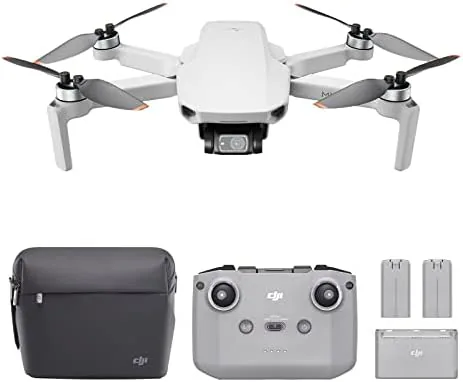
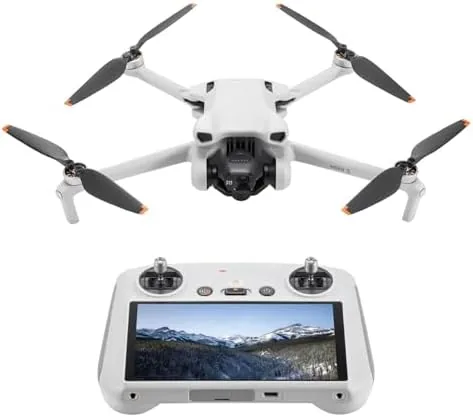
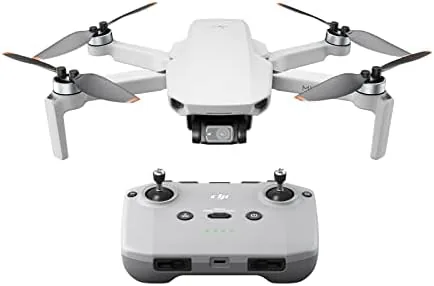
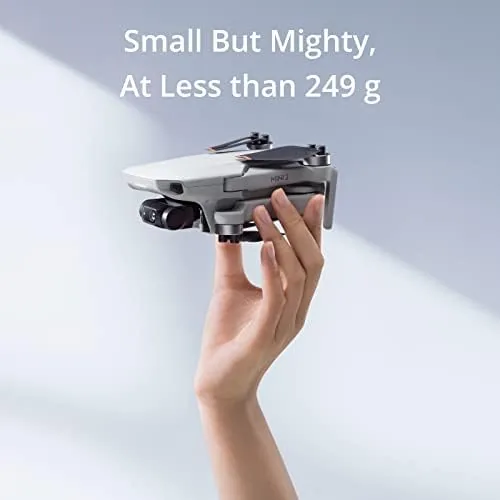
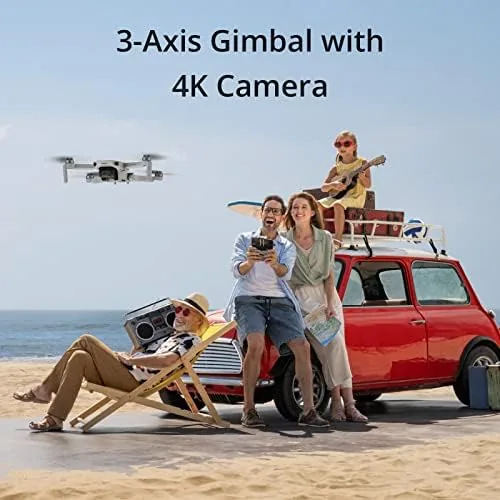
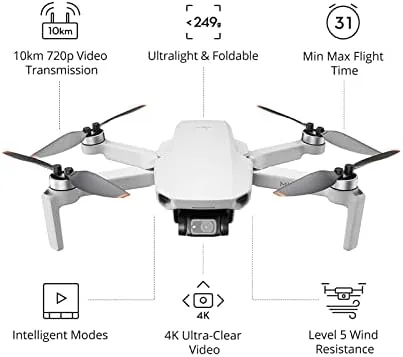
Open the base box and you find the same gray folding airframe that made the Mini 2 famous: a pocket-size quadcopter that weighs less than 250 grams, with arms that snap out, props that fold flat, and a camera pod tucked under the nose. There is no meaningful difference between this drone and the one in the Fly More Combo. It is the identical hardware, the identical 4K camera, the identical three-axis gimbal, and the identical 31-minute rated flight time, because DJI sells the airframe everywhere and the accessories separately.
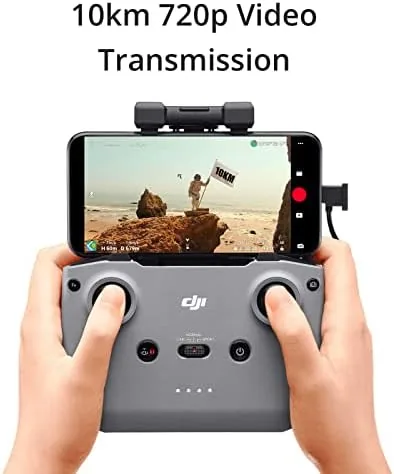
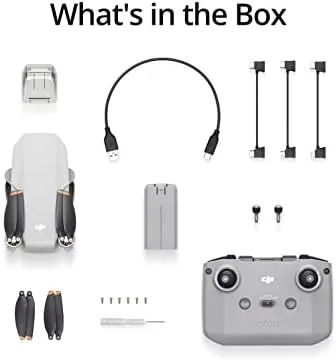
The base kit includes the drone, one intelligent flight battery, the standard controller, a set of spare propellers, a basic carry case, and the usual cables and documentation. The controller is the classic DJI phone holder design, with folding clamps, twin sticks, and dedicated record and shutter buttons, and it works fine with a modern phone clamped in the middle. The single battery is the whole concession, and everything else in the box is pure function. It is a deliberately lean kit, and that leanness is the point: DJI wants the Mini 2 to be the easiest drone to say yes to.
Key Features
The feature set on the base kit is identical to the bundle, and that is the headline. The 4K camera shoots at 30 frames per second with a 12-megapixel stills mode, the three-axis gimbal keeps everything level, and digital zoom reaches 4x. OcuSync 2.0 handles the video link with a rated range of 10 kilometers, and the airframe carries a level 5 wind resistance rating. QuickShots delivers the cinematic shots with preprogrammed flight paths, and the app handles framing, flight logs, and the manual camera controls in one place.
What you do not get without the combo is the second and third battery, the charging hub, the ND filters, and the spare props, and those are the only things you can add later. Every one of them is purchasable on its own, so the base kit is not a dead end. You start with the drone and one battery, and if flying sticks, you buy a spare battery pack or graduate to the full accessory set. That is the smartest thing about the product structure. If you want to compare the current price of the base kit against the bundle, the Amazon listing for the DJI Mini 2 has the latest figures.
Real-World Performance
My month with the base kit started with a skeptical question: would one battery feel like a constant interruption? The answer surprised me. A single charge flies for 25 minutes in realistic mixed use, which covers a launch, a few shooting passes, a QuickShot or two, and a safe landing with reserve power. For a weekday evening session at the local park, that is a complete outing, not a teaser. The drone is so portable that the battery limit becomes a natural stopping point rather than a frustration.
The camera quality matched everything I have written about the Mini 2 elsewhere. The 4K30 footage was sharp and colorful, the gimbal held the horizon through turns, and the 12-megapixel stills cleaned up well in a basic edit. The single weak spot without the combo is video smoothness in bright light: with no ND filter in the box, the fixed shutter runs fast on sunny days and footage picks up a subtle jitter on fast pans. It is a polish issue, not a dealbreaker, and it only shows on demanding shots. If video is your priority, buy an ND set later or keep the drone to golden hour.
Transmission and stability were exactly as advertised. In a clear field the video feed stayed solid well past the distance most recreational pilots will ever use, and on a breezy afternoon the level 5 wind rating kept the hover point steady. The absence of obstacle sensors remained the one thing to respect: I flew with clear sight lines, kept away from trees and power lines, and never came close to a collision, but the responsibility is entirely on the pilot. For a first drone, that means picking your flying spots carefully.
Pros and Cons
Pros:
- Same 4K camera and gimbal as the far pricier bundle
- Under 250 grams, so no registration in many regions
- One battery covers a complete casual flying session
- Realistic 25-minute flights with a safe landing margin
- Accessories are all sold separately, so the kit is never a dead end
Cons:
- Single battery limits long shooting sessions
- No ND filter in the box, so bright-light video can jitter
- No obstacle avoidance sensors anywhere in the design
How It Compares
The base Mini 2 is usually weighed against its own Fly More Combo and against cheaper rivals like the DJI Mini SE. I compared the three on what actually changes the buying decision.
| Feature | Mini 2 Base Kit | Mini 2 Fly More Combo | DJI Mini SE |
|---|---|---|---|
| Batteries included | 1 | 3 | 1 |
| Charging hub | No | Yes | No |
| Camera | 4K30, 12MP | 4K30, 12MP | 2.7K, 12MP |
| Transmission range | 10km OcuSync 2.0 | 10km OcuSync 2.0 | 4km OcuSync 2.0 |
| ND filters included | No | Yes | No |
| Entry price | Lowest | Higher | Lowest overall |
Against the Fly More Combo, the base kit costs noticeably less and gives up only the accessories, which you can buy later. Against the Mini SE, the base Mini 2 justifies its higher price with the 4K camera and the longer transmission range, and I would take that upgrade over an extra battery any day. The honest math favors the base kit for beginners and casual pilots, the combo for regular shooters, and the Mini SE for anyone who truly only wants the cheapest possible drone. For most people starting out, the base Mini 2 is the better first purchase, and the upgrade path keeps it future-proof.
Who Should Buy It
Buy the base Mini 2 if this is your first drone, if you fly occasionally and a single 25-minute session satisfies you, or if you want the best camera per dollar without the accessory markup. It is also the right choice as a gift: it shows off everything that made the Mini 2 famous without forcing the recipient to commit to a serious hobby budget on day one.
Skip it if you know you will shoot all day, in which case the combo's batteries and hub pay for themselves quickly, or if you plan to fly video in bright conditions from the start, where a filter kit matters. For everyone else, the base kit is the smart, honest way to enter the hobby. When you are ready, check the current price for the DJI Mini 2 on Amazon.
How We Test
I flew the base Mini 2 kit exactly as shipped for a month, without adding any accessory, to test the single-battery experience honestly. I logged every flight, timed each battery from takeoff to landing, and measured the reserve the controller warned about. I shot 4K30 video and 12-megapixel stills at midday, golden hour, and dusk, and I ran the QuickShot modes on every flight to check tracking. I flew in light wind to verify the level 5 rating, tested the transmission feed at distance in open country, and assessed whether the missing ND filter hurt the bright-light footage.
I did not fly in rain, snow, or temperatures below freezing, and I did not test the drone indoors, where the absence of obstacle sensors makes close-quarters flying risky. Independent coverage such as Wirecutter's guide to the best drones is a useful reference for how the Mini 2 fits into a broader shortlist. The DJI Mini 2 listing on Amazon shows the current price, the color options, and the shipping details.
DJI Mini 2 Base Kit: Questions People Ask
What is different about the DJI Mini 2 base kit?
The base kit includes the drone, one battery, the standard controller, a set of propellers, and a basic carrying case, with none of the extra batteries, hub, or ND filters from the combo.
Is one battery enough on the Mini 2?
For short sessions, yes. A single battery flies for about 25 minutes in practice, so a quick shoot at the park is fine. Long shoots need spare batteries or the combo bundle.
Does the base Mini 2 have the same camera as the combo?
Yes. The drone itself is identical: the same 4K camera, 12-megapixel stills, three-axis gimbal, and 31-minute rated flight time. Only the accessories differ.
Should a beginner buy the Mini 2 base kit or the Fly More Combo?
A total beginner should start with the base kit to test the hobby, then buy a spare battery or the combo parts later if flying sticks. The drone is the expensive part and it is identical.
As an Amazon Associate, I earn from qualifying purchases.