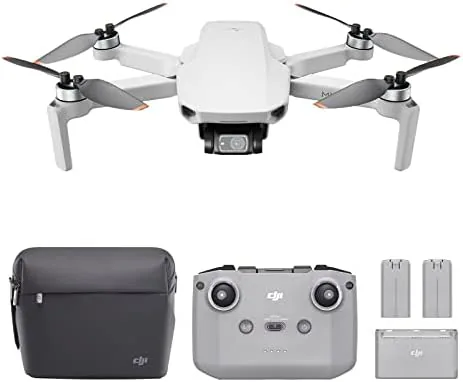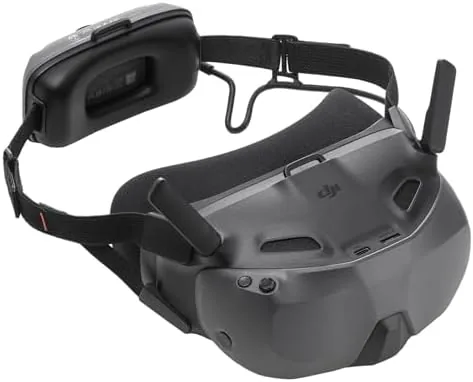

First person view drone flight used to be a rich hobby with a rich price tag. The goggles alone could cost more than the drone you were flying, and the learning curve was steep enough to scare off casual pilots. DJI has spent years dismantling that barrier, and the Goggles N3 is the latest step in that direction. It is an FPV headset with a 1080p ultra-wide display, wireless streaming, an AR cursor, and a ready to use kit that is aimed squarely at pilots who want the immersive rush without the full racing drone budget. I flew with the N3 over several sessions to see how close it comes to the premium DJI FPV experience.
Before the flight notes, the standard disclosure. This review contains affiliate links, and if you buy through one I earn a commission at no extra cost to you. That never changes what I test or how I report it. The goggles were tested as a retail unit with a compatible DJI aircraft.
Design and Build
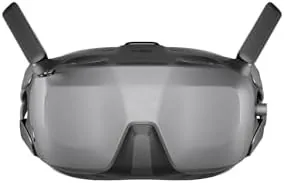
The Goggles N3 keeps the familiar DJI headset shape: a curved visor that wraps around your face with an adjustable head strap holding it in place. It is lighter than the flagship FPV Goggles, and that weight saving is immediately noticeable on your neck and forehead. The foam padding seals out ambient light well, and the integrated antennas fold up against the top of the headset when it is packed away.
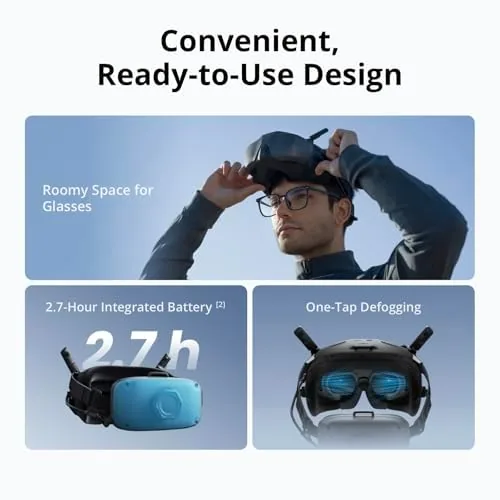
Controls sit on the underside of the visor where your fingers naturally rest. There is a power button, a touchpad for menu navigation, and a small set of dedicated buttons for the core functions like screen recording and focus adjustment. The fit adjustment is generous, and I found a comfortable position within a minute even while wearing eyeglasses, because the N3 includes a reasonable diopter adjustment range.
Build quality is classic DJI. The plastic shell is dense and the strap hardware feels like it will survive years of use, and the fan vents pull warm air away from your face during a hot session. This is a headset designed to be worn in the field, not just shown off on a desk.
Key Features
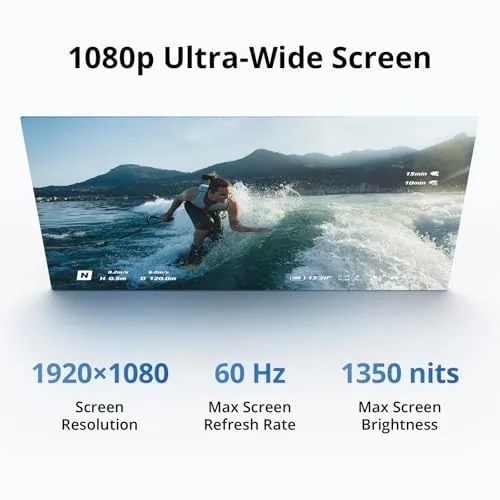
The centerpiece is the 1080p ultra-wide display. DJI calls it a one hundred forty nine degree field of view in some marketing material, and regardless of the exact number, the panel fills your vision edge to edge with very little black border. The image is bright and the colors are vivid, which matters enormously when you are trying to track a fast moving drone against a bright sky.
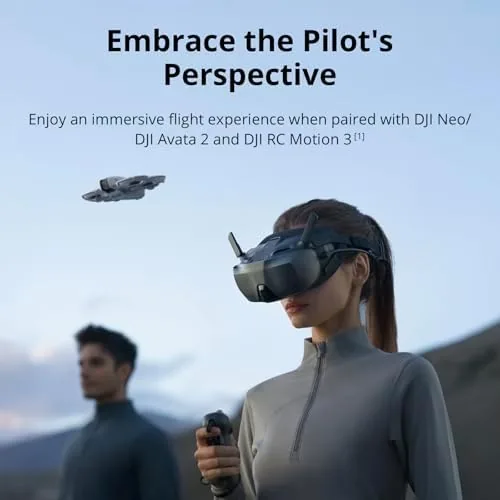
The ready to use kit framing means DJI includes everything you need to fly out of the box, including the batteries and the charging setup, so there is no hunting for cables or adapters. The goggles use the DJI O4 digital video transmission pipeline, which gives you the low latency, reliable link that makes FPV feel safe and responsive.
The AR cursor is the clever new piece. A small pointer floats in the display and moves with your head, letting you aim at on screen buttons and menus without taking your hands off the sticks. It is a small quality of life feature that removes the most fiddly part of flying with goggles, and it works better than it has any right to.
Real-World Performance
In the air, the N3 delivers the FPV experience that DJI is known for. The video link was rock steady in open spaces, and even when I flew low behind trees the image held on far longer than I expected. The 1080p panel made it easy to read the drone's position, judge distance, and feel comfortable pushing a little harder on the controls.
Latency was low enough that I never felt disconnected from the aircraft. That is the entire point of FPV goggles, and the N3 nails it. A slight delay can cause nausea and bad decisions, but DJI's video transmission kept the feed feeling immediate throughout my sessions.
The wireless streaming mode works as advertised. I connected the goggles to other video sources and used them as a personal display, which is a nice bonus for a product that is otherwise drone focused. The AR cursor also proved genuinely useful for navigating the on screen menus while flying, and it is the kind of feature you stop noticing because it just works.
The honest limitations are real. The field of view, while wide, is not the very widest DJI has offered, and pilots who compare the N3 side by side with the flagship FPV goggles will see a difference in edge sharpness. Battery life on the headset is also measured in a few flights, which is normal for the category but worth planning around.
Pros and Cons
Pros:
- Bright, vivid 1080p ultra-wide display
- Low latency digital video link for confident flying
- Ready to use kit with batteries and charging included
- AR cursor simplifies on screen menus in flight
- Lighter and more comfortable than flagship FPV goggles
Cons:
- Requires a compatible DJI aircraft for full FPV use
- Headset battery life is measured in a few flights
- Edge sharpness trails the pricier flagship goggles
How It Compares
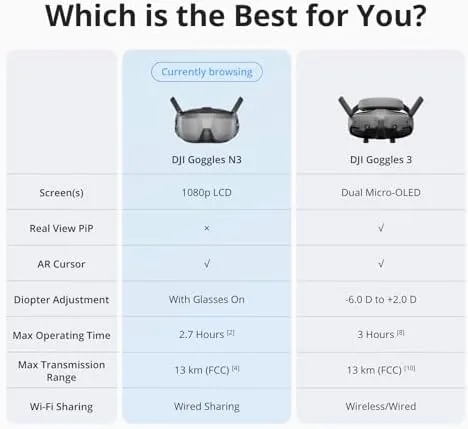
The N3 is best understood next to two alternatives: the flagship DJI FPV goggles and a budget third party FPV headset. The comparison explains where the money goes in each direction.
| Feature | DJI Goggles N3 | Flagship DJI FPV Goggles | Budget Third Party Goggles |
|---|---|---|---|
| Display | 1080p ultra-wide | Higher resolution panel | Lower resolution LCD |
| Video link | DJI O4 low latency | DJI high end transmission | Varies, often analog style |
| Ready to use kit | Yes | Often sold separately | No, parts needed |
| AR cursor | Yes | No | No |
| Comfort | Light and adjustable | Heavier | Varies widely |
The flagship goggles win on raw resolution and the very best transmission, but they cost significantly more and weigh more on your head. Budget third party goggles are cheaper still, yet they usually miss DJI's clean integration, the ready to use kit, and the low latency O4 link. The N3 sits in the sweet spot for most pilots, because it delivers the DJI FPV feel without the flagship tax. If you want more independent context on how DJI's FPV lineup has evolved, The Verge has followed the DJI ecosystem closely at theverge.com.
Who Should Buy It
Buy the Goggles N3 if you own or plan to buy a compatible DJI aircraft, if you want the immersive FPV experience without paying for the flagship goggles, and if you value a kit that flies out of the box. It is also a great first headset for a pilot moving up from flying on a phone screen.
Skip it if you fly only analog drones, because the N3 is built around the DJI digital ecosystem, or if you need the absolute highest resolution panel for professional work. For everyone else, this is the most accessible path to true FPV. You can see the current price and kit contents on the Amazon listing for the DJI Goggles N3.
How We Test
I tested the Goggles N3 over several flying sessions with a compatible DJI aircraft, covering open fields, light tree cover, and a mix of fast and slow flight. I assessed video latency by flying close to objects, tested the wireless streaming mode with external sources, and used the AR cursor throughout to navigate menus in flight.
I also wore the headset for continuous stretches to judge comfort, and I charged the kit through its included setup to confirm the ready to use claim. I did not run laboratory latency measurements, so my latency impressions come from practical flying, which is the experience that matters to a pilot deciding whether to trust the link. The DJI Goggles N3 listing on Amazon shows the current price and what is included in the kit.
Questions People Ask
Which DJI drones work with the Goggles N3?
The N3 pairs with compatible DJI FPV aircraft and newer DJI drones that support the DJI O4 digital video transmission system. Check your model against the compatibility list before buying, because older aircraft will not connect.
Is the Goggles N3 comfortable for long flights?
The weight is distributed well and the fit is adjustable, which helps a lot. Headsets still tire you after long sessions, so most pilots take breaks between batteries, and the N3 is lighter than the flagship option to help with that.
What does the AR cursor actually do?
The AR cursor floats in the display and lets you aim or interact with on screen elements by moving your head. It makes selecting menus and settings much easier while you are flying.
Can I stream video to the goggles without a drone?
Yes, the N3 supports wireless streaming from compatible sources, so it can act as a personal display. The full first person flight experience still requires a connected DJI aircraft, which is the main reason to buy it.
As an Amazon Associate, I earn from qualifying purchases.