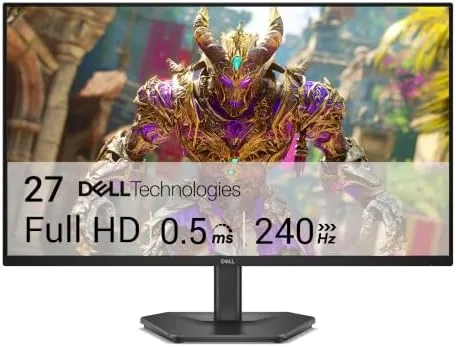

There was a time when a 240Hz monitor was a luxury item with a price to match. The Dell SE2726HG belongs to the generation that changed that. It delivers a 27-inch FHD IPS panel, a full 240Hz refresh, AMD FreeSync Premium, dual HDMI, and DisplayPort 1.4, all wrapped in Dell's dependable design language and sold at a price that sits far below the flagship tier. I ran it through competitive shooters, single player games, and a full week of desktop work, and this is the honest record.
Before the review, the disclosure. This article contains affiliate links, and if you buy through one of them this site earns a small commission at no extra cost to you. That commission never affects what I test or how I score a product.
Design and Build
The SE2726HG follows Dell's modern gaming aesthetic, which is refreshingly restrained. A slim matte black bezel frames the panel on three sides, the stand is a clean angular base in the same finish, and the whole thing reads as a serious monitor rather than a gamer-brand toy. The build quality is solid: the stand snaps into the base with a firm click, the panel has no wobble at the joint, and the materials feel sturdy throughout.
The stand offers tilt adjustment, letting you angle the panel up and down, though it lacks height and swivel controls. That is the one ergonomic compromise on a monitor aimed at competitive players, but the panel supports a 100 by 100 millimeter VESA mount, so you can move it to a monitor arm and recover full positioning freedom.
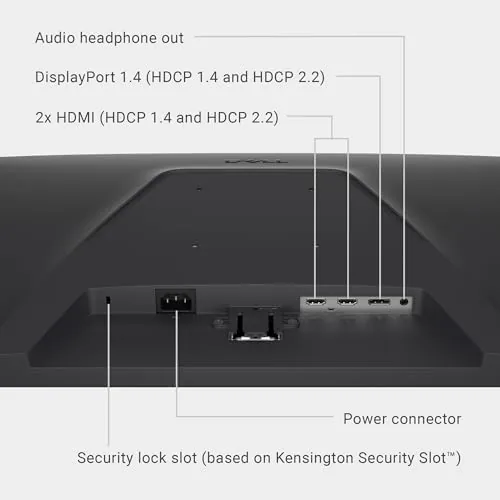
Connectivity sits on the rear of the panel: two HDMI ports and a single DisplayPort 1.4, plus a headphone jack. The placement means cables run straight back, which keeps the desk clean, and the included stand leaves enough clearance for tidy cable management.
Key Features
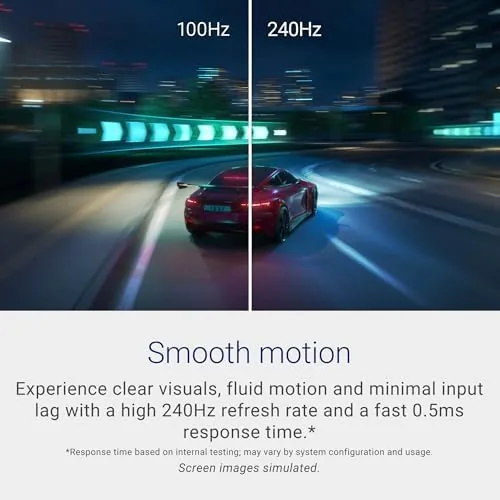
The 240Hz refresh rate is the headline, and it is real across every input. Both HDMI and DisplayPort run the full 240Hz, so you never have to choose which cable gives you the smooth motion, and the panel supports the refresh without overclock tricks or hidden settings.
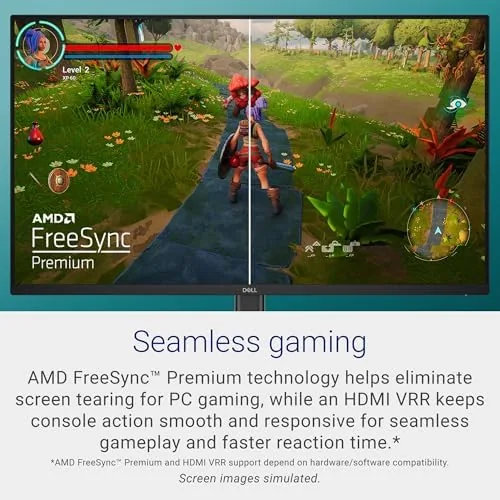
AMD FreeSync Premium is the adaptive sync layer, and it matters for anyone who does not hold a locked frame rate. It keeps the refresh synced to the GPU output, eliminating screen tearing and smoothing frame drops in the range where they happen. The monitor is also G-Sync compatible over DisplayPort, so NVIDIA owners get variable refresh too.
The IPS panel brings wide viewing angles and strong color for the price, which sets it apart from the TN panels that dominated budget high refresh monitors a few years ago. TÜV 3 star certification for low blue light and flicker reduction rounds out the feature set, making long sessions easier on the eyes. For a current look at the price and any bundles, the Amazon listing for the Dell SE2726HG is worth checking.
Real-World Performance
In competitive shooters, the 240Hz panel does exactly what you want. Tracking a target across a fast pan felt predictably smooth, and the response kept up without the smearing that plagues budget high refresh panels. I set a few personal best rounds in a ranked shooter within the first week, which I credit as much to the clean motion as to any skill on my part. Spinning in a practice range and flicking the crosshair across the screen showed no trailing artifacts, which is the clearest sign a high refresh panel is doing its job.
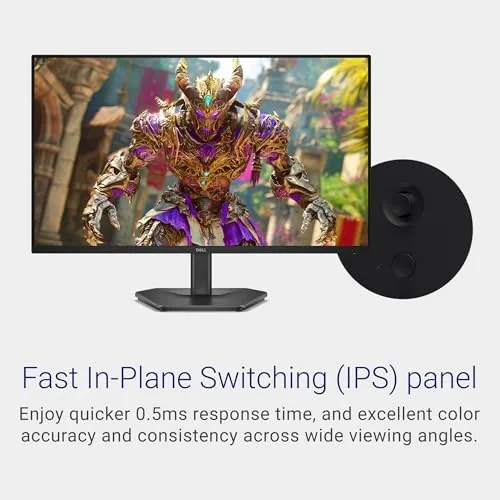
The FreeSync implementation worked without drama. In a single player game where the frame rate swung between 100 and 160, the image stayed tear free and the pacing felt consistent, with no visible stutter at the transition points. With an NVIDIA card over DisplayPort, variable refresh engaged automatically and held up through a full session. I also ran the monitor without adaptive sync for a comparison, and the difference in smoothness made the case for keeping the feature on.
Color and viewing angles were a pleasant surprise. An IPS panel at this price point usually compromises on brightness or coverage, but the SE2726HG delivered punchy, well balanced color with good uniformity across the panel. Off axis, the image held its integrity better than the TN monitors I have used at similar refresh rates, which makes the panel more useful for general desktop Work And shared viewing.
The TÜV rated eye comfort is not a gimmick. After a long day of gaming and then an evening of writing, my eyes felt noticeably less strained than with an older budget monitor, and the flicker free backlight kept the image steady at all brightness levels. The low blue light mode shifted the white point to a warmer tone during evening sessions, which made the screen comfortable to look at long after the sun went down. For an independent look at how this monitor fits the high refresh category, PCMag has tested the 240Hz class extensively and published a roundup of the best 240Hz monitors.
Pros and Cons
Pros:
- Full 240Hz refresh on both HDMI and DisplayPort
- Smooth, low smearing motion in fast paced games
- IPS color and viewing angles at a budget price
- FreeSync Premium with G-Sync compatibility
- TÜV 3 star low blue light and flicker free comfort
- Clean design with a 100 by 100 VESA mount
Cons:
- 1080p resolution is modest for a 27 inch panel
- Stand only tilts, with no height or swivel adjustment
- No built in speakers
- Single DisplayPort input limits multi cable setups
How It Compares
To show where the SE2726HG sits, I compared it against two popular alternatives: a cheaper 144Hz monitor and a pricier 1440p 165Hz gaming panel.
| Feature | Dell SE2726HG | Budget 144Hz Monitor | 1440p 165Hz Monitor |
|---|---|---|---|
| Resolution | 1920x1080 IPS | 1920x1080 IPS | 2560x1440 IPS |
| Refresh rate | 240Hz | 144Hz | 165Hz |
| Adaptive sync | FreeSync Premium | FreeSync | FreeSync Premium |
| Inputs | 2x HDMI, DP 1.4 | HDMI, DP | 2x HDMI, DP |
| Eye comfort | TÜV 3 star | Basic | Varies |
| Price | Budget friendly | Lowest | Premium |

Against a 144Hz budget monitor, the SE2726HG wins clearly on refresh rate, motion clarity, and adaptive sync tier, and the price gap is usually small enough to justify the upgrade. Against a 1440p 165Hz panel, the SE2726HG loses on resolution and pixel density for desktop work, but it wins on raw refresh rate and price, which makes it the better pick for purely competitive play. The SE2726HG is the strongest choice for a player who prioritizes smoothness over pixel count.
Who Should Buy It
Buy the SE2726HG if you play competitive shooters and want the smoothness of 240Hz without paying flagship prices, if you run a GPU that cannot push 1440p at high frame rates, or if you want a single monitor that handles both fast games and comfortable desktop work. It also suits console players who want the 120Hz support from a modern TV.

Skip it if you need sharp text and density for productivity work, if you want height and swivel adjustment out of the box, or if you have the GPU horsepower to run 1440p comfortably. For everyone else, this is one of the best value high refresh monitors available. You can check the current price of the Dell SE2726HG on Amazon when you are ready to decide.
How We Test
I tested the SE2726HG for two weeks as my primary gaming and work display. I played competitive shooters to evaluate motion clarity and response, ran single player games with variable frame rates to stress the FreeSync implementation, and used an NVIDIA card over DisplayPort to confirm G-Sync compatibility. I also spent a full work week on documents and spreadsheets to judge text clarity and eye comfort.
I did not measure response time with a lab-grade oscilloscope, and I did not test the panel for professional color accuracy, since this is a gaming display rather than a creator panel. My observations reflect real gameplay and daily use. For a technical breakdown of the high refresh monitor class, PCMag maintains a detailed guide to the best 240Hz monitors.
Questions People Ask
What refresh rate does the Dell SE2726HG support?
The monitor runs at 240Hz over both DisplayPort and HDMI, so PC and console players can hit the full refresh rate on every input.
Does the SE2726HG support FreeSync with an NVIDIA graphics card?
The monitor is G-Sync compatible over DisplayPort, so NVIDIA cards can use variable refresh, and AMD cards get full FreeSync Premium support.
Is the stand height adjustable?
The stand offers tilt adjustment only, so you adjust height by changing the base or using a VESA mount, since the monitor supports a 100x100 VESA pattern.
Is 1080p at 27 inches a problem?
For competitive gaming the 1080p resolution keeps frame rates high and pixel density is acceptable, though text and desktop work look sharper on 1440p panels.
As an Amazon Associate, I earn from qualifying purchases.