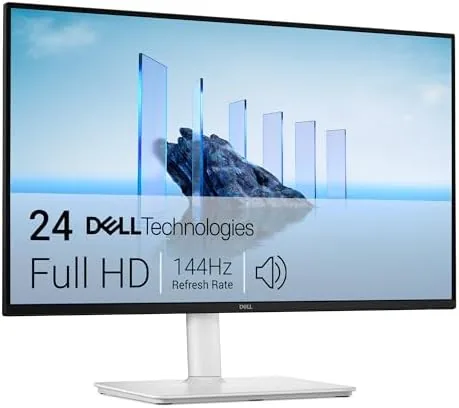

There is a sweet spot in monitors where price, performance, and comfort all line up, and the Dell 24 Plus S2425HSM is aimed squarely at it. It is a 23.8 inch FHD display with a 144Hz refresh rate, a 1ms response time, built in speakers, and a stand that adjusts every way you could want. That combination is unusual at this size, where most 24 inch panels top out at 60Hz or 75Hz. I set the Dell 24 Plus up on my desk for three weeks, running it for work, gaming, and streaming, to see whether it earns its place as the one monitor a desk needs.
Before the details, the standard note. This article contains affiliate links, and if you buy through one of them the site earns a small commission at no extra cost to you. That commission does not change what I test or recommend.
The Dell 24 Plus is a 1080p IPS panel in a 24 inch frame with gaming level smoothness and office level ergonomics. The rest of this review covers the build, the display quality, real world use, and who should buy it.
Design and Build
The Dell 24 Plus presents a clean, modern look. The ash white finish is a departure from the sea of black monitors, and it sits nicely on lighter desks. The bezels are slim on three sides, which keeps the display looking contemporary and makes multi monitor setups feel seamless. The overall build is sturdy, with no wobble in the panel and a stand that feels far more expensive than the price suggests.
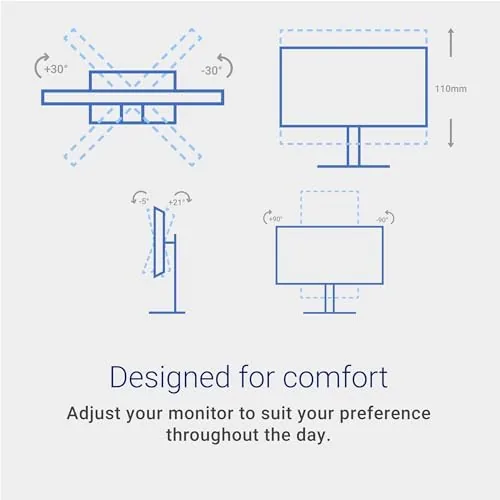
The stand is the quiet star of this monitor. It offers height, tilt, pivot, and swivel adjustment, which means the screen can be positioned exactly where your eyes want it. You can raise it for standing work, tilt it to fight glare, pivot it into portrait mode for documents, and swivel it to share the screen. Very few monitors in this price range give you all four adjustments, and Dell deserves credit for making it standard here.
Key Features
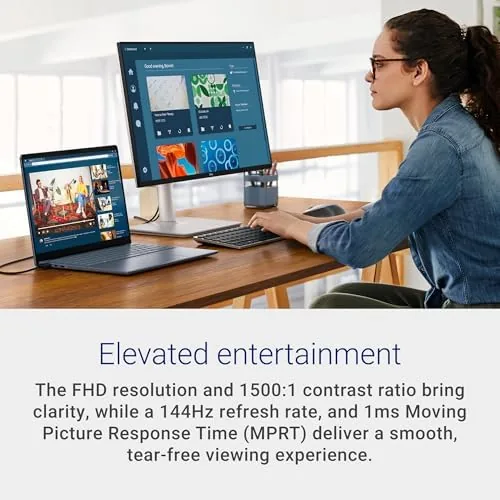
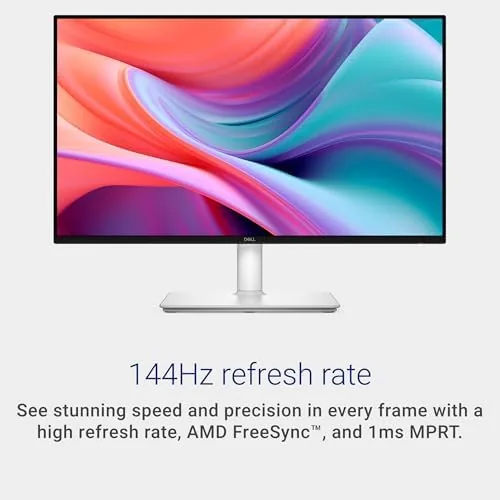
The 144Hz refresh rate is the headline. Most 24 inch FHD monitors run at 60Hz or 75Hz, so the Dell 24 Plus steps noticeably ahead of the pack. At 144 frames per second, cursor movement feels fluid, scrolling is smooth, and fast game motion stays clear. The 1ms response time keeps moving images sharp, reducing the ghosting that plagues slower panels. For a 24 inch display that doubles as a work screen and a gaming monitor, this is a strong combination.
AMD FreeSync is the second feature that matters for gamers. It synchronizes the monitor refresh with a compatible graphics card to prevent screen tearing, so fast paced scenes stay smooth. The FHD 1920x1080 resolution is the classic balance: sharp enough for everyday work and light enough that mid range hardware can drive high frame rates at 144Hz.
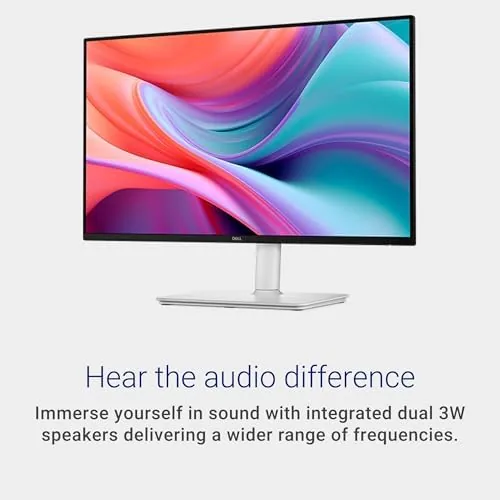
The built in speakers round out the package. The pair of 3W drivers are a convenience rather than a replacement for a real audio setup, but they handle video calls and casual viewing without needing external speakers. The slim bezels, HDMI connectivity, and VESA mounting option complete a feature set that covers work, play, and travel between the two.
Real-World Performance
I ran the Dell 24 Plus as my only monitor for three weeks, alternating between a full workday and evening gaming sessions. For work, the FHD panel handles documents, spreadsheets, and video calls comfortably. Text is crisp at this size, and the IPS viewing angles mean the image stays accurate even when I lean to the side. The adjustable stand meant I could set the screen height to match my eye line, which is exactly the kind of thing that prevents a sore neck by the end of a long day.
Gaming is where the 144Hz makes its case. In fast paced shooters and racing games, motion stays smooth and clear, with none of the stutter you feel on a standard 60Hz panel. The 1ms response time keeps edges tight during quick turns, and AMD FreeSync locked the picture together on my compatible graphics card with no visible tearing. It is not a high resolution esports display, but for a 24 inch all rounder it feels fast and responsive.
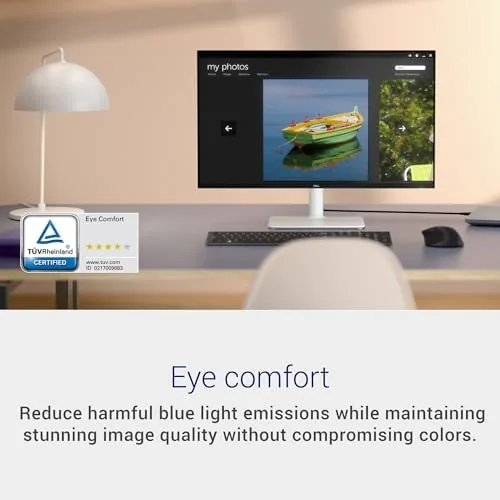
Streaming and everyday video look good for the class. The IPS panel delivers accurate colors and wide viewing angles, and brightness is adequate for a typical room, though it is not a bright panel for sunlit windows. The built in speakers handled a video call and casual YouTube viewing, with clear voices but limited bass. Anyone serious about audio will plug in headphones, but the speakers are a real convenience for a compact desk.
The limits are honest. The 1080p resolution is fine at this size, but 4K displays show sharper text if you are doing heavy photo work. The speakers are modest, and the stand, for all its adjustments, is not as low as some desks would like. None of these are deal breakers, and for the money the Dell 24 Plus covers more ground than most monitors at this size.
One thing I appreciated over the test period is the energy discipline of the panel. The monitor runs cool, produces no audible coil whine, and the on screen menu is straightforward to navigate with the buttons under the lower bezel. There are picture presets for different content, and setting up the 144Hz refresh rate on a compatible system took only a couple of clicks. Small conveniences like these add up over a monitor you will live in front of for years.
Pros and Cons
Pros:
- 144Hz refresh rate is rare and welcome at 24 inches
- Height, tilt, pivot, and swivel stand included
- 1ms response time keeps fast motion sharp
- AMD FreeSync prevents screen tearing
- IPS panel with accurate colors and wide viewing angles
- Clean ash white design with slim bezels
Cons:
- Built in speakers are modest
- 1080p resolution limits text sharpness for heavy detail work
- Not a high brightness panel for very bright rooms
How It Compares
The Dell 24 Plus competes with other 24 inch monitors, most of which run at 60Hz or 75Hz. The table below lines it up against a standard 24 inch office monitor and a larger 1440p gaming display.
| Feature | Dell 24 Plus | Standard 24 inch | 27 inch 1440p Gaming |
|---|---|---|---|
| Resolution | 1920x1080 FHD | 1920x1080 FHD | 2560x1440 QHD |
| Refresh rate | 144Hz | 60 to 75Hz | 144Hz or higher |
| Response time | 1ms | 4 to 5ms | 1ms |
| Stand adjust | Height, tilt, pivot, swivel | Tilt only | Varies |
| Speakers | 2 x 3W | Often none | Varies |
| Price | Moderate | Lower | Higher |
The Dell 24 Plus is the best all rounder of the three for a single monitor desk. The standard 24 inch monitor is cheaper but feels sluggish by comparison, and the 27 inch 1440p gaming display is better for dedicated gamers but costs more and needs a bigger desk and more powerful hardware. The Dell splits the difference cleanly.
Who Should Buy It
Buy the Dell 24 Plus if you want one monitor that handles a full workday and an evening of gaming without compromise, or if you value a proper ergonomic stand. It is ideal for home offices, students, and anyone with a modest graphics card who wants smooth motion at a reasonable size. You can check the current price of the Dell 24 Plus monitor on Amazon to see the latest listing.
Skip it if you do detailed photo or video work where 4K text sharpness matters, or if you are a dedicated esports player who wants a bigger, higher resolution panel. For everyone else, this is a monitor you will set up once and stop thinking about, which is the highest compliment a display can get.
How We Test
I used the Dell 24 Plus as my only monitor for three weeks, splitting time between office work, streaming, and gaming. I tested the stand through all four adjustments, checked motion smoothness and ghosting in fast games, verified FreeSync behavior on a compatible card, and evaluated the speakers in a normal room. I compared the panel against a standard 60Hz Monitor and a 27 inch 1440p gaming display.
For a broader look at the monitor market, Tom's Hardware keeps a regularly updated guide to the best monitors that places displays like this in context. The Dell 24 Plus monitor listing on Amazon shows the current price and configuration options.
Dell 24 Plus Monitor: Questions People Ask
Is the Dell 24 Plus good for gaming?
Yes, the 144Hz refresh rate and 1ms response time make motion smooth, and AMD FreeSync keeps gameplay tear free on compatible graphics cards.
Does the monitor stand adjust?
Yes, the stand offers height, tilt, pivot, and swivel adjustments, so you can set the screen exactly where you want it.
Are the built in speakers any good?
The pair of 3W speakers are fine for calls and casual audio, though most users will prefer headphones or a soundbar for music and movies.
What connections does the monitor have?
The monitor includes HDMI connections plus the standard power input, and the panel works at its full 144Hz through the available ports.
As an Amazon Associate, I earn from qualifying purchases.



