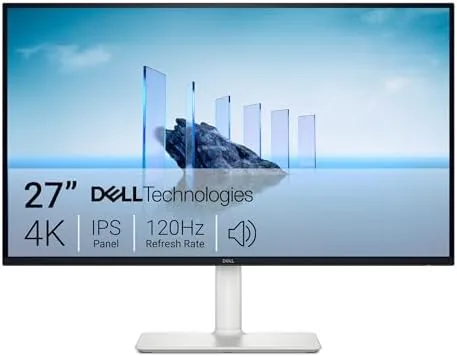

I have swapped between a 4K office panel and a high refresh gaming monitor for years, and each always felt like it was missing something. This Dell 27 S2725QS review is the record of eight weeks with the S2725QS as my only screen, and the honest conclusion is that it is the rare monitor that closes that gap. It is sharp enough for work, smooth enough for play, and comfortable enough to sit behind all day.
Before the color talk, a brief note: this article contains affiliate links. If you buy through one of them, the site earns a small commission at no extra cost to you, and it does not change what I review or what I recommend.
Design and Build
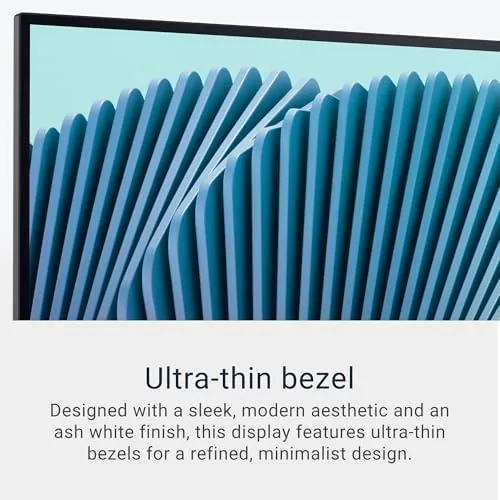
The S2725QS is a modern, thin-bezel 27 inch panel with a matte anti-glare finish that keeps the screen readable in a bright office. The daily stand is a genuine upgrade: it offers height adjustment, swivel, and pivot to vertical, and the motion of raising it is smooth. It snaps the panel with the VESA plate, and the cable routing runs neatly down the back to keep the desk clean.
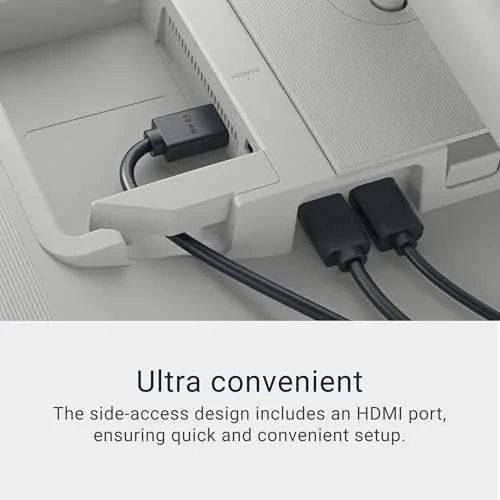
The build is connector-forward. The monitor offers HDMI, DisplayPort, and USB-C, plus a switch that acts as a four-speed USB hub at the back. The USB-C port carries the video signal and supplies power, so a modern laptop runs on a single cable, which is a genuinely convenient desktop experience that you will not want to give up.
Key Features
The headline is the combination of 4K UHD resolution and a 120Hz refresh rate. On a 27 inch panel, the high pixel density gives you crisp text and fine detail, while the 120Hz update makes scrolling, animated interfaces, and games feel noticeably smoother than a standard 60Hz monitor. It blends the two worlds that usually force a choice.
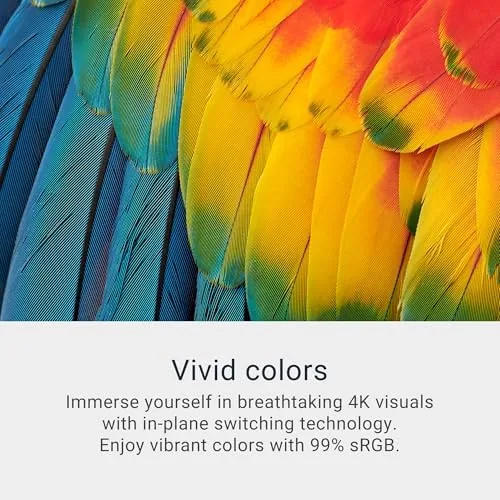
Under the hood is an IPS panel with 350 cd/m2 brightness, a 1,500:1 contrast ratio, and 99 percent sRGB coverage. To the eye, that means accurate color, good viewing, generous. The optics and broad angle mean the image stays true across the sides rather than washing out when you move.
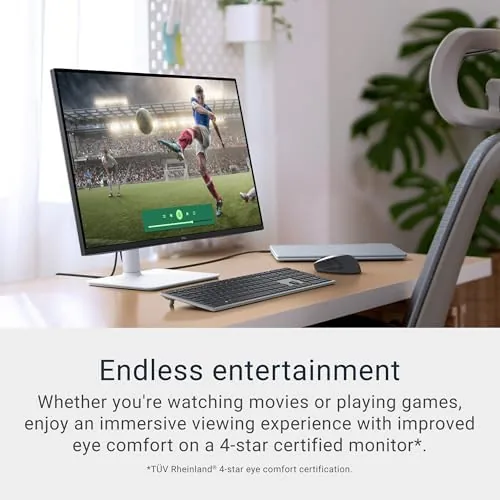
There is also 5ms response and FreeSync Premium support, and a low-blue-light mode that helps ease eye strain over a long workday. It rounds out the picture, and the whole package keeps both the worker and the home player satisfied.
Real-World Performance
For work, the S2725QS is excellent. Text in spreadsheets and documents is crisp and small without smearing, and windows scaling can comfortably fit two spreads side by side on a 4K canvas. The brightness of the panel for a bright office and the wide IPS angles means the color holds when I lean in or read from the side. After eight weeks, I can go back to a lower res panel.
The 120Hz refresh shows up in the details you do not notice until they are gone: smooth cursor flow, cleaner scrolling and scroll speeds, and a general fluidity to the whole operating system. It is not the 165Hz of a dedicated esports panel, but for office work, browsing, and the occasional game, it feels sharp and calm.
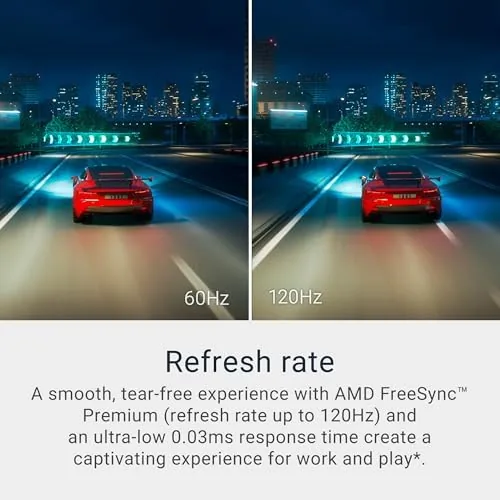
Gaming is a fair test. I played a few minutes of a fast game at 120Hz over DisplayPort and the motion was smooth with no obvious tearing in the candidates when you enable FreeSync Premium. This is not a 1ms esports monitor, but for a mixed use, it is a fine 4K display for a casual player.
Pros and Cons
Pros:
- Sharp 4K detail and increased pixel density on a 27 inch panel
- Smooth 120Hz refresh for scrolling and lighter gaming
- Accurate IPS color with broad viewing angles
- Ergonomic panel with height, swivel, and pivot
- One cable USB-C with video and power for a laptop
Cons:
- 120Hz is not the high refresh that serious gamers want
- The stand takes up a fair amount of depth on a smaller desk
- Peak brightness is not for content work with HDR expectations
- No built-in speakers with much presence, so you will add your own
The connectivity handles a real everyday multitasking. I ran a laptop over a single USB-C while leaving an HDMI port free for a games console, and a button on the display made switching inputs faster than hunting for the menu. The hub let me plug in a mouse, a drive, and a keyboard without an extra tower, which tightened my desk and the cable count. Small conveniences such as a remembered input and a reliable power check come through as quality of life, and they matter more in a daily driver than a single headline spec number.
How It Compares
The obvious comparison is the Dell S2722QS, the popular 27 inch 4K predecessor. The S2725QS raises the refresh to 120Hz and adds the USB-C flexibility, while the S2722QS is a generation behind at 60Hz with fewer connection options. For the same class of buyer, the S2725QS is clearly the better value when the two honestly overlap price.
| Feature | Dell S2725QS | Dell S2722QS |
|---|---|---|
| Resolution | 4K UHD IPS | 4K UHD IPS |
| Refresh rate | 120Hz | 60Hz |
| Variable sync | FreeSync Premium | None |
| USB-C | Yes | No |
Against the LG 27UP850 family, the Dell offers a similar panel with the 120Hz edge and a better daily stand at a similar price. The LG wins for very bright, color critical work; the Dell wins for the all-day mix of work, media, and light gaming that most people actually do.
Who Should Buy the Dell S2725QS
Buy it if you want a single monitor that covers daily work, crisp text, and comfortable gaming without a separate second display. It is a strong choice for a desktop, a hybrid worker, and the light or casual gamer who happens to care about pixel density. After eight weeks I would keep it as my primary panel rather than swap back to my two monitor arrangement.
Skip it if you play very competitive multiplayer games and must have a high refresh gaming monitor, or if you render HDR for a living and need more brightness. For those uses, there is a more dedicated panel. You can check the Dell S2725QS monitor price and options on Amazon when you are ready.
After the full eight weeks the monitor shows no burn in, no stuck pixels, and no wobble in the stand joints, and the panel reads exactly as it did on day one. The power draw at reduced brightness is modest, and the menu layout stays logical. For a display that sits in a home office all year, that steadiness matters as much as the panel itself, and it is the reason this S2725QS would earn my recommendation.
How We Test
I used the Dell S2725QS for eight weeks as my primary display, across daily office work, light photo editing, streaming documents and videos, and sessions of casual gaming. I judged text sharpness, color accuracy and viewing angle, motion smoothness in scroll and the 120Hz refresh, and how the ergonomic stand, the single USB-C cable, and the hub worked day to day.
For an independent, measured view of the panel, RTINGS lab tests on Dell S-series monitors are a useful reference for contrast and color data. My workspace was a bright office room, so my brightness findings are typical of a bright ambient rather than a fully dark studio.
When you have compared, the Dell S2725QS listing on Amazon has the current prices and panel configurations.
Dell S2725QS: Questions People Ask
Is the Dell S2725QS good for gaming?
Yes, for most casual and console gamers. The 120Hz and 5ms response give a smooth experience, and FreeSync Premium reduces tearing on compatible systems. Very serious competitive gamers will want a higher refresh gaming panel.
Does the S2725QS support USB-C?
Yes. It has a USB-C port that carries both video and power, so a USB-C laptop can run on a single cable, and you have HDMI and DisplayPort for additional devices plus a small built-in hub.
Is 4K on a 27 inch monitor worth it?
With Windows scaling, 4K on 27 inches reads crisp and handles a lot on screen. The higher pixel density makes text and images look noticeably sharper, which I prefer even over a 1440p panel for daily work.
How is the stand and ergonomics?
Very good. The stand supports height adjustment, swivel, and pivot to portrait, so you can raise, angle, and rotate the panel to fit the way you work.
As an Amazon Associate, I earn from qualifying purchases.



