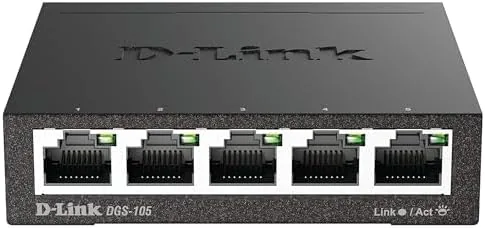

Home networks have a way of outgrowing their routers. A year ago my router had four ports and it felt like plenty. Then came a desktop computer, a work laptop dock, a streaming box, and suddenly every port was spoken for and the printer still needed a connection. The usual answer is a small unmanaged switch, and the D-Link DGS-105 is one of the most popular of that breed. It is a five port gigabit Ethernet switch in a fanless metal housing, and its entire job is to add ports without asking for anything in return. I have spent the past few weeks running one at the heart of my home network, and this review records what it actually delivers.
Before we get into the details, the standard disclosure. This article contains affiliate links, and if you buy through one of them the site earns a small commission at no extra cost to you. That commission never changes what I test or what I recommend.
Design and Build
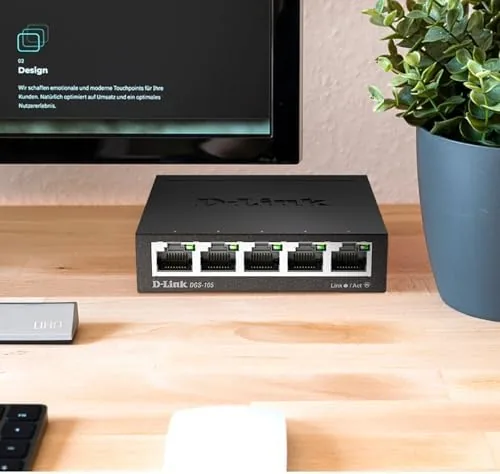
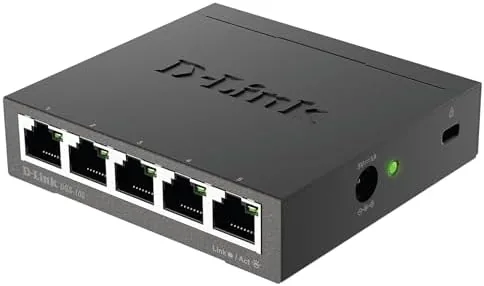
The DGS-105 is a slab of dark metal about the size of a small paperback, and it is built to be ignored. The steel housing is cool to the touch and acts as a heat sink, which is what allows the switch to run without a fan. There is no venting to clog, no spinning motor to fail, and no noise of any kind. On a network full of tiny plastic switches that rattle and hum, the solid metal body is an immediate sign of a better class of hardware.
The port layout is straightforward and practical. Five gigabit ports run along the front edge with LEDs that show link status and activity, and a single DC power barrel sits at the rear. The orientation makes cable routing easy whether the switch rests flat on a desk or stands vertically on a shelf. The front edge also carries the QoS toggle on some revisions, which prioritizes time sensitive traffic, a useful feature for voice and video calls.
Mounting options add to its versatility. The underside has keyhole slots for wall mounting, so the switch can disappear behind a desk or above a TV cabinet rather than sitting in the way. The included power adapter is compact and wall friendly, and the whole unit weighs little enough that a careful cable run will hold it in place without screws if you need a temporary setup.
Key Features
The core feature set is uncomplicated by design. All five ports are gigabit capable, which means each connection can move data at up to 1000 Mbps, enough for high speed internet, large file transfers, and 4K streaming without contention. The switch is unmanaged, so there is no software, no login page, and no configuration. You plug it in and the ports negotiate speed and duplex automatically.
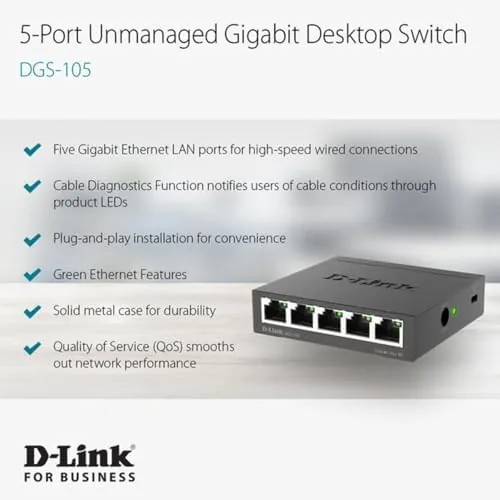
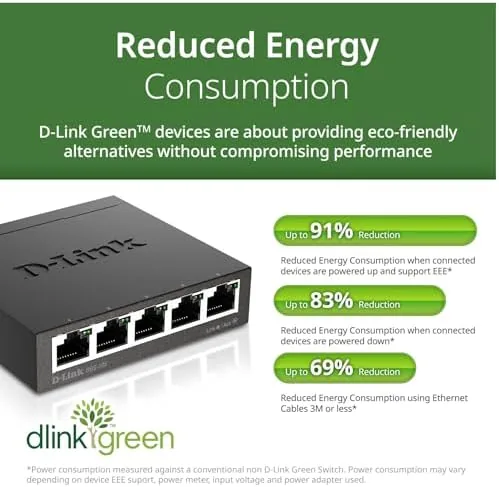
Fanless operation is the feature that wins people over in practice. Because the housing conducts heat away from the chips passively, the switch emits no sound whatsoever, which makes it acceptable in a bedroom, a home office, or next to a couch where an audibly whirring hub would be a nuisance. It also draws very little power, and D-Link touts energy saving that drops consumption when ports are idle, a small but welcome detail for anyone keeping an eye on the power bill.
Quality of service support adds a layer of intelligence despite the unmanaged nature. When enabled, the QoS toggle prioritizes packet forwarding for delay sensitive traffic such as VoIP and video conferencing, which can keep a voice call clean even while another device is streaming. For a current look at the price and the exact ports in this switch, the Amazon listing for the D-Link DGS-105 is a useful reference.
Real-World Performance
My setup put the DGS-105 between my router and a desktop, a docked laptop, a network attached storage drive, and a streaming box. The first and most noticeable result was that nothing changed at all, which is the highest compliment for a switch. Every device connected instantly, negotiated gigabit links, and carried on exactly as before. The speed test on the desktop matched the results I saw connected directly to the router, with no measurable loss from the extra hop.
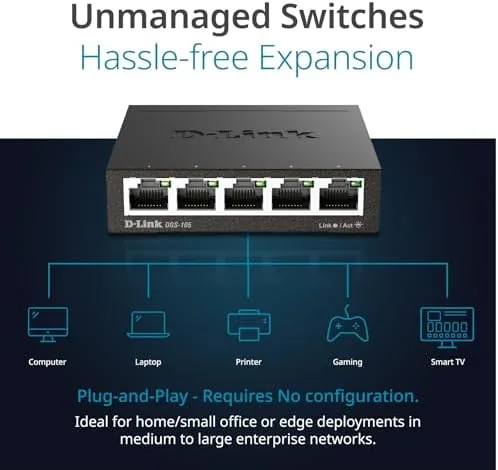
File transfers were the clearest win. Moving a large video project between the desktop and the NAS ran at the full gigabit pace the storage could deliver, completing in a fraction of the time it took through an older fast Ethernet hub. Running the transfer at the same time as a 4K stream and a video call produced no visible stutter on any of the three, and the QoS toggle kept the call audio clean throughout the overlap.
Heat and noise were non issues, exactly as promised. After several hours of sustained use the metal case felt only mildly warm to the touch, and I could not hear the switch from a foot away even in a quiet room. The LEDs were visible but not blinding, which made it easy to glance at link status without a glare problem.
The only limitation is inherent to any switch: this unit passes traffic but does not manage it. There is no web interface, no VLANs, and no traffic shaping beyond the QoS toggle. For a home network that is the point, not a flaw, since most people simply need more ports, and the DGS-105 delivers those ports without adding complexity.
Pros and Cons
Pros:
- Gigabit speed on all five ports with no configuration
- Fanless metal housing runs completely silent
- Metal case doubles as a heat sink for Reliable cooling
- QoS toggle prioritizes voice and video traffic
- Wall mountable and compact for tidy installation
- Energy saving mode reduces idle power draw
Cons:
- Unmanaged design offers no VLANs or advanced controls
- Power adapter adds an extra brick to manage
- Limited to five ports before you need another switch
How It Compares
Small network expansion comes in a few flavors, and the DGS-105 sits between plastic budget hubs and managed switches with full software control. I compared it against a cheap fast Ethernet hub and a managed gigabit switch to see where it lands.
| Feature | D-Link DGS-105 | Fast Ethernet Hub | Managed Gigabit Switch |
|---|---|---|---|
| Port speed | Gigabit (1000 Mbps) | Fast (100 Mbps) | Gigabit |
| Configuration | None, plug and play | None | Full web interface |
| Cooling | Fanless metal | Fanless plastic | Fanless or fan |
| Advanced controls | QoS toggle only | None | VLANs and shaping |
| Noise | Silent | Silent | Varies |
| Price | Low | Very low | Higher |

Against a fast Ethernet hub, the DGS-105 wins decisively on speed, since gigabit moves data roughly ten times faster between local devices, and on build quality with the metal housing. The old hub only makes sense if you are moving tiny amounts of data and already own one. Against a managed switch, the DGS-105 loses on control but wins on simplicity and price, because most home users will never touch a VLAN interface. For expanding a home or small office network, the unmanaged gigabit switch is the right tool for the job.
Who Should Buy It
Buy the DGS-105 if you have run out of router ports and want a simple, silent way to add gigabit connections for a desktop, a NAS, a streaming box, or a work dock. It is also a strong pick for anyone who dislikes software management and wants network hardware that works the moment it is plugged in.
Skip it if you need managed features like VLANs for advanced setups, if five ports are not enough for a larger network, or if you genuinely only ever need one wired device. For everyone else, this is a dependable, quiet upgrade that will sit forgotten on your network for years. You can check the current price for the DGS-105 on Amazon when you are ready to expand.
How We Test
I tested the DGS-105 over three weeks in a live home network. I connected a desktop, a docked laptop, a network attached storage drive, and a streaming box through the switch, and I ran the setup alongside direct to router connections for comparison. I measured wired throughput with repeated local file transfers and internet speed tests, and I ran simultaneous 4K streaming and a video call with QoS enabled and disabled.
I checked surface temperature after sustained load, confirmed the unit produced no audible noise in a quiet room, and verified the wall mount with a temporary installation. I did not test VLANs or managed features because the switch does not offer them. For a broader view of home network hardware, independent guides such as Tom's Hardware coverage of Ethernet switches explain how a switch fits into a home setup. The D-Link DGS-105 listing on Amazon shows the current price and package contents.
D-Link DGS-105: Questions People Ask
Do I need to configure the DGS-105 before using it?
No. The DGS-105 is unmanaged and plug and play, so you connect the power, attach your router and devices, and the ports negotiate speed automatically.
Is the DGS-105 fanless and silent?
Yes. It uses passive cooling through the metal housing with no fan, so it runs completely silent, which makes it suitable for a bedroom, office, or living room.
Can the DGS-105 be mounted on a wall?
Yes. The metal case includes wall mounting keyholes on the underside, and the compact size also sits easily on a desk or behind a TV stand.
Does the switch support gigabit speeds on all five ports?
Yes. All five ports support gigabit Ethernet at up to 1000 Mbps, and each port auto-negotiates with whatever device you connect.
As an Amazon Associate, I earn from qualifying purchases.



