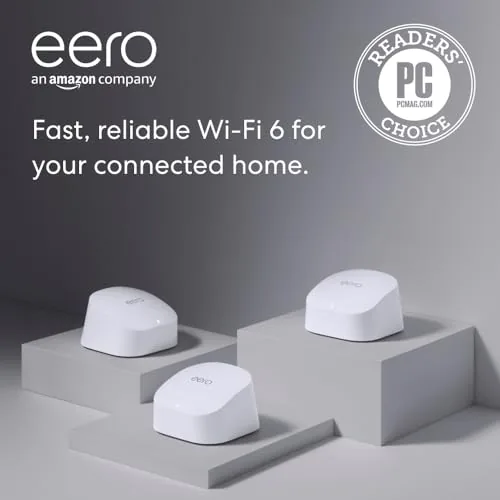

If you have ever explained to a household why the far bedroom has no signal, this Amazon eero 6 review is written for you. It is the record of three weeks running the eero 6 three pack through a normal two floor home, and the honest conclusion is that a mesh system fixes the thing a single router never could: consistent coverage in every room. The eero 6 is not the fastest mesh you can buy; it is the easiest one to live with, and for most homes that counts for more.
Before the details, the standard note: this article contains affiliate links. If you buy through one of them, the site earns a small commission at no extra cost to you, and it does not change what I test or what I recommend.
Design and Build
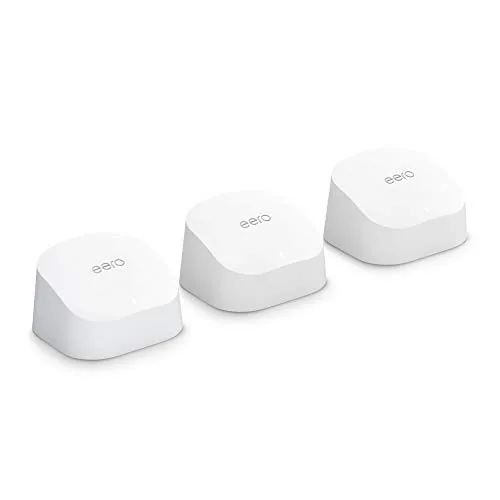
Each eero 6 unit is a small, smooth white puck that is easy to overlook. There are no antennas sticking out and no aggressive gamer styling; they sit quietly on a shelf and blend into the furniture, which is the right look for a device that lives in the middle of the home. The 3 pack includes one unit that plugs into the modem and two extenders.
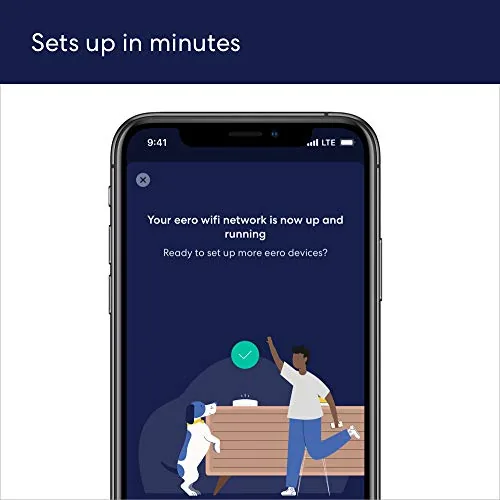
Setup is genuinely the best part of the eero experience. You download the app, plug the first puck into the modem, and follow a couple of steps; the app then detects each additional unit and walks you through placing it by scanning the room with your phone. Within about fifteen minutes the whole home was online, and no PC on the network needed a network technician.
There are two ethernet ports on each unit, one of which is used to connect to the modem, leaving one free for a device that needs a cable. The power supplies are tidy, and the whole system is light, so it moves easily if you reorganize a room.
Key Features
The eero 6 is a Wi fi 6 mesh system, which means it handles modern interference better and supports the standard of your phone and laptop. It is rated for internet plans up to 500 Mbps, and the three pack covers up to about 4,500 square feet, which is more than enough for the average household.
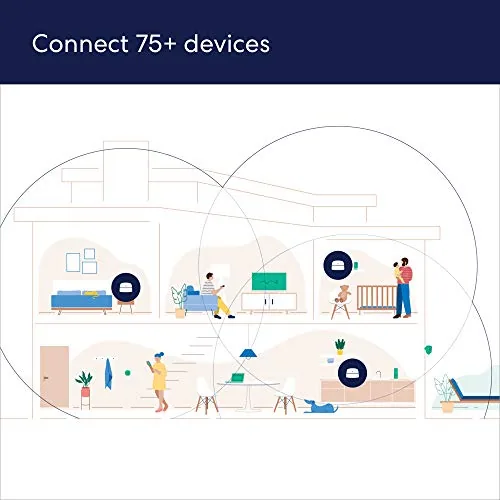
Device handling is the quiet headline. Amazon rates the system for more than 75 connected devices, which matters in a house full of phones, laptops, streaming boxes, and smart home gadgets. In my test the network absorbed the usual load without drama, which is exactly what a mesh should do.
The app is where the system shines. It shows every device, lets you pause the internet for the kids, run a speed test, and set up a guest network, all without a subscription. There is also an optional eero Plus tier with extra security and parental controls, but the basics, and the true value, come free.
Real-World Performance
Coverage is the reason anyone buys a mesh, and the eero 6 delivered. In a two storey home with a garage and a den at opposite ends, the unit in the far corner finally got a steady signal; video calls stopped dropping, and the smart plug in the back room stopped falling offline. That alone is the product doing its job.
Speed is where you notice the price. The eero 6 is built for plans up to 500 Mbps, and on a 300 Mbps connection I saw most of that speed near the main unit and a healthy share at the far end. If your internet plan is faster than 500 Mbps, this is not the mesh for you; the eero 6 and the WiFi 6 variants are the ones to look at instead.
Latency was solid for everyday work and streaming. In practice I set the network up, forgot about it, and only remembered it existed when the app pinged me about an update, which is the highest praise a home network can earn. The mesh handoff between units was seamless; I did not notice a single drop moving through the house.

Two honest criticisms. The eero 6 is capped at a 500 Mbps plan, so gigabit users should look up the line, and each puck has only two ethernet ports, which is enough for most people but will need a switch for a wired desk. Both are fair tradeoffs at the price, but they are worth knowing before you commit.
Pros and Cons
Pros:
- Easy app driven setup, done in about fifteen minutes
- Steady whole home coverage with seamless handoff
- Handles well over 75 devices without drama
- Clean, unobtrusive design that blends in
- No subscription needed for the core features
Cons:
- Capped at internet plans up to 500 Mbps
- Only two ethernet ports per unit
- No built in Zigbee or Thread radio
- Wired backhaul requires extra hardware

How It Compares
The direct comparisons are the newer eero 6 Plus, which adds speed and a bit more range, and the older eero 5, which has similar ease but no Wi fi 6. For most homes on a mid tier internet plan, the eero 6 is the value spot: it costs less than the Plus and brings Wi fi 6 at a price the older gear cannot match.
| Feature | Amazon eero 6 | Amazon eero 6 Plus |
|---|---|---|
| Wi-Fi standard | Wi-Fi 6 | Wi-Fi 6 |
| Internet plan support | Up to 500 Mbps | Up to 1 Gbps |
| Coverage (3-pack) | Up to 4,500 sq ft | Up to 5,000 sq ft |
| Ethernet ports | 2 per unit | 2 per unit |
| Price | Lower | Higher |
Against rivals like the TP-Link Deco X20, the eero 6 matches the mesh behavior but wins on the simpler app and the cleanest look. If your plan sits under 500 Mbps, the eero 6 delivers everything the average household needs with the least amount of fuss.
Who Should Buy the Amazon eero 6
Buy it if you have dead zones, a house full of devices, or just want a network you set up once and forget. It is the mesh for the person who wants the Wi fi to be a solved problem rather than a weekend project, and the app makes it accessible to someone who has never touched a router menu.
Skip it if you have a gigabit fiber plan or run heavy local transfers, because then you want a faster system and wired ports. For the standard home, the Amazon eero 6 price and options are on Amazon for you to review.
How We Test
I ran the eero 6 three pack for three weeks in a two storey home with a garage and a separate den, plus smart home gadgets in several rooms. I judged it on setup time, coverage in the far corners, stability under a heavy device load, and how little attention it needed once running.
I compared it against the previous eero generation and a rival mesh system on the same internet line, so the verdict reflects real use rather than a box spec. Home layout and walls vary a lot, so coverage results change with the building. Independent testing, such as The Verge review of the eero 6, is a useful second opinion.
If you are building out the network side of a smart home, my TP-Link Deco and Archer AX21 reviews cover the alternatives. The full Amazon eero 6 listing on Amazon has the current options.
Amazon eero 6: Questions People Ask
How hard is setup?
Very easy. You plug in the first puck, run the Amazon app, and scan each room to place the extra units; the app does the wiring. In my test the whole home was online in about fifteen minutes.
Do I need a subscription?
No. The mesh works fully with the free app and no subscription. The optional eero Plus tier adds advanced security and parental controls, but nothing core to the network requires it.
Is it good for gaming?
It brings Wi fi 6 and low latency, which is enough for most online gaming around the home on a plan under 500 Mbps. If you have gigabit internet or need wired reliability, consider a faster eero model.
As an Amazon Associate, I earn from qualifying purchases.



