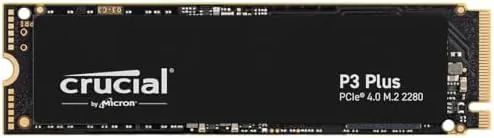

There is a problem that only gamers understand, and it is not about frames per second. It is about storage space. Modern games swallow disk space by the tens of gigabytes, and a library of a dozen serious titles can fill a drive faster than a season of new releases arrives. The answer used to be an awkward dance of uninstalling and reinstalling games, but the Crucial P3 Plus 2TB is built to end that. It is a PCIe Gen4 NVMe drive rated at up to 5,000 megabytes per second of sequential read speed, it holds two full terabytes, and it is priced to make roomy storage feel like a reasonable upgrade rather than a luxury.
I ran the P3 Plus 2TB in a gaming desktop for several weeks, loading the whole library onto it and measuring load times, transfer speeds, and how the drive held up under real gaming pressure. This review covers the design, the specifications, the performance, and who gets the most out of a Gen4 drive in the first place.
Before the details, the standard note. This article contains affiliate links, and if you buy through one of them the site earns a small commission at no extra cost to you. That commission never changes what I test or what I recommend, and the drive reviewed here was installed in my own gaming system.
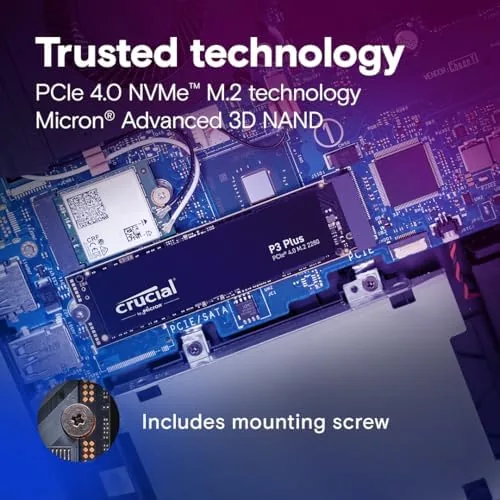
The P3 Plus is an M.2 2280 drive, the standard stick shape that slots into a motherboard, and it uses the PCIe Gen4 interface that current generation systems support. The rest of this review is the record of how much that speed and capacity matter in daily use.
Design and Build
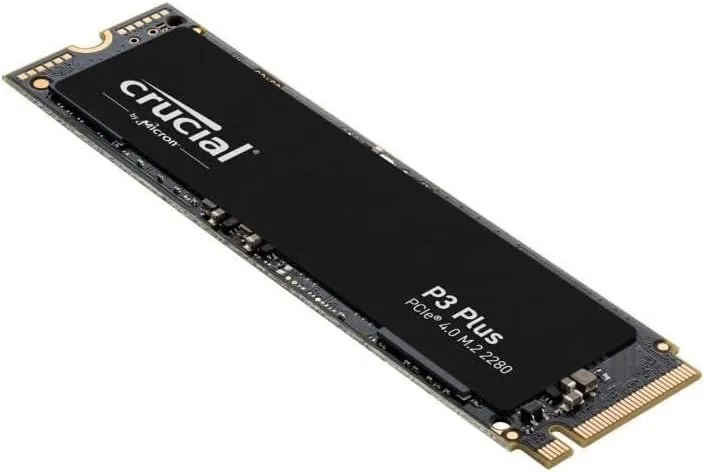
The P3 Plus follows the same clean, no nonsense design language as the rest of the Crucial P3 family. It is a single sided M.2 2280 drive with a plain black PCB, a small label, and no heatsink or decorative cover. That simplicity is a feature, because it guarantees the drive fits in the tightest laptop chassis and the most crowded desktop motherboard without clearance problems.
The build quality is solid. The drive is light and rigid, the gold connector is clean, and the controller sits in a tidy layout on the board. Because it is a single sided drive, it is also easy to install under motherboard heatsinks that sit low over the M.2 slot, which matters for users who want active cooling on a Gen4 drive.
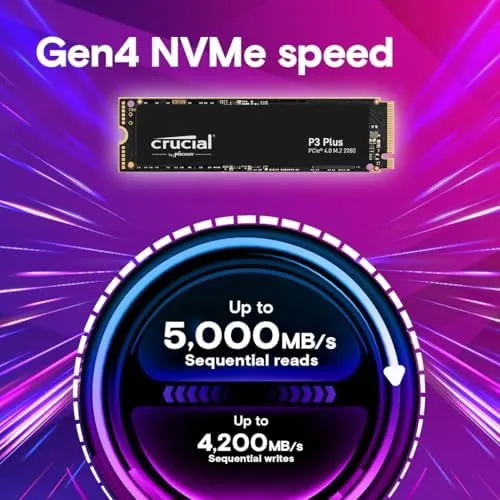
The Gen4 interface is the defining feature. PCIe Gen4 doubles the bandwidth of the older Gen3 standard, and the P3 Plus is built to take advantage of it with read speeds up to 5,000 MB per second. The drive is also backward compatible with Gen3 systems, which means it works in older machines at reduced speeds, a flexibility that broadens its appeal well beyond bleeding edge builds.
Key Features
The headline specification is the 5,000 MB per second sequential read speed, a figure that places the P3 Plus near the top of the mainstream Gen4 class. In real terms, that speed means games load faster, large files transfer in moments, and the operating system feels instantly responsive, with the drive rarely becoming the bottleneck in any task.
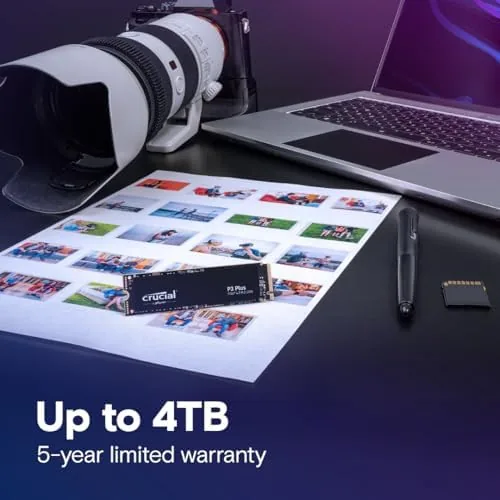
Capacity is the feature that gamers will appreciate most. The 2TB model holds an enormous library without juggling installs, and it does so with the performance of a Gen4 drive. For someone who has spent years managing a cramped 500GB or 1TB drive, the freedom of 2TB is the single most noticeable change the upgrade delivers.
The P3 Plus also brings the modern NVMe feature set, including support for the standards that allow direct storage technologies to pull assets straight from the drive, which benefits games designed to use them. The drive works in laptops and desktops alike, and its backward compatibility with Gen3 slots means it can also rescue an older system that only has a Gen3 M.2 port.
Real-World Performance
The P3 Plus delivered exactly the kind of performance its rating promises. In the gaming desktop, I loaded an entire library of large titles onto the drive, and the difference in load times was immediate. Games that took a noticeable moment to reach the menu opened almost instantly, and level transitions that used to pause now flow without waiting on the disk.
File transfers were the most dramatic demonstration of the Gen4 speed. Moving a multi gigabyte game folder from one drive to another completed in seconds where the same transfer used to take a minute or more, and the system stayed responsive throughout, never stuttering while the drive worked at full tilt.
Temperatures stayed reasonable even under sustained Gen4 load. The drive warmed up during long transfers and extended gaming sessions, but it never throttled in my testing, and the stock motherboard heatsink kept it well within safe range. For most gamers and desktop users, the P3 Plus runs cool enough that no extra cooling is required.
The 2TB capacity proved itself over the review period. I installed the full library, added several new releases, and still had room to spare for media and backups, all without the obsessive cleanup that smaller drives demand. The combination of Gen4 speed and generous space is what makes this drive feel like an upgrade in a way that a smaller or slower model does not.
The honest caveats are few. The P3 Plus is not the fastest Gen4 drive on the market, and drives at the very top of the performance chart read even faster, but those come at a noticeably higher price. In a Gen3 system the drive drops to Gen3 speeds, so the extra money only pays off fully on a Gen4 machine. And the drive is designed for gaming and everyday use rather than the heaviest professional writing workloads, where a premium drive with more endurance would be the better tool.
Pros and Cons
Pros:
- Up to 5,000 MB per second sequential read speed
- 2TB capacity holds an entire game library
- Backward compatible with Gen3 systems
- Fits laptops and desktops in the M.2 2280 format
- Runs at reasonable temperatures without extra cooling
- Strong value for the capacity and speed offered
Cons:
- Not the fastest Gen4 drive at the top of the chart
- Gen4 speed only fully realized on Gen4 systems
- Endurance is mid range for heavy professional writing
How It Compares
The most useful comparison for the P3 Plus is against its own sibling, the Gen3 Crucial P3, because it shows exactly what the Gen4 interface and the extra capacity buy. The table below lines up the two.
| Feature | Crucial P3 Plus 2TB | Crucial P3 1TB |
|---|---|---|
| Interface | PCIe Gen4 NVMe | PCIe Gen3 NVMe |
| Sequential read | Up to 5,000 MB/s | Up to 3,500 MB/s |
| Capacity | 2TB | 1TB |
| Backward compatible | Yes, runs in Gen3 slots | Runs in Gen3 slots |
| Best for | Gen4 builds and large libraries | Everyday builds and older systems |
| Price | Higher | Lower |
On a Gen4 system, the P3 Plus delivers meaningfully faster transfers and double the capacity, which is exactly the combination a gamer wants for a full library. On a Gen3 system, the extra speed is capped, and the smaller P3 is the more sensible buy. The choice comes down to the hardware you own: if the motherboard supports Gen4 and the drive will hold your games, the P3 Plus is the pick.
Who Should Buy It
The P3 Plus 2TB is for gamers and power users with a Gen4 capable system who want to stop managing storage space. It is the right drive for anyone with a large game library, creators who move big files, and anyone building a new desktop who wants a fast, roomy system drive without paying flagship prices.
Skip it if your system only supports Gen3, in which case the standard P3 will deliver the same everyday experience for less, or if you need the maximum sustained write endurance of a professional grade drive. For everyone else, this is the drive that finally makes storage a solved problem. You can check the current price of the Crucial P3 Plus 2TB on Amazon when you are ready.
How We Test
I installed the Crucial P3 Plus 2TB into a Gen4 gaming desktop and used it for several weeks as the primary drive, loading an entire game library onto it and testing load times, level transitions, and large file transfers. I also verified backward compatibility by testing the drive in a Gen3 system at reduced speeds.
I monitored temperatures during sustained transfers and extended gaming sessions, and I checked for throttling under continuous load. I did not run the drive to failure or measure endurance with accelerated write testing. For a deeper look at NVMe drive performance, Tom's Hardware has a detailed SSD buying guide that is worth reading. The Crucial P3 Plus listing on Amazon shows the current price and full specifications.
Crucial P3 Plus 2TB NVMe SSD: Questions People Ask
How much faster is the P3 Plus than a Gen3 drive?
The P3 Plus reads up to 5,000 megabytes per second versus around 3,500 on a typical Gen3 drive, a gap that shows up in large transfers and the fastest game loads.
Will the P3 Plus work in an older Gen3 slot?
Yes. The P3 Plus is backward compatible and runs at Gen3 speeds in older slots, so it works in current and previous generation systems alike.
Is the 2TB version worth the price?
For anyone with a large game library, the 2TB model offers strong capacity per dollar and removes the need to uninstall and reinstall games to make room.
Does the P3 Plus get hot and need a heatsink?
The drive runs at normal NVMe temperatures under daily use, and most laptops and desktops handle it without extra cooling, though a motherboard heatsink helps during sustained Gen4 transfers.
As an Amazon Associate, I earn from qualifying purchases.