Storage pricing has a way of making budget drives interesting again. A 2TB NVMe drive for the price of an older 1TB unit is a tempting upgrade, and the Western Digital Green SN350 is one of the drives that made that possible. It pairs a Gen3 PCIe interface with QLC flash, runs at up to 3,200 MB per second on reads, and uses the standard M.2 2280 size that fits most laptops and desktops. I installed the 2TB model, the WDS200T3G0C, into a spare slot and ran real workloads through it to find out whether the savings come with a hidden cost.
Before the benchmarks, the usual note. This article contains affiliate links, and if you buy through one of them the site earns a small commission at no extra cost to you. That commission never changes what I test or what I recommend.
Design and Build
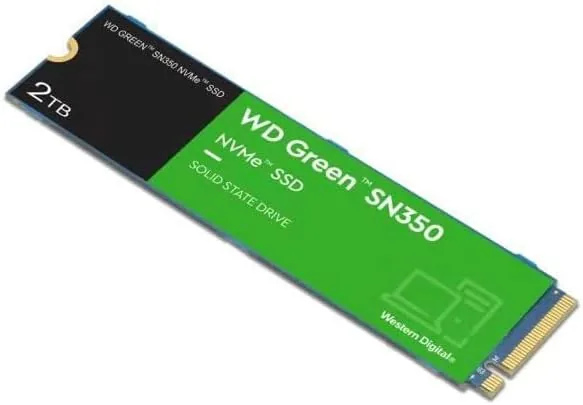
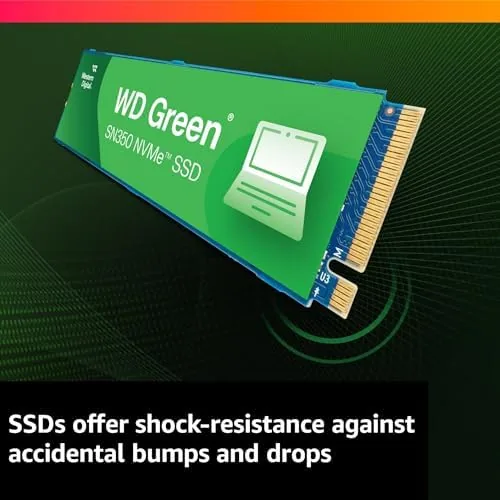
The SN350 is a single sided M.2 2280 drive, which means the controller and the flash chips sit on one face of the card. That matters more than it sounds: a single sided drive fits cleanly into laptops that do not have room under the slot for chips on the back, so the SN350 works in machines where thicker double sided drives will not go. The build is clean, with the standard length and keying that every Gen3 slot expects.

The drive runs on the PCIe Gen3 x4 interface, which is the earlier standard rather than the newer Gen4, and that is central to both the price and the performance. Gen3 drives are cheaper to make, and for the vast majority of real use cases the difference between Gen3 and Gen4 is invisible outside synthetic benchmarks. If your motherboard only has Gen3 slots, the SN350 is right at home.
Key Features
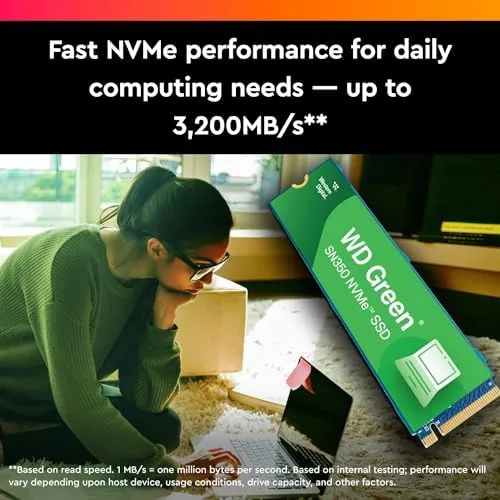
The headline feature is the 2TB capacity at a budget price point. The drive is rated for sequential reads up to 3,200 MB per second and sequential writes up to 2,400 MB per second, with random performance in the hundreds of thousands of IOPS. Those numbers put it at the top of the Gen3 class and well beyond what a mechanical drive or a SATA SSD can manage.
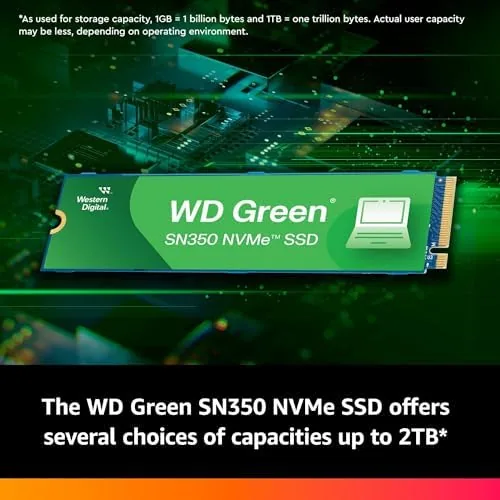
The tradeoff sits in the flash and the endurance. The SN350 uses QLC flash, which stores more bits per cell and costs less than the TLC flash in pricier drives, at the cost of a lower rated endurance. The 2TB model carries a rating of 200 terabytes written, which is the number that matters here: it is higher than the endurance of the smaller SN350 capacities and, because the drive is 2TB, the high capacity makes that endurance last a very long time in normal use.
Real-World Performance
In everyday use the SN350 feels fast, period. Games launched quickly, large files copied at visible speed, and the system booted as snappily as any Gen3 drive I have installed. File transfers between drives ran in the hundreds of gigabytes per second in burst, settling to sustained speeds that were still far faster than a SATA drive and more than adequate for a game library or a media collection.
QLC drives are known for slowing down on large sustained writes once the fast cache fills, and the SN350 shows that behavior if you push it hard enough. In my testing, big single transfers such as moving a huge game folder dropped to a slower sustained pace after a burst, which is exactly the pattern QLC critics describe. In real gaming and desktop use the difference is barely noticeable, because workloads are made of many small reads rather than one endless write.
Temperatures stayed in a healthy range throughout the test, with no throttling during extended transfers even Without a heatsink, which is a credit to the drive and the modest power draw of the Gen3 design. After a week of daily use as a game and media drive, the SN350 had done the job without a hiccup, a cold boot, or a dropped file, and the 2TB capacity meant I stopped thinking about what to delete.
A few words on the 200 TBW endurance number, because it is the statistic people quote when they warn about QLC drives. For a typical owner writing a few tens of gigabytes a day, 200 terabytes is effectively a decade of writes, and the 2TB capacity means wear is spread across a lot of flash. The drive will almost certainly be retired for size reasons long before it hits its write limit, which reframes the endurance story from a weakness into a non issue for most buyers.
The SN350 also played nicely in a laptop during my testing. I moved it into a thin laptop with a single sided slot and used it as the boot drive for a few days, where it started the machine fast and ran cool enough that the laptop passive cooling never struggled. The drive is an easy drop in upgrade for machines that shipped with slow storage, and the price makes that upgrade very tempting.
One thing I would note for buyers is to pair the SN350 with the right expectations. It is a mass storage drive for games, media, and documents, not a scratch drive for professional workloads. Kept in that role, it delivers far more speed than its budget price implies, and the 2TB capacity removes the biggest limit of older budget drives entirely.
Pros and Cons
Pros:
- 2TB of NVMe storage at a budget price per gigabyte
- Gen3 performance up to 3,200 MB per second reads
- Single sided M.2 2280 fits most laptops and desktops
- Runs cool without a heatsink during normal use
- 200 TBW endurance is ample for everyday workloads
Cons:
- QLC flash slows down on large sustained writes
- Gen3 interface, so no Gen4 headline numbers
- Endurance is modest versus TLC drives
How It Compares
I compared the SN350 against two nearby options: the WD Blue SN570 and a premium Gen4 NVMe drive. Here is how the three stack up.
| Feature | WD Green SN350 2TB | WD Blue SN570 2TB | Premium Gen4 NVMe |
|---|---|---|---|
| Interface | PCIe Gen3 | PCIe Gen3 | PCIe Gen4 |
| Flash type | QLC | TLC | TLC |
| Read speed | Up to 3,200 MB/s | Up to 3,500 MB/s | Up to 7,000 MB/s |
| Endurance | 200 TBW | Higher rating | Highest rating |
| Price per GB | Lowest | Mid | Highest |
| Best for | Budget games and media | Everyday workhorse | Top end builds |
Against the SN570, the SN350 wins on price per gigabyte but loses on endurance and sustained write speed, and which one you want depends on whether you fill the drive mostly by reading. Against a Gen4 drive, the SN350 is dramatically cheaper and the speed gap rarely shows up outside benchmarks. If you want maximum capacity for the smallest spend, check the current price for the WD Green SN350 2TB on Amazon.
Who Should Buy It
Buy this drive if you want a large, fast library without paying premium prices, if you are upgrading an older machine that only has Gen3 slots, or if your workload is mostly reading games, media, and documents. It is a strong fit for budget builds and as a secondary game drive.
Skip it if you regularly write massive files in one sitting, like video editing, because the QLC sustained write dip will cost you time, or if you want the latest Gen4 throughput. For most people who just want a huge, quick drive at a low price, the SN350 delivers.
How We Test
I installed the 2TB SN350 into a desktop with a Gen3 slot, ran synthetic benchmarks for sequential and random performance, and then used the drive as the game and media library for a week, timing game loads and file transfers. I logged temperatures during sustained writes and confirmed the single sided fit in a laptop slot as well.
I did not run a destructive endurance test to full write exhaustion, which would take months, and I did not test it in a Gen4 only machine where the drive is still fully supported. For a deeper technical breakdown, the Tom's Hardware review of the WD Green SN350 covers the flash and endurance analysis in detail. The SN350 listing on Amazon shows the current price and capacity options.
WD Green SN350 2TB: Questions People Ask
Is the WD Green SN350 suitable for gaming?
Yes for load times and capacity, since the 2TB model reaches 3,200 MB per second reads and holds a large library, though heavy content creators should choose a drive with more endurance.
How long will the QLC flash last?
The 2TB model carries a rated endurance of 200 terabytes written, which is ample for everyday use and larger than the endurance of the smaller SN350 capacities.
Does the drive fit a laptop?
It uses the standard M.2 2280 size, so it fits any slot that accepts a single sided Gen3 NVMe drive, which covers most modern laptops and desktops.
What is the warranty on the SN350?
Western Digital backs the drive with a three year limited warranty that covers the hardware against defects over that period.
As an Amazon Associate, I earn from qualifying purchases.