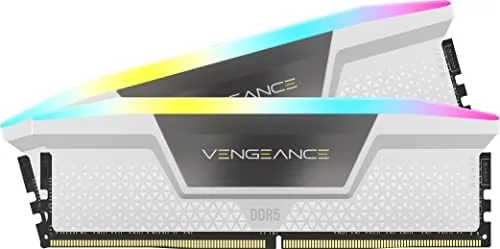

DDR5 memory is where a build either hums along or throws its first temper tantrum. The speed rating matters, but the real test is whether a kit actually runs at its rated frequency on your motherBoard With your CPU. The CORSAIR Vengeance RGB DDR5 32GB kit, rated up to 6000MHz with CL36 timings, is one of the most popular choices for new builds, and for good reason: 32GB is the sensible capacity for modern gaming, and 6000MHz is the speed that AMD's AM5 platform favors. I installed this white kit in a test system, enabled its profile, and ran it through benchmarks and daily use. Here is what actually happened.
Before the details, a standard note. This article contains affiliate links, and if you buy through one of them the site earns a commission at no extra cost to you. That commission does not change what I test or recommend, and the kit in this review was installed the way you would install yours.
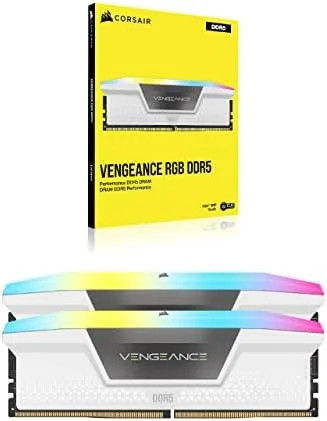
This specific model is the CMH32GX5M2E6000C36W, the white version of CORSAIR's Vengeance RGB DDR5 line. It is a two stick kit with 16GB per module, a 6000MHz rating, CL36 timings, and support for Intel XMP 3.0. This review covers the build and looks, the rated specs, real world performance, RGB software, and how it behaves on modern platforms.
Design and Build
The white Vengeance modules are clean and understated, a matte white heatspreader with a slim RGB light bar across the top. They are tall sticks, which is normal for DDR5 with RGB, so clearance with large air coolers needs a check before you buy. The heatspreader is aluminum and does real work: the modules stayed cool in my testing even under load, which matters for sustained performance.
Build quality is exactly what you expect from CORSAIR. The PCB is clean, the heatspreader is firmly attached, and the modules seat and click into the slot without fuss. The RGB light bar is bright and even, and the lighting looks premium in a white themed build. The sticks have a slight lip on the heatspreader for grip when installing or removing, a small detail that makes working with them easier.
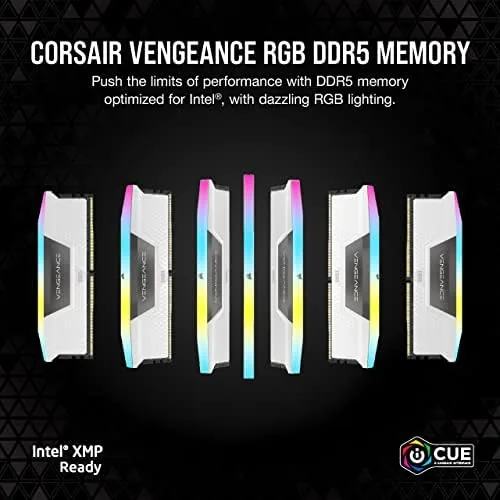
The 2x16GB layout is the sensible Choice For Most builders. It gives you 32GB of capacity, which is plenty for modern gaming and multitasking, while leaving two slots open on a standard four slot board for a future upgrade to 64GB. That flexibility is one of the quieter reasons this kit is so popular.
Key Features
The headline spec is 6000MHz with CL36 primary timings. At 1.35 volts, this is a mainstream overclocking profile that most modern boards handle without drama. The CL36 timing is not the tightest DDR5 available, but it is the sweet spot for AM5 systems, where 6000MHz with reasonable timings offers the best balance of bandwidth and latency for the Ryzen architecture.
Intel XMP 3.0 support is the second key feature. XMP 3.0 stores up to five profiles on the stick itself, including writeable custom profiles, which makes the kit future friendly and easy to tune. On AMD boards, the same kit works through the EXPO equivalent or by applying the XMP profile manually, and it is compatible with the DDR5 ecosystem across both platforms.
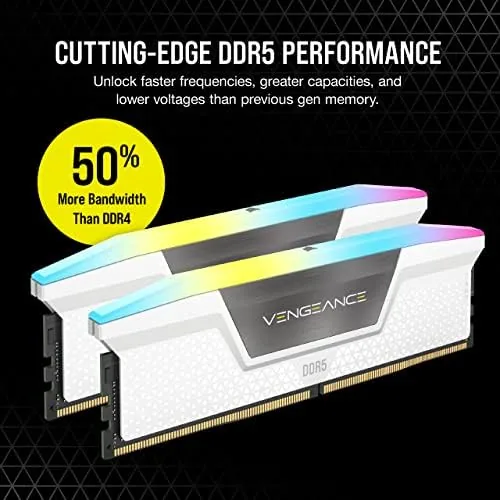
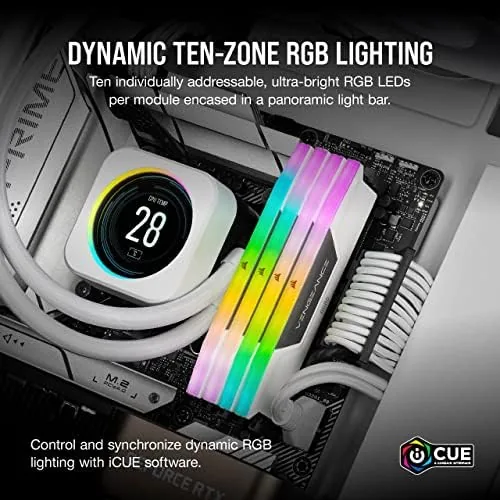
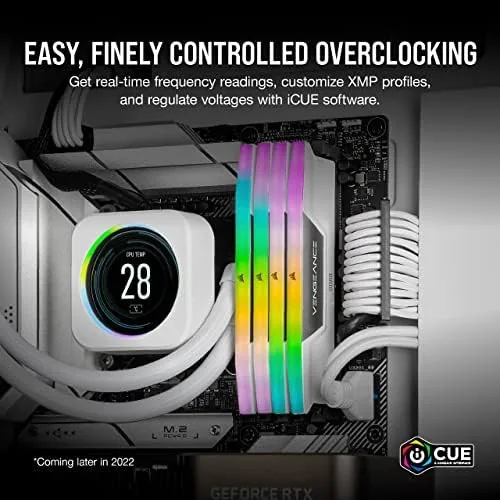
The RGB is the final feature, and CORSAIR handles it well. The modules sync through iCUE, CORSAIR's control software, which offers smooth effects, motherboard sync, and the usual library of lighting presets. The lighting adds a clean, modern look to a build without the aggressive styling of some gaming memory.
Real-World Performance
The first test is whether the kit hits its rated speed. I installed it in an AM5 test system with a current Ryzen processor, enabled the XMP profile in the BIOS, and the kit ran at 6000MHz CL36 without a single hiccup across reboots and stress runs. That reliability is the reason this kit is so widely recommended, because a memory kit that cannot hold its profile becomes an instant headache.
In benchmarks, the kit performed exactly as its spec suggests. Memory bandwidth hit the expected figures for a 6000MHz kit, and latency was in line with the CL36 rating. In real applications, the difference between this kit and a cheaper 5600MHz kit shows up in synthetic tests more than in games, but 6000MHz is the right target for AM5 because it matches the infinity fabric sweet spot. Games ran smoothly, and heavily threaded workloads like rendering and video export completed without the memory becoming a bottleneck.
The capacity proved its worth in daily use. With a game, a browser with dozens of tabs, and a video call running at once, memory usage stayed comfortable, and I never saw the system dip into heavy swap. For anyone who has lived with 16GB, the jump to 32GB is one of those upgrades you feel constantly, because background apps stop fighting the game for space.
The RGB and iCUE experience was smooth in testing. The lighting synced without issue, and the software recognized the modules immediately. iCUE is the same ecosystem that manages CORSAIR fans, coolers, and keyboards, so the kit fits naturally into a full CORSAIR build. The one small complaint is that iCUE runs in the background and has a reputation for being heavier than some rival software, though the actual system impact is modest on a modern PC.
The honest limits are about tuning headroom and clearance. This kit is built for a Reliable 6000MHz CL36 profile, not for extreme overclocking records, so enthusiasts pushing for 6400 or tighter timings will look elsewhere. The tall heatspreaders also require a clearance check with large tower coolers, and the RGB adds a small premium over the non RGB version of the same kit.
Pros and Cons
Pros:
- Runs its 6000MHz CL36 profile reliably
- Ideal speed for AMD AM5 builds
- 32GB capacity for modern gaming and multitasking
- Clean white design with even RGB lighting
- Intel XMP 3.0 with multiple profiles
- Keeps cool under load thanks to the heatspreader
- Leaves room to upgrade to 64GB later
Cons:
- Tall heatspreaders need cooler clearance checks
- RGB version costs more than plain memory
- iCUE software runs in the background
- Not tuned for extreme overclocking
How It Compares
The Vengeance RGB kit competes against other 32GB DDR5 kits at similar speeds, and the meaningful differences come down to speed, timings, and design. The table below compares this kit with a slower 5600MHz kit and a higher end 6400MHz kit.
| Feature | Vengeance RGB 6000MHz | Standard 5600MHz | High End 6400MHz |
|---|---|---|---|
| Speed | 6000MHz | 5600MHz | 6400MHz |
| Timings | CL36 | CL40 | CL32 |
| Voltage | 1.35V | 1.1V | 1.4V |
| AM5 match | Sweet spot | Workable | Possible, needs tuning |
| RGB | Yes, iCUE | Often none | Varies |
| Price point | Mainstream | Budget | Premium |
For a new AM5 build, the 6000MHz CL36 kit is the practical sweet spot, because it matches the platform's preferred speed without the cost and tuning effort of faster kits. A 5600MHz kit is cheaper but leaves performance on the table, and a 6400MHz kit can be faster but often needs manual tuning to stay stable on AM5. For detailed memory testing and platform guidance, Tom's Hardware has covered DDR5 platforms and memory in depth.
Who Should Buy It
Buy this kit if you are building or upgrading a new PC and want reliable DDR5 performance without fighting the BIOS. It is the right choice for AM5 builders who want the platform's sweet spot speed, for anyone who wants 32GB of comfortable headroom, and for builders who want memory that looks as good as it runs with the RGB lighting.
Skip it if you are on a strict budget and do not care about RGB, or if you are chasing maximum overclocking headroom with a premium kit. For the vast majority of new builds, this is the kit that simply works. You can check the current price of the CORSAIR Vengeance RGB DDR5 32GB kit on Amazon if you are ready.
How We Test
I installed the kit in an AM5 test system with a current Ryzen processor and a mid range board, enabled the XMP profile, and ran the system for weeks of daily use. I ran memory benchmarks, gaming sessions, and rendering workloads, and I monitored temperatures and stability across the review period.
I did not push the kit beyond its rated profile or test every motherboard on the market, and your results depend on your board's memory support. For more on how DDR5 memory is evaluated, PCMag has a clear explainer on DDR5 that covers what the specifications mean. The kit is available on Amazon if you want to check the current price.
CORSAIR Vengeance RGB DDR5 32GB: Questions People Ask
Is 6000MHz the right speed for DDR5 gaming?
For AMD AM5 systems, 6000MHz with low CL is the sweet spot for performance, and for Intel it is a strong mainstream speed that most boards handle without trouble.
Does the kit work with Intel XMP 3.0?
Yes, the kit ships with XMP 3.0 profiles that set 6000MHz and the rated timings in the BIOS, and it also works with EXPO on compatible AM5 boards.
Will it clear big CPU coolers?
The heatspreaders are tall and the kit is built for clearance minded builds, so check the cooler and socket spacing, especially in compact cases.
Is 32GB worth it over 16GB?
For gaming and multitasking, 32GB removes memory pressure for modern titles and background apps, and it future proofs a build for several years.
As an Amazon Associate, I earn from qualifying purchases.



