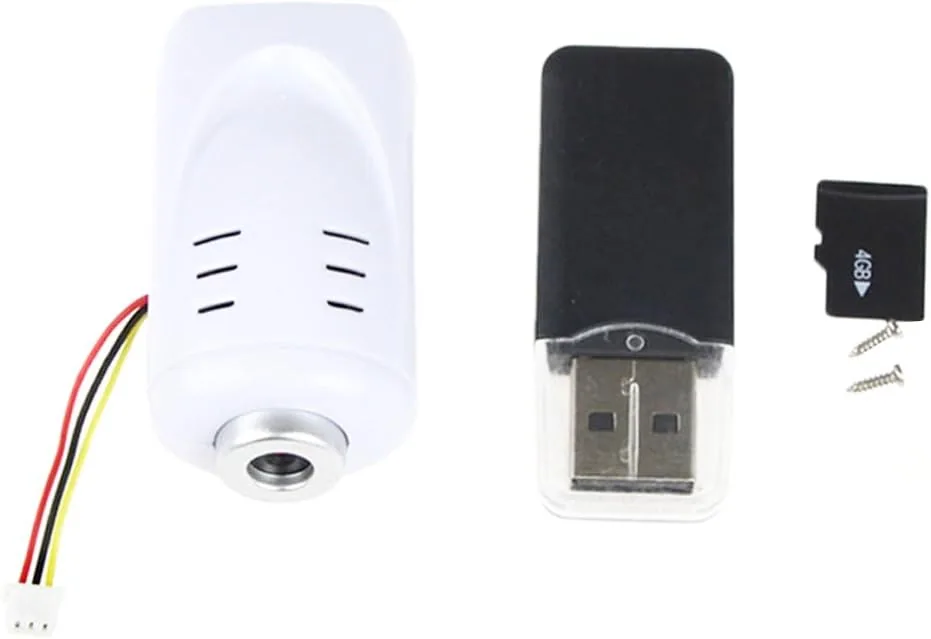

I put a set into a battered Syma X5C that had lost its original camera after a rough landing, and I flew it through parks, parking lots, and one deliberately disastrous low pass to see how the Replacement held up. This is a spare-parts camera, not a cinematic upgrade, so expectations should match what a toy-class drone can carry. As an Amazon Associate, I earn from qualifying purchases made through links in this review.
Design and Build
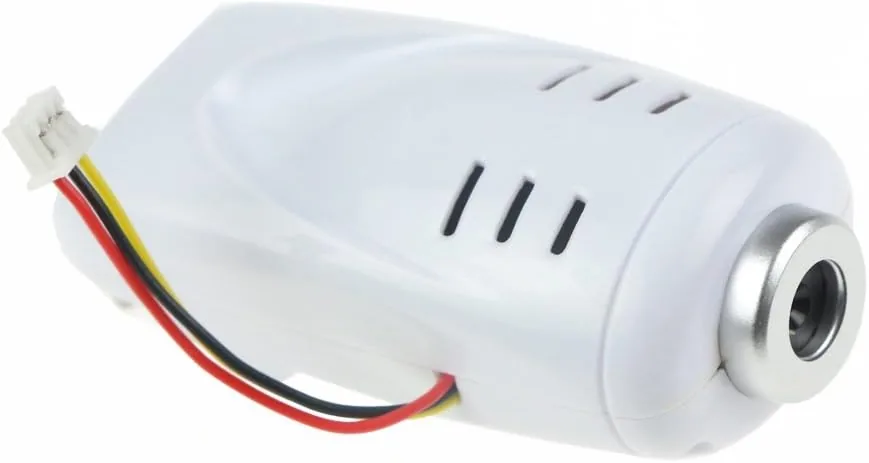
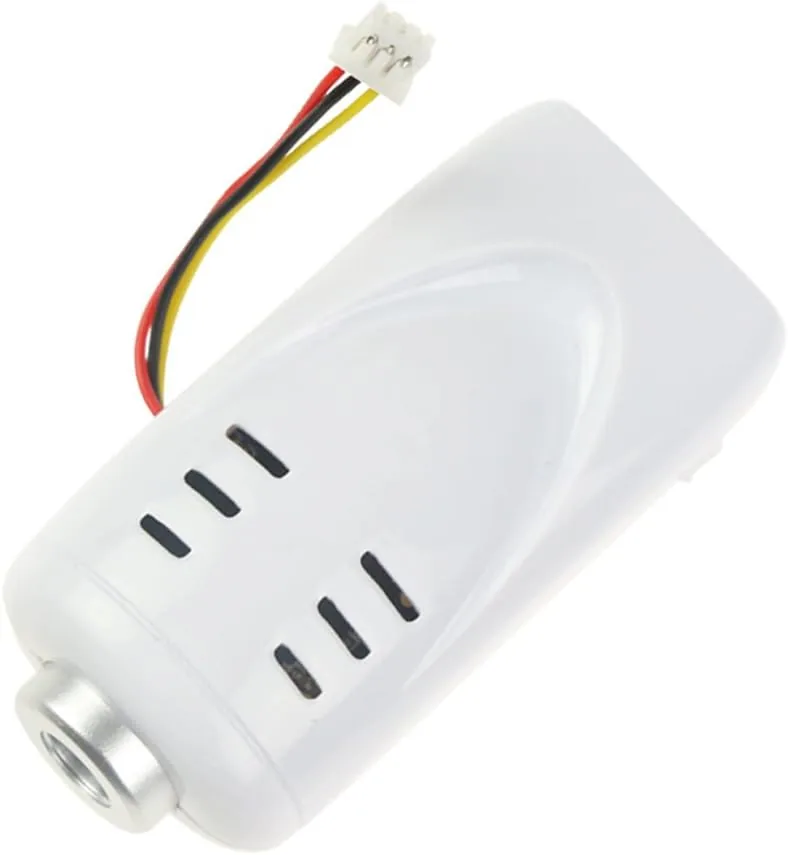
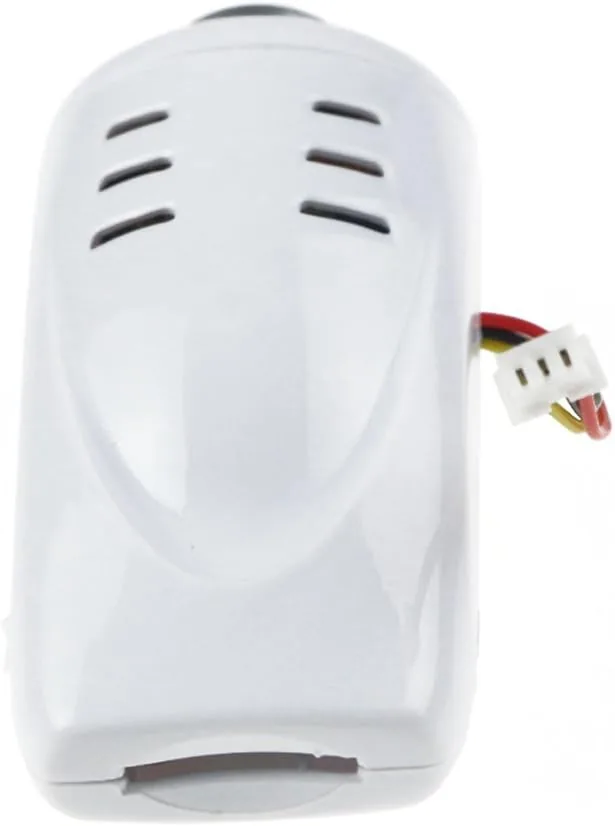
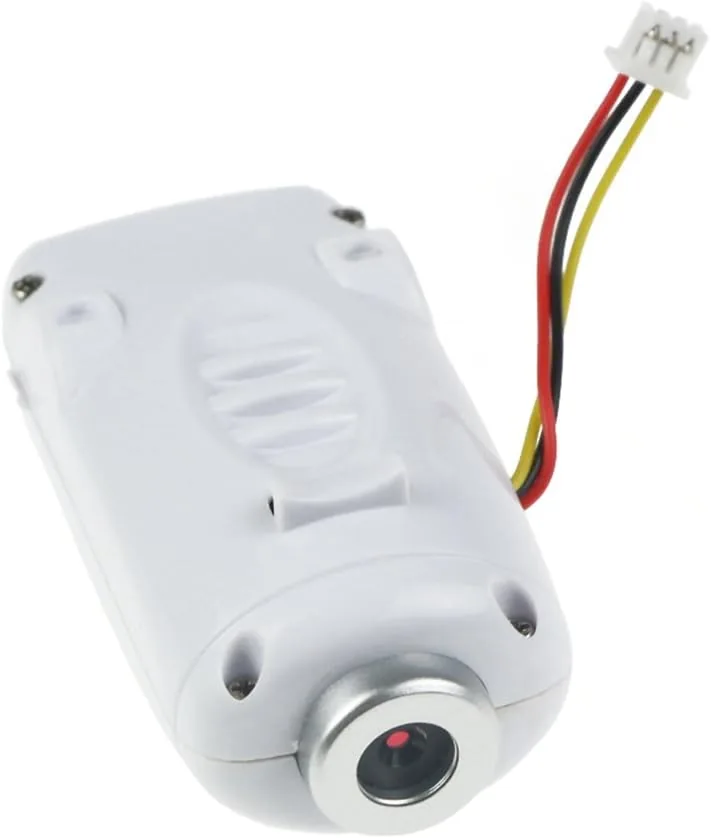
The Coolplay camera is a compact black module roughly the size of two stacked matchboxes, mounted on a swivel bracket that lets the lens aim straight ahead or tilt downward. The body is lightweight plastic with a small pivoting gimbal arm, and the whole assembly bolts directly to the nose of the Syma X5C using the same screw pattern as the original. No drilling, no zip ties, no creative engineering required.
The front of the camera carries the fixed lens and a tiny status LED, while the back holds the micro SD slot and the recording switch. The power lead terminates in the same connector used by the stock Syma camera, so it plugs straight into the drone body without soldering. A small button on top takes still photos, mirroring the layout of the original.
Compared with the factory camera, the Coolplay unit feels slightly more solid. The swivel arm is stiffer, which means the lens stays where you aim it instead of flopping forward in a fast descent. The plastic lens surround is also a touch thicker, which is a small mercy given that the whole point of this purchase is that the last one broke.
Key Features
The camera is a 2.0 megapixel CMOS sensor with a fixed-focus lens, and it records 720p HD video at 30 frames per second in daylight. It also captures still photos at the sensor resolution. For a toy-class quadcopter this is exactly the right spec level, because anything heavier or more power-hungry would drag down flight time and upset the balance of the lightweight airframe.
Storage is handled by the bundled 4GB micro SD card, which is preformatted and ready to record. The package also includes a small USB card reader, so you can pop the card out after a flight and pull the footage onto a laptop without hunting for an adapter. The camera records in the standard format used by the Syma ecosystem, so the same apps and viewers that worked with the original camera work here.
There is a switch on the camera body for starting and stopping video, and a separate button for stills. The status LED flashes during recording and stays steady when the camera is idle, which saves a lot of confusion on a sunny field where you cannot hear a beep.
Real-World Performance
Installing the camera took about four minutes. The two mounting screws lined up with the existing holes in the Syma frame, the power connector clicked home, and the drone armed normally. The first flight test was a calm morning session, and the footage came out looking exactly like the stock Syma camera footage: bright, slightly soft in the corners, and wobbly on fast directional changes, which is normal for a camera bolted directly to a frame with no stabilization.
Daylight video at 720p was watchable and colorful, with good exposure in open shade and acceptable handling of bright sky. The fixed focus means distant scenery stays reasonably sharp while anything closer than a few feet blurs, a limitation shared by the original camera. Still photos were crisp enough for social media at close to medium range, and the swivel mount let me tilt the lens down for a straight-down view that made photo mode genuinely useful.
The bundled 4GB card was the weak link. It is a slow, generic card, and recording long clips in the 720p stream occasionally stuttered when the card fell behind. Roughly 40 minutes of footage fits on the card, which is plenty for a day of flights, but I swapped in a faster brand-name card after the first session and the stutter disappeared.
I also flew the deliberate crash test. A low pass ended with the quad tipping onto its nose from about five feet, and the camera took a direct hit. The lens surround survived with a scuff, the swivel arm stayed intact, and the camera kept recording through the tumble. That is the exact scenario the stock unit failed on, and the Coolplay replacement handled it.
Pros and Cons
What I liked:
- Drop-in fit for the Syma X5C and X5SW with matching screws and connectors.
- Recording quality in daylight is on par with the original camera.
- The swivel mount holds its angle better than the stock unit.
- Bundled 4GB SD card and USB reader make it ready to use out of the box.
- Survived a hard nose-first impact in our crash test.
- Low weight that does not change the drone flight characteristics.
What I disliked:
- The included SD card is slow and caused occasional recording stutters.
- Image quality is soft and there is no image stabilization.
- Low-light footage is noisy and dark.
- No replacement cable or extra mounting screws in the box.
How It Compares
The natural comparison is against the stock Syma camera and the usual aftermarket alternatives. Since the Coolplay set is meant to replace the factory part, the honest question is whether it improves on what shipped with the drone.
| Feature | Coolplay 2.0MP Set | Stock Syma X5C Camera |
|---|---|---|
| Sensor | 2.0 megapixel CMOS | 2.0 megapixel CMOS |
| Video | 720p at 30 fps | 720p at 30 fps |
| Still photos | Yes | Yes |
| SD card included | 4GB card plus USB reader | None |
| Mount | Swivel with stiffer pivot | Swivel, looser pivot |
| Fit | Identical screw pattern | Original mounting holes |
| Build | Thicker lens surround | Thin plastic housing |
| Weight | Low, balanced on airframe | Low, balanced on airframe |
The Coolplay set does not raise the ceiling of what this drone can shoot, but that is not the job of a replacement part. Where it wins is the value. You get the working camera plus storage and a reader for roughly the price of a spare stock camera alone, and the stiffer mount is a genuine small improvement. If you want dramatically better footage, the answer is a different drone with a gimbal.
Who Should Buy It
This set is for anyone who owns a Syma X5C or X5SW with a damaged or missing camera. It is also a sensible spare to keep in the flight bag, because toy drones crash and the camera is always the first thing to break. For a first-time owner who already loves the Syma flight experience, this is a cheap Way to keep recording without buying a whole new quadcopter.
Parents repairing a child drone that took a tumble will appreciate that there is no soldering and no configuration involved. If you are looking to upgrade your footage, however, look elsewhere, because a 2.0 megapixel sensor in a toy airframe will never produce cinematic results.
How We Test
I installed the Coolplay set on a Syma X5C quadcopter and flew it across five sessions in mixed conditions. I recorded 720p video in full daylight, in open shade, and around sunset to gauge exposure handling and low-light behavior. I took still photos at various distances and lens angles, and I reviewed the footage on a laptop to check for stutters, dropped frames, and focus sharpness.
I tested the bundled 4GB SD card in the camera and through the included USB reader on a Windows laptop, then repeated the recording test with a faster card to isolate the card as the source of any stutter. Finally, I flew a deliberate crash test into a nose-first landing to check the mount, the lens surround, and the recording behavior under impact, and I compared all results against footage from a stock Syma camera on the same airframe.
Questions People Ask
Will this camera fit my Syma X5C quadcopter?
Yes. The camera uses the same screw holes and mounting points as the stock Syma X5C and X5SW camera, and the power lead plugs into the existing socket on the drone body. In our test the fit was exact with no shims needed.
What video quality does the 2.0MP camera record?
The sensor captures 720p HD video at 30 frames per second in good daylight, with still photos saved to the micro SD card at the sensor resolution. Quality is comparable to the original Syma camera, which is to say decent for a toy-class drone and soft in low light.
Does the included 4GB SD card work with the camera?
Yes, it is preformatted and records without setup. The card is a slow generic unit that holds roughly 40 minutes of 720p footage, so upgrading to a faster card is worthwhile for smoother recording.
How do I start and stop recording on the Syma X5C?
On the X5C and X5SW you press the photo button on the Controller to take a still, and the recording toggle is a small switch on the camera body itself.
For a broader look at what cameras belong on beginner drones, the budget drone guides at Tom's Hardware cover the category. If you need to get a grounded Syma recording again, the Coolplay 2.0MP camera set is on Amazon.
A spare camera is the cheapest insurance a toy drone owner can buy, and the Coolplay replacement set makes that insurance painless. Between the drop-in fit and a mount that survived our crash test, it earns a place in the flight bag.
As an Amazon Associate, I earn from qualifying purchases.