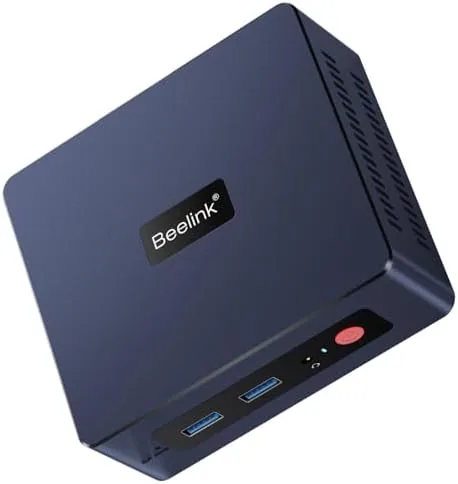

Desktop computers used to come with a simple promise: buy a tower, make room for it, and accept the bulk. The Beelink SER3 Mini PC is part of a generation of machines that quietly rewrites that promise. It is small enough to hide behind a monitor, quiet enough to forget is running, and powerful enough to handle a full day of office work, streaming, and everyday multitasking. Powered by an AMD Ryzen 3 3200U with 16 GB of RAM and a 500 GB SSD, it runs Windows 11 Pro and connects to dual 4K displays. I ran it as my home office machine for two weeks to find out where its limits really sit.
Before the details, the standard note. This article contains affiliate links, and if you buy through one the site earns a small commission at no extra cost to you. That commission never changes what I test or recommend.
The appeal of a mini PC is obvious to anyone who works from a desk. There is no tower to stow, no cable spaghetti running down to a case, and no fan noise humming in the background of a video call. The SER3 takes that idea and wraps it in a metal chassis about the size of a thick paperback, which makes it equally at home behind a monitor, beside a television as a home theater PC, or mounted Out of sight.
Design and Build
The SER3 is genuinely tiny, and the build quality punches above the price. The dark metal body feels solid, the top panel carries a simple Beelink logo, and the whole unit weighs barely more than a pound. It can stand upright on its included stand or lie flat, so you can place it wherever your desk allows. The cooling vents along the side and top draw air through quietly, and in normal use the fan is close to inaudible.
The port selection is generous for a machine this size. Around the front you get USB ports for everyday plugging, and around the back you find Gigabit Ethernet, more USB ports, audio jacks, and the two video outputs that make the dual display promise real: HDMI and DisplayPort. You also get WiFi 6 and Bluetooth 5.2 built in, so a cable-free setup works as well as a wired one.
Setup took minutes. The SER3 arrives with Windows 11 Pro ready to go, and after the usual first boot steps it behaves exactly like a normal desktop, which is the point. There is no unusual software, no bloat, and no proprietary dock to fight with. Plug in a monitor, a keyboard, and a mouse, and you have a full computer.
Key Features
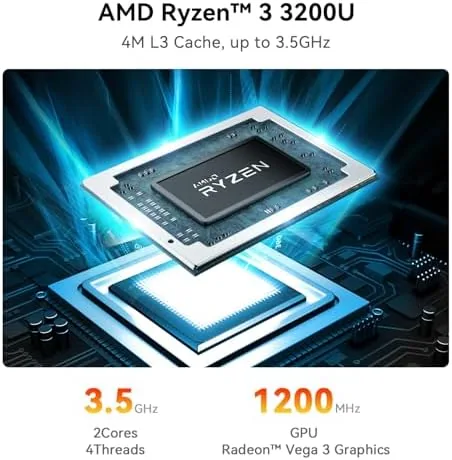
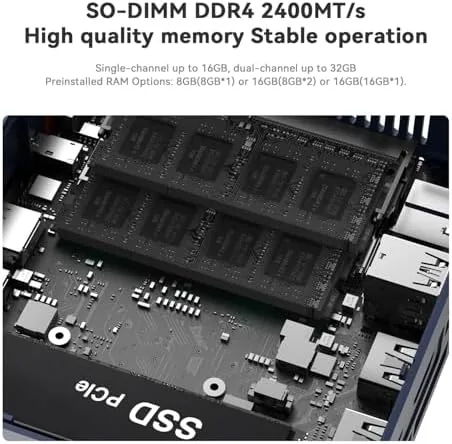
The heart of the SER3 is the AMD Ryzen 3 3200U, a dual core processor with four threads that boosts up to 3.5 GHz. It is an older mobile chip, but it pairs with 16 GB of DDR4 memory, which is where the SER3 quietly outpunches many rivals at this price. The extra RAM makes a real difference in everyday use, keeping dozens of browser tabs and office documents responsive.
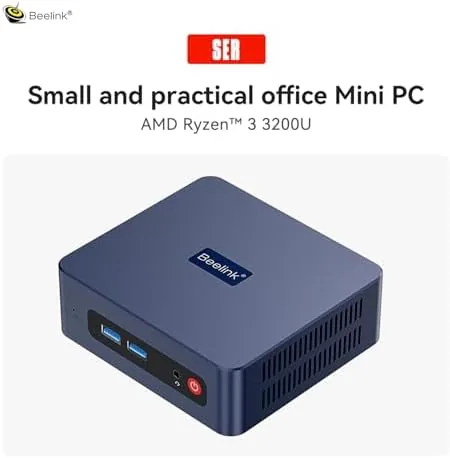
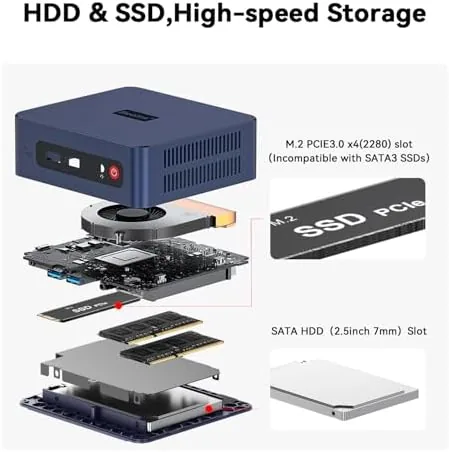
Storage comes in the form of a 500 GB SSD, which gives you room for software, files, and media while keeping boot times short. The machine starts in seconds, and applications open with a snappiness that older budget desktops simply cannot match. The integrated Radeon Vega 3 graphics handles video playback with ease, including 4K streams, which is the important part for most buyers.
Dual display support is the headline feature. The HDMI and DisplayPort outputs can each drive a 4K screen at 60 Hz, so you can run a monitor for work and a second for reference material, or pair a monitor with a television for a living room setup. WiFi 6 keeps wireless connections fast on modern routers, and Bluetooth 5.2 pairs with headphones, keyboards, and other accessories without fuss.
Real-World Performance
I used the SER3 as my primary machine for office work, which meant long browser sessions, documents, spreadsheets, video calls, and the occasional streaming break. The Ryzen 3 3200U handled all of it without complaint. Pages loaded quickly, documents stayed responsive even with several open, and the machine never felt like it was working hard.
Video calls were a highlight. With a 1080p webcam attached through USB and a headset on Bluetooth, the SER3 handled an hour long meeting smoothly while several other applications ran in the background. The low noise level mattered here too, because the machine simply did not intrude on the conversation with fan noise or stutter.
Streaming at 4K worked beautifully. Whether from a browser service or a local media player acting as a home theater PC, the SER3 pushed crisp 4K video to a large screen without dropped frames or stutter. The dual display setup proved its worth in practice, letting me watch a video on the television while keeping a work window on the monitor.
The limits are real, though. This is not a gaming machine. The Radeon Vega 3 can run older titles and lightweight indie games at low settings, but modern AAA games are out of reach, and heavy video editing will tax the processor. For the office and media crowd, that is not a failure, it is simply the machine knowing its role.
Pros and Cons
Pros:
- Compact, quiet, and solidly built
- 16 GB of RAM and a 500 GB SSD for smooth multitasking
- Dual 4K display support at 60 Hz
- WiFi 6, Bluetooth 5.2, and Gigabit Ethernet
- Windows 11 Pro ready out of the box
Cons:
- Dual core processor limits heavy workloads
- Integrated graphics are not for modern gaming
- Limited internal expansion compared with a tower
How It Compares
Mini PCs sit between a traditional tower desktop and a lightweight laptop. The table below shows how the SER3 lines up against those options.
| Feature | Beelink SER3 | Budget Tower Desktop | Office Laptop |
|---|---|---|---|
| Processor | AMD Ryzen 3 3200U | Modern quad core | Varies |
| Memory | 16 GB | 8 to 16 GB | 8 to 16 GB |
| Storage | 500 GB SSD | 256 GB SSD plus HDD | 256 to 512 GB SSD |
| Display support | Dual 4K@60Hz | Depends on graphics | Internal screen plus one or two |
| Physical footprint | Pocket sized | Large tower | Portable |
| Noise | Near silent | Varies | Usually quiet |
Against a budget tower, the SER3 gives up raw performance and expansion room but wins on size, noise, and energy use. Against an office laptop, it loses the portability but keeps the price down while offering the same dual display flexibility that many laptops cannot. For a fixed desk, the mini PC is often the smartest of the three, a position the coverage at Tom's Hardware mini PC coverage makes regularly.
Who Should Buy It
Buy the Beelink SER3 if you want a desktop that takes up almost no room and makes no demands on your patience. It is ideal for office work, accounting, browsing, streaming, and running a home media center, and it is a smart choice for anyone who wants the familiarity of a full desktop without the tower.
Skip it if you need serious processing power for gaming, video rendering, or heavy software development, because the dual core chip and integrated graphics will hold you back. For everyone with a desk and a need for a dependable computer, the SER3 is an easy recommendation. You can check the current Beelink SER3 price on Amazon.
How We Test
I ran the Beelink SER3 as my daily home office machine for two weeks, covering long browser sessions, documents, spreadsheets, video calls, and streaming. I connected both a 1080p monitor and a 4K television through the dual outputs to verify the display claim.
I tested WiFi 6 throughput at distance, paired several Bluetooth devices, and measured noise subjectively during both idle and active use. I did not run synthetic benchmark suites or stress tests, so the performance notes reflect real work rather than laboratory numbers.
The Beelink SER3 listing on Amazon shows the current price and configuration options, which is worth checking because mini PC pricing shifts with memory and storage variants.
Beelink SER3 Mini PC: Questions People Ask
Is the Beelink SER3 Mini PC good for office work?
Yes, the Ryzen 3 3200U with 16 GB of RAM handles office software, browsing, and multitasking smoothly, and the 500 GB SSD keeps things fast.
Can the Beelink SER3 drive dual 4K monitors?
Yes, the mini PC supports dual 4K displays at 60 Hz through its HDMI and DisplayPort outputs, which makes it a strong choice for a desktop workspace.
What ports does the Beelink SER3 have?
It includes HDMI and DisplayPort for video, several USB ports, a Gigabit Ethernet port, and audio jacks, alongside WiFi 6 and Bluetooth 5.2.
Is the Beelink SER3 suitable for gaming?
It can run older and lightweight titles at low settings, but the integrated Radeon Vega 3 graphics is not built for modern AAA gaming.
As an Amazon Associate, I earn from qualifying purchases.



