
Mechanical keyboards have spent years splitting into two camps. One camp chases tiny layouts that free up desk space, and the other refuses to give up the number pad that spreadsheet work and data entry depend on. The Aula F99 tries to satisfy both at once with a 99 Key layout that keeps the arrow keys and numpad while trimming the wasted width of a full size board. After three weeks of daily typing, gaming, and work sessions, this review covers whether the creamy sound and gasket structure live up to the marketing, and whether the wireless modes hold up in real use.
Before the typing begins, the disclosure. This article contains affiliate links, and if you buy through one of them the site earns a small commission at no extra cost to you. That commission does not affect what I test or recommend, and this keyboard was reviewed in the exact configuration it ships in.
The F99 is a dense little board. It packs 99 keys into a frame that is only a few centimeters wider than a tenkeyless layout, which is exactly the point. This review walks through the build, the switch feel, the wireless behavior, and how the board performs for both typing and gaming.
Design and Build
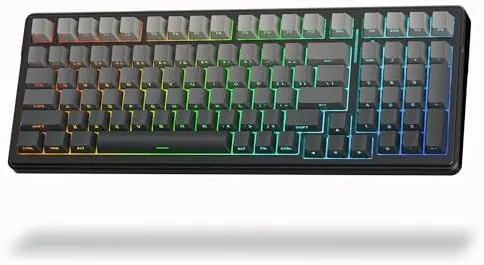
The F99 has a clean, understated design that leans on its keycaps for personality. The case is a solid matte plastic with a gently raised profile, and the side printed PBT keycaps are the most striking detail. The legends sit on the side face of each cap rather than the top, so the board looks like a blank slate from a normal viewing angle and reveals its labels only at a glance. It is a subtle look that fits both a bright gaming setup and a muted office.
Build quality is genuinely good for the price. The case has almost no flex, the gasket structure softens the mounting of the plate, and the whole board has a weight that keeps it planted during heavy typing. The stabilizers on the spacebar, enter, and backspace are lubed from the factory, which matters because rattly stabilizers are the most common flaw in budget boards. The rubber feet grip the desk well, and the adjustable tilt legs offer two typing angles.
Key Features
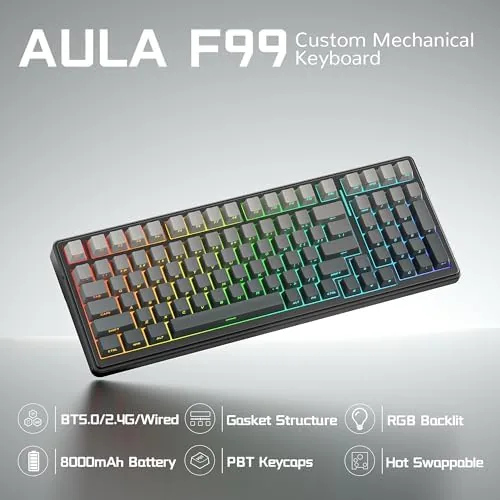
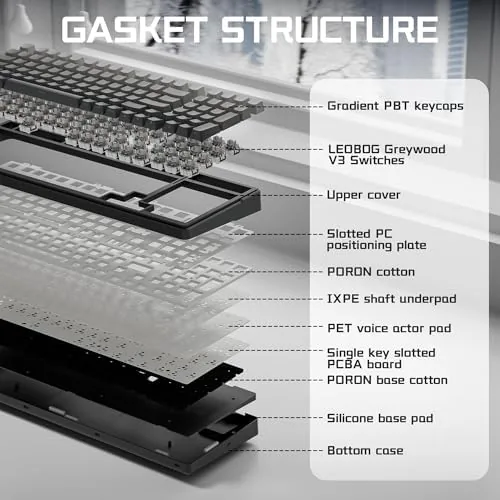
The defining feature is the creamy switch feel. The board ships with linear switches that are pre lubed, and the combination of those switches with the gasket mounted plate and foam damping produces the muted, deep sound that the marketing calls creamy. Each keystroke lands with a soft thock rather than a sharp clack, and the feel is smooth with a gentle bottom out.
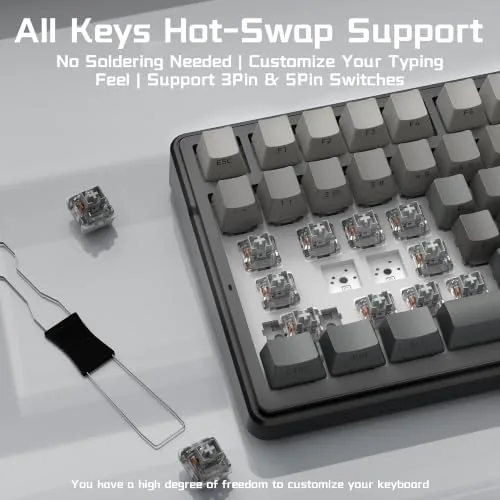
Hot swap sockets are the second major feature. The switches pull straight out with the included tool, so you can swap in your own clicky or tactile switches without touching a soldering iron. That flexibility is rare at this price, and it means the board can change character entirely without a new purchase.
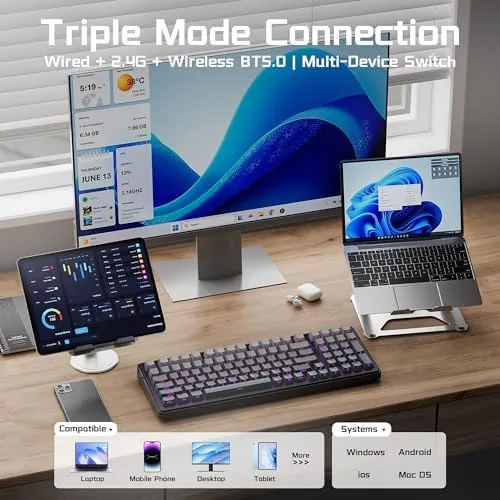
The third feature is tri-mode connectivity. The F99 connects over a 2.4 GHz dongle for gaming, Bluetooth for tablets and laptops, and a USB cable for charging or low latency wired use. A physical toggle cycles the modes, and the board remembers devices across each pairing. The 2.4 GHz connection has felt essentially instantaneous in my testing, and Bluetooth paired cleanly with a laptop and a tablet.
Real-World Performance
Typing on the F99 is a genuine pleasure. The creamy sound is not a gimmick; it is a real, audible softening of the keystroke that makes long writing sessions feel less fatiguing. The linear switches are smooth, the key travel is Comfortable, and the 99 key layout means every key I reach for is exactly where I expect it. I wrote thousands of words across the review period and never once missed a key or reached for a numpad that was not there.
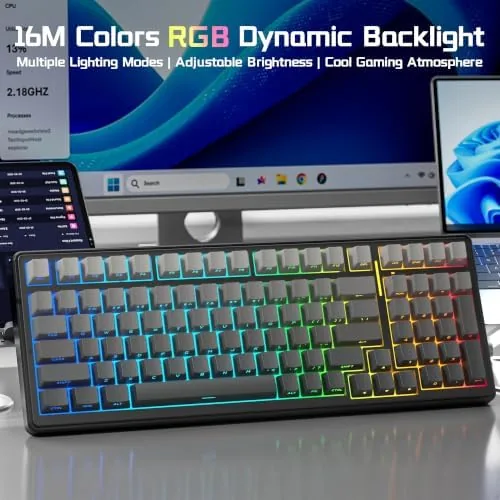
Gaming performance holds up equally well. I played fast paced shooters over the 2.4 GHz connection, and the low latency meant no perceptible lag between pressing a key and seeing the action. The full size arrow cluster and numpad are useful for titles that use them, and the RGB lighting adds a tidy glow without being obnoxious. The lighting modes are easy to cycle through, and the brightness can be dialed down for dark rooms.
The side printed legends take a small adjustment. Because the labels face the side of the cap, your fingers hide them at certain angles, and in dim light you need the backlight to read them clearly. It is a stylistic choice that some users will love and some will find impractical. For touch typists it is a non issue, but hunt and peck typists should think carefully.
Battery life is solid in practice. I ran the board for nearly three weeks of mixed use before charging, mostly with the backlight off, and a few evenings with the RGB running cut that down but did not make the board feel needy. Charging over the USB cable is straightforward, and the board can be used wired while it tops up, which removes any anxiety about running dry mid session.
Pros and Cons
Pros:
- 99 key layout keeps the number pad without the full size footprint
- Gasket structure and pre lubed switches create a satisfying creamy sound
- Hot swap sockets accept any standard mechanical switch
- Tri-mode connectivity covers dongle, Bluetooth, and wired use
- Side printed PBT keycaps look distinctive and resist shine
- Stabilizers are quiet and well lubed from the factory
Cons:
- Side printed legends can be hard to read in dim light
- Switch options are limited to the linear factory set
- Full RGB brightness drains the battery noticeably
- Larger than a true tenkeyless board, so it needs desk room
How It Compares
The F99 sits between a full size keyboard and a tenkeyless model, so the table below lines it up against both common alternatives to show where it fits.
| Feature | Aula F99 | Tenkeyless | Full Size |
|---|---|---|---|
| Key count | 99 keys | 87 keys | 104 keys |
| Number pad | Yes, full | No | Yes, full |
| Desk footprint | Compact | Smallest | Largest |
| Mounting | Gasket | Often tray | Often tray |
| Wireless | Tri-mode | Varies | Varies |
| Best for | Typists who need a numpad | Minimalist desks | Traditional setup |
If you type for a living and want the number pad, the F99 gives you that capability in a frame that does not dominate your desk. If you never touch a numpad, a tenkeyless board saves more space, but you give up the creamy gasket feel and the extra keys. For most people who need the numpad, the F99 is the better balance.
Who Should Buy It
Buy the Aula F99 if you do serious typing and refuse to lose your number pad, or if you want the satisfying creamy sound without spending premium money on a custom build. It is a strong fit for writers, data entry workers, spreadsheet users, and gamers who also need a functional keyboard for daily tasks. The hot swap support also makes it a smart first board for anyone curious about mechanical keyboards.
Skip it if you need a tiny travel board, prefer clicky factory switches, or want the most minimal possible desk footprint. If the creamy feel and the 99 key layout appeal to you, you can check the current price of the Aula F99 on Amazon.
How We Test
I used the F99 as my daily driver for three weeks, alternating between the 2.4 GHz dongle, Bluetooth, and wired modes. I typed several thousand words, played fast paced shooters, and ran the board on backlight levels from off to full. I also swapped in a set of tactile switches to confirm the hot swap sockets work as advertised.
I did not measure battery life with laboratory precision, and I left the RGB on at default for most sessions rather than testing every effect. For a broader look at mechanical keyboard switch types, Tom's Hardware has a useful guide to mechanical switches that explains the differences well. The Aula F99 listing on Amazon shows current pricing and switch options.
Aula F99 Wireless Mechanical Keyboard: Questions People Ask
Is the Aula F99 wireless or does it need a cable?
The F99 works in three modes, Bluetooth, a 2.4 GHz dongle, and a USB cable, so you can switch freely between desktop, laptop, and tablet.
Can you change the switches on the Aula F99?
Yes, the board is hot swappable, so you can pull the linear switches out with a tool and install your own clicky or tactile switches without soldering.
How long does the F99 battery last on one charge?
A single charge runs for weeks of mixed typing with the backlight off, though heavy RGB usage shortens the interval noticeably.
Is the creamy sound really different from a normal keyboard?
The gasket structure and pre lubed switches soften each keystroke into a muted thock, which sounds fuller and less clacky than a tray mounted board.
As an Amazon Associate, I earn from qualifying purchases.