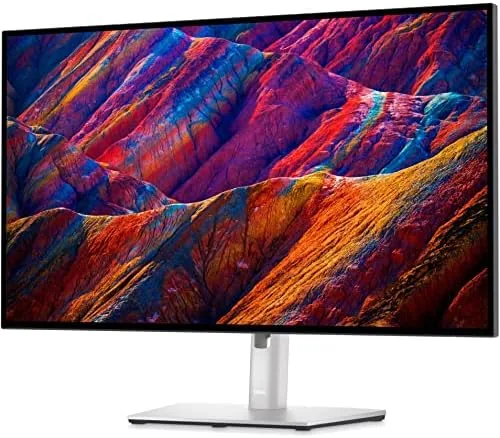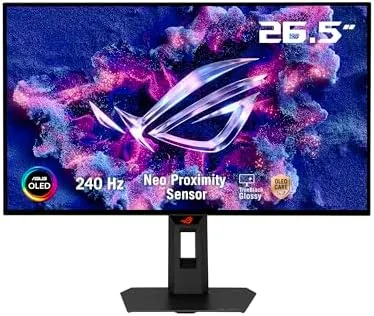

A gaming monitor lives or dies by motion clarity, and for years the fastest way to get it was an expensive high-refresh IPS panel with backlight strobing that flickered. OLED changed the game: per-pixel shutoff means near instant response and true black, no backlight to smear at all. The ASUS ROG XG27AQDMGR is a 27-inch 1440p OLED that runs at 240Hz With A 0.03ms response time, and it adds a glossy panel, ELMB Sync, and OLED Care Pro for the people who worry about burn-in. After a month of competitive shooters, cinematic HDR titles, and console sessions, this is the full story.
This article contains affiliate links. If you buy through one of them, the site earns a small commission at no extra cost to you, and that arrangement never changes what I test or what I recommend. With that note out of the way, here is the full record of a month with the XG27AQDMGR.
Design and Build
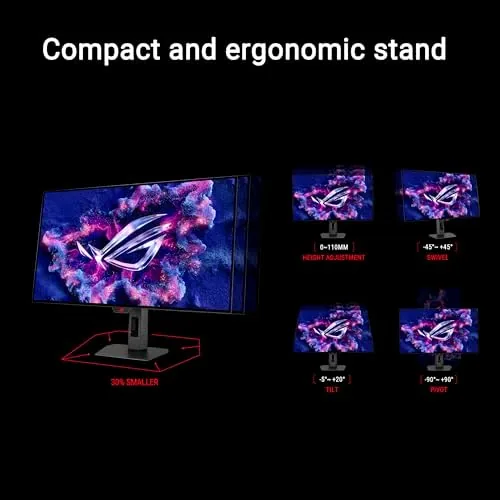
The XG27AQDMGR looks the part of a flagship ROG display: a slim OLED panel on a sturdy stand with a small angled base, a subtle ROG badge, and a nearly bezel-free front. The stand offers tilt, swivel, and height adjustment, and it pivots into portrait for reading or coding. The panel itself is startlingly thin for a monitor, which is the OLED signature, and the rear carries the ROG design language with an illuminated logo that can be customized or turned off entirely.
The ports are well chosen: two HDMI inputs, a DisplayPort, and a USB hub that handles a mouse and keyboard with one cable to the PC. The on-screen display is controlled by a joystick on the rear edge, and ROG keeps the menu fast and organized, which matters when you want to switch between FPS and movie modes mid-session. The included stand is solid and the panel does not wobble, and the whole unit looks at home in a bright gaming room rather than a dark cave.
Key Features
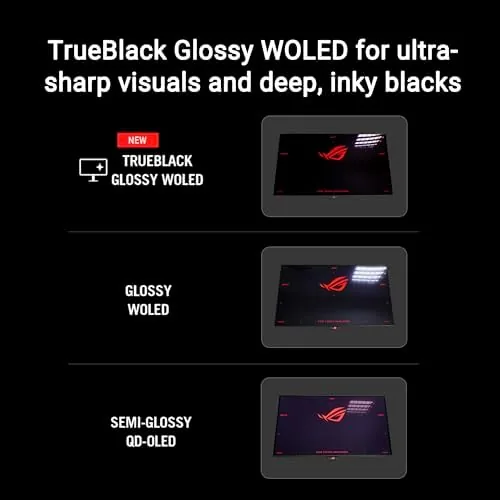
The glossy OLED panel is the headline, and it is a deliberate choice. Where matte coatings diffuse reflections at the cost of a faint haze over the image, the glossy surface lets the panel show its true contrast and color: blacks go deeper, colors look richer, and the image has a clarity that flat panels simply do not match. In a dim or controlled room, which is how most gamers actually play, the glossy surface is a genuine advantage.
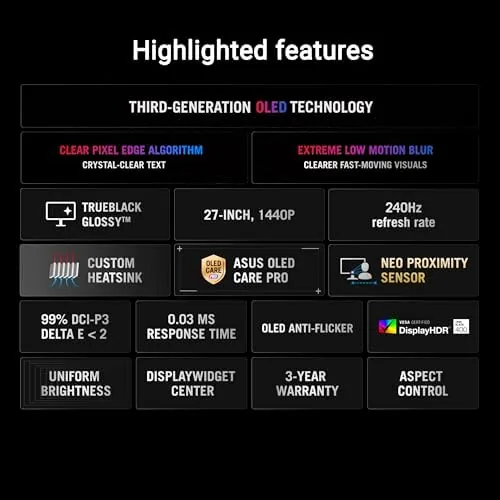
The 240Hz refresh rate and 0.03ms response time are the competitive specs. At 240 frames per second the image updates four times as often as a standard display, and the OLED response removes the ghosting that blurs fast motion on LCD panels. ELMB Sync combines motion blur reduction with variable refresh rate, cutting the flicker of old strobed monitors while keeping motion sharp. The DCI-P3 99% color coverage and DisplayHDR 400 certification give the panel the gamut and peak brightness for vivid HDR content. If you want to compare the current price against other high-refresh OLED monitors, the Amazon listing for the ASUS ROG XG27AQDMGR is a useful reference.
Real-World Performance
Competitive shooters are where the panel proves itself. In A Fast-paced FPS, enemy movement stayed razor sharp during rapid flicks, and tracking a target across the screen produced none of the smearing that even a good IPS panel shows. The 240Hz refresh made the desktop feel impossibly smooth too, and the difference between 60Hz and this panel is something you notice in the first ten seconds and never forget.
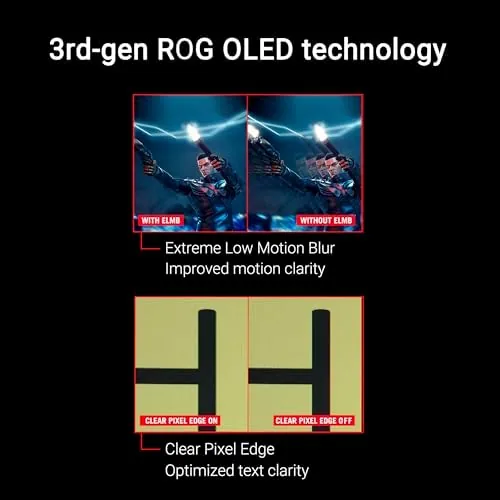
Single-player HDR titles were the visual highlight. A night scene in a cinematic game rendered with genuine black where LCD panels show gray, and the glossy surface made the highlights pop without a film of haze over the image. Color reproduction is outstanding: the DCI-P3 coverage shows in saturated game worlds and in photo editing, where the accuracy of the panel holds up far beyond gaming. Watching a 4K movie on the 1440p panel downscales gracefully, and the motion handling made fast action sequences look clean.
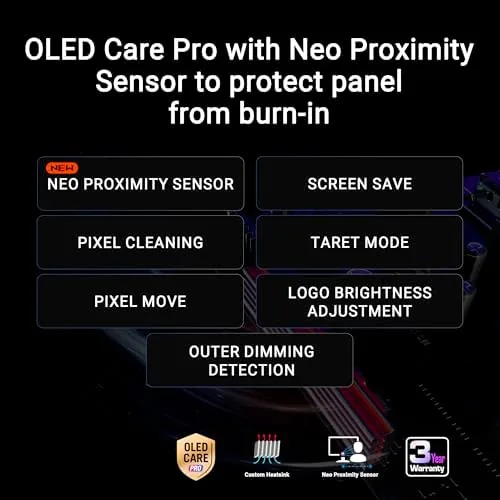
Console support is a real strength. The panel accepts 1440p at 120Hz from the PS5 and Xbox for supported titles, and VRR keeps the frame pacing smooth. The glossy finish made HDR console games like a racing title look richer than the same game on a matte monitor beside it. OLED Care Pro rounded out the month without drama: the pixel-cleaning routine ran automatically at idle, and the Neo Proximity Sensor dimmed the panel when I stepped away, which takes the daily burn-in worry out of the equation.
Office work made the case for the panel beyond gaming. Spreadsheets and long documents on the glossy OLED were the sharpest text I have used on a monitor, with the per-pixel contrast making letters look printed rather than backlit. The 1440p resolution is the practical sweet spot for a 27-inch screen, dense enough for clean type and light enough for a gaming PC to push 240 frames per second. Photo editing confirmed the color story, with the DCI-P3 gamut holding smooth gradients that cheaper panels band. That double duty makes the price far easier to justify than a single-purpose esports display.
Pros and Cons
Pros:
- Instant OLED response with zero visible ghosting
- 240Hz refresh makes motion feel effortless
- Glossy panel delivers deep blacks and vivid color
- ELMB Sync cuts blur without strobing flicker
- OLED Care Pro and the Neo Proximity Sensor ease burn-in worries
Cons:
- Glossy surface reflects light in very bright rooms
- 1440p, not 4K, for those who want maximum pixels
- OLED panels still need care with static desktop elements
How It Compares
High-end gaming monitors split between fast IPS, mini-LED, and OLED, and each has its own trade-offs. I compared the XG27AQDMGR against a fast IPS 1440p panel and a 4K mini-LED monitor.
| Feature | ASUS ROG XG27AQDMGR | Fast IPS 1440p | 4K Mini-LED |
|---|---|---|---|
| Panel type | Glossy OLED | IPS | Mini-LED VA |
| Refresh rate | 240Hz | 180-360Hz | 120-165Hz |
| Response | 0.03ms | 1ms | 1-4ms |
| Blacks | True black | Gray glow | Local dimming |
| HDR | DisplayHDR 400 | Varies | Strong |
| Console support | 1440p at 120Hz | Varies | 4K at 120Hz |
Against a fast IPS panel, the OLED wins on motion clarity and contrast: the IPS still shows a faint backlight glow in dark scenes and slight smearing in fast motion, while the OLED is simply clean. The 4K mini-LED monitor outresolves it for desktop sharpness and offers stronger HDR brightness, but it costs more and cannot match the response of the OLED. For a gamer who wants speed and image quality together, the XG27AQDMGR is the better buy, and the glossy panel makes it stand out even in a lineup of excellent monitors.
Who Should Buy It
Buy this monitor if you play competitive shooters and want every frame as crisp as physics allows, if you want OLED contrast for cinematic games and movies, or if you game across both PC and a PS5 or Xbox and want one display that handles all three well. It is a natural fit for a serious PC gamer, a console player upgrading from a TV, or anyone who stares at dark scenes and hates gray blacks.
Skip it if your room has bright windows directly behind your seat, if you need 4K pixel density for creative work more than speed, or if you leave static windows on screen for days without care. For everyone else, this is one of the fastest, most colorful 1440p monitors you can buy. You can check the current price for the ASUS ROG XG27AQDMGR on Amazon when you are ready to upgrade your setup.
How We Test
I ran the XG27AQDMGR for a month as my primary display, alternating between competitive shooters, cinematic HDR titles, console sessions on a PS5, and desktop work. I tested motion clarity in fast games, HDR peak and black levels, color accuracy with a calibration target, ELMB Sync against standard modes, and the OLED Care Pro routine over the full month.
I deliberately watched a 4K movie, played a 120Hz console title, and left a desktop on screen with the proximity sensor enabled to test the burn-in protections in real conditions. I did not test the monitor in a brightly lit room for prolonged periods, where the glossy surface is at its most reflective. Independent coverage such as the Wirecutter guide to the best gaming monitors is a useful reference for how OLED panels stack up against the competition. The ASUS ROG XG27AQDMGR listing on Amazon shows the current price and shipping details.
ASUS ROG XG27AQDMGR: Questions People Ask
Is the ROG XG27AQDMGR good for the PS5 and Xbox?
Yes. It runs 1440p at 120Hz for supported console games, and VRR keeps motion smooth, while the glossy OLED panel shows off HDR titles beautifully.
What is the difference between glossy and matte OLED?
A glossy panel has a clear surface that makes colors and blacks look deeper and punchier, at the cost of more visible reflections in bright rooms.
Does the monitor support ELMB Sync at 240Hz?
Yes. ELMB Sync combines motion blur reduction with variable refresh rate, cutting ghosting in fast games without the stutter older blur tech caused.
What is OLED Care Pro and should I enable it?
OLED Care Pro is a suite of burn-in protections, including a pixel-cleaning routine and the Neo Proximity Sensor that dims the panel when you walk away. Enable it.
As an Amazon Associate, I earn from qualifying purchases.