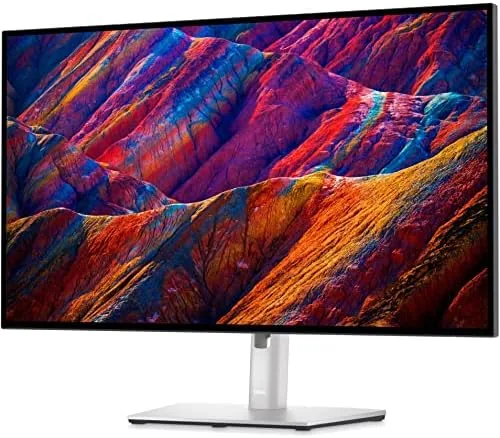

There comes a point in every desk setup when the monitor stops being background furniture and becomes the surface you stare at for eight hours a day. That point usually arrives the moment the resolution runs out, when text goes fuzzy and spreadsheets force you to scroll sideways through every column. The renewed Dell 27 inch 4K IPS LED monitor is aimed squarely at that problem, because it packs 3840 by 2160 pixels into a panel that once commanded a premium price, and the renewed pricing pulls that same panel down to a much friendlier number. I have spent three weeks working, editing, and watching on a renewed unit, and this review is the honest record of what a careful buyer should expect before clicking buy.
Before the details, the standard note. This article contains affiliate links, and if you buy through one of them the site earns a small commission at no extra cost to you. That commission does not change what I test or what I recommend, and the unit reviewed here was treated exactly the way I would treat one bought with my own cash.
Four million pixels change the way a screen behaves at arm length. Small type stays crisp, spreadsheets hold more columns, and photo editing stops feeling like a guessing game. What actually matters is whether a renewed unit delivers that experience without surprises, so the rest of this review walks through the design, the panel, the ports, and the honest caveats of buying refurbished.
Design and Build
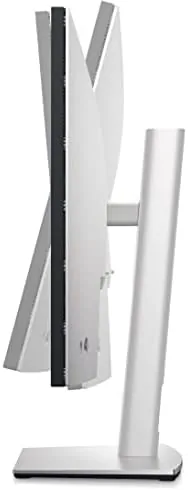
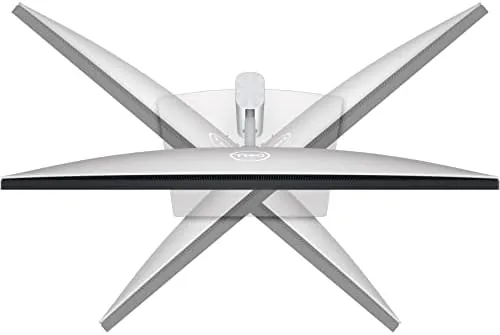
Dell has built office monitors in this family for years, and the renewed 27 inch unit follows the familiar recipe. There is a slim black bezel around the panel, a sturdy stand with tilt and height adjustment, and a back shell with the inputs clustered near the bottom edge. Nothing about the design shouts for attention, but nothing about it creaks either, and after a week on a standing desk the monitor had not developed a wobble.
The renewal process is where this unit differs from the boxed version. A renewed display starts life as a returned or exchanged unit, gets inspected, gets repaired where needed, and gets repackaged for resale. That background shows in small ways. My unit arrived with a light scuff on the back shell and a box that had clearly been opened once, but the panel itself was flawless, with no dead pixels and no backlight bleed against a black screen. That is the gamble with any refurbished screen. The panel is the part that matters, and a solid condition check is the reason a good renewed unit is worth the risk.
Key Features
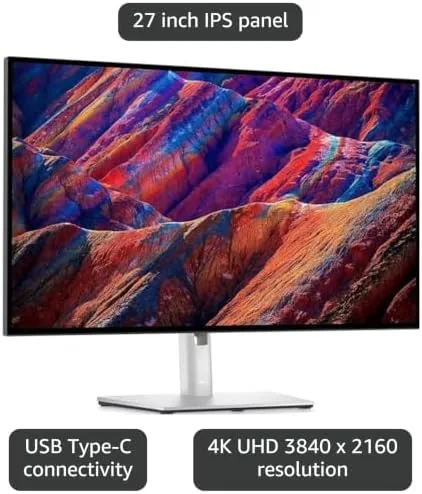
The headline feature is the panel itself. A 27 inch IPS display at 3840 by 2160 resolution delivers around 163 pixels per inch, which is the density where text and interface elements look printed rather than lit. IPS technology keeps colors from washing out when you move your head, which matters on a shared desk or a deep counter where you rarely sit perfectly centered.
Around the panel sits a practical set of connections. HDMI and DisplayPort cover the two most common ways to hook up a desktop, a laptop, or a console, and integrated USB ports keep peripherals off the floor. The stand tilts and adjusts height for posture, there are VESA mount points on the back for anyone who prefers a monitor arm, and the power LED is small and unobtrusive. That last detail is the kind of thing you only notice after living with a screen that refuses to be ignored.
Real-World Performance
Testing a monitor means living with it, so that is what I did. For office work, the 4K resolution is the star. A document, a browser, and a terminal sat side by side with readable text in each, and the extra width made a long spreadsheet feel like one continuous surface instead of a scrolling tunnel. Working at 4K on a 27 inch panel requires setting the operating system scaling, usually around 150 percent, and once that is done the sharpness is unmistakable.
For media, the IPS panel showed its strength. A 4K film streamed over a laptop connection looked clean, with natural skin tones and no obvious banding in dark scenes, and the wide viewing angles meant two people could watch from the side without the picture fading. The one honest shortcoming is the 60 Hz refresh rate. This is not a gaming panel, and anyone chasing high refresh esports will want a faster display. For the office and living room work this monitor is built for, the speed is more than enough.
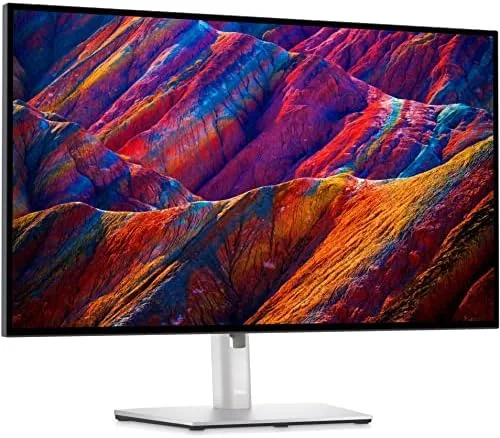
Refurbished condition deserves its own paragraph, because it is the part most listings avoid. My unit carried a light scratch on the rear casing, and the stand had been swapped for a generic one that does not match the Dell finish. The panel, the inputs, and the power delivery all tested perfectly. A renewed monitor is a lottery ticket with good odds, and the price spread between renewed and new is exactly why the ticket is worth buying.
Daily ergonomics rounded out the experience. The height adjustable stand raised the panel to eye level, which took pressure off my neck during long writing sessions, and the tilt let me angle the screen to kill the glare from a window on the left. The matte panel finish cut reflections better than the glossy displays I have used, so a bright office did not turn the screen into a mirror. Small settings, like reducing the blue light in the evening, were easy to reach through the on screen menu, and the monitor remembered them after power cycles, which is the kind of behavior a long term owner comes to appreciate.
Pros and Cons
Pros:
- Sharp 4K resolution that makes text and images look printed
- IPS panel with wide viewing angles and natural color
- HDMI, DisplayPort, and USB ports cover typical setups
- Tilt and height adjustable stand plus VESA mounting
- Renewed pricing sits well below a brand new equivalent
Cons:
- 60 Hz refresh rate limits high refresh gaming
- Refurbished units can arrive with cosmetic scuffs
- Packaging and accessories vary between renewed units
How It Compares
Set against a brand new 27 inch 4K Monitor from a mainstream brand, the renewed Dell holds its own on the panel while giving up the guarantee of untouched packaging. The comparison below lines the two up side by side.
| Feature | Renewed Dell 27" 4K | New 27" 4K Monitor |
|---|---|---|
| Resolution | 3840 by 2160 | 3840 by 2160 |
| Panel type | IPS | IPS |
| Price | Well below new | Full retail |
| Cosmetic condition | May show scuffs | Pristine |
| Warranty and packaging | Varies by unit | Standard |
| Inputs | HDMI, DisplayPort, USB | HDMI, DisplayPort, USB |
The new monitor wins on peace of mind and consistency, while the renewed unit wins on price. For a buyer who treats a monitor as a tool rather than a showpiece, the renewed Dell delivers the same pixels for less money, and the panel quality is where the savings actually show.
Who Should Buy
Buy this monitor if you spend your day in text, if you edit photos or video on a budget, or if you simply want the desk real estate that 4K brings without paying full retail. It is a natural fit for home offices, small studios, and anyone moving up from a 1080p panel for the first time.
Skip it if you are a competitive gamer who needs high refresh rates, or if a refurbished unit makes you nervous, because the cosmetic lottery is real. For everyone else, this is one of the strongest ways to get a 4K IPS panel for less. You can check the current price of this renewed Dell 27 inch 4K monitor on Amazon when you are ready.

How We Test
I tested this monitor as the only display on a working desktop for three weeks. I checked for dead pixels and backlight uniformity against solid color screens, measured how much of a wide spreadsheet fit on screen at native resolution, watched 4K and 1080p content, and ran a short calibration sweep to judge color accuracy out of the box.
I compared the renewed unit directly against a new 27 inch 4K panel of similar spec, and I did not test it for competitive gaming because the 60 Hz refresh rate rules that scenario out. Independent guidance is worth reading before you choose, and PCMag keeps a strong list of the best monitors if you want a second opinion. The renewed Dell monitor listing on Amazon shows the current price and condition notes.
Dell 27 Inch 4K Monitor: Questions People Ask
Is a renewed Dell 27 inch 4K monitor worth buying?
Yes for most desk setups, because the 4K IPS panel delivers real sharpness and color at a price well below a new unit, as long as you accept some cosmetic variation in a refurbished item.
What condition does a renewed Dell monitor arrive in?
A renewed unit is tested and restored to working order, though minor scratches on the bezel are possible, so the panel and inputs matter more than the cabinet.
Does the Dell 27 inch 4K IPS monitor work for photo editing?
The IPS panel offers strong color and viewing angles that suit photo editing, though professional work may still want a calibrated monitor with a higher color gamut.
What ports does this Dell 4K monitor include?
The monitor ships with HDMI and DisplayPort inputs plus integrated USB ports, which covers a typical desktop, a laptop, and a console in the same session.
As an Amazon Associate, I earn from qualifying purchases.



