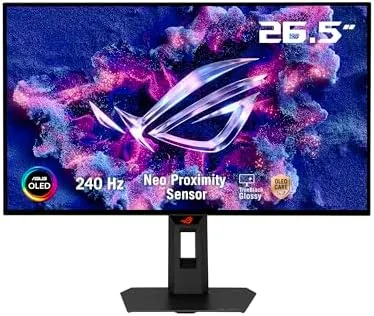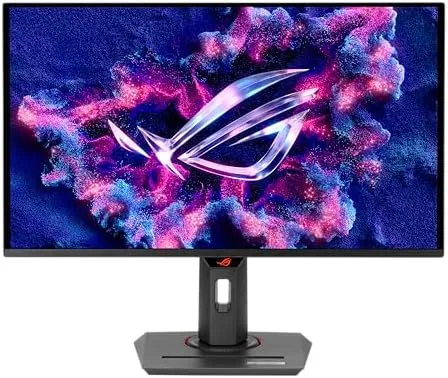

Gaming monitors used to force a choice between speed and color. A High Refresh TN panel moved fast but washed out, and a color accurate IPS panel looked great but capped out at a modest refresh rate. The ASUS ROG Strix XG27ACDNG is built to erase that trade off. It is a 26.5 inch QD-OLED gaming monitor With A QHD 2560 by 1440 resolution, a 360Hz refresh rate, a 0.03ms response time, and 99 percent DCI-P3 color coverage, wrapped in features designed to protect the panel over the long term. I used it as my primary gaming display for three weeks.
Before the details, the standard note. This article contains affiliate links, and if you buy through one of them the site earns a small commission at no extra cost to you. That commission never changes what I test or what I recommend.
Design and Build
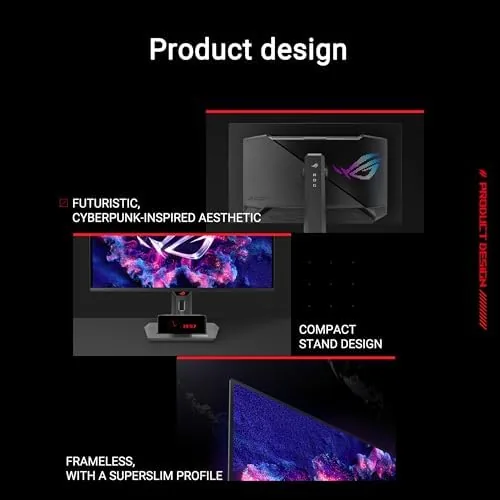
The XG27ACDNG carries the ROG Strix design language, which means a slim profile, subtle RGB accent lighting on the rear, and a bezel that stays thin enough to disappear during gaming. The stand is sturdy with full ergonomic adjustment: height, tilt, swivel, and pivot, so you can dial in the exact viewing position and hold it there without wobble.
The panel itself is a QD-OLED, which combines quantum dot color with the self emissive blacks of OLED. The 26.5 inch size at 1440p gives a pixel density that looks sharp in games and makes text readable for work, and the coating handles reflections well enough for a normal room without aggressive glare.
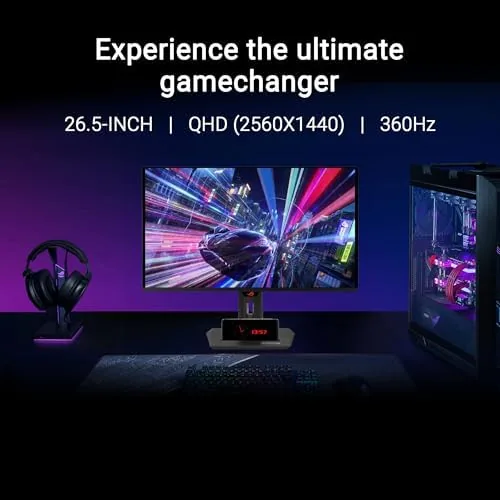
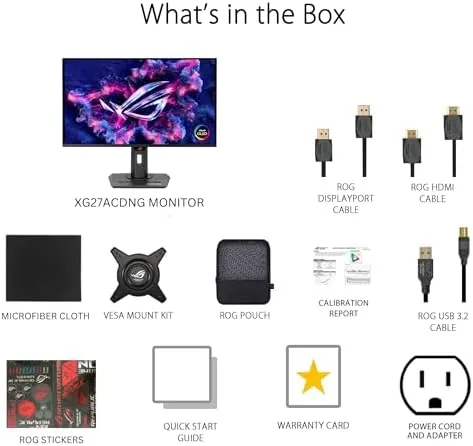
Ports are well covered for a monitor in this class. There is a DisplayPort 1.4 with display stream compression for the full 360Hz over QHD, and two HDMI 2.1 ports that support high refresh console gaming on PS5 and Xbox. A built in USB hub adds convenience for peripherals, and the menu is controlled through a joystick on the back that is quick to learn.
Key Features
The 360Hz refresh rate is the headline. Combined with the 0.03ms response time, it produces motion clarity that makes fast moving games feel almost eerily smooth. Whether you are tracking a target in a shooter or swinging the camera in a racing game, the panel keeps up without the ghosting that plagues slower displays.
QD-OLED color is the other pillar. The quantum dot layer produces the 99 percent DCI-P3 coverage that matters for both gaming and content creation, with colors that look vivid without being artificial. Because each pixel emits its own light, blacks are truly black, which gives contrast that IPS panels cannot approach and makes HDR content look genuinely impressive.
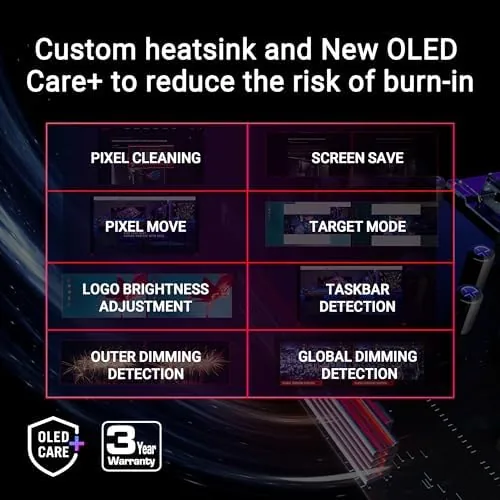
OLED Care Plus is the feature set that addresses the biggest fear about OLED monitors: burn in. The monitor includes pixel cleaning routines, a screen saver, a pixel shift function, and ASUS's custom heatsink that keeps the panel cooler under extended sessions. These protections run automatically and are a genuine reason to trust the panel over the long term, alongside the three year warranty.
G-SYNC compatibility and HDMI 2.1 round out the package. The monitor syncs with compatible NVIDIA GPUs to eliminate tearing and stutter, and the HDMI 2.1 ports support the high refresh and variable refresh rate features that modern consoles use.
Real-World Performance
Esports titles were the first and most demanding test. In a competitive shooter, the difference between this panel and my previous 144Hz display was immediate: camera movement stayed locked and clear, targets were easy to track, and the 360Hz refresh combined with the near instant response eliminated the smearing that had made fast flicks feel mushy.
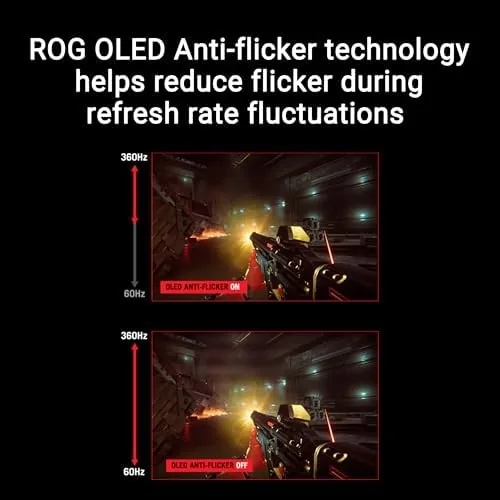
Single player games showcased the color and contrast. A cinematic title with dark scenes looked dramatically better than on a standard IPS panel, with inky blacks, no glowing gray haze in the corners, and HDR highlights that popped. The 1440p resolution held up beautifully on the 26.5 inch screen, and games ran at high frame rates on a capable GPU.
Console gaming worked through the HDMI 2.1 ports. Connecting a PS5 gave high refresh 1440p output, and the monitor's VRR support kept gameplay smooth. The panel handles both console and PC without reconfiguration, which makes it a versatile single display for a mixed gaming setup.
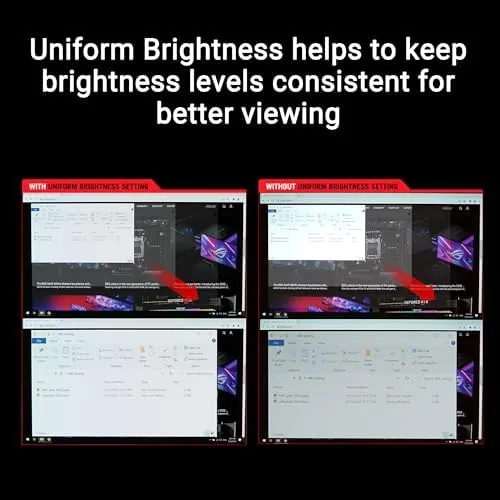
Daily use was a pleasant surprise. Text rendering was crisp, colors looked accurate for photo editing, and the screen stayed comfortable during long sessions, with no eye strain from the pixel layout. The only real caution is OLED brightness management: the panel can dim slightly under a fully white screen to protect itself, which is a normal behavior of the technology rather than a fault.
Pros and Cons
Pros:
- 360Hz refresh with a 0.03ms response for elite motion clarity
- QD-OLED color and true blacks for outstanding contrast
- G-SYNC compatible and HDMI 2.1 for consoles
- OLED Care Plus protections with a custom heatsink
- Full ergonomic stand with height, tilt, swivel, and pivot
- Three year warranty for long term confidence
Cons:
- OLED panels can show temporary image retention without the care features
- Full screen brightness is lower than high end IPS panels
- 360Hz requires a powerful GPU to fully utilize
- Premium price reflects the OLED panel and features
How It Compares
Gamers choosing a high refresh display usually compare QD-OLED, fast IPS, and TN panels. I compared the XG27ACDNG against a high refresh IPS and a classic TN to show where the technology separates itself.
| Feature | ROG Strix XG27ACDNG | High Refresh IPS | Fast TN Panel |
|---|---|---|---|
| Panel type | QD-OLED | IPS | TN |
| Refresh rate | 360Hz | 240Hz to 360Hz | 240Hz |
| Response time | 0.03ms | 1ms | 1ms |
| Color accuracy | Excellent, 99% DCI-P3 | Very good | Poor |
| Contrast | True black per pixel | Good but backlit | Poor |
| Burn in protection | OLED Care Plus | N/A | N/A |
A fast IPS panel is a strong all rounder, but its backlight means blacks are never truly black and the contrast cannot match OLED. A TN panel offers high refresh at a low price, but its color and viewing angles are a real compromise. The XG27ACDNG delivers the speed of the best TN and IPS displays while adding OLED contrast and color, which is why it sits above them for anyone who can afford the premium.
Who Should Buy It
Buy the ASUS ROG Strix XG27ACDNG if you are a competitive gamer who wants the fastest, clearest motion available, if you want a display that is equally strong for cinematic games and color accurate work, or if you want one monitor that works at full speed with both a gaming PC and a PS5 or Xbox.
Skip it if you are on a strict budget, if your GPU cannot push high frame rates at 1440p, or if you leave static images on screen for hours at a time and do not want to think about OLED maintenance. For gamers who can use the speed, this is one of the most impressive gaming displays available. You can check the current price for the ROG Strix XG27ACDNG on Amazon when you are ready to decide.
How We Test
I tested the XG27ACDNG over three weeks as my primary monitor. I ran competitive shooters and racing games to evaluate motion clarity at 360Hz, played cinematic titles to assess contrast and color, and connected a PS5 through HDMI 2.1 to verify console compatibility and VRR. I measured brightness and color behavior in SDR and HDR and checked the OLED Care features, including pixel cleaning and pixel shift.
I used the monitor for daily desktop work to check text clarity and comfort, and I left a static pattern on screen temporarily to observe the care features in action. I did not test the monitor with a console that lacks VRR support or in a fully controlled colorimeter lab, so absolute panel measurements should be confirmed with professional reviews. Independent coverage such as Tom's Hardware monitor reviews provides detailed calibration data for this panel.
The ASUS ROG Strix XG27ACDNG listing on Amazon shows the current price and warranty terms.
ASUS ROG Strix XG27ACDNG: Questions People Ask
What refresh rate does the XG27ACDNG support?
The monitor supports up to 360Hz over DisplayPort 1.4 with display stream compression, and high refresh rates over its HDMI 2.1 ports for console gaming. The 360Hz mode needs a GPU capable of driving that speed at 1440p.
Is the XG27ACDNG compatible with G-SYNC?
Yes, the monitor is G-SYNC compatible, which lets it sync its refresh with compatible NVIDIA GPUs to eliminate screen tearing and reduce stutter during gameplay.
What is OLED Care Plus on this monitor?
OLED Care Plus groups the panel protection features, including automatic pixel cleaning, a screen saver, pixel shift, and the custom heatsink that manages temperature. These features protect the panel from image retention during long sessions.
Does the monitor work with PS5 and Xbox?
Yes. The HDMI 2.1 ports support high refresh 1440p output and variable refresh rate on PS5 and Xbox, and the panel handles both console and PC input without reconfiguration.
As an Amazon Associate, I earn from qualifying purchases.