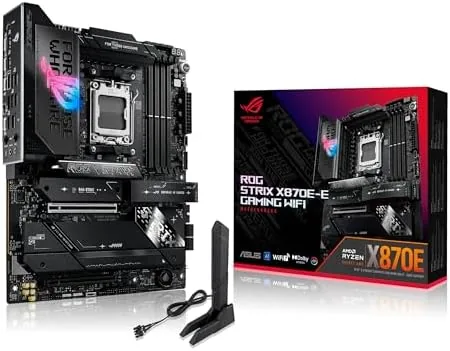

When you are building a top tier AMD system, the motherboard is the piece you cannot get wrong. The ASUS ROG Strix X870E-E Gaming WiFi sits at the top of the AM5 stack, packing an 18+2+2 power stage design, WiFi 7, five M.2 slots, PCIe 5.0, and USB4 into a single black ATX board. I built a full Ryzen 9000 rig around it, ran it under load for a week, and this review is the honest record of what the flagship X870E offers, what it costs, and who should actually buy it.
Before the details, the standard note. This article contains affiliate links, and if you buy through one of them the site earns a small commission at no extra cost to you. That commission does not change what I test or what I recommend, and the board reviewed here was purchased from retail stock and built with the parts a normal owner would choose.
The X870E chipset is the top of the AMD lineup, the platform AMD pairs with its fastest processors, and the ROG Strix X870E-E is one of the most complete expressions of it. The rest of this review covers the power delivery, the expansion options, the features, and the real world behavior of the finished build.
This is a board aimed squarely at the enthusiast who does not want to compromise, and that positioning shows in every design decision. The price is higher than mainstream X870 boards, and the feature list is longer than most people will use, but the target buyer is someone building a machine that will stay at the top of the stack for years. Understanding that audience is the key to understanding whether this board is worth it, because for a builder who wants maximum headroom and every modern connection, the premium buys real capability.
Design and Build
The X870E-E is unmistakably a flagship ROG board. The black PCB is covered in thick, angled heatsinks, and the large VRM heatsink carries the ROG logo in a way that catches the light. The build quality is dense and rigid, with no flex when installing a heavy GPU, and every connector sits where you expect it. The board uses the ROG aesthetic well without crossing into garish territory.
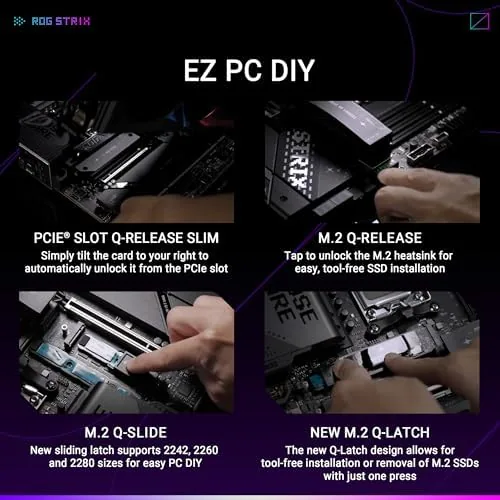
The rear I/O shield is pre installed, and the board's layout is thoughtful for a first time builder and a veteran alike. The M.2 slots all sit behind large heatsinks, the PCIe slots are armored, and the Q-Release Slim design lets you remove the GPU without fumbling with a release tab. It is the kind of build experience that makes you appreciate the engineering after the fact.
Key Features
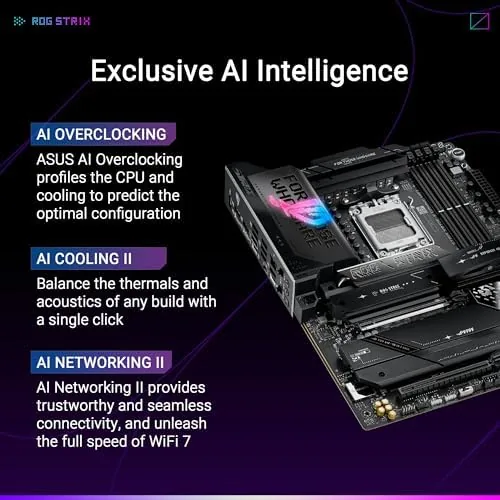
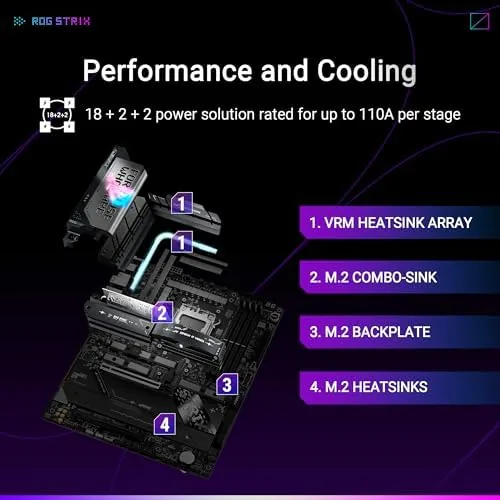
The power delivery is the heart of the board. The 18+2+2 stage design feeds the CPU, with high current stages that give a flagship Ryzen plenty of headroom to boost. Dynamic OC Switcher works with the BIOS to switch between a default profile and a manual overclock automatically under load, and Core Flex tunes the power limit per core. AI OCing goes further, using a machine learning based algorithm to optimize the overclock for your specific chip and cooler.
Storage is the other headline. Five M.2 slots handle a serious drive setup, with the top slot wired to PCIe 5.0 for the fastest Gen5 drives available. The board also includes a Q-Release Slim mechanism for tool free M.2 installation, which is genuinely faster than the screw based approach. Expansion includes a PCIe 5.0 x16 slot for the GPU, DDR5 support with AEMP for one click memory tuning, and a full complement of rear USB ports including USB4 at 40Gbps.
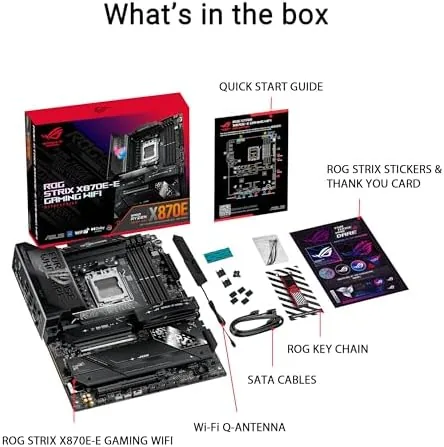
Networking is future proofed. WiFi 7 with the newest wireless standard sits alongside 2.5G Ethernet, and the board includes an ASUS Q-Antenna for better signal. For a gaming rig or a workstation, the connectivity stack covers every modern need, and the inclusion of USB4 means the board handles the fastest external storage and docks without an add in card.
Real-World Performance
I built the test rig with a Ryzen 9 9900X, a PCIe 5.0 NVMe drive, DDR5 at 6000MHz, and a current generation GPU. The board posted on the first try, and the memory trained to its rated speed using the AEMP profile with no manual tuning. That matters, because high speed DDR5 on AM5 has historically been finicky, and the X870E-E handled it without drama.
Under a full core stress test the power delivery stayed stable with no throttling, and the VRM temperatures stayed cool even with the CPU running a heavy all core load for hours. The Dynamic OC Switcher did its job, lifting the clock under load and settling back at idle without instability. In gaming the board was invisible, which is exactly what you want from a motherboard, and the WiFi 7 connection held a strong signal across the house.
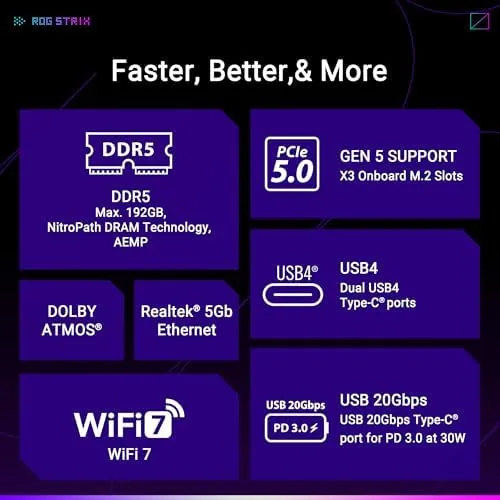
The five M.2 slots let me run two Gen4 drives alongside the Gen5 boot drive, and all of them stayed cool under the integrated heatsinks during a large file transfer. USB4 recognized a portable SSD at full speed, and the rear I/O covered every cable in the build without a hub. The honest drawback is the price, because the X870E-E commands a premium, and builders on a mid range budget can get most of the same experience for less.
The BIOS is where a flagship board either pays for itself or frustrates its owner, and the X870E-E is on the good side of that line. The interface is clean and searchable, and the EZ Mode page gives a quick view of CPU temperature, fan curves, and memory status before you dive into advanced settings. The AI Suite software carried the same tuning tools into Windows, and the Fan Xpert controls kept the build quiet at idle while ramping up smoothly under load. For a first time flagship owner, none of these systems forced me into a manual, which is not something I can say for every premium board I have tested.
Pros and Cons
Pros:
- Massive 18+2+2 power delivery with strong OC headroom
- Five M.2 slots With PCIe 5.0 support on the top slot
- WiFi 7 and 2.5G Ethernet for future proof networking
- USB4 at 40Gbps on the rear I/O
- Q-Release Slim and AEMP make builds easier
Cons:
- Premium price over mid range X870 boards
- AI OC features still need a knowledgeable user
- Overkill for a stock speed build
How It Compares
The X870E-E competes directly with the ROG Strix X870-A and with the X870E boards from MSI and Gigabyte. The table below lines up the two ROG siblings.
| Feature | ROG X870E-E | ROG X870-A |
|---|---|---|
| Power stages | 18+2+2 | 16+2+2 |
| M.2 slots | 5 | 4 |
| PCIe 5.0 M.2 | Yes | Yes |
| WiFi standard | WiFi 7 | WiFi 7 |
| Price position | Flagship | Mid flagship |
Both boards are excellent, but the X870E-E adds a fifth M.2 slot and a stronger power stage count for the enthusiast who plans to push a top end Ryzen. The X870-A costs less and still delivers WiFi 7 and USB4, which makes it the better value for most builders. The E variant earns its premium only when you actually use the extra storage and the OC headroom.
Who Should Buy It
Buy the ROG Strix X870E-E if you are building a flagship Ryzen 9000 system with a fast GPU, a Gen5 boot drive, and plans to overclock or run heavy multi core workloads. It is also the right board if you want every modern connector on one board without an add in card.
Skip it if you are on a mid range budget or building a stock speed system, because the X870-A or a mid tier X870 board gives you most of the experience for less money. If the flagship AM5 experience sounds right, you can check the current price of the ROG Strix X870E-E on Amazon.
How We Test
I built a full Ryzen 9000 system on the X870E-E and ran it for a week, including an all core stress test, gaming sessions, large file transfers, and WiFi 7 range checks. I verified the AEMP memory profile, the Dynamic OC Switcher, and USB4 throughput with a portable SSD.
For an independent look at the X870E chipset and what it changes for AM5 builders, Tom's Hardware has a detailed X870E chipset explainer worth reading. You can also check the ROG Strix X870E-E listing on Amazon for the current price and availability.
ASUS ROG Strix X870E-E Gaming WiFi: Questions People Ask
Is the X870E-E compatible with Ryzen 9000 processors?
Yes, the X870E-E works out of the box with Ryzen 9000 series CPUs on the AM5 socket, and it supports earlier Ryzen 7000 processors with a BIOS update.
How many M.2 slots does the ROG Strix X870E-E have?
The board carries five M.2 slots, with the top slot wired to PCIe 5.0 for the fastest Gen5 drives, and the others running at PCIe 4.0 speeds.
What makes the power delivery different from other X870 boards?
The 18+2+2 power stage design with high current stages gives the board strong overclocking headroom, letting a flagship Ryzen CPU boost to its limit under load.
Does the X870E-E support USB4?
Yes, the rear I/O includes USB4 ports powered by the ASMedia controller, delivering 40Gbps data speeds and DisplayPort over USB4.
As an Amazon Associate, I earn from qualifying purchases.



