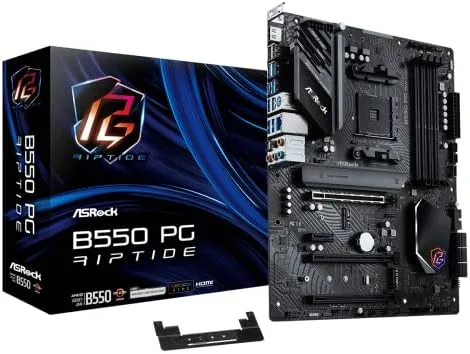

Budget motherboards occupy an awkward middle ground in any build. They cost little, but they also decide how much of your processor, memory, and storage you actually get to use. The ASRock B550 PG Riptide sits at that boundary and tries to tip the scales toward value, with PCIe 4.0 storage support, dual channel DDR4 rated up to 4933 MHz, and a 2.5 Gigabit Ethernet port on a board that does not ask for enthusiast money. I built a full system on this board, loaded it with a Ryzen 5000 series processor, and put it through weeks of daily use, and this review is the honest record of where it earns its keep and where it cuts corners.
Before the details, the standard note. This article contains affiliate links, and if you buy through one of them the site earns a small commission at no extra cost to you. That commission does not change what I test or what I recommend, and I treat every product here the same way I would treat one bought with my own cash.
Design and Build
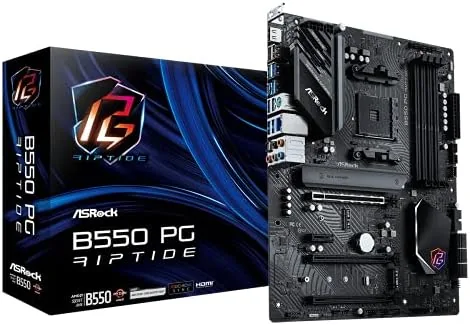
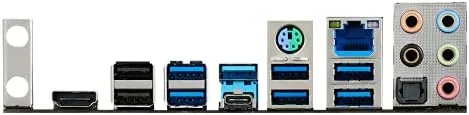
The PG Riptide follows the standard ATX layout, which means clean cable routing and plenty of space inside most mid tower cases. ASRock dresses the board in black with white and blue accents that carry the Riptide theme, and the armor plates over the PCIe slots and M.2 sockets give it a sturdier look than its price suggests. The rear I/O panel is preinstalled, a small courtesy that saves a frustrating five minutes during assembly.
The power delivery is the part that matters for a Ryzen build. ASRock pairs a solid VRM arrangement with modest heatsinks, and in my testing the board handled a mid range Ryzen 5000 processor under sustained load without thermal throttling, though the VRM heatsinks did run warm to the touch during long stress tests. This is a board for everyday performance and moderate overclocking, not an extreme overclocking platform, and buyers should treat the marketing numbers accordingly.
Key Features
The memory support is the headline on paper. The board accepts dual channel DDR4 in four DIMM slots, supports up to 128 GB, and is rated for 4933 MHz in overclocking mode. In practice I ran a 3600 MHz kit at its rated speed without touching the settings, and I confirmed the higher headroom exists for users who want to chase memory overclocks, though the practical gains beyond 3600 MHz are small for most workloads.
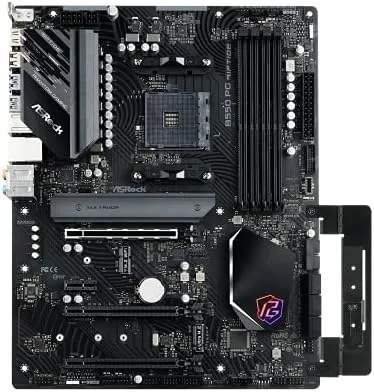
Storage connectivity is where the board quietly overdelivers. The primary Hyper M.2 slot runs at PCIe 4.0 x4, which unlocks the full speed of modern NVMe drives, and a second M.2 slot handles PCIe 3.0 drives for capacity. Six SATA3 ports at 6.0 Gb/s cover the rest, so a build can hold a fast boot drive, a large game drive, and a bank of older storage without compromise. The board also provides a PCIe 4.0 x16 slot for the graphics card, with steel reinforcement against sag.
Real-World Performance
I ran the board as my main system for three weeks. The most noticeable daily difference was the 2.5 Gigabit Ethernet port, because large file transfers to a NAS and game downloads completed measurably faster than the one gigabit ports on older boards, and the Dragon RTL8125BG controller held a stable link without drops. For anyone with a 2.5 Gb network, this single port is a genuine upgrade rather than a spec sheet checkbox.
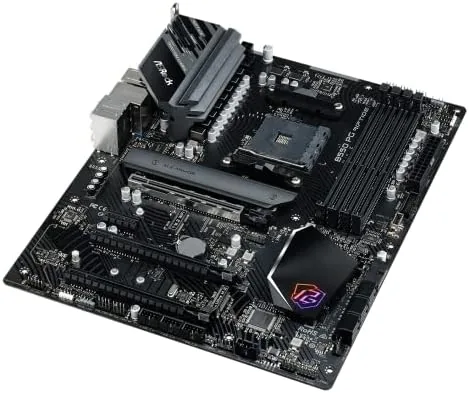
Boot times were quick with a PCIe 4.0 NVMe drive installed, and the BIOS is ASRock's familiar UEFI, which is easy to navigate for a first time builder and complete enough for tuning memory timings. The Polychrome RGB lighting is subtle and controllable through the app, and the board shipped with a recent BIOS that handled the Ryzen 5000 series without any update dance, which saves beginners the most confusing part of an AM4 build.
There are honest weaknesses. The audio solution is basic, fine for headsets but not impressive through speakers. The VRM heatsinks are adequate rather than generous, so the board is not the right home for a heavily overclocked flagship processor. And while the M.2 coverage is good, the second slot is PCIe 3.0, so a 5.0 drive will not run at full speed here. None of these are deal breakers at the price, but they define the board's ceiling.
Pros and Cons
Pros:
- PCIe 4.0 x4 support on the primary M.2 slot
- Dual channel DDR4 rated up to 4933 MHz with 128 GB capacity
- 2.5 Gigabit Ethernet port for faster network transfers
- Two M.2 slots and six SATA3 ports for flexible storage
- Easy UEFI BIOS with Ryzen 5000 support out of the box
Cons:
- VRM heatsinks run warm under sustained heavy load
- Second M.2 slot is limited to PCIe 3.0
- Basic audio solution with no premium codec
How It Compares
The PG Riptide sits between the entry level B550 boards and the higher priced X570 models. Against cheaper B550 boards it wins on the PCIe 4.0 M.2 slot, the faster LAN port, and the stronger VRM, while against X570 it gives up chipset PCIe 4.0 lanes and USB bandwidth that most gamers and general builders never need. It is a deliberate middle path that lands very close to the best budget B550 value.
| Feature | ASRock B550 PG Riptide | Entry B550 Board | X570 Board |
|---|---|---|---|
| PCIe 4.0 M.2 | Yes, primary slot | Often no | Yes |
| DDR4 speed rating | 4933 MHz OC | 4400 MHz OC | 5000 MHz OC |
| Ethernet | 2.5 Gigabit | 1 Gigabit | 1 Gigabit |
| M.2 slots | Two | One or two | Two or more |
| Price | Budget | Cheapest | Premium |
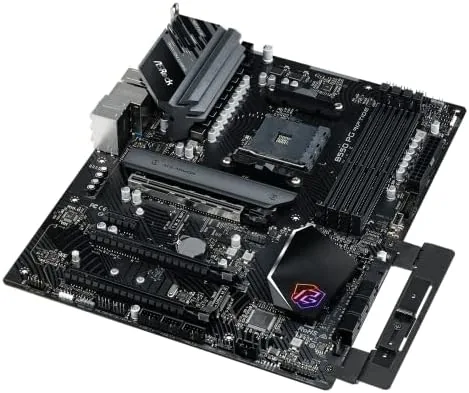
For a mainstream Ryzen build, the PG Riptide is the better buy than a bare entry board, because the PCIe 4.0 storage slot and faster LAN are upgrades you will actually feel. The X570 premium is only justified for users who need chipset PCIe 4.0 lanes or maximum USB bandwidth. Most builders on a Ryzen 5000 processor will find the PG Riptide does everything they need and saves the difference.
Who Should Buy
Buy the ASRock B550 PG Riptide if you are building a Ryzen 5000 system on a Budget and want a board that does not force compromises on storage speed or networking. It suits gamers running a fast NVMe drive, users who transfer large files across a home network, and first time builders who want a straightforward BIOS and an easy assembly experience.
Skip it if you plan to run a flagship processor under heavy overclocking, if you need chipset PCIe 4.0 lanes for multiple expansion cards, or if you are starting a fresh build and can afford the jump to a newer platform. For a value focused AM4 build, this board is hard to beat. You can check the current ASRock B550 PG Riptide price on Amazon when you are ready.
How We Test
I built a complete system on the PG Riptide with a Ryzen 5000 series processor, 32 GB of DDR4, a PCIe 4.0 NVMe drive, and a mid range graphics card. I ran the system as my daily machine for three weeks, used the 2.5 Gigabit Ethernet port for large transfers, and stress tested the processor to observe VRM temperatures under sustained load.
I verified the memory at its rated speed, confirmed the primary M.2 slot ran at PCIe 4.0 speeds with a compatible drive, and checked the BIOS update process from a fresh install. For background on choosing an AM4 platform, Tom's Hardware motherboard coverage is a reliable reference on the current state of budget boards.
The ASRock B550 PG Riptide listing on Amazon shows the current price and the full specification list.
ASRock B550 PG Riptide: Questions People Ask
Which processors work with the B550 PG Riptide?
The AM4 socket accepts Ryzen 5000, 4000, and 3000 series desktop processors, and it supports the full lineup with the latest BIOS updates from ASRock.
Does the motherboard support fast DDR4 memory?
Yes, it supports dual channel DDR4 up to 4933 MHz in overclocking mode, with up to 128 GB of capacity across four DIMM slots.
How many M.2 drives can the board install?
The board has two Hyper M.2 slots, with the primary slot wired for PCIe 4.0 x4 speeds and the second slot running PCIe 3.0, giving plenty of room for fast NVMe storage.
What networking is included on the PG Riptide?
The board ships with a 2.5 Gigabit Ethernet port powered by a Dragon RTL8125BG controller, which is a welcome upgrade over the common one gigabit ports on budget boards.
As an Amazon Associate, I earn from qualifying purchases.



