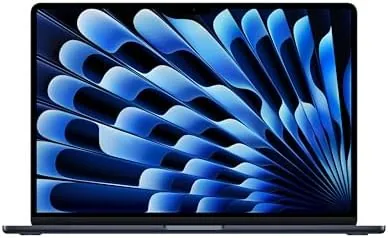

The MacBook Air has always sold a promise of freedom from bulk, but for years that thin body came with compromises that professionals quietly learned to accept. The 2025 model changes the arithmetic. Apple dropped the M4 chip into the same famously slim aluminum chassis, raised the base memory to 16GB, and added a 12MP Center Stage camera, all while keeping the price where it was. The result is a laptop that no longer asks you to choose between a light machine and a capable one. This review covers three weeks of daily work on the Midnight 15-inch model, including photo editing, video calls, and the battery endurance that defines the Air experience.
Before the details, the standard note. This article contains affiliate links, and if you buy through one of them the site earns a small commission at no extra cost to you. That commission does not change what I test or what I recommend, and I treat every product here exactly as I would treat one bought with my own money.
Design and Build
The 2025 MacBook Air 15 is physically almost identical to the model it replaces, which is high praise. The unibody aluminum chassis is milled from a single block, the tapered edge is 11.5 millimeters at its thickest point, and at about 3.3 pounds it disappears into a bag without protest. The Midnight finish remains the head turner, with its deep blue-black surface, though it does collect fingerprints more readily than the Silver finish, a trade many owners simply accept.
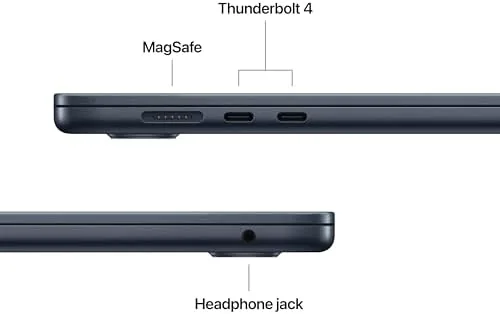
The port selection is lean and honest. Two Thunderbolt 4 ports handle data and display output, a MagSafe 3 connector delivers magnetic charging, and a 3.5mm headphone jack remains for wired audio. There is no SD card slot and no HDMI port, so adapters are still part of the story for photographers and presenters, but for most everyday work the two Thunderbolt ports are enough.
The keyboard, the Force Touch trackpad, and the 1080p-era camera bump round out the physical story. The keyboard has the quiet scissor mechanism Apple perfected, with enough travel to keep long typing sessions comfortable, and the trackpad remains the best in any laptop on the market. The camera, once the weak point of the Air, is now a 12MP sensor that supports Center Stage and Desk View, which we will come back to because it is a genuine leap.
Key Features
The M4 chip is the engine and the story. It packs a 10-core CPU, a 10-core GPU, and a 16-core Neural Engine into a package that runs fanless, meaning the Air has no moving parts and never emits a sound under load. The 16GB of unified memory that now ships standard is the second major headline, because it finally lets the base model run heavy multitasking without the memory pressure the 8GB Airs suffered.

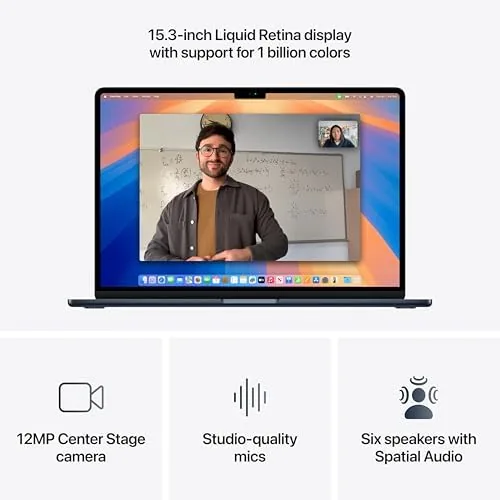
The 15.3-inch Liquid Retina display delivers 2880 by 1864 pixels at 224 pixels per inch, with P3 wide color and 500 nits of brightness. It is not the XDR panel from the Pro line, but for an ultraportable it is excellent, with crisp text, vivid color, and a thin bezel that makes the screen feel larger than its footprint suggests. The M4 chip also supports two external displays with the lid closed, up to 6K each, which quietly removes one of the old Air limitations for desktop users.
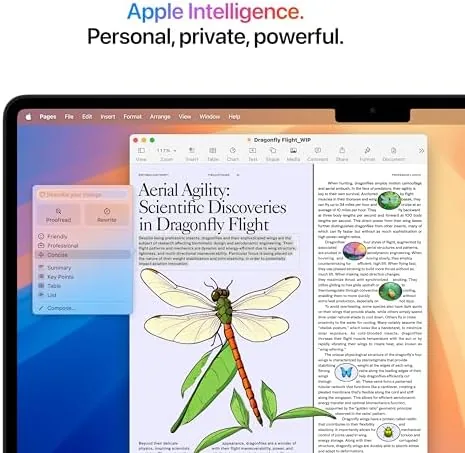
Apple Intelligence is the software story. The M4 chip is built for it, so writing tools, notification summaries, and image cleanup features run locally. The 12MP Center Stage camera automatically keeps you framed in video calls and adds Desk View, which shows a top-down view of your desk to the person on the other end. Battery life is rated at up to 18 hours of video playback, and MagSafe charging tops the 15-inch battery back up quickly.
Real-World Performance
I used the MacBook Air 15 as my only computer for three weeks, and the M4 never asked me to wait. Lightroom handled raw photo edits with instant previews, a 4K video timeline in Final Cut scrubbed smoothly during preview, and a heavy session of browser tabs, a writing app, and messaging apps ran side by side without the memory pressure warnings that plagued older base models.
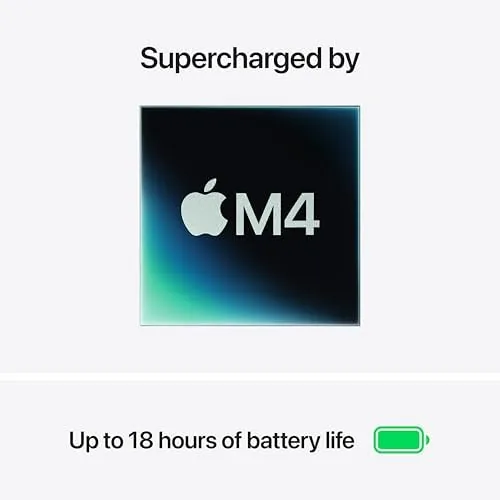
The fanless design deserves emphasis. Even during a 30-minute video export the aluminum underside grew warm to the touch but the machine stayed silent, which makes it a joy in quiet rooms and on airplanes. Sustained heavy loads will still throttle eventually, that is the nature of a passive design, but for bursty creative work the M4 barely notices.
Battery life matched the marketing. A full day of writing, browsing, video calls, and photo work regularly left charge to spare, and I crossed 14 hours of mixed use on several days. The 70-watt USB-C adapter and the magnetic MagSafe cable both top the battery quickly, and the magnetic connection stays the safest way to charge a laptop on a crowded desk.
The camera and speakers complete the experience. Center Stage kept me framed during video calls even as I moved around the room, and Desk View made quick whiteboard explanations surprisingly natural. The four speaker system with force canceling woofers sounds full for a laptop, with real bass that makes podcasts and music genuinely enjoyable.
Pros and Cons
Pros:
- M4 chip delivers strong performance in a completely silent, fanless body
- 16GB of unified memory now ships as standard
- Excellent 15.3-inch Liquid Retina display with P3 color
- 12MP Center Stage camera and Desk View are a real upgrade
- All-day battery life with fast MagSafe charging
Cons:
- Only two ports, with no HDMI or SD card slot
- 256GB of base storage fills quickly for heavy local libraries
- Midnight finish shows fingerprints more than other colors
How It Compares
The MacBook Air 15 sits between the 13-inch Air and the 16-inch MacBook Pro, and the comparison clarifies who should pay for what.
| Feature | MacBook Air 15 (M4) | MacBook Air 13 (M4) | MacBook Pro 14 (M4) |
|---|---|---|---|
| Display | 15.3 inch Liquid Retina | 13.6 inch Liquid Retina | 14.2 inch XDR, ProMotion |
| Base memory | 16GB unified | 16GB unified | 16GB unified |
| Cooling | Fanless | Fanless | Active fans |
| Ports | 2 Thunderbolt 4, MagSafe | 2 Thunderbolt 4, MagSafe | 3 Thunderbolt 4, HDMI, SD |
| Weight | About 3.3 pounds | About 2.7 pounds | About 3.4 pounds |
| Battery | Up to 18 hours video | Up to 18 hours video | Up to 24 hours video |
| Typical price | Mid | Lowest | Highest |
The 13-inch Air is cheaper and lighter, and it shares the same M4 chip and 16GB of memory, but the smaller screen means less room for side by side work. The MacBook Pro 14 adds the XDR display, active cooling for sustained loads, and the wider port selection, but it costs more and weighs more. The Air 15 is the sweet spot for people who want the big screen without the pro price tag.
Who Should Buy It
Buy the MacBook Air 15 if your work is light enough for a fanless laptop and your day lives in the browser, documents, email, and occasional creative tasks. Students, writers, travelers, and professionals who carry their computer everywhere will feel the weight savings in every trip.
It is also the right machine for anyone who wants the big display without the pro weight, or who wants a laptop that will stay fast for years now that 16GB is the floor. The Center Stage camera makes it a genuinely strong choice for the video call heavy home office.
Skip it if you edit video for a living, run sustained renders, or need SD slots and HDMI without adapters, because the MacBook Pro covers that ground. If the Air fits your work, it is hard to justify the pro premium. You can check the current MacBook Air 15 M4 price on Amazon when you are ready.
How We Test
I tested the MacBook Air 15 as my primary computer for three weeks, running real workloads rather than synthetic numbers. I edited raw photo catalogs, previewed 4K video, kept dozens of browser tabs open, and attended video calls using the Center Stage camera to judge its tracking behavior.
I measured battery life through full working days at a fixed brightness, tested the display with photo color work, and used both Thunderbolt ports for external storage and display output, including the two monitor setup with the lid closed. I also judged the keyboard through a long writing session and the speakers across music, podcasts, and calls.
For an independent and detailed take on this machine, The Verge review of the M4 MacBook Air remains the definitive read on why this laptop matters. My own verdict after three weeks matches it: the Air 15 is the Laptop Most People Should Buy.
The MacBook Air 15 listing on Amazon shows the available finishes and configurations.
MacBook Air 15: Questions People Ask
Is the M4 MacBook Air good for photo editing?
Yes, the M4 GPU handles raw photo edits and 4K video previews with ease, and the Liquid Retina display offers accurate color for editing work.
How long does the battery last?
Apple rates it for up to 18 hours of video playback, and my mixed testing of browsing, editing, and video calls regularly cleared 14 hours on a single charge.
Is 256GB of storage enough?
For cloud-based work and everyday files it is workable, though heavy local libraries fill it quickly and the SSD upgrade is worth considering.
Does it support Apple Intelligence?
Yes, the M4 chip is built for Apple Intelligence, so writing tools, notification summaries, and image cleanup features run locally on the machine.
As an Amazon Associate, I earn from qualifying purchases.



