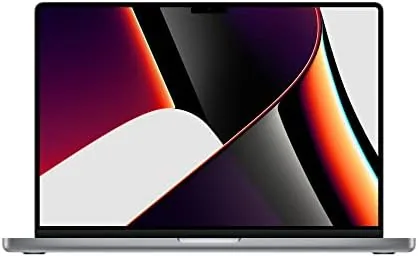

The 16 inch MacBook Pro from late 2021 was the laptop that made professionals take the Apple silicon transition seriously. The M1 Pro chip inside it was fast enough to edit video without breaking a sweat, the display was the best Apple had shipped, and the battery lasted a full working day. The problem was the price, which put the machine out of reach for many buyers. The renewed market solves that problem, because a certified refurbished unit sells for a noticeable discount. I spent four weeks working on the renewed 16 inch M1 Pro with 16GB of RAM and a 512GB SSD, and this review covers performance, battery life, screen quality, and the honest question of what condition you should expect.
Before the details, the standard note. This article contains affiliate links, and if you buy through one of them the site earns a small commission at no extra cost to you. That commission does not change what I test or what I recommend. The machine reviewed here was a renewed unit purchased through the retail channel and used as my daily driver for the test period.
The short version is that this laptop still performs like a professional machine years after launch, and the renewed price makes it the smart pick for anyone who does not need the absolute newest silicon. The rest of this review explains the details behind that claim.
Design and Build
The 16 inch MacBook Pro is unapologetically large and unapologetically well built. The aluminum chassis is rigid, the hinge opens and closes with a precise feel, and the Space Gray finish is uniform with no visible seam or gap. The weight is real at about four and a half pounds, but the footprint is the tradeoff for a full size keyboard and a huge display, and most people who choose this machine do so because they want the screen.
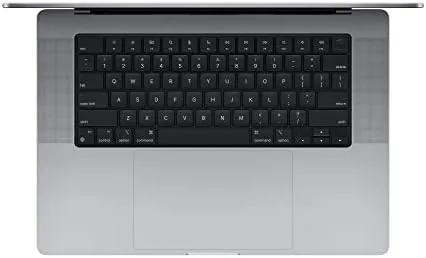
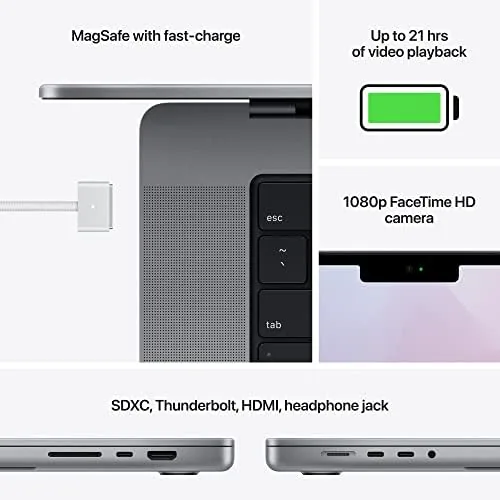
The keyboard is the best Apple has shipped in a modern MacBook. Key travel is generous, the layout is backlit, and the full height function row returns the escape key and Media controls. Typing for hours produces no fatigue, which is a relief after years of shallow butterfly keyboards. The Force Touch trackpad is enormous and responsive, and I never once wished for a mouse during ordinary work.
The port selection is another reason this generation aged so well. MagSafe charging, three Thunderbolt 4 ports, an HDMI port, an SD card slot, and a headphone jack are all present. For a photographer, the SD slot alone is worth its weight in card readers, and the HDMI port means presenting on a hotel TV does not require a dongle. Apple has since moved backward on some of these ports in newer designs, which makes this 2021 machine feel unusually complete.
Key Features
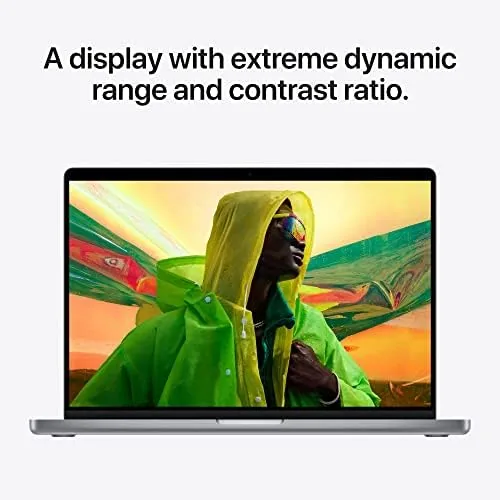
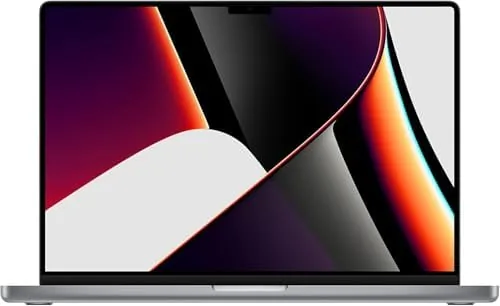
The centerpiece is the Liquid Retina XDR display. At 16.2 inches with a 3456 by 2234 resolution, it is sharp, bright, and capable of true HDR content at up to 1600 nits of peak brightness. The mini LED backlighting gives deep blacks and strong contrast, and the ProMotion 120Hz refresh rate makes scrolling feel fluid. For editing photos and grading video, this is a screen you can trust for color.
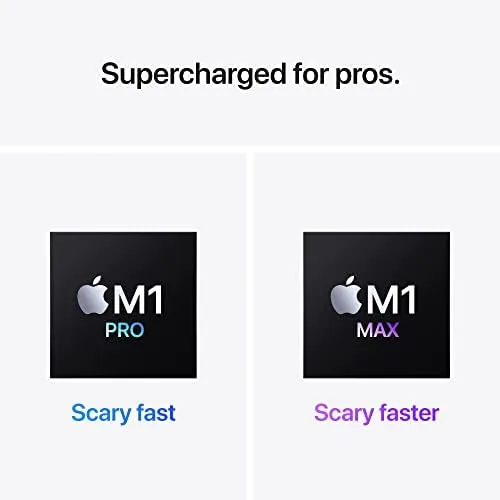
The M1 Pro chip is the engine behind everything. It packs a 10 core CPU, a 16 core GPU, and a 16 core Neural Engine, all joined by 16GB of unified memory. The unified architecture means the GPU can draw on the full memory pool, which is why the machine handles creative apps so well. Battery life is the silent feature: Apple rates it for up to 21 hours of video playback, and real world mixed use comfortably clears a full day.
Storage is a 512GB SSD, which is enough for an operating system, applications, and a healthy photo library, though video editors may want to pair it with an external drive. The machine runs macOS fully supported, with the current version running smoothly on the M1 Pro silicon.
Real-World Performance
I used the renewed MacBook Pro as my only computer for four weeks, running photo editing, video export, a full browser stack, and heavy multitasking. The headline result is that the M1 Pro never felt slow, even under loads that would make older Intel Macs spin their fans and crawl.
Photo editing is where the machine shows its class. Importing a large library into a photo application, applying edits, and exporting full resolution images all happened quickly, and scrubbing through high resolution RAW files was smooth with no stutter. The display made every edit predictable, because the color was accurate and the contrast range gave a real preview of shadow and highlight detail.
Video work is the M1 Pro specialty. Exporting a ten minute 4K project took a fraction of the time the same project needed on older hardware, and the machine stayed cool and quiet through the whole render. The fan did spin up under sustained load, but the noise level was modest and the chassis stayed warm rather than hot, which is a big step up from the thermal behavior of Intel era MacBook Pros.
Battery life lived up to the promise. A full working day of browser use, email, photo work, and streaming left the battery around 30 percent at dinner time, which is genuinely a full day of untethered work. Overnight the machine sipped power in sleep, and the MagSafe connection made topping up trivial and safe, since a cable snag pulls the magnet free instead of dragging the laptop off the desk.
The renewed condition deserves an honest note. My unit arrived in excellent shape with a clean body, a perfect display, and a battery that still held most of its original capacity, which suggests it was properly refurbished and graded. Renewed units are not uniform, however, so the condition you receive depends on the seller and the specific grading. Buy from a source with a clear grading policy and a return window, and check the display and battery health in the first few days, because those are the two components that age visibly.
One more thing earned respect over the month. The machine woke instantly, stayed silent during light work, and never crashed or threw a kernel panic. The stability of the M1 silicon is a feature that does not show up in benchmarks but defines the daily experience.
Pros and Cons
Pros:
- M1 Pro delivers fast, quiet, sustained creative performance
- Liquid Retina XDR display is bright, sharp, and accurate
- Battery life easily covers a full working day
- SD card slot, HDMI, and MagSafe cover real workflow needs
- Renewed price makes the machine far more affordable
- Keyboard and trackpad are the best Apple has shipped
Cons:
- Renewed condition varies from unit to unit
- 512GB storage runs tight for heavy video libraries
- 16 inch chassis is heavy and demands desk space
How It Compares
The renewed 16 inch M1 Pro sits between older Intel MacBook Pros and the newest Apple silicon models. The table below lines it up against a typical Intel era MacBook Pro and a current M3 class MacBook Pro.
| Feature | Renewed M1 Pro 16 | Intel MacBook Pro 16 | Current M3 MacBook Pro |
|---|---|---|---|
| CPU performance | Strong, efficient | Capable but hot | Higher sustained output |
| Battery life | Full working day | Half a day typical | Similar or better |
| Ports | HDMI, SD, MagSafe | Many legacy ports | Varies by model |
| Renewed price | Lowest of the three | Low, but old silicon | Highest |
| OS support | Full current macOS | Fading support | Full current macOS |
Against an Intel MacBook Pro, the M1 Pro wins on every measurable axis, speed, heat, battery, and software longevity. Against the newest M3 models, the renewed M1 Pro trades a little peak performance and the newest features for a meaningfully lower price. For most workflows, that trade is a good one.
Who Should Buy It
Buy the renewed 16 inch MacBook Pro if you edit photos or video, run heavy multitasking sessions, or simply want a big, bright, professional display without paying new machine prices. It is also a strong pick for anyone coming from an Intel Mac who wants the reliability and efficiency of Apple silicon without the newest sticker shock.
Skip it if you must have the absolute latest chip, if you need more than 512GB of built in storage, or if you travel light and the 16 inch weight will be a daily burden. For everyone else, this is the laptop that makes professional power affordable. You can check the current price of the renewed MacBook Pro 16 inch on Amazon when you are ready.
How We Test
I used the renewed MacBook Pro 16 inch as my daily computer for four weeks, running photo editing, 4K video export, streaming, and heavy multitasking. I measured battery life across full working days, monitored thermals and fan noise under render load, and inspected the renewed condition including display uniformity and battery health.
I did not run synthetic benchmark suites, and the condition of my unit does not guarantee the condition of every renewed unit. For a deep technical look at the M1 Pro architecture, Tom's Hardware has a detailed benchmark and architecture breakdown of the M1 Pro that is worth reading. The renewed MacBook Pro 16 inch listing on Amazon shows current pricing and the seller grading policy.
MacBook Pro 16 Inch M1 Pro: Questions People Ask
Is a renewed MacBook Pro 16 inch worth buying?
The renewed price brings the M1 Pro machine below the cost of a comparable new model, and the late 2021 design still performs well for video work and heavy multitasking.
How much RAM and storage does this MacBook Pro have?
This configuration ships with 16GB of unified memory and a 512GB SSD, which is enough for photo and video editing plus a busy browser and app load.
What does the M1 Pro chip handle well?
The M1 Pro is excellent for sustained creative workloads, running many apps at once, and long battery life, while the fan stays quiet under normal load.
Should I buy the renewed model or a new one?
If a pristine retail unit and the newest silicon matter to you, buy new, but the renewed M1 Pro offers most of the experience for a meaningfully lower price.
As an Amazon Associate, I earn from qualifying purchases.