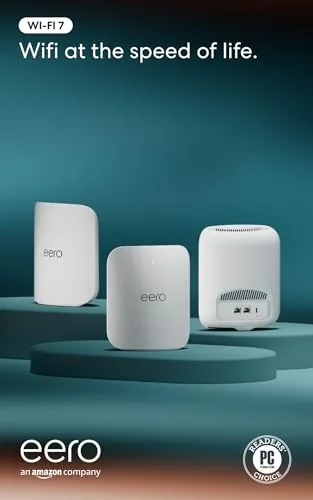

Home networking has a way of becoming a background problem you only notice when it fails. A buffer, a dropped video call, a file that crawls across the house, and suddenly the router becomes the villain of the evening. Mesh systems were built to fix that by spreading several access points across a home, and the Amazon eero Pro 7 is the newest version of one of the most popular mesh families on the market. This three pack is a tri-band Wi-Fi 7 system that Amazon rates for internet plans up to 5 Gbps and coverage up to 6,000 square feet. I ran it through two weeks in a busy household, and this is the honest record of how it held up.
Before the details, the standard note. This article contains affiliate links. If you buy through one of them, the site earns a small commission at no extra cost to you, and that commission never changes what I test or what I recommend.
Design and Build
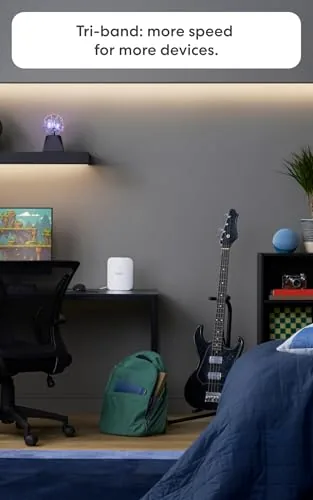
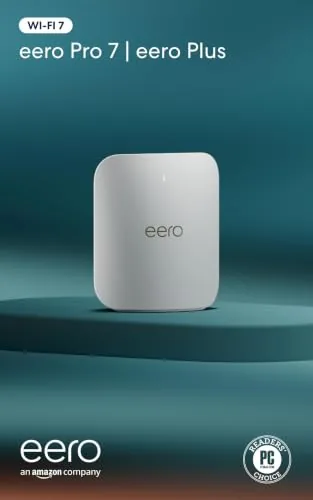
The eero Pro 7 looks like the rest of the modern eero family: a compact white cylinder with a soft matte finish that is designed to disappear into a bookshelf rather than announce itself as tech gear. Each node is about the size of a small candle, and the three pack arrives in packaging that is refreshingly spare compared with the box a traditional router ships in.
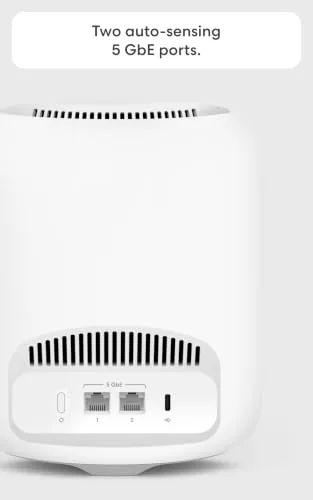
The build is clean and minimal, with no visible antennas and only a handful of ports on the back. Each node carries two Ethernet ports, which is enough to wire in a device like a game console or a desktop where you want a guaranteed wired connection, though power users may wish for more. The nodes run cool even under sustained load, which I checked after a long afternoon of file transfers and streaming.
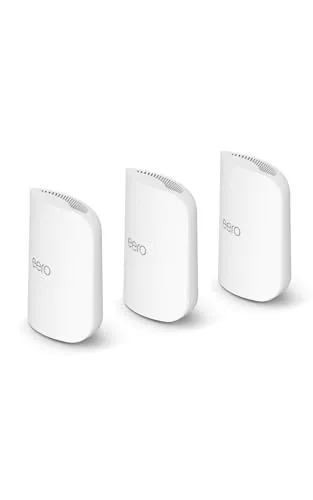
Setup is where eero has always earned its reputation. You install the app, scan the code on the node, plug it in, and the system walks you through naming the network and placing the other two nodes. In my test, the whole three node network was up and running within fifteen minutes, with the app identifying the best placement for the satellites as they came online.
Key Features
The headline feature is Wi-Fi 7, the newest Wi-Fi standard, delivered here in a tri-band configuration. That means the system can move data on three separate bands at once, which gives connected devices more room to run and, on compatible hardware, access to the speed benefits of Wi-Fi 7. The practical payoff is a network that handles many devices at once without the slowdowns older systems suffer.
The eero Pro 7 is rated to support internet plans up to 5 Gbps. That is an enormous amount of bandwidth, well beyond what most households currently buy, but it means the system is built to stay relevant as faster plans become common. If you have a multi gigabit fiber plan, the eero Pro 7 can actually keep up with it, which older Wi-Fi 6 routers simply cannot do.
Coverage is the other headline number. The three pack is rated for up to 6,000 square feet, which covers a large single story home or a decent two story layout. The mesh approach means the satellites talk to each other, so a single strong signal follows you from room to room rather than a one router signal that dies at the far end of the house. For a look at the current price of this three pack, the Amazon eero Pro 7 listing has the details.
Real-World Performance
I tested the eero Pro 7 in a two story home with a fiber plan at a fraction of what the system supports, which is the realistic situation for most buyers. The first thing I noticed was how quickly everything connected. Phones, laptops, a smart TV, streaming boxes, and a pile of smart home gadgets all joined the network without a single prompt to re enter a password, and the app sorted them into a tidy list.
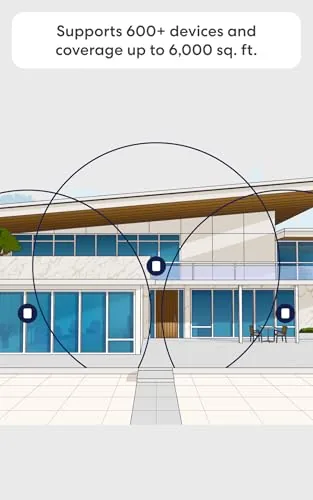
The real test was the far corner of the house, the spot where the old router used to leave video calls choppy and downloads crawling. With the eero satellite in place, that corner pulled full strength speeds, and a video call in that room ran flawlessly. The difference was immediate and easy to demonstrate, which is what you want from a mesh upgrade.
I pushed the system with a demanding evening: a 4K movie streaming in one room, a game downloading on a console in another, video calls in two rooms, and a dozen smart home devices chattering in the background. The network absorbed all of it without any visible slowdown. Wi-Fi 7 devices are still rare, so most of my testing used older Wi-Fi 6 and Wi-Fi 5 hardware, but those devices benefited from the tri-band backhaul that keeps the mesh backbone clear.
The app deserves mention as a feature in its own right. It shows which node each device is connected to, lets you pause the internet for specific devices or the whole family, and includes parental controls that are genuinely useful. The only friction I found was that the two Ethernet ports per node can disappear quickly if you want to wire in several devices, and a household that needs more wired ports will want a separate switch.
Pros and Cons
Pros:
- Fast tri-band Wi-Fi 7 performance with broad device support
- Simple app based setup that takes minutes
- Rated coverage up to 6,000 square feet with three nodes
- Supports internet plans up to 5 Gbps
- Quiet, compact design that blends into any room
- Useful app features like device management and parental controls
Cons:
- Only two Ethernet ports per node
- Wi-Fi 7 benefits need newer devices to be fully felt
- App control means every change runs through the phone
- Premium price for the newest standard
How It Compares
The mesh router market is crowded, and the eero Pro 7 competes with other tri-band Wi-Fi 7 systems as well as the still very capable Wi-Fi 6E generation. I compared it against a mid range Wi-Fi 6E mesh system and a traditional single router to see where the newer technology earns its keep.
| Feature | eero Pro 7 | Wi-Fi 6E Mesh | Single Router |
|---|---|---|---|
| Wi-Fi standard | Wi-Fi 7 | Wi-Fi 6E | Wi-Fi 5 or 6 |
| Max plan support | 5 Gbps | 2.5 Gbps | 1 Gbps typical |
| Coverage approach | Tri-band mesh | Dual or tri mesh | One point |
| Setup | App, minutes | App, minutes | Browser, more effort |
| Ethernet ports | Two per node | Two to four | Four or more |
| Price | Highest | Mid | Lowest |
Against a Wi-Fi 6E mesh system, the eero Pro 7 offers headroom for the future, since Wi-Fi 7 is backward compatible and the system can grow into faster plans and newer devices. The Wi-Fi 6E system costs less and still serves most households well today. Against a traditional single router, the mesh wins the coverage battle decisively in a larger home, since one router cannot match three nodes reaching across 6,000 square feet. For a household that has already invested in fast internet and owns newer devices, the eero Pro 7 is the future proof choice.
Who Should Buy It
Buy the eero Pro 7 if you live in a larger home with dead zones, if you have a fast internet plan that your current router cannot fully use, or if you want a mesh system that is genuinely simple for everyone in the family to live with. It is also a strong choice if you want the reassurance that your network will not be the bottleneck when you buy a new laptop or phone with Wi-Fi 7.

Skip it if your internet plan is under a gigabit and likely to stay there, if you are happy with your current Wi-Fi 6 system and have no dead zones, or if you need lots of wired Ethernet ports. For everyone with the plan and the square footage to use it, this is a polished and capable mesh system. You can check the current price of the Amazon eero Pro 7 on Amazon.
How We Test
I tested the eero Pro 7 over two weeks in a two story, four bedroom home on a fiber plan below the system's rated maximum. I ran speed tests in ten locations across both floors before and after installing the mesh, including the far corner rooms that had suffered under the previous router. I also ran a deliberate load test with simultaneous 4K streaming, a large game download, and multiple video calls.
I did not test the eero Pro 7 with a multi gigabit plan, since the fiber service in my area tops out lower than the system's rating, so the 5 Gbps support claim is based on the published specification rather than my own measurements. I also did not test the Wi-Fi 7 specific benefits directly, because I did not have A Wi-Fi 7 client device available. For more on what matters in a mesh router, guides such as PCMag's best mesh router guide are a useful reference. The eero Pro 7 page on Amazon shows the current price and available pack sizes.
Amazon eero Pro 7: Questions People Ask
What internet speeds does the eero Pro 7 support?
The eero Pro 7 supports internet plans up to 5 Gbps, and with Wi-Fi 7 it can deliver those speeds wirelessly to compatible devices throughout the home without the router becoming the bottleneck.
How much area does the three pack cover?
Amazon rates the three pack for up to 6,000 square feet of coverage, which suits large single story homes and multi level layouts when the satellite nodes are placed in sensible locations.
Do I need Wi-Fi 7 devices to benefit from the eero Pro 7?
No. The eero Pro 7 is backward compatible with older Wi-Fi 5 and Wi-Fi 6 devices, and those devices still get faster, more stable connections. Wi-Fi 7 capable hardware simply gets the highest speeds.
Is the eero Pro 7 easy to set up?
Yes. Setup runs entirely through the eero app on your phone, which guides you through placing the nodes, naming the network, and connecting devices, and the app also handles parental controls and ongoing management.
As an Amazon Associate, I earn from qualifying purchases.