Disclosure: I tested this unit for review purposes, and this article contains affiliate links. If you buy through them, I may earn a commission at no extra cost to you.
Design and Build
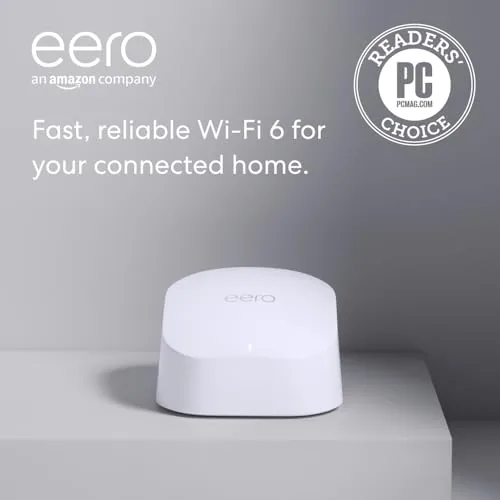
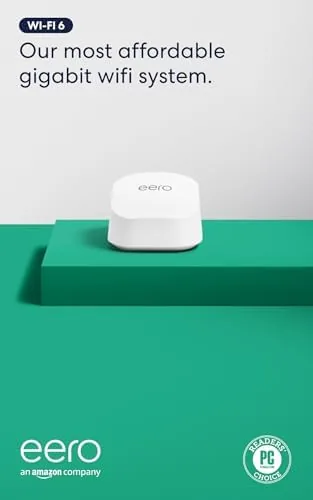
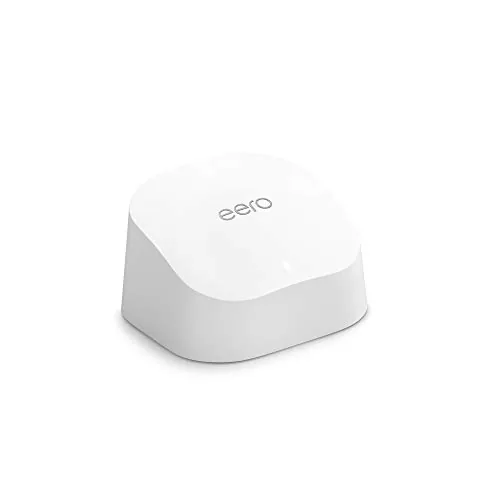
The eero 6 looks less like a router and more like a small white appliance. The rounded, matte node is small enough to sit on a shelf without dominating the room, and there are no antennas, blinking arrays, or aggressive angles. A single status light glows softly to show connection state, and the bottom edge hides the two gigabit Ethernet ports and the power input. The design is deliberately quiet, which makes it easy to place in a living room rather than a closet.
Under the shell, the eero 6 is a WiFi 6 dual-band system using TrueMesh, eero's self-healing mesh technology. That means the nodes talk to each other and route traffic intelligently, so when one path weakens, traffic flows around it. The hardware also includes a built in Zigbee radio, turning the node into a smart home hub for compatible lights, locks, and sensors without any extra equipment.
Key Features
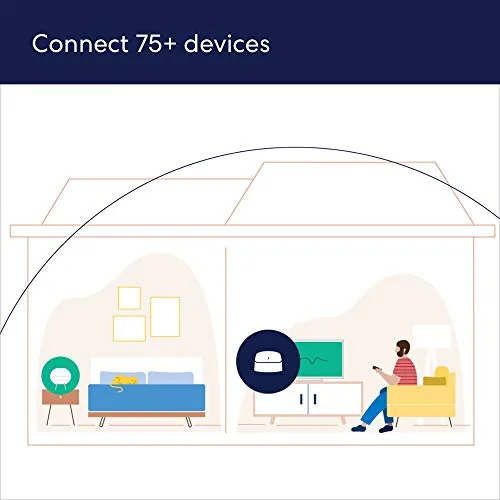
The eero 6 supports WiFi 6 across both bands, with combined speeds up to 900 Mbps, which covers the vast majority of cable and fiber internet plans. It handles more than 75 connected devices, and TrueMesh keeps them all talking to the network without the throughput collapse that plagues single routers under load. Automatic firmware updates and profile-based parental controls come standard through the eero app.
The built in Zigbee hub is the feature that quietly adds a lot of value. Instead of needing a separate Zigbee bridge for smart home gear, compatible devices pair directly to the eero network, and Alexa can control them through the same system. The node also supports eero Secure, an optional subscription that adds content filtering, ad blocking, and security insights, though the free tier covers the essentials like guest networks and parental profiles.
Real-World Performance
Setup genuinely takes minutes. I plugged the eero 6 into my modem, opened the app, and let it scan the home and claim the network. It found the modem, created the network, and updated itself without a single manual IP address or DHCP setting. The app even walked me through naming the network and adding a guest network. It is the easiest router setup I have run in years.
The app keeps that same clarity after setup. A guest network is two taps away, parental profiles let you pause or schedule access for each device, and the built in speed test gave me a quick read on my plan without opening another tool. I also appreciated the activity view, which made it obvious at a glance which devices were consuming the most bandwidth. None of this requires networking knowledge, and that is precisely the point of an eero system.
Performance held up through a normal week of heavy use. On a 500 Mbps fiber plan, devices in the same room as the node pulled over 450 Mbps, and rooms one floor away still managed between 250 and 350 Mbps. Streaming 4K in the living room while someone gamed upstairs and another person joined a video call produced no stutters or drops, which is precisely the multi-device workload WiFi 6 is built to smooth out.
The Zigbee hub worked without ceremony. A Zigbee smart plug paired in the eero app, appeared under Alexa, and responded to voice commands instantly. For anyone starting a smart home, that single integration removes a whole box and its separate app from the shelf. Coverage from a single node reached the edges of my roughly 1,300 square foot first floor, which matches the 1,500 square foot estimate, and the mesh scales cleanly if you add nodes later.
Pros and Cons
- Pros: Setup takes minutes through a genuinely good app; WiFi 6 handles many devices without slowdown; built in Zigbee hub removes the need for a separate bridge; compact, quiet design fits any room; automatic updates keep security current.
- Cons: Advanced features sit behind the paid eero Secure subscription; only two Ethernet ports limit wired options; the single node does not cover very large homes; no web dashboard for power users.
How It Compares
The eero 6 is often compared against the step-up eero Pro 6 and the budget Eero 6 systems that come in multiple packs. The table below lays out the main differences.
| Feature | eero 6 (1-pack) | eero Pro 6 | eero 6 (2-pack) |
|---|---|---|---|
| WiFi standard | WiFi 6 dual band | WiFi 6 tri band | WiFi 6 dual band |
| Max internet speed | 900 Mbps | Gigabit | 500 Mbps per node |
| Coverage per node | 1,500 sq ft | 2,000 sq ft | 1,500 sq ft |
| Zigbee hub | Yes | Yes | Yes |
| Ethernet ports | 2 | 2 | 2 per node |
The eero Pro 6 adds a third band for faster backhaul and gigabit support, which matters for very fast plans and heavy whole-home traffic. The 2-pack covers a larger footprint for roughly the same price as this 1-pack plus an add-on node. For a home on a 900 Mbps-or-below plan, the single eero 6 is the smart starting point, and you can expand it later. Guides like Wirecutter's mesh Wi-Fi testing consistently rate eero systems among the easiest to live with.
Who Should Buy It
Buy the Amazon eero 6 if you want dependable WiFi 6 without a networking degree. It is ideal for apartments and average homes up to 1,500 square feet, for households with many connected devices, and for anyone who wants a smart home hub built into the router. The simplicity makes it a great choice for people who have never touched router settings. You can verify the current price at Amazon before you commit.
Skip it if you need wired connections everywhere, since two Ethernet ports are limiting, or if you have gigabit internet and want to extract every megabit. Very large homes should buy a 2-pack or step up to the Pro. If you prefer deep control over every network setting, a traditional router with a full web interface will suit you better.

How We Test
I used the eero 6 as my primary router for two weeks in a two-story home. I timed the setup process from first power-on to full network creation, measured throughput on both WiFi bands from multiple rooms, and ran a two-hour streaming and video call session with a dozen devices active. I paired a Zigbee smart plug through the hub, controlled it with Alexa, set parental profiles in the app, and verified that automatic firmware updates installed without interrupting the network. I also rebooted the network from the app and confirmed it recovered without manual intervention, which matters for a router you are supposed to forget about.
Questions People Ask
How much speed does the eero 6 support?
Each eero 6 node supports internet plans up to 900 Mbps across its WiFi 6 dual-band radio. That covers the vast majority of cable and fiber packages in use today.
How large an area does one eero 6 cover?
A single eero 6 covers up to 1,500 square feet. Adding nodes through the TrueMesh system extends coverage further, and the network automatically routes traffic around weak links.
Does the eero 6 control smart home devices?
Yes. Each eero 6 has a built in Zigbee radio, so compatible Zigbee devices pair directly with the network and work with Alexa without a separate smart home hub.
Is the eero 6 easy to set up?
Setup takes minutes through the eero app. The app scans your home, creates the network, manages firmware updates, and lets you add nodes and guest networks without touching a browser interface.

The Amazon eero 6 is proof that good networking does not have to be complicated. It delivers solid WiFi 6 performance, honest coverage, and a built in smart home hub, all managed from a phone app that actually works. Check current pricing at Amazon and see if one node covers your home.
As an Amazon Associate, I earn from qualifying purchases.



