
Video calls have become the front door of professional life. A pixelated face and a dark room can undo ten minutes of careful preparation, while a crisp image and a steady microphone make the same conversation feel effortless. The NexiGo N950P arrives with an unusual promise for a webcam: a 4K Sony sensor, a remote controlled 5X zoom, and dual stereo microphones, all wrapped in a body that plugs into a laptop without drivers. This review is the record of a week of meetings, streams, and quiet recordings with the camera, and it answers whether the extra features are worth the premium over a simple 1080P Webcam.
Before the details, the standard note. This article contains affiliate links, and if you buy through one of them the site earns a small commission at no extra cost to you. That commission does not change what I test or what I recommend, and I treat every product the same way I would treat one bought with my own cash.
Design and Build
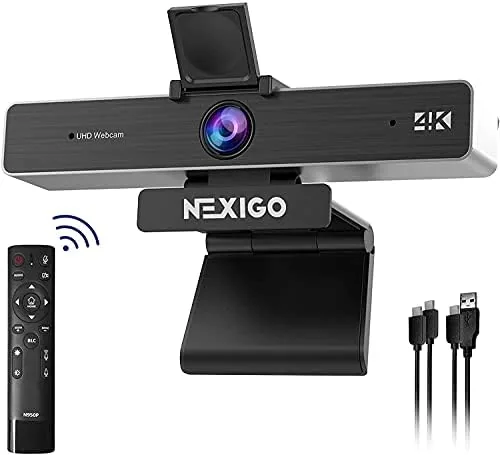
The N950P is built like a proper piece of conferencing hardware rather than a budget webcam. The lens sits at the center of a broad black housing with a soft texture, and the unit mounts on a monitor with a clamp that holds firm even when you adjust the angle. The camera body feels weighty and well assembled, with none of the hollow plastic that cheapens lesser devices.
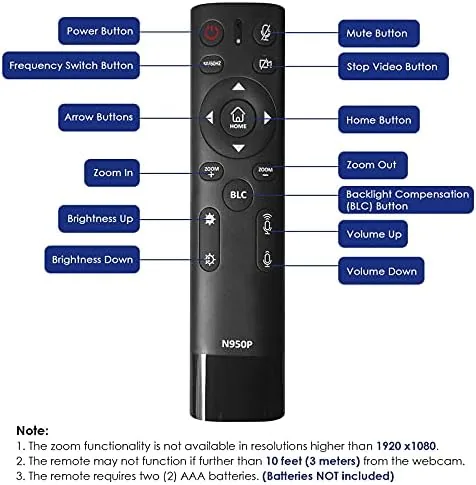
Two small grilles on the front house the dual stereo microphones, and a privacy cover slides over the lens when the camera is not in use, which is a detail every remote worker will appreciate. The cable is a single USB cable that carries both power and data, so there is no separate adapter to lose. The most distinctive piece of hardware is the bundled remote control, a small wireless unit that lets you zoom, pan, tilt, and mute without touching the camera or the computer.
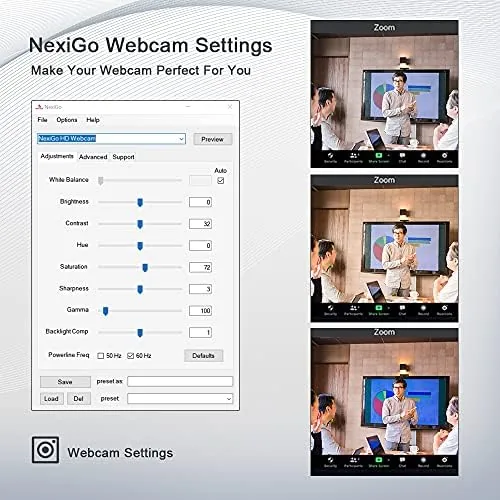
Setup takes about a minute. The camera shows up as a standard USB device on a laptop, and no driver installation is needed. For a product aimed at people who are not comfortable with device management, that simplicity matters as much as the image quality.
Key Features
The headline spec is 4K capture. The sensor records at 4K resolution, which gives editors real room to crop and reframe in post, and it downsamples gracefully for the 1080p that most video calling apps actually deliver. Underneath the lens sits a Sony Starvis sensor, a sensor designed with low light performance in mind, and it shows in rooms where ordinary webcams turn into grainy messes.
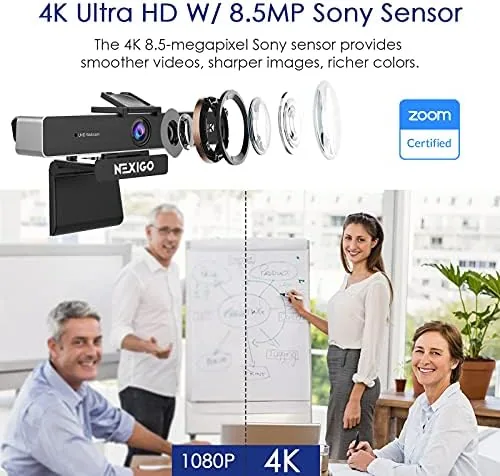
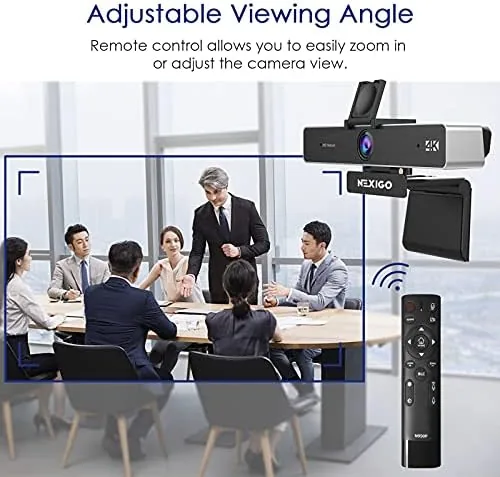
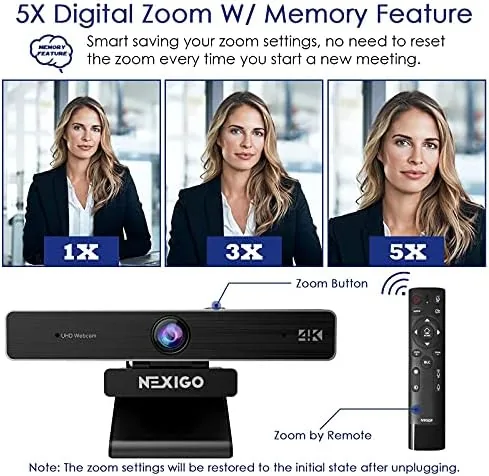
The 5X digital zoom is the feature that sets this camera apart. Triggered from the remote control, the zoom magnifies the frame so you can pull in on a whiteboard, a document, or your own face without moving the camera. It is a digital zoom, so it crops into the 4K image rather than optically magnifying, but the high starting resolution keeps the cropped result usable.
The dual stereo microphones complete the package. They capture sound from the left and right channels, which makes a conversation sound natural rather than hollow, and they pick up a voice clearly from a few feet away. For streaming and recording, the audio is good enough that many users will skip a separate microphone entirely.
Real-World Performance
I ran the N950P through a week of video meetings, a test stream, and a few local recordings, switching between bright mornings and a dim home office. In natural light the image is sharp and the colors are accurate, with the camera handling white balance without the yellow cast that plagues budget webcams. Skin tones look natural, and small text on a whiteboard stays readable when you zoom in.
The low light performance is where the Sony Starvis sensor earns its reputation. In a dim evening room, the image stays visible and reasonably smooth where most webcams collapse into noise. It is not magic, and a dark corner will still look dark, but the sensor gives you a usable frame in conditions that would normally force you to turn on a light.
The remote control proved genuinely useful rather than a gimmick. In a meeting I zoomed in on a paper document without leaning toward the camera, and during a stream I pulled the frame in for a closer shot without breaking the moment. The zoom is smooth and the controls respond without delay. The one trade off is that a 5X zoom at the far end softens the image, because it is pushing the sensor's resolution hard, but at the 2X and 3X marks the result is entirely clean.
Pros and Cons
Pros:
- Sharp 4K capture with a capable Sony Starvis sensor
- Remote control makes zoom and framing easy during live use
- Dual stereo microphones sound clear for calls and recording
- Genuinely strong low light performance for a webcam
- Plug and play, no drivers, and a lens privacy cover
Cons:
- Most calling apps cap streams at 1080p, so 4K mainly helps recording
- Digital zoom softens noticeably at the full 5X mark
- The bulkier body is less portable than a slim laptop webcam
How It Compares
The N950P sits above the mass of basic 1080p webcams and below the premium multi lens cameras that cost three times as much. Set against a typical 1080p webcam, it wins on resolution, low light, and the remote zoom. Set against the flagship webcams, it loses on autofocus sophistication and tracking, but it costs a fraction of the price.
| Feature | NexiGo N950P | Basic 1080p Webcam | Premium 4K Flagship |
|---|---|---|---|
| Resolution | 4K | 1080p | 4K |
| Sensor quality | Sony Starvis | Generic CMOS | High end sensor |
| Zoom control | Remote 5X zoom | None | Usually software |
| Low light | Strong | Weak | Strong |
| Microphones | Dual stereo | Single mono | Dual stereo |
| Price | Mid range | Low | High |
For most people the choice comes down to how you actually use the camera. If you only sit in a lit room for daily calls, a good 1080p webcam is enough and costs less. If you record content, work in mixed lighting, or find yourself constantly adjusting the frame, the N950P earns its higher price with the zoom and the sensor.
Who Should Buy It
Buy the NexiGo N950P if you present documents on calls, because the remote zoom turns A Camera into a document camera without extra hardware. Buy it if you work from a home office with imperfect lighting, since the Starvis sensor forgives dim rooms. Buy it if you stream, because the 4K image and stereo mics give you a strong starting point for a channel.
Skip it if you only take occasional calls from a well lit room and want the smallest possible accessory, because a slim 1080p webcam will serve you fine. Skip it if you need subject tracking and premium autofocus, which belong to far more expensive cameras. For the busy conferencing market in between, the N950P is a sensible buy, and you can check the current NexiGo N950P price on Amazon when you are ready.
How We Test
I tested the N950P the way a real user would, not the way a lab would. The camera ran for a full week of video meetings across Zoom and Teams, plus a recorded test stream, and I noted image quality, audio clarity, and any disconnects. I made sure to move the laptop between a bright morning room and a dim evening office so the low light claim faced real conditions.
I also evaluated the remote control by zooming in and out repeatedly during live sessions, and I recorded sample clips to check the stereo microphones against a room echo. I did not measure color accuracy with test charts, and I did not test the camera on a Mac or Linux beyond the Windows setup, so those platforms are worth verifying before you commit. Independent coverage such as Tom's Hardware best webcams guide is a useful cross reference, and the NexiGo N950P listing on Amazon shows the current price and bundle details.
NexiGo N950P: Questions People Ask
Does the N950P need special drivers to work?
No. It is a plug and play USB webcam that shows up as a standard camera in Zoom, Skype, Teams, and streaming software, so there is no driver to install and no software to fight with.
Is 4K supported in video calling apps?
The camera captures 4K at thirty frames per second, but most calling apps cap their own streams at 1080p, so the full resolution matters most for local recording and content creation rather than live calls.
How does the remote control change the zoom?
The wireless remote triggers the 5X digital zoom and adjusts the framing, which is genuinely useful when you step away from the desk or need to point the camera at a document.
Is it good in low light?
Yes, the Sony Starvis sensor handles dim rooms far better than typical webcams, though a ring light still helps if your office is genuinely dark.
As an Amazon Associate, I earn from qualifying purchases.