
There was a time when a laptop camera was good enough, and then remote work happened and everyone discovered how unflattering a low resolution sensor can be in a dim kitchen. The NexiGo N60 is part of the wave of affordable USB webcams that promise to fix that problem without asking you to remortgage the house. It is a full HD 1080P camera with two built-in microphones, a physical privacy cover, and companion software for manual image control. I used it as my primary camera for a full week of meetings, recordings, and one stressful job interview to find out whether it earns a permanent place on the desk.
Before the testing notes, a quick disclosure. This article contains affiliate links. If you purchase through one of them, the site earns a commission at no extra cost to you. That never affects what I test or what I write, and the opinions below are my own.
Design and Build
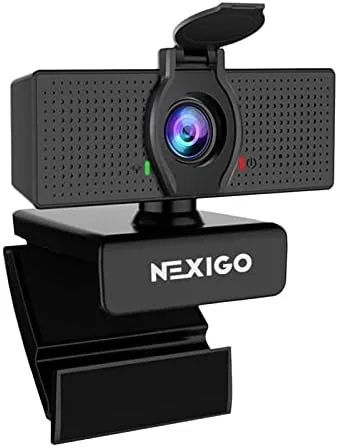
The N60 looks like a webcam should look: a rounded black bar with a glass lens in the middle and two small microphone grilles flanking it. The casing is plastic, but it feels denser than the featherweight models that sell for under twenty dollars. There is a satisfying weight to the thing, and the seams are tight enough that nothing creaks when you flex it. The clip on the bottom is the standout piece of the design, because it opens wide and has a rubber pad on the inside that grips a monitor bezel without scratching the screen.
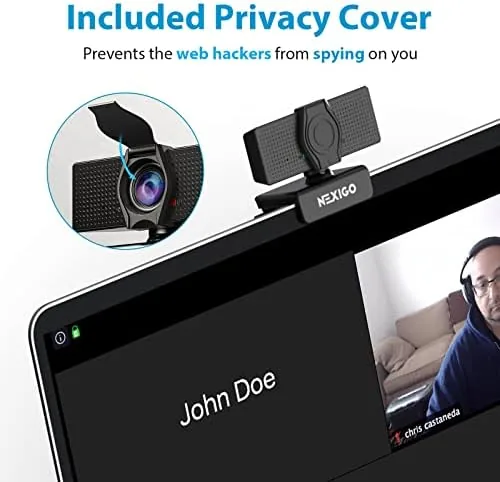
The privacy cover is the second design detail worth calling out. It is a small sliding shutter built into the front of the camera, and it clicks into place with a satisfying snap. When it is closed, a solid piece of plastic sits over the lens, which is a far more trustworthy form of privacy than a software toggle. You can see and feel that the camera is off, and that matters in an era where people keep cameras on desks full time.
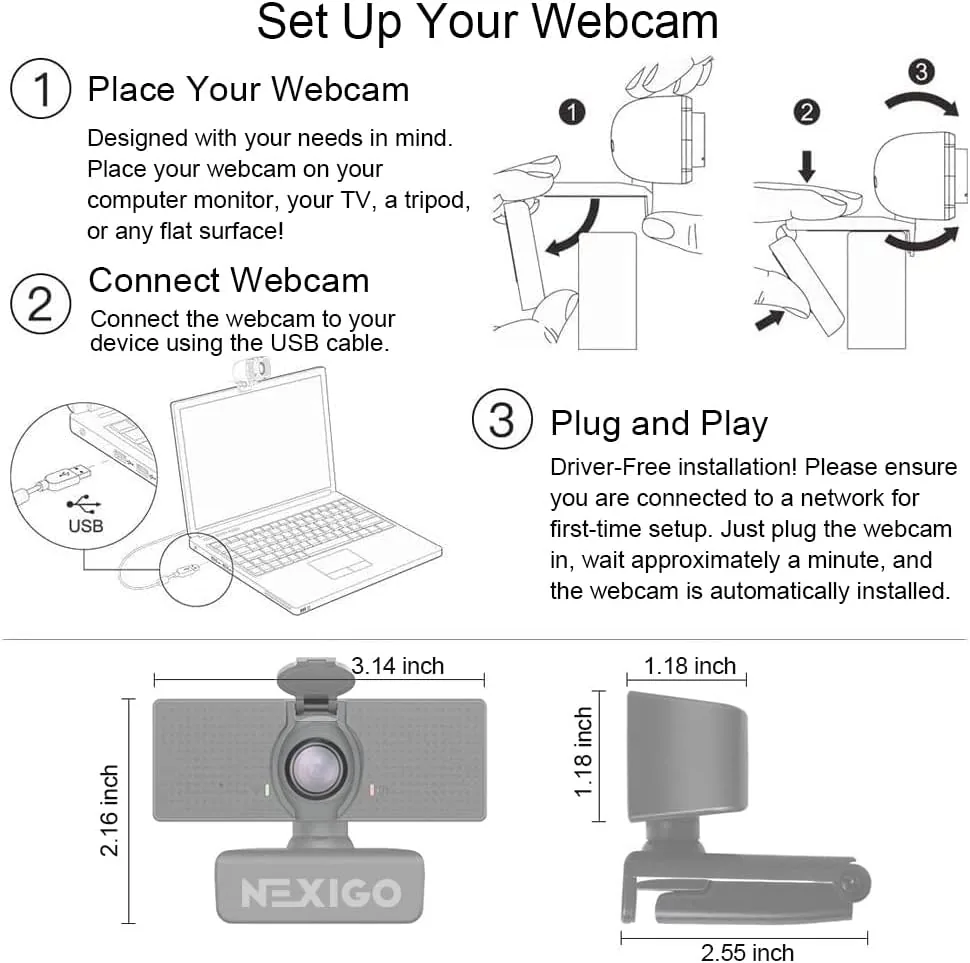
The connectivity story is blessedly simple. A fixed USB cable emerges from the rear, long enough to reach the back of most desktops, and the camera is plug and play on Windows, macOS, and ChromeOS. There is no driver CD and no pairing ceremony.
Key Features
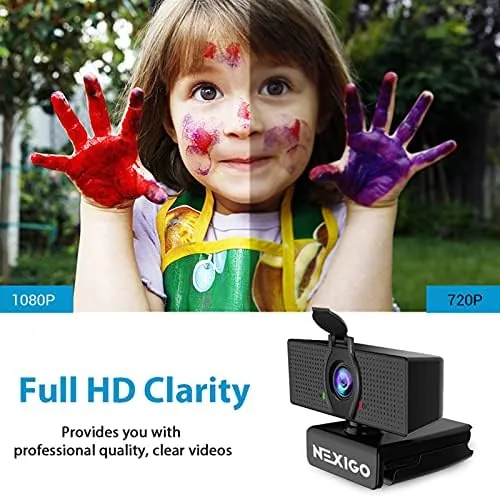
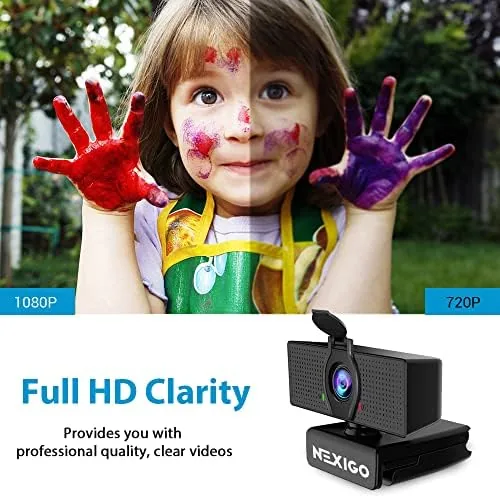
The headline specification is full HD video. The N60 records at 1920 by 1080 resolution at 30 frames per second, which remains the practical sweet spot for video conferencing. It also captures 1080P stills, though the still image quality is not the reason you buy this camera. The fixed focus lens keeps a person at a normal desk distance sharp, and the 90 degree field of view frames your head and shoulders without requiring you to crawl backwards on the chair.
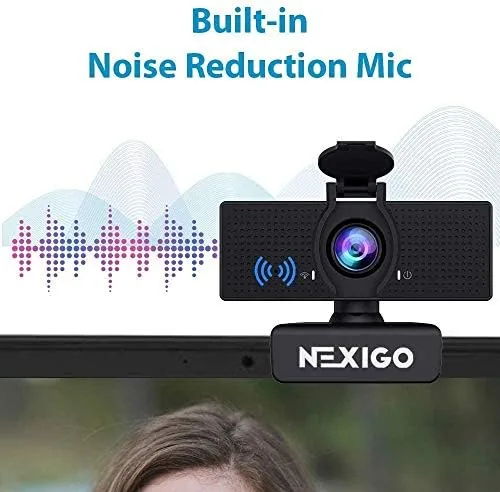
Audio is handled by two microphones mounted on the front of the body. NexiGo pairs them with a noise reduction circuit that is designed to cut keyboard clatter and room hum while you talk. This is not a replacement for a proper podcasting microphone, but for everyday calls it is a genuine step up from the single tinny mic built into most laptops.
Software control rounds out the feature list. NexiGo provides a companion application that lets you adjust exposure, brightness, contrast, saturation, and white balance, and it adds simple zoom and mirror options. The software is optional, but it gives you a way to rescue a scene that is too dark or has an ugly color cast from overhead lights. It installs in seconds, stays out of your way, and does not nag you to subscribe.
Real-World Performance
On video quality, the N60 is a clear step above any laptop webcam I have used recently and a fair match for its price bracket. In a normally lit room, skin tones looked natural, a printed document held up to the camera stayed legible, and the 1080P output scaled to full screen without turning mushy. The 30 frames per second rate is smooth enough for normal conversation, and I did not notice the stutter that plagues cheap cameras when you gesture while talking.
The weak spot is low light. In a dim room lit by a single lamp, the image grew grainy, colors washed out, and fine detail softened noticeably. That is standard behavior for a budget sensor without autofocus and without any supplemental light, and the fix is easy: put a lamp in front of you. Under decent lighting, which means anything close to normal indoor light, the N60 looks crisp and flattering.
The microphone surprised me in a good way. In a recorded test, my voice came through clear and reasonably full, and a colleague on a live call said I sounded closer and cleaner than I had with my previous webcam. The noise reduction is not magic, it will not silence a barking dog or a jackhammer, but it did tame the low rumble of a space heater and the click of a mechanical keyboard. For most home offices, the built-in mic is genuinely usable, which means you may not need to reach for a headset on every single call.
Pros and Cons
Pros:
- Sharp, natural 1080P video in normal lighting
- Physical sliding privacy cover for lens security
- Built-in dual microphones with noise reduction
- True plug and play on Windows, macOS, and ChromeOS
- Useful companion software for exposure and color
- Flexible clip that fits monitors and laptop lids
Cons:
- Image quality degrades noticeably in low light
- Fixed focus offers no manual sharpening
- No 4K and no 60 frames per second option
- Attached cable cannot be replaced if damaged
How It Compares
The N60 sits in a crowded field of budget 1080P webcams, so I put it side by side with the two most popular rivals in the category: the Logitech C920 and the Razer Kiyo. All three sat on the same desk in the same light, and I used the same recording software for every camera.
| Feature | NexiGo N60 | Logitech C920 | Razer Kiyo |
|---|---|---|---|
| Resolution | 1080P at 30 fps | 1080P at 30 fps | 1080P at 30 fps |
| Microphone | Dual mic with noise reduction | Dual mic | Single mic |
| Privacy cover | Built-in sliding shutter | None | None |
| Companion software | NexiGo control app | Logitech Capture | Razer Synapse |
| Field of view | 90 degrees | 78 degrees | 81 degrees |
| Typical price | Budget friendly | Mid range | Mid range |
The C920 is the long time benchmark in this category and it remains a fine camera, but the N60 beats it on two points that matter in daily life: it has a physical privacy cover and a wider field of view. The Kiyo brings a built-in Ring Light that genuinely helps in dark rooms, but its single microphone is weaker and it costs more. For the money, the N60 offers the best balance of image quality, built-in audio, and privacy control of the three.
Who Should Buy It
Buy the NexiGo N60 if you sit through meetings every day and want to look professional without spending a fortune. It is ideal for remote workers, students, and anyone upgrading from a laptop webcam, because it solves the two problems that matter most: clear video and understandable audio, with zero setup friction. The physical privacy cover also makes it a smart choice for people who leave a camera on the monitor around the clock.
Skip it if you stream in the dark, if you need 4K output, or if you expect studio grade audio from a built-in microphone, because those buyers should be looking at dedicated streaming cameras and separate USB mics. For everyone else, the N60 is a low risk upgrade that costs less than a pair of wireless earbuds. You can check the current NexiGo N60 price on Amazon before you decide.
How We Test
I used the NexiGo N60 as my main webcam for a full work week. That included daily video calls in both bright and dim lighting, a recorded voice test for the microphones, a still image check, and a compatibility sweep across Windows 11, macOS, and a Chromebook. I also ran the companion software to confirm the exposure and white balance controls made a visible difference, and I mounted the camera on a monitor, a laptop lid, and a bare desk to stress the clip.
My conclusions line up with the wider consensus among reviewers. Publications such as PCMag have argued for years that a sub fifty dollar 1080P camera can match a laptop sensor once you fix the lighting, and my week with the N60 confirms that argument. For a fuller look at the specifications and current buyer feedback, the NexiGo N60 listing on Amazon has the details.
Questions People Ask
Does the NexiGo N60 work with Zoom, Skype, and Microsoft Teams?
Yes. The camera is plug and play and appears as a standard USB video device, so it works with Zoom, Skype, Teams, Google Meet, and most other conferencing apps without any special setup.
Is the built-in microphone on the NexiGo N60 any good?
It is better than expected. The dual microphones capture your voice clearly at desk distance and reduce background noise, which makes it fine for everyday calls, though a headset still sounds richer in a noisy room.
Does the NexiGo N60 need any driver software installed?
No. The camera works out of the box as a UVC device on Windows, macOS, and Chromebooks. The NexiGo software is optional and only needed if you want manual control over exposure and color.
How does the privacy cover on the NexiGo N60 work?
The camera has a small sliding shutter on the front. You push it over the lens when you want the camera off, and slide it back when you are ready to be on screen, giving you physical control over your privacy.
As an Amazon Associate, I earn from qualifying purchases.