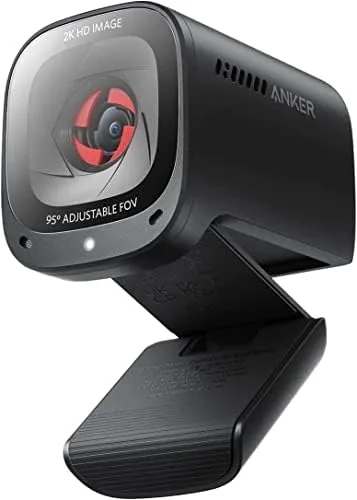

Most home office desks end up carrying three separate devices for video calls: a webcam for the picture, a microphone for your voice, and a speaker for everyone else. The Anker PowerConf C200 tries to collapse that entire stack into a single puck on the Monitor, combining a 2K camera, a dual microphone array, and a desktop speaker in one body. This review is the record of a month using the C200 as the primary call setup for work meetings, video calls with family, and one long virtual workshop, and it answers the question of whether one box can really replace three.
Before the details, the standard note. This article contains affiliate links, and if you buy through one of them the site earns a small commission at no extra cost to you. That commission does not change what I test or what I recommend.
Design and Build
The C200 is a Compact, rounded unit that sits on a sturdy clip mount. The camera lens is centered on the front face, with the microphone openings visible around it and a speaker grille hidden on the body, which is the detail that sets it apart from every other webcam on the market. It clips onto a monitor top, balances on a laptop lid, or mounts on a tripod through a standard thread on the base.
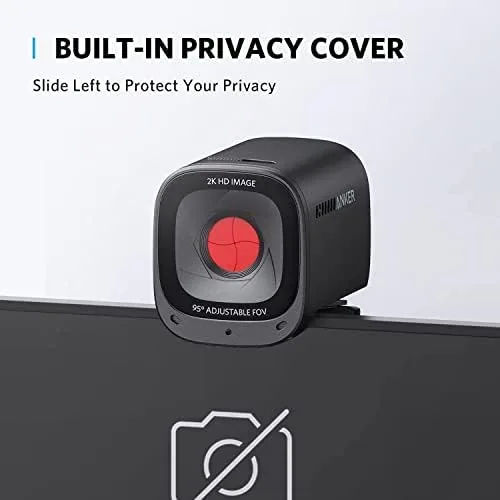
The build quality is typical of Anker: dense, solid, and free of creaks. The attached USB cable is on the short side, which is fine for a monitor mount but worth noting if your ports are far away. A manual privacy shutter slides over the lens when the camera is not in use, a small touch that matters for anyone who does not want to unplug the camera every night.
The mount holds the unit firmly in place with a rubber-lined clip that will not scratch a monitor frame, and the tilt range is generous enough to aim the lens down at a desk or up at a standing setup. It is not a device that draws attention on a crowded desk, which is exactly what a work tool should be.
Key Features
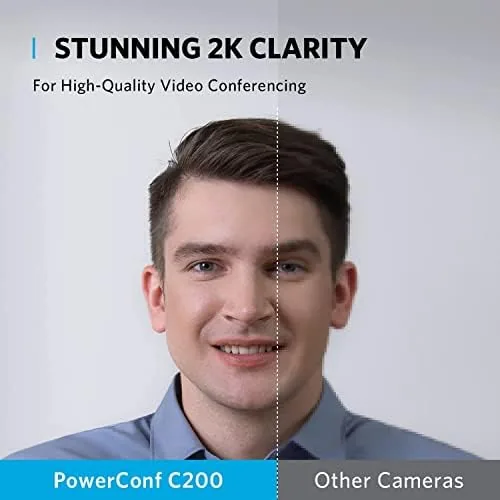
The headline feature is the 2K sensor. At 2560 by 1440, the C200 delivers a meaningfully sharper image than a standard 1080p webcam, which shows up as crisper text, finer fabric detail, and more readable graphics when you share a screen with yourself on camera.
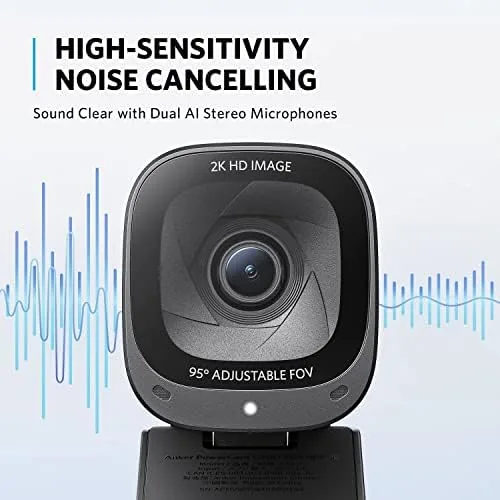
The second feature is the conference microphone. A dual microphone array provides 360 degree voice coverage, so people around the desk are picked up without everyone crowding into a single narrow pickup zone. Smart voice enhancement processing lifts speech above background noise, which is exactly what a call setup needs to sound professional.
The third feature is the desktop speaker, and it is the unusual one. Built into the same body, the speaker plays the other side of the call with clear, focused voice audio that is loud enough for a personal desk setup. It does not replace a stereo system, but it removes the need for a separate speaker, and it keeps the whole call in one tidy package.
Real-World Performance
Video quality in a well-lit room is excellent. The 2K image is sharp, colors are natural without oversaturation, and details like hair and fabric stay clean rather than mushy. On a call where I shared my screen to review a spreadsheet, colleagues could read the numbers on my face preview without straining, which is not something every webcam can claim.
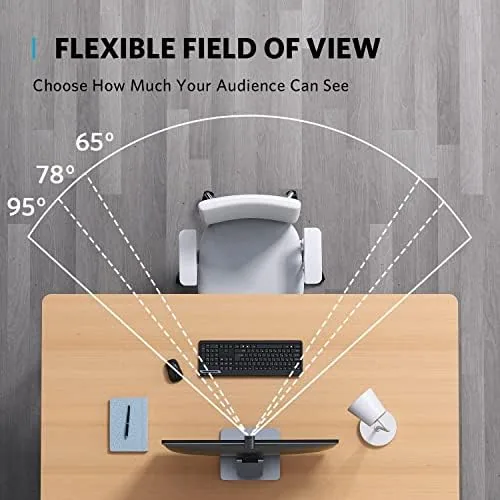
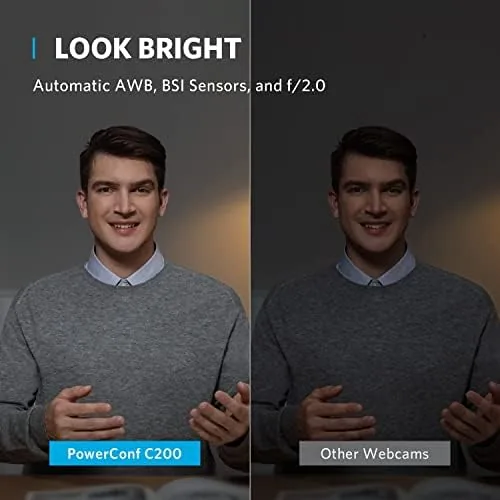
Low light is where the C200 does its best work. In an office lit only by a window on an overcast afternoon, the image stayed clean and watchable instead of degrading into grainy noise, which is the failure mode of most webcams at this price. It is not night vision, and the picture does soften as light drops further, but the low-light correction buys a comfortable margin before you need a lamp.
The microphone was the biggest surprise of the month. During a call with a fan running and a mechanical keyboard clacking in the background, the other participants said my voice stayed clear and the background noise faded. The 360 degree pickup also meant my partner could lean in from the side of the desk and be heard without moving the camera, which solved a real home office problem.
The built-in speaker held its own in practice. On solo calls at a desk, the other end of the conversation was clear and audible at a moderate volume, with voice reproduction that is far better than a laptop speaker. In a room with several people, it runs out of headroom, and that is when a separate speaker or headset becomes the better choice. For a single user working from home, the convenience of having the call audio emerge from the same device as the camera and microphone is a real desk-space win, and it means one USB cable handles the entire meeting setup rather than three separate devices fighting for ports.
Pros and Cons
Pros:
- Sharp 2K video that outresolves most 1080p webcams
- Dual microphone with 360 degree pickup for clean voice
- Built-in desktop speaker removes the need for separate call audio
- Strong low-light correction for dim offices
- Privacy shutter and plug-and-play simplicity
Cons:
- Built-in speaker runs out of volume in larger rooms
- Short attached cable limits mounting options
- Microphone needs you within a few feet for the best pickup
How It Compares
To judge the C200 fairly, I compared it against a standard 1080p webcam and a premium 4K webcam on the same desk, using the same room and lighting. The comparison makes clear what the C200 adds and where it gives ground.
| Feature | Anker PowerConf C200 | Standard 1080p Webcam | Premium 4K Webcam |
|---|---|---|---|
| Resolution | 2K | 1080p | 4K |
| Built-in speaker | Yes | No | No |
| Microphone array | Dual, 360 degrees | Single mic | Often dual |
| Low-light handling | Good | Poor | Excellent |
| Price | Mid | Low | High |
Against a standard 1080p webcam, the C200 wins on resolution, microphone coverage, and the integrated speaker. Against a premium 4K model, it gives up raw resolution but keeps its all-in-one convenience and a far lower price. For the everyday remote worker who wants one device on the desk, the C200 occupies a sweet spot that nothing else quite fills.
Who Should Buy It
The PowerConf C200 is for anyone who lives on video calls and wants a clean setup without a pile of separate devices. If you want to retire the laptop camera and the tinny laptop microphone, and you do not want to manage a separate webcam, mic, and speaker, this single unit replaces all three.
Skip it if you need 4K resolution for professional recording, if you stream and already own a dedicated microphone and camera, or if you run calls from a large room where speaker volume matters. For the solo remote worker, teacher, or consultant, this is a strong all-in-one upgrade. You can check the current price of the Anker PowerConf C200 on Amazon when you are ready.
How We Test
I used the PowerConf C200 as my primary call setup for a month, covering daily work meetings, video calls with family, and a multi-participant virtual workshop. I tested the 2K image in bright light and in a dim office, judged the microphone with a fan and keyboard running in the background, and listened to the built-in speaker from a solo desk and from across a room.
I compared the C200 side by side with a standard 1080p webcam and a premium 4K model in the same room, and I reviewed recordings for sharpness, color, and audio quality. I did not run lab measurements, because the questions that matter here are how you look and sound to the people on the other end of a call. Independent guidance such as Tom's Hardware's best webcams is a good resource for broader comparisons.
The Anker PowerConf C200 listing on Amazon shows the current price and any bundle options.
Anker PowerConf C200: Questions People Ask
Is the Anker PowerConf C200 really 2K?
Yes. The camera Captures video at up to 2560 by 1440 resolution, which is noticeably sharper than a standard 1080p webcam when your connection and platform support it.
How does the built-in speaker sound?
The desktop speaker produces clear voice audio with enough volume for a personal desk, which makes it genuinely useful for solo calls, though it is not a replacement for a stereo sound system.
Does the C200 need special software to work?
No. It works as a plug-and-play USB webcam, and the AnkerWork software adds controls for exposure, color, framing, and microphone settings when you want them.
How well does the C200 handle low light?
The low-light correction keeps the image clean and watchable in a dim office, which is a clear step up from most webcams at this price that turn to grainy noise in the same conditions.
As an Amazon Associate, I earn from qualifying purchases.