
There was a moment, a few years ago, when Microsoft decided the disc drive was the future that never arrived. The Xbox One S All-Digital Edition was that bet, a 1TB console that dropped the Blu-ray drive entirely and asked you to commit your library to the cloud. It was discontinued, yet it still appears in resale listings and warehouse clearances, which is why it deserves a proper review. I spent several weeks with one to find out whether a console built around a now standard idea is still worth your money in 2026.
Before the details, the standard note. This article contains affiliate links, and if you buy through one of them the site earns a small commission at no extra cost to you. That commission does not change what I test or what I recommend, and the console reviewed here was used exactly the way a buyer would use it.
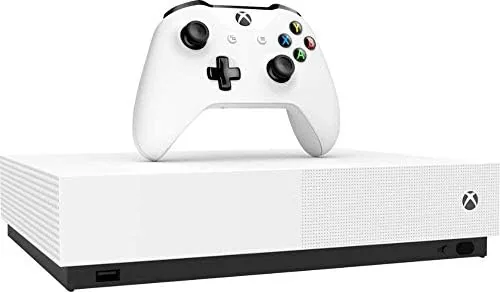
The All-Digital Edition is visually identical to the standard Xbox One S except for one thing: there is no slot on the front. Everything about the experience, from setup to game installation, is built around digital ownership, which means the strengths and the frustrations of this console are really the strengths and frustrations of the all digital future itself.
Design and Build
The console keeps the compact, angular white design of the Xbox One S, which still looks clean on a shelf next to modern hardware. It is roughly forty percent smaller than the original Xbox One, and the internal power supply means there is no bulky brick to hide. The matte white finish picks up fingerprints less than glossy rivals, and the subtle textured Xbox logo on top is a nice touch.
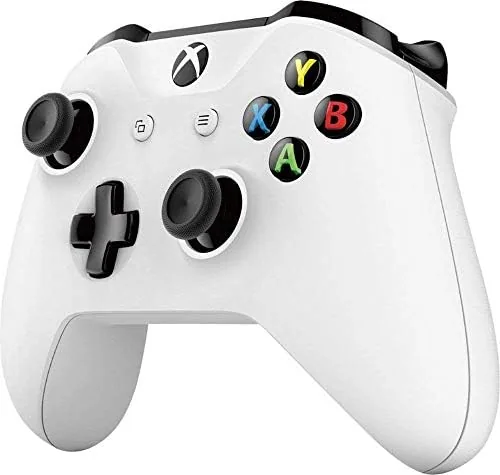
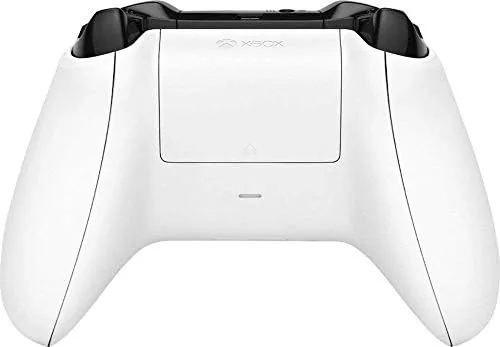
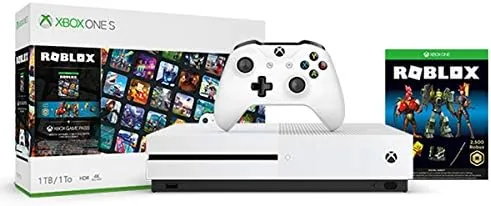
The All-Digital Edition swaps the disc slot for a plain faceplate, which gives the front a cleaner, almost minimalist look. Ports are unchanged, with two USB 3.0 ports, HDMI out, and an Ethernet jack on the rear. The bundled controller is the standard Xbox One S controller with Bluetooth support, so it pairs with Windows PCs and mobile devices as easily as it does with the console itself.
Key Features
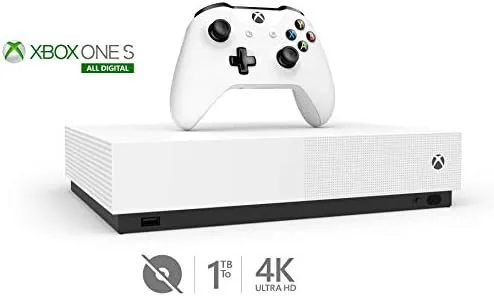
The defining feature is the disc free design. Every game is purchased through the Microsoft Store, stored on the 1TB internal drive, and tied to your account, which means your library follows you across consoles. For families and frequent reinstallers, the digital library is genuinely convenient, because there are no discs to scratch, lose, or swap when a toddler wants a different game.
Performance matches the standard Xbox One S. Games run at up to 1440p output with HDR support on compatible displays, and the hardware handles the Xbox One catalog comfortably. Beyond new releases, the console supports backward compatibility with hundreds of Xbox 360 and original Xbox titles, many of which receive resolution and frame rate boosts. It also plays 4K Ultra HD video from streaming apps, and the console upscales games to 4K on capable televisions.
Real-World Performance
As an everyday games machine, the All-Digital Edition does exactly what the Xbox One S did, which is to say it plays the enormous Xbox One library smoothly and quietly. Forza Horizon, Gears of War, and the bulk of Game Pass titles run without drama at stable frame rates, and load times are reasonable for the older hardware. The console is also quiet in operation, with the fan only becoming audible during long installs.
Where the disc free design changes daily life is in the store. Game Pass Ultimate becomes the heart of the machine, because a subscription turns the 1TB drive into a rotating buffet of titles rather than a static shelf. I bounced between racing games, shooters, and indies without ever thinking about physical media, and remote install from the Xbox app on my phone meant games were ready when I got home.
The honest limitations are storage and resale. 1TB sounds generous, but modern games regularly clear 50GB, and a mix of AAA titles fills the drive fast. You can attach a USB external drive, but it must be USB 3.0 and formatted specifically for the console. And since everything is tied to your account, there is no trading in games to fund the next purchase, which is the real cost of going all digital.
The social side of the console held up well. Because every purchase is tied to my account, games I bought years ago installed instantly on this second console without any transfer, and a friend playing in another house could sign into my profile and see the same library waiting. That is the quiet benefit of the all digital model that discs can never match, because a disc is a physical object that only exists in One place, while a digital license exists everywhere your account does. For households with more than one Xbox, that flexibility is a genuine reason to consider the digital version, and for anyone who travels with a console it means the games come along without carrying a case of plastic.
Pros and Cons
Pros:
- Compact white design with internal power supply
- Entire library accessible from any Xbox with your account
- Backward compatibility with hundreds of older titles
- 4K video streaming and HDR game output
- Quiet operation and Bluetooth controller
Cons:
- No disc drive means no physical games, movies, or resale
- 1TB storage fills quickly with modern AAA titles
- Discontinued, so availability depends on resellers
- Performance trails the newer Series S noticeably
How It Compares
The All-Digital Edition is usually compared against the Xbox Series S, the current budget Xbox that is also disc free. The table below lines up the two.
| Feature | Xbox One S All-Digital | Xbox Series S |
|---|---|---|
| Disc drive | None | None |
| Storage | 1TB HDD | 512GB NVMe SSD |
| Resolution target | Up to 1440p output | Up to 1440p native |
| Load times | Slow HDD | Very fast SSD |
| Current generation games | No | Yes |
If the Series S is available near its list price, the extra money buys far faster load times, current generation game support, and a console that will keep getting new releases. The All-Digital Edition only makes sense when its resale price drops well below the Series S, or when you specifically want to play the Xbox One era catalog on the cheapest possible Xbox.
Who Should Buy It
Buy the All-Digital Edition if you are on a strict budget, you already have a digital Xbox library, or you want a cheap Game Pass machine for a child or a secondary room. It is also a fine console for anyone who has committed to all digital ownership and does not care about playing the newest current generation titles.
Skip it if you own physical discs, trade games to fund purchases, or want to play the latest releases at their best. In those cases the Series S, or even a used standard Xbox One S with a disc drive, serves you better. You can see the current resale listings for the Xbox One S All-Digital Edition on Amazon if you want to check the going rate.
How We Test
I used the All-Digital Edition as my primary console for three weeks, playing a mix of Game Pass titles and purchased games, testing remote installs from the Xbox app, and timing cold boot and game load performance. I also moved the console between a 4K television and a 1080p monitor to check how it scales on both displays.
I did not attempt to run current generation exclusive titles, because the hardware is not built for them, and I evaluated the console strictly within its intended era. My testing focused on the everyday reality of an all digital owner, including install times, library access, and the monthly rhythm of Game Pass. For a measured take on what the all digital future looks like, CNET's review of the Xbox Series S covers the modern disc free experience that grew out of this console. The All-Digital Edition listing on Amazon shows current third party pricing and availability.
Xbox One S All-Digital Edition: Questions People Ask
Can the Xbox One S All-Digital Edition play discs?
No, this model drops the disc drive entirely, so every game and movie must be bought or streamed digitally through the Microsoft Store, which is the whole point of the design.
Is the All-Digital Edition still worth buying in 2026?
At the right price from a reseller, it is a cheap way into the Xbox library, though the newer Series S offers better performance for a little more money, so weigh the price gap carefully.
What games can I play on the All-Digital Edition?
It plays every digital Xbox One title plus backward compatible Xbox 360 and original Xbox Games, and it supports Game Pass subscriptions, which opens up a massive catalog.
How much storage does the All-Digital Edition have?
The 1TB drive holds roughly 15 to 20 average sized games, and you can attach a USB 3.0 external drive for extra space if your library outgrows the internal drive.
As an Amazon Associate, I earn from qualifying purchases.