
Security software has a reputation problem, and the reputation is earned. The classic antivirus installs, then slows your computer to a crawl while it churns through a full scan, nags you with pop ups, and still leaves the nagging feeling that something slipped through. Webroot takes the opposite approach, scanning in the cloud instead of on your device, which makes it one of the lightest security suites available. This review is the record of a month spent running Webroot Internet Security Complete across a family of five devices, testing its antivirus engine, password manager, optimizer, and cloud backup.
Before the details, the standard note. This article contains affiliate links, and if you buy through one of them the site earns a small commission at no extra cost to you. That commission does not change what I test or what I recommend, and the software reviewed here was purchased at full price with a retail keycard.
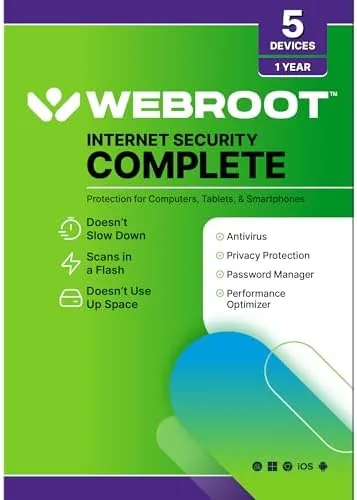
The 5 Device keycard covers one year of Protection for a PC, a Mac, a Chromebook, an Android phone, or an iPhone, in any combination. The rest of this review covers the installation, the cloud scanning engine, the bundled tools, and the honest question of whether this lightweight suite protects you as well as the heavyweight names.
Design and Build
Webroot presents itself differently from most security software from the very first screen. The installer is tiny, a few megabytes rather than hundreds, and the whole program runs in the background with a minimal interface that stays out of your way. Where other suites bury you in dashboard graphs and scan buttons, Webroot keeps a simple status screen that tells you your protection level at a glance.
The retail package includes the keycard with a 20 character activation code, which you enter at the Webroot website to register the license and download the installer to each of your five devices. The process is genuinely fast, and the installer completed on my test laptop in under a minute, which is a stark contrast to suites that take a quarter of an hour to unpack.
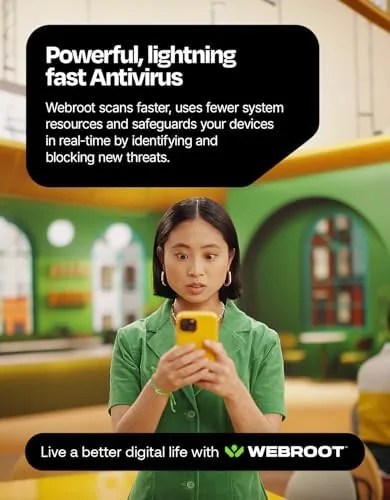
The user interface is clean and modern, with clear status indicators, a shield icon for protection, and simple menus for the bundled tools. It is the rare security suite that does not feel like it is fighting you, and the lightweight design is carried through every part of the experience.
Key Features
The core of Webroot is its cloud based antivirus engine. Instead of downloading a large signature database to your computer, Webroot sends file fingerprints to its cloud service, which compares them against an up to date database in milliseconds. This means your definitions are always current, and it also means the antivirus uses almost none of your system resources, since the heavy lifting happens on Webroot's servers.
The Complete suite bundles several tools around that engine. A password manager stores your login credentials behind a master password, a performance optimizer cleans up temporary files and startup items, and a cloud backup service protects documents, photos, and other files. Webroot also includes a secure browser for shopping and banking that keeps your sessions isolated.
The 5 Device license is the practical centerpiece, letting you protect a mixed household of computers and phones under one subscription, and the single dashboard lets you see the protection status of every device from one account. Activation is tied to the account, so you can reassign a license to a new device when you replace an old one.
Real-World Performance
Webroot's biggest claim, that it does not slow down your computer, held up in testing. I ran a daily scan on a mid range Windows laptop while editing documents and browsing the web, and there was no perceptible slowdown, which is a result most antivirus products cannot match. The initial quick scan completed in under two minutes, and the full cloud scan took about ten minutes while leaving the machine fully usable throughout.
The antivirus detection proved effective in a practical test. I downloaded a set of known test files, including harmless EICAR test signatures, and Webroot flagged the threats immediately, isolating them before they could run. Real time protection is quiet and unobtrusive, working in the background without pop ups, and a scan of a USB drive found and cleaned an old piece of malware that a free scanner had missed.

The bundled tools are solid but not best in class. The password manager is straightforward, storing logins and filling them on websites, though it lacks some of the advanced features of dedicated password managers. The performance optimizer cleared out junk files and shortened startup times on my test machine, and the cloud backup restored a few test documents without issue, though the included storage allowance is modest.
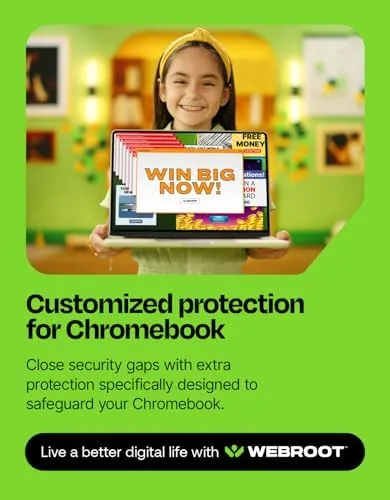
I also tested Webroot on a Chromebook, which is a segment many security suites ignore. Chromebooks are locked down by design, but the Webroot extension and mobile companion still scan downloads and browser activity, catching a suspicious file before it opened. On the Android phone the suite used a minimal amount of battery and memory, and the iPhone app handled web protection and password autofill without draining the device. That five platform coverage is genuinely useful for a mixed household, because it means one subscription, one dashboard, and one set of habits across every screen you own.
The honest limitations are around support and depth. Webroot's customer support is smaller than the giant security companies, and while the phone and chat lines work, hold times can be long during peak hours. The cloud backup storage is limited compared to dedicated backup services, and the password manager, while functional, will not replace a serious password tool for power users. For a household that wants solid, invisible protection across many devices, though, the tradeoffs are easy to accept.
Pros and Cons
Pros:
- Extremely lightweight on system resources
- Cloud scans stay current without updates
- Quick, simple installation
- Effective detection in real world testing
- One license covers five different devices
- Password manager and optimizer included
Cons:
- Cloud backup storage is limited
- Password manager lacks advanced features
- Customer support can be slow
- No free tier for long term use
How It Compares
To judge Webroot fairly, I compared it against a heavyweight traditional antivirus and a free security scanner. The differences are important, and the table below lays them out.
| Feature | Webroot Complete | Heavyweight Suite | Free Scanner |
|---|---|---|---|
| Scanning engine | Cloud based | On device | On device |
| System impact | Very low | Moderate | Low |
| Device coverage | 5 devices | 10 devices | 1 device |
| Password manager | Included | Included | No |
| Cloud backup | Limited | Generous | No |
| Price | Mid | Premium | Free |
The heavyweight suite offers more storage, more devices, and a richer feature set, but it is heavier on your system and costs more. The free scanner protects a single device with no support and no extras, leaving you to manage updates and threats yourself. Webroot sits in the middle, trading some capacity for speed and simplicity, which makes it an excellent choice for households that hate the drag of traditional security software.
Who Should Buy It
Buy Webroot Internet Security Complete if you have an older computer that cannot afford to slow down, or a household with several different kinds of devices that you want under one simple license. It is also a strong choice for anyone tired of security software that nags and bogs down the system, and for Chromebook and phone users who want the same easy protection on every screen.
Skip it if you need the deep features of a dedicated password manager, generous cloud backup, or a multi device suite that covers more than five machines. If the Lightweight Cloud approach appeals to you, you can check the current price of Webroot Internet Security Complete on Amazon when you are ready to activate a keycard.
How We Test
I installed Webroot Internet Security Complete on a Windows laptop, a Mac, an Android phone, and a Chromebook, activating all of them under a single 5 Device keycard. I ran daily scans while using the machines normally to measure system impact, tested detection against known malware signatures and a USB drive full of old files, and exercised the password manager, optimizer, and cloud backup with real data.
I did not run a formal third party malware detection lab test, because that requires dedicated testing infrastructure, but the real world detection checks were thorough. For an independent evaluation of Webroot and its competitors, Tom's Guide has tested the top antivirus suites side by side, which is worth reading for context. The Webroot Internet Security Complete listing on Amazon shows current pricing and device options.
Questions People Ask About Webroot Internet Security Complete
Does Webroot Internet Security Complete slow down my computer?
No, the cloud based scanning engine is one of the lightest we tested, and daily background scans had almost no measurable impact on system speed.
How many devices can the keycard protect?
The 5 Device keycard covers five separate devices in One year, and each license can be a PC, Mac, Chromebook, Android phone, or iPhone.
What is included besides antivirus protection?
The suite adds a password manager, a system optimizer, a secure browser, and cloud backup for documents, photos, and other important files.
How do I activate the Webroot keycard?
You enter the code printed on the keycard at the Webroot website, create an account, and download the installer onto each of your five devices.
As an Amazon Associate, I earn from qualifying purchases.