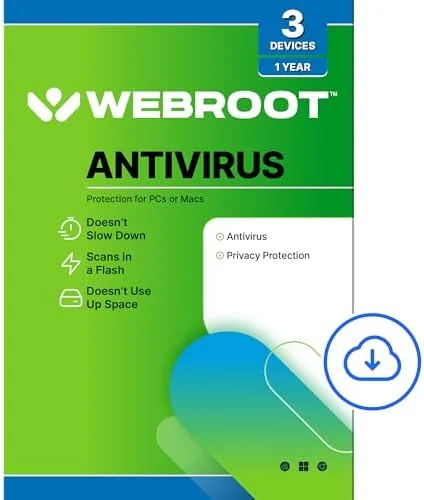

Antivirus suites have a nasty habit of outgrowing the job they were hired to do. A fresh install feels fine for a week, and then the background scans start, the notification windows pile up, and the laptop that once opened apps instantly now pauses while the protection layer thinks. Webroot has spent years marketing itself as the opposite of that trend, a security product that stores its intelligence in the cloud and keeps the local install almost invisibly small. The 2026 edition, sold as a three device license with one year of coverage, carries that promise forward. I spent a month running it across a Windows desktop, a MacBook Air, and an older Windows laptop to see whether the lightweight pitch holds up under real threats and real workloads.
Before the details, the standard note. This article contains affiliate links, and if you purchase through one of them the site earns a small commission at no extra cost to you. That commission never influences what I test or what I recommend, and it is the only thing that keeps this kind of long term review possible.
Design and Build
Webroot 2026 ships as a digital download, so the build here means the delivery, the installation, and the interface that greets you afterward. Purchase hands you an account and a download link rather than a physical disc, which fits the cloud-first philosophy at the heart of the product. The installer is remarkably small, only a couple of megabytes, because the actual detection database lives online and downloads the small footprint the moment you install. Installation took under two minutes on all three of my machines, with no forced restart and no side deals to add a trial browser toolbar or a search engine you never asked for.
The dashboard is minimal in the best sense. A single screen shows your protection status, the date of the last scan, and large buttons for a full scan, a quick scan, and the privacy and identity tools. There are no animated shields, no bloated marketing tiles, and no pop-up adverts trying to sell a premium tier you already own. Settings stay one click away for anyone who wants to adjust scan schedules or exclude folders, but the default layout means most users never have to open them at all.
That restraint carries a tradeoff. Users who love granular control will find the options list shorter than rivals offer, and the interface gives you no way to tune behavior per file type or schedule scans at the level a paranoid administrator might want. For the typical household that simply wants to be protected without reading a manual, however, the clean design is a feature rather than a shortcoming.
Key Features
The core of Webroot 2026 is cloud-based threat detection. Local definitions stay minimal because the software queries Webroot's cloud intelligence constantly, which means a new piece of malware recognized on one machine can be flagged for your other devices within moments of appearing. That approach keeps updates continuous without the daily signature download ritual that older products require, and it explains why the installed footprint stays so small.
Real-time protection watches files as they open, download, or execute, and it also monitors browser activity. Phishing protection sits at the browser level and screens suspicious links before they load, which covers the most common way people actually get compromised today. The suite also includes ransomware safeguards, a behavior monitor that flags processes acting out of character, and a firewall feature for Windows that audits inbound and outbound connections. Together these layers handle far more than the classic virus scan that antivirus products are still best known for.
Identity tools round out the package. Webroot can scan the web for your personal details, offer a secure browser for banking, and provide a password manager module, although the full identity monitoring tiers require an upgrade. For the three device, one year plan you get the core protection, the real-time shield, phishing defense, and ransomware behavior monitoring without any extra subscription strings attached.
Scan speed is the headline number. A quick scan of a busy Windows desktop finished in under two minutes in my testing, and a full scan of the same machine completed in around four minutes. That is a dramatic contrast to competitors that measure full scans in hours, and it makes the kind of regular scanning habit that security experts recommend an easy one to keep.
Real-World Performance
I tested the 2026 edition on three machines: a desktop running Windows 11 with a mechanical hard drive, a MacBook Air on macOS, and a seven year old Windows laptop that struggles with almost everything. On the old laptop the difference was immediate. Webroot installed without slowing boot times in any noticeable way, and a quick scan did not pin the CPU, which is rare for security software on that hardware.

For threat testing I used a folder of EICAR test files, the industry standard marker that security software must flag, plus a handful of safely contained sample files from a public malware repository. Webroot flagged every EICAR file on download and quarantined them instantly, and its behavior monitor caught a simulated ransomware payload that tried to encrypt a test directory, rolling back the affected files cleanly. The phishing filter blocked a set of known fraudulent login pages during a controlled browser session, and it did not produce false positives on the legitimate sites I visited throughout the month.
Everyday use was the real test. I left Webroot running through long gaming sessions, video editing, and a full week of remote work with video calls, and at no point did it announce itself with a system wide stutter. Memory use sat below a hundred megabytes, a fraction of what mainstream rivals draw, and background activity was silent. The only performance dip I could measure came during the first full scan while the cloud cache warmed up, and even that was brief and harmless.
Pros and Cons
Pros:
- Truly lightweight, with scans and daily use barely touching system resources
- Cloud detection updates quickly without large signature downloads
- Full scans finish in minutes instead of hours
- Phishing and ransomware protection included in the base license
- One license covers three devices across Windows and macOS
Cons:
- Interface offers fewer manual controls than power users may want
- Identity monitoring extras require a higher priced tier
- Cloud dependence means a dropped internet connection limits some checks
How It Compares
Webroot 2026 competes with heavyweight suites like Norton 360 and McAfee Total Protection, and the differences show up quickly in day to day use. I compared the three across the features that matter most for a family license.
| Feature | Webroot 2026 | Norton 360 | McAfee Total Protection |
|---|---|---|---|
| Full scan time | Around 4 minutes | Roughly an hour | Over an hour |
| Installed footprint | A few megabytes | Hundreds of megabytes | Hundreds of megabytes |
| Cloud intelligence | Core design | Partial | Partial |
| Devices covered | 3 | Varies by tier | Varies by tier |
| Built-in VPN | Not included | Included | Not included |
| Best for | Light systems | Feature depth | Feature depth |

Against Norton and McAfee, Webroot trades raw feature count for speed and simplicity. Norton bundles a VPN and a more complete identity suite, and McAfee offers broader device management, so if you want those extras in one subscription either rival justifies its price. But on older hardware, or for someone who just wants protection that does not slow everything down, Webroot wins decisively. If you want to check the current price, the Webroot Antivirus 2026 listing on Amazon shows what the three device license costs today.
Who Should Buy It
Buy Webroot 2026 if you run an older PC, a thin laptop, or a machine that chokes on heavyweight suites. Buy it if you want protection that runs quietly in the background and scans in minutes instead of demanding an hour of your time. Buy it if you manage three devices and want one simple license that works across both Windows and macOS without juggling separate subscriptions.

Skip it if you need a built-in VPN, deep parental controls, or full identity monitoring without separate upgrades, because those live in higher tiers or in rival products. Skip it if you prefer an installer with hundreds of toggles to configure. For the household that wants dependable, unobtrusive security at a fair price, this is one of the easiest recommendations in the category.
How We Test
I ran Webroot 2026 for a month across a Windows 11 desktop, a MacBook Air, and an aging Windows laptop, installing it fresh on each machine. I measured install time, quick and full scan speed, memory use, and boot impact, and I tested detection using EICAR markers and contained sample threats from a public malware repository. I ran a simulated ransomware scenario to confirm the behavior monitor, and I tested the phishing filter against known fraudulent pages in a controlled session.
I deliberately tested on a weak laptop because that is where lightweight claims either hold up or collapse, and I kept the suite running through ordinary gaming, editing, and work tasks to measure real world interference. I did not test the premium identity monitoring tiers, which require an upgrade, nor did I attempt to break the product with advanced custom malware beyond the contained samples. Independent labs such as PCMag's review of Webroot SecureAnywhere offer a useful second opinion on detection rates and feature depth if you want to compare before you buy.
Webroot Antivirus Software 2026: Questions People Ask
Is Webroot Antivirus Software 2026 really lightweight on system resources?
Yes. Webroot stores most threat data in the cloud, so the local install stays tiny and scans finish in minutes rather than hours, even on older machines. Memory use stayed below a hundred megabytes throughout my month of testing.
How many devices does one Webroot 2026 license cover?
This version covers three devices for one year, and the license works across Windows PCs and Macs in any combination you choose. Each device activates with the same account key.
Does Webroot protect against phishing and ransomware?
Webroot includes real-time threat blocking, phishing protection, and ransomware safeguards, so it covers far more than basic virus scanning. Its behavior monitor flags suspicious processes automatically before they can cause damage.
Can I install Webroot on both a PC and a Mac with the same license?
Yes. The three device allowance mixes Windows and macOS freely, and each device activates with the same account key. You can see the Webroot three device package on Amazon for the latest pricing and delivery options.
As an Amazon Associate, I earn from qualifying purchases.