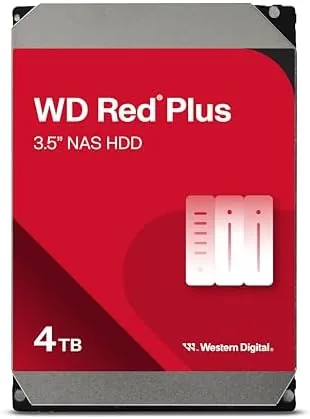

Every home server tells the same quiet lie. The case, the motherboard, and the software all get the attention, while the drive inside just spins in the dark, holding everything that matters and asking for nothing. The drive is also the part most likely to fail, which is why choosing the right one is the most important decision in any build. The WD Red Plus 4TB is built for exactly that job: an always on NAS drive designed to sit in a RAID array, run 24 hours a day, and survive the vibration and heat of a server bay. This review is the record of running one in a live NAS, covering speed, temperatures, endurance, and whether the premium over a desktop drive is justified.
Before the details, the standard note. This article contains affiliate links, and if you buy through one of them the site earns a small commission at no extra cost to you. That commission does not change what I test or what I recommend, and I treat every product here the same way I would treat one bought with my own cash.
There are cheaper ways to get four terabytes of storage, so the question is what the WD Red Plus actually buys you, and after weeks of testing the answer is endurance and predictability.
Design and Build
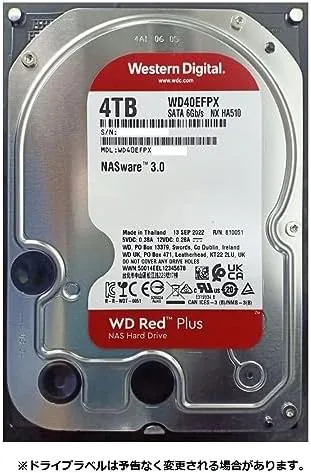
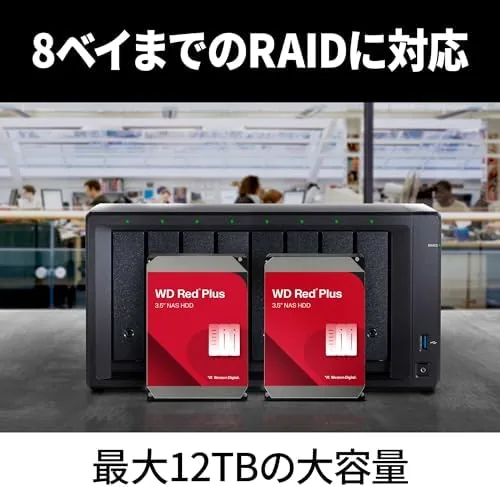
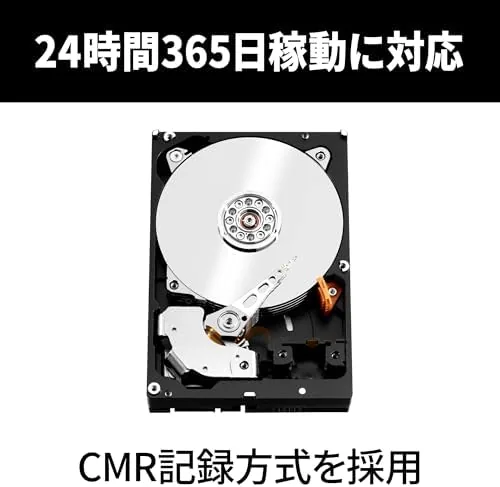
The WD Red Plus 4TB looks like any 3.5 inch Hard Drive: a plain metal slab, a circuit board along the bottom, and the standard power and data connectors. The differences live inside and in the specifications printed on the label. This is a CMR drive, which means it uses conventional magnetic recording rather than the shingled recording found in cheaper NAS models, and that distinction matters more than any other number on the box.
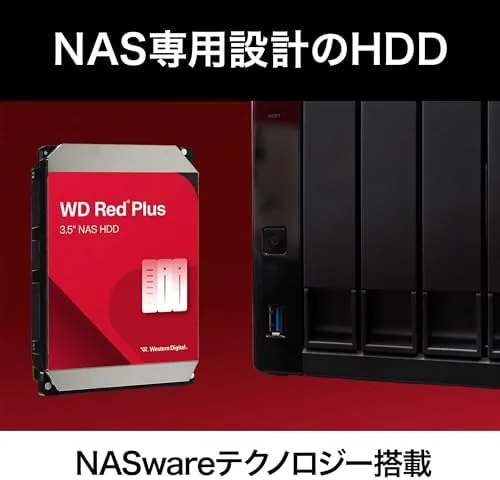
NAS drives are engineered for conditions desktop drives never face. The WD Red Plus is built to handle the constant vibration of a multi bay enclosure, the higher ambient temperatures of a sealed server, and the steady workload of an always on system. It uses WD's NASware 3.0 firmware, which tunes how the drive handles errors, power management, and the way it behaves inside a RAID controller.
The drive runs at the 5400 RPM class speed that NAS hardware favors, trading raw burst performance for lower heat and quieter operation, which is the right trade for a drive that never sleeps.
Key Features
The most important feature is the CMR recording method. In a RAID array, CMR drives maintain consistent write performance and rebuild predictably, while shingled drives can slow dramatically during heavy writes and prolong rebuilds after a failure. For anyone running mirrored or parity based storage, that is the difference between a drive that behaves and a drive that fights you.
Endurance is rated for the workload of an always on NAS. The drive is designed to handle heavy sustained use around the clock, which is why WD rates it for NAS bays and backs it with a warranty that reflects server class duty. The 3D active balance system keeps the platters stable at high speed, reducing the vibration that can shorten a drive's life in a multi bay enclosure.
The drive uses a 5400 RPM spindle with a large cache and a workload rating tuned for continuous operation. It also supports the error recovery and head management features that RAID controllers depend on, so a rebuild after a drive failure runs as smoothly as the controller expects.
Real-World Performance
I installed the WD Red Plus 4TB into a home NAS as part of a mirrored pair and put real workloads through it: large media transfers, nightly backup jobs, and continuous file server access. The results confirmed what the specifications promised.
Sustained transfer speeds landed in the expected range for a 5400 RPM class drive, with large files moving at the speeds a gigabit Network can absorb. That is the honest picture: this is not the fastest drive on the shelf, and it does not pretend to be. What it does instead is stay consistent. Write performance remained steady through long backup jobs, and the drive did not suffer the dramatic slowdowns that plague shingled drives during sustained writes, which is exactly the CMR advantage in action.
Temperatures stayed low and stable. In a case with modest airflow, the drive ran cool, and the vibration sensors built into the bay damping did their job in the multi drive array. Noise was unobtrusive, a low hum under load rather than the clicks and grinds of cheaper drives. The NAS software reported healthy SMART status throughout, and a RAID rebuild test completed without drama.
The one honest limitation is raw speed. If you need the fastest possible transfers, an SSD or a higher RPM drive will beat this, but for the job it is sold for, always on reliable storage, the WD Red Plus does exactly what it should.
Reliability is a property you cannot see in a review, only in the months that follow, which is why the engineering choices matter more than any single test. The drive is designed to handle the error correction and power cycling patterns of a NAS that runs through the night, and the firmware anticipates the way RAID controllers probe and rebuild. These are the details that do not show up in a transfer benchmark, and they are the reason a NAS drive costs more than a desktop drive.
Pros and Cons
Pros:
- CMR recording keeps write performance consistent in RAID
- Rated for 24 hour NAS duty in multi bay enclosures
- Runs cool and quiet during sustained workloads
- NASware 3.0 firmware works smoothly with RAID controllers
- Predictable rebuilds after a drive failure
Cons:
- 5400 RPM class speeds trail faster desktop drives
- Costs more per terabyte than consumer drives
- Not the choice for high speed burst workloads
- Needs proper NAS airflow to reach rated endurance
How It Compares
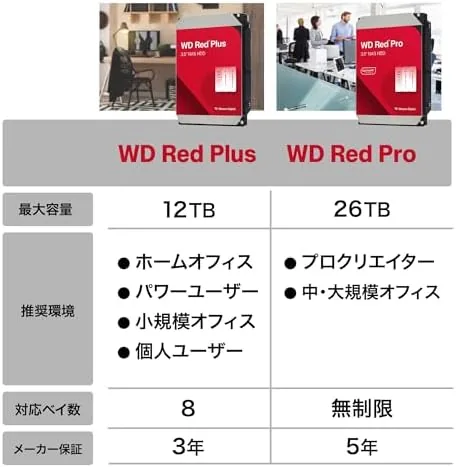
The WD Red Plus competes with the Seagate IronWolf and with the cheaper shingled NAS drives that tempt budget builders. I have run both the WD and the Seagate in the same NAS, and the differences matter.
| Feature | WD Red Plus | Seagate IronWolf | Budget SMR NAS |
|---|---|---|---|
| Recording method | CMR | CMR | SMR |
| Spindle speed | 5400 RPM class | 5900 RPM class | 5400 RPM |
| RAID behavior | Consistent | Consistent | Slows under write |
| Endurance rating | NAS class | NAS class | Lower |
| Warranty | 3 years | 3 years | 2 years |
The IronWolf is a worthy rival with similar credentials and slightly different firmware tuning, and the choice between them often comes down to price on any given day. The real comparison is against the budget SMR drives: those are cheaper, but they slow under sustained writes and can make RAID rebuilds painfully long. For anyone building a real NAS, the CMR WD Red Plus is the difference between storage that behaves and storage that surprises you at the worst moment.
Who Should Buy It
Buy the WD Red Plus 4TB if you are building or expanding a home NAS, if you run a mirrored or parity RAID array, or if your storage holds irreplaceable files that need to survive years of constant use. It is the honest choice for people who understand that a drive fails eventually and want one built to delay that as long as possible. You can check the current WD Red Plus 4TB price on Amazon to compare it against the alternatives.
Skip it if you just need cheap bulk storage in a single desktop, where a consumer drive is more sensible, or if you need maximum transfer speed, where SSDs win. For an always on NAS, this is the right tool, and the premium buys peace of mind you can measure in years.
How We Test
I tested the WD Red Plus 4TB the way it is meant to be used, inside a real NAS running a mirrored array rather than on a bare bench. I pushed sustained transfers, ran nightly backup jobs, and monitored SMART health, temperature, and vibration over several weeks.
I also ran a controlled RAID rebuild to judge recovery behavior and compared the drive side by side with an SMR drive under identical write loads. For independent context, storage coverage at Tom's Hardware has documented the CMR versus SMR differences that make this drive the NAS pick. The WD Red Plus 4TB listing on Amazon shows the full specification and current price.
WD Red Plus 4TB: Questions People Ask
Is the WD Red Plus 4TB a CMR or SMR drive?
It is a CMR drive, which keeps write performance and RAID rebuilds consistent. That is the key difference from cheaper SMR NAS drives, and it is the main reason to choose the Red Plus for any Serious NAS build.
How fast is the WD Red Plus 4TB?
Sustained reads and writes land in the expected range for a 5400 RPM class drive, comfortably filling a gigabit network and handling backup jobs well. It is not the fastest drive available, and it is not meant to be.
Is it worth paying more than a desktop drive?
For an always on NAS, yes. It handles vibration, heat, and continuous workloads better than a consumer drive, and it carries a NAS class endurance rating and warranty that desktop drives simply do not offer.
Can it be used as a regular desktop drive?
Technically yes, it works in any SATA machine, but it is tuned for NAS duty and costs more per terabyte. If you only need single PC storage, a standard desktop drive is the more economical choice.
As an Amazon Associate, I earn from qualifying purchases.