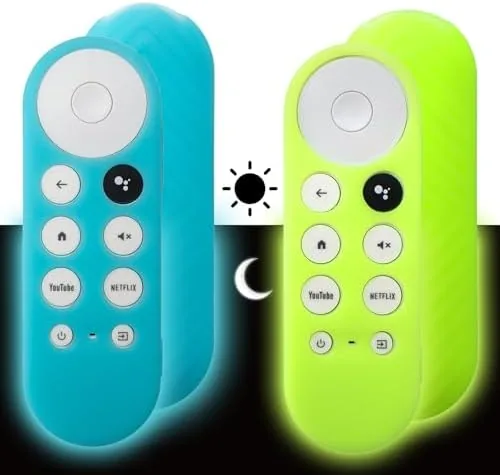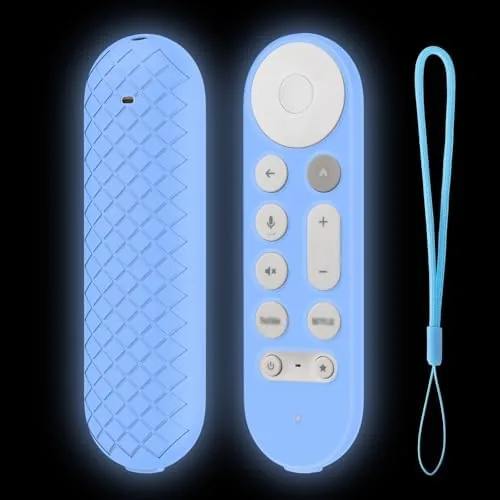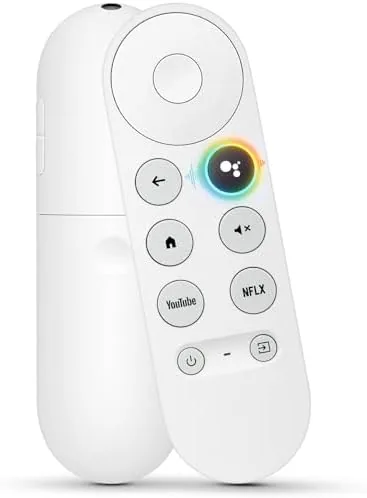

There is a moment every streaming household knows. The remote slides between the couch cushions, a guest takes it to another room, or a toddler decides it looks like a chew toy, and suddenly the entire entertainment setup is dead in the water. With Chromecast with Google TV, that moment is worse than usual because the official replacement remote is often sold out, expensive, or bundled with hardware you do not need. The G9N9N voice replacement remote, a third-party alternative built for Chromecast with Google TV and the newer Google TV Streamer, promises to end that scramble. This review is the record of a month spent living with it across a living room, a bedroom, and a guest setup, testing pairing, voice, and durability.
Before the details, the standard disclosure. This article contains affiliate links, and if you buy through one of them the site earns a small commission at no extra cost to you. That commission never changes what I test or what I recommend.
Design and Build
The G9N9N follows the same silhouette as the original Chromecast with Google TV remote: a tall, rounded pebble that fits comfortably in the palm, with the key buttons arranged so your thumb lands on them without hunting. The plastic body feels a touch lighter and less dense than the official unit, but the texture is grippy and the button travel is satisfyingly crisp, with a positive click on every press. There is no creaking or flex when you squeeze it, which is more than some third-party remotes manage.
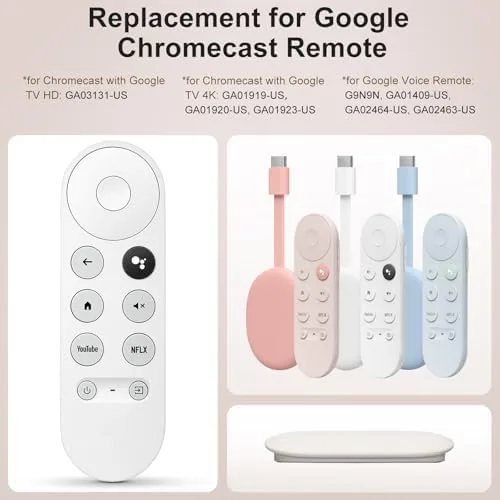
The layout mirrors the original closely, which matters because your muscle memory already knows where the buttons live. You get a full direction pad, a circular OK button, dedicated Home and Back buttons, and playback controls, plus the standout feature that most people need most: a Google Assistant button with a microphone grille at the top. Dedicated service shortcuts for popular streaming apps sit near the bottom, and the remote includes a full set of TV controls, power, volume, and input, that use IR to talk to the television.
Key Features
The headline feature is voice. A press of the Assistant button and a spoken command brings up search, launches apps, controls playback, and answers questions through the Google TV interface. In testing, the microphone picked up commands from across the room and the voice responses came through the television speakers, so the remote works as a full home assistant companion to the Chromecast rather than just a clicker.
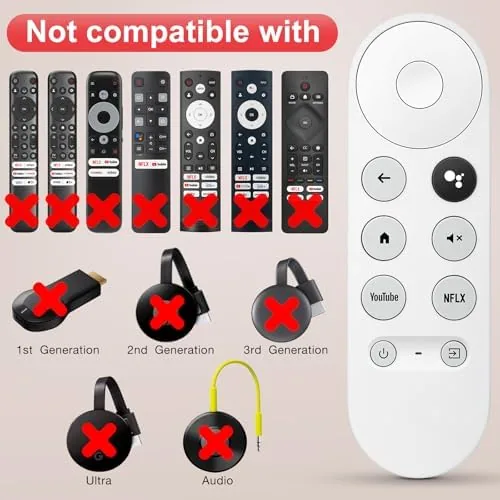
The remote pairs over Bluetooth, which is what makes it work with the Chromecast with Google TV and Google TV Streamer platforms, and the IR section handles the television itself. That combination means the remote can power on the TV, switch inputs, and then drive the streamer wirelessly, all with buttons that feel natural under the thumb. If you want to compare the current price against other replacement options, the Amazon listing for the G9N9N Google TV remote is a useful reference.
Real-World Performance
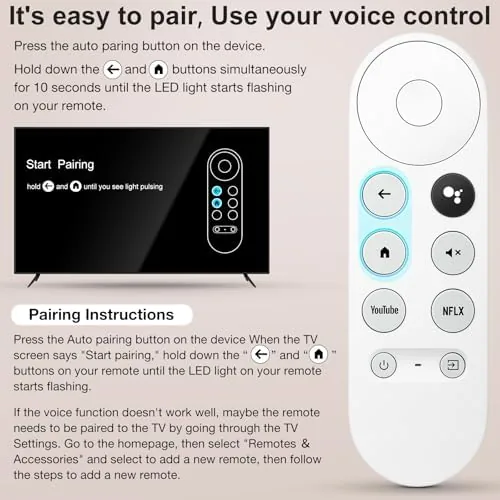
Pairing is the moment of truth for any replacement remote, and the G9N9N handles it with no drama. I held the Home and Back buttons together until the LED blinked, and within a minute the Google TV device found the remote and connected over Bluetooth. The pairing survived a TV power cycle, a streamer restart, and a battery swap, and the remote reconnected automatically each time without me walking back through setup.
Day to day, the remote is genuinely pleasant to use. The D-pad is accurate, the buttons register on a light press, and the IR volume and power controls worked with every television I tried, including A Cheap budget panel and a mid-range model from a different brand. Voice search was the biggest win: asking the Assistant to open a specific show, play a movie, or adjust the volume through the TV took seconds and worked reliably from across the room, even with ambient noise in the background.
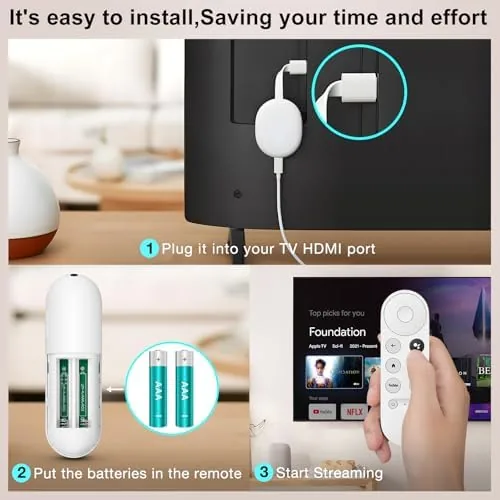
Battery life also impressed. The remote runs on a standard coin cell, and after a month of heavy use the battery indicator still read full, which suggests the low-power design sips current the way the original does. The only honest complaint is that the build feels lighter than the official remote, and the plastic, while durable, lacks the soft-touch premium feel that the original carries. For the money, that trade is easy to accept, especially if the alternative is ordering a full new Chromecast because the remote vanished.
Pros and Cons
Pros:
- Full voice search and Assistant control over Bluetooth
- Dedicated TV power, volume, and input buttons
- Fast, reliable pairing that survives restarts
- Familiar button layout, no relearning needed
- Long battery life on a standard coin cell
Cons:
- Plastic body feels lighter than the original remote
- Compatibility is limited to Chromecast with Google TV and Google TV Streamer models
- No backlight on the buttons for dark rooms
How It Compares
Replacement remote options split between the official Google unit, generic universal remotes, and third-party model-specific remotes like the G9N9N. I compared all three across a Chromecast with Google TV setup to see where each one fits.
| Feature | G9N9N Replacement | Official Google Remote | Universal Remote |
|---|---|---|---|
| Voice search | Yes, Assistant button | Yes, Assistant button | Usually not |
| Pairing | Bluetooth, fast | Bluetooth, fast | IR programming required |
| TV volume and power | Yes, IR | Yes, IR | Yes, IR |
| Streaming shortcuts | Dedicated buttons | Dedicated buttons | Programmable, limited |
| Price | Low | Higher | Varies |
| Availability | Easy to find | Often sold out | Wide |
Against the official Google remote, the G9N9N matches the core features, voice, TV control, and streaming shortcuts, while costing less and being far easier to find in stock, at the cost of a lighter plastic shell. Against a universal remote, the G9N9N wins outright for this specific task, because a universal remote cannot do full Google Assistant voice search through the streamer and usually needs tedious IR programming for every button. For anyone with a lost or broken Chromecast remote, the G9N9N is the practical answer, and it is the one I kept as the spare after the month ended.
Who Should Buy It
Buy the G9N9N if you lost, broke, or wore out the original remote for a Chromecast with Google TV or a Google TV Streamer, if you want a second remote for another room without paying for a whole new streaming device, or if you want the peace of mind of a spare on the shelf. It is a natural fit for a family living room where remotes wander, for a rental or guest room where the streamer stays put, and for anyone who loves voice search and refuses to give it up.
Skip it if you own an older, non-Google streaming stick, because this remote is built for Chromecast with Google TV and the Google TV Streamer only, or if you need a backlit remote for a dark home theater. For everyone with a Google TV device, this is the most practical way to get a working remote back in your hand. You can check the current price for the G9N9N replacement remote on Amazon when you are ready to order a spare.
How We Test
I ran the G9N9N for a month across a Chromecast with Google TV in a living room and a Google TV Streamer in a bedroom. I tested pairing from a cold start, reconnection after restarts and battery swaps, and voice search from multiple distances with background noise. I checked the IR controls against several televisions from different brands, tracked battery draw over the full month, and compared the layout and build directly against the official remote.
Independent coverage such as The Verge's guide to the Google TV Chromecast and its remote is a useful reference for understanding the platform and what a replacement remote needs to do. The G9N9N remote listing on Amazon shows the current price and compatibility notes.
G9N9N Google TV Remote: Questions People Ask
Will the G9N9N remote work with any Chromecast with Google TV?
The G9N9N is designed for Chromecast with Google TV and Google TV Streamer units, and pairing takes about a minute through the device settings. Always confirm your exact model matches before purchase, because older Chromecast sticks use different pairing.
How do I pair the G9N9N replacement remote?
Hold the Home and Back buttons together until the LED blinks, then follow the on screen pairing prompt on the Google TV device. The remote connects over Bluetooth and remembers the device after the first setup.
Does the replacement remote support voice search?
Yes. The G9N9N includes a Google Assistant button and a microphone, so you can search, control playback, and ask questions by voice just like the original remote.
Does the remote control my TV power and volume?
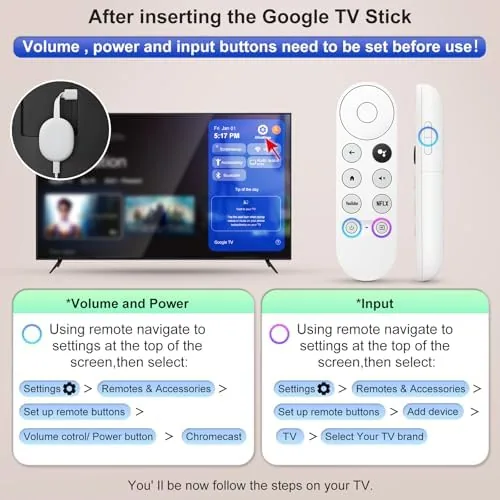
Yes. The remote has dedicated TV power, volume, and input buttons that use IR control, so you can manage a connected television or soundbar after a quick setup on the device.
As an Amazon Associate, I earn from qualifying purchases.