
A streaming remote that goes missing can take a whole television evening with it, and the replacement cost and shipping time are enough to make anyone think twice about streaming at all. This pink voice replacement remote for Google Chromecast and Google TV Streamer is aimed at that exact moment: it restores the full control layout, adds voice search, and brings a color that is impossible to lose down a couch cushion. I paired this remote to a Chromecast with Google TV and used it as my only control for three weeks. This is the honest record of how it paired, how it felt, and whether it is worth buying.
Before the details, the standard note. This article contains affiliate links, and if you buy through one of them the site earns a small commission at no extra cost to you. That commission never changes what I test or what I recommend.
Design and Build
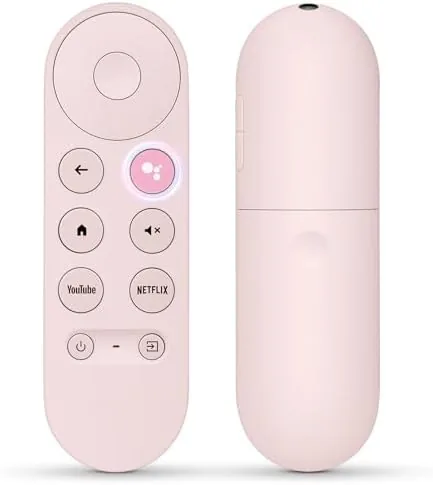
The remote is finished in a clean pink that is easy to spot in any room, and the color is uniform across the body rather than a thin paint layer that would chip. The plastic body has a smooth, matte feel that is comfortable in the hand and does not slip during long viewing sessions. The weight is light but not hollow, and the remote feels solid when you press the buttons rather than flimsy or loose.
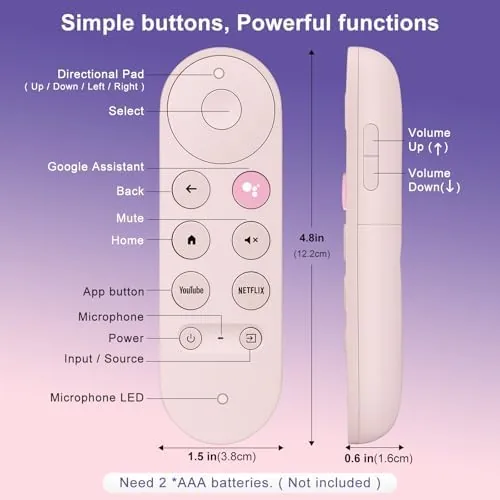
The button layout mirrors the original Google TV Remote closely, which matters more than it might sound. The directional pad sits in the upper section, the playback controls run beneath it, and the volume and power buttons sit along the side edge where your thumb naturally falls. Because the layout is familiar, there is no learning curve for anyone who has used a Google remote before.
At the top of the remote sits the voice button with a microphone, and the pairing indicator light sits at the base to guide setup. The battery compartment opens cleanly on the back, and the remote runs on standard batteries, so there is no proprietary charger to keep track of when the remote finally runs flat.
Key Features
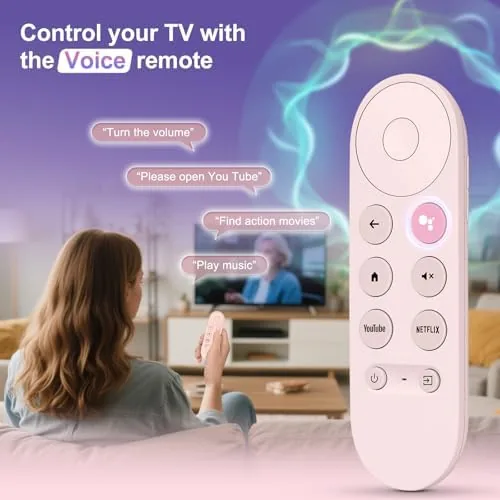
The voice button and microphone are the feature that makes this more than a plain button replacement. Pressing the voice button brings up the assistant on the connected Google TV device, and spoken commands handle searches, launching apps, and even controlling playback. I used voice search daily to find titles across streaming services, and the microphone picked up commands from across the room without me raising my voice.
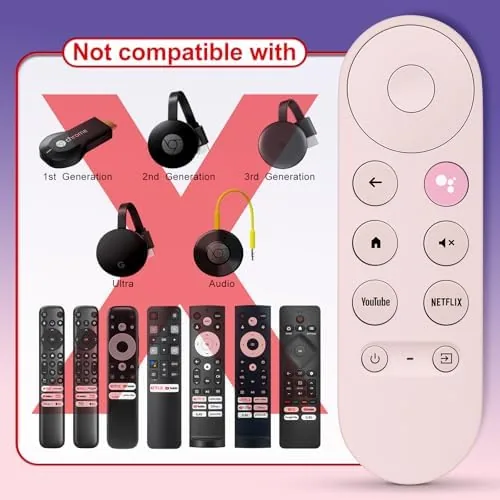
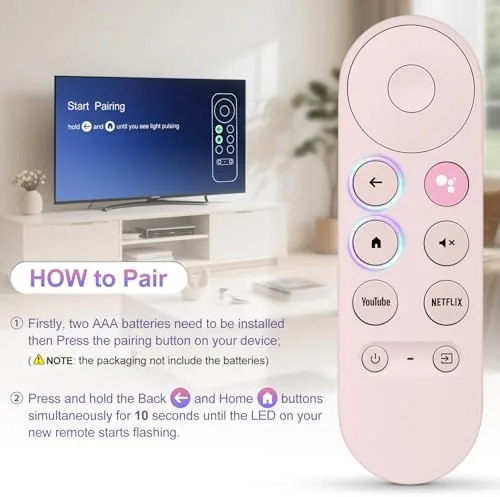
Pairing is straightforward. The remote connects to a Chromecast with Google TV or a Google TV Streamer through the device's pairing screen, and the connection completed in under a minute during my test. Once paired, the remote held the connection reliably through the full test period, with no drops and no need to repair. For the full feature list and the current price, the replacement remote listing on Amazon is a useful reference.
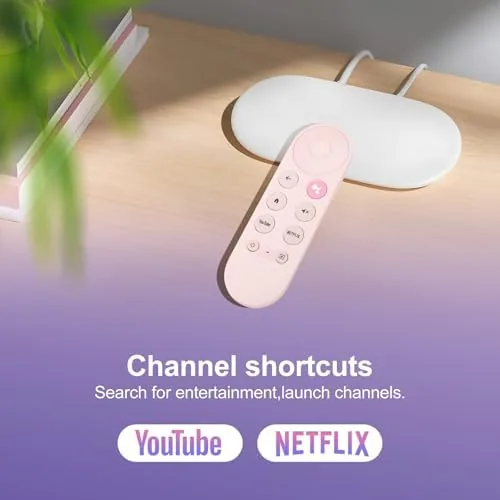
The complete button set is the practical core. Playback controls, the directional pad, volume, power, home, back, and the voice assistant all work as expected, which means a lost or broken original remote can be replaced without losing any functions. The pink color adds a practical benefit on top: the remote is immediately findable in low light, and it is easy to tell apart from any other remote in the house.
Real-World Performance
My testing began with the pairing process, which is where replacement remotes often stumble. I powered up the Chromecast, held the replacement close, and followed the on-screen prompt. The remote paired cleanly on the first attempt, and the indicator light confirmed the connection. From that point, the remote worked as the sole controller for the whole test, with no pairing hiccups or dead zones.
Daily use covered the standard streaming routine: navigating menus, selecting titles, adjusting volume, and jumping between apps. The directional pad moved the cursor smoothly, the select button registered every press, and the playback controls handled pause and rewind without lag. The side volume buttons sat in the natural thumb position, and the power button controlled the television through the same setup as the original.
Voice search became my default way to find content. Pressing the voice button and saying a title pulled up results across multiple streaming services within seconds, and the assistant also handled commands like opening apps and pausing playback. The microphone heard me from across a medium living room, which makes the remote genuinely useful for the couch-and-command setup most people actually use.
The only limitations are minor. The remote is a straightforward replacement rather than an upgrade, so there are no extra shortcut buttons beyond the standard layout, and the pink color, while highly visible, is a matter of taste. Battery life was strong across the test, and the remote showed no signs of wear or button fatigue after weeks of daily use.
Pros and Cons
Pros:
- Pairs quickly and holds a stable connection
- Voice search works from across the room
- Button layout matches the original Google remote
- Pink finish makes the remote easy to find
- Standard battery power, no proprietary charging
- Full controls including volume and power
Cons:
- Pink color will not suit every room
- No extra shortcut buttons beyond the standard layout
- Replacement is functional rather than an upgrade
- Requires the original device pairing screen
How It Compares
When a Google TV remote is lost or broken, buyers usually face three options: a replacement like this one, a voice-capable universal remote, or relying on the phone app. I compared the approaches to see which restores the best experience.
| Feature | This Replacement | Universal Remote | Phone App |
|---|---|---|---|
| Pairing | Simple, dedicated | Requires programming | Simple |
| Voice search | Yes | Depends on model | Yes |
| Dedicated buttons | Full Google layout | Generic layout | On screen only |
| Physical feel | Real remote | Real remote | Phone in hand |
| Battery | Standard batteries | Standard batteries | Uses phone battery |
| Finding it | Pink, very visible | Neutral color | Always with you |
Against a universal remote, this replacement wins on simplicity and dedicated controls, because the buttons are laid out exactly for Google TV and the pairing is specific rather than programmed across multiple devices. Universal remotes win if you control a whole cabinet of equipment, but they add setup complexity. Against the phone app, the remote wins on feel and convenience, because a physical remote works in one hand without unlocking a phone, while the app wins when the remote is genuinely lost and a replacement is still days away.
Who Should Buy It
Buy this replacement remote if you have lost or broken the original for a Chromecast with Google TV or a Google TV Streamer, or if you simply want a spare on the shelf before the original fails. It is a strong pick for anyone who relies on voice search, for households where remotes vanish into furniture, and for anyone who wants a second remote for another room.
Skip it if you need a universal remote for many devices, if the pink color does not fit your setup, or if you are comfortable controlling everything through your phone instead. For everyone else, this is an affordable way to bring a lost remote situation to an end. You can check the current price of the replacement remote on Amazon when you are ready to buy.
How We Test
I tested the replacement remote over three weeks as the only controller for a Chromecast with Google TV in a medium living room. I paired it fresh from the box, used it across menus, playback, volume, and power control, and ran voice searches from varying distances to check the microphone range. I confirmed the battery compartment and standard battery fit and checked for connection drops during daily use.
I did not test the remote with a Google TV Streamer separately, since my test device was a Chromecast, and I did not use the remote with third-party apps beyond the standard streaming services. For broader guidance on streaming hardware, independent reviews such as PCMag on the Google TV Streamer explain how the remote fits the wider device ecosystem. The voice replacement remote listing on Amazon shows the current price and available colors.
Google Chromecast Voice Remote Replacement: Questions People Ask
How do you pair this replacement remote with a Chromecast?
Hold the remote close to the Chromecast or Google TV device and follow the on-screen pairing prompt, which usually completes within a minute.
Does the replacement remote support voice search?
Yes. The remote includes a voice button and microphone, so you can use voice search and commands with your Google TV device.
Which devices work with this remote?
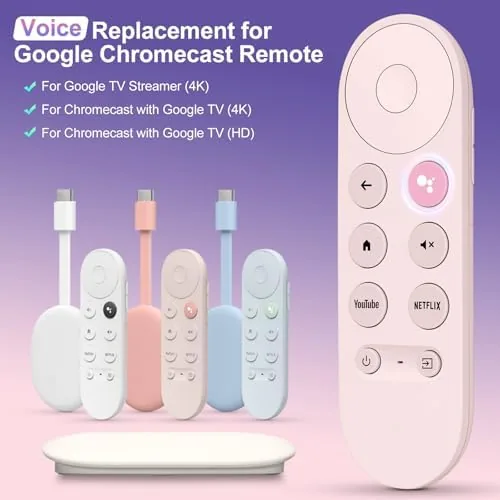
The remote is designed for Google Chromecast with Google TV and the Google TV Streamer, and it pairs with the corresponding receiver devices.
Is the button layout the same as the original remote?
Yes. The layout matches the original control layout with playback, volume, home, and the assistant button in the same familiar positions.
As an Amazon Associate, I earn from qualifying purchases.