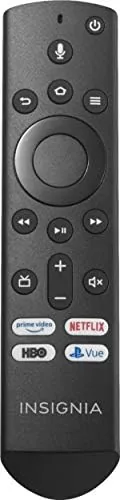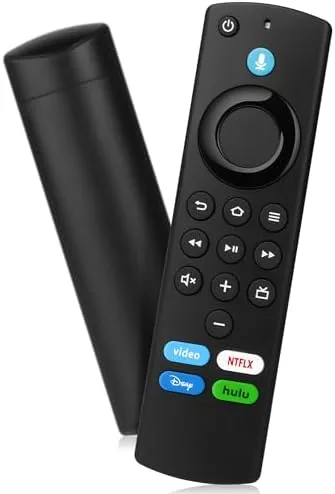

Every streaming household knows the moment: the remote has slipped between couch cushions, vanished under a blanket, or simply died after years of daily use, and the Fire TV Stick is now a paperweight until a replacement arrives. This replacement voice remote is built for exactly that situation. It pairs with Fire TV Sticks, Fire TV Cubes, and third generation Fire smart TVs, brings back Alexa voice control, and does it at a fraction of the cost of a trip to the store. I tested it across three different Fire devices, including a 4K Stick and a Cube, and this review covers pairing, voice control, and how it compares with the original remote.
A quick note before the details. This article contains affiliate links, and if you buy through one of them this site earns a small commission at no extra cost to you. That commission does not change the verdict, and the remote reviewed here is the standard retail unit available on Amazon.
A replacement remote does not get judged by ambition; it gets judged by whether it disappears into the same couch cushion routine as the original. The rest of this review looks at the build, the pairing, and the little differences that show up in daily use.
Design and Build
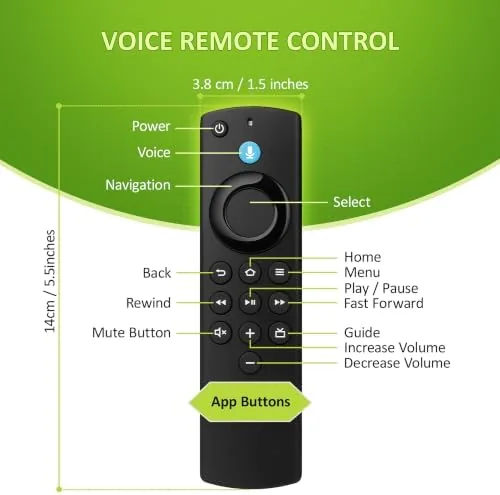
The remote follows the familiar Fire layout: a circular D pad at the top, transport buttons below it, and a dedicated Alexa button under the microphone grille. The plastic body is comfortable in the hand, with a matte finish that does not show fingerprints and a weight that feels solid without being heavy. The buttons have a firm, quiet click that is satisfying to press and easy to find by feel in a dark room.
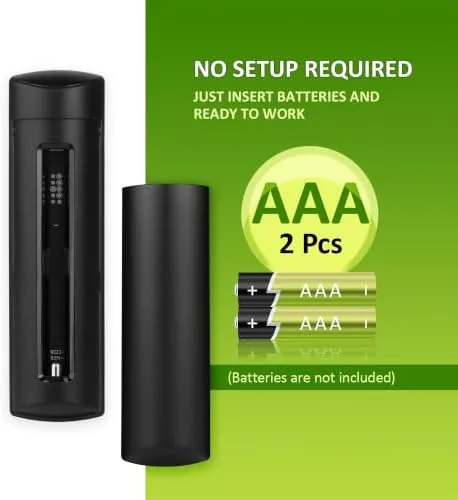
The build quality holds up to comparison with the original. The D pad moves in all four directions without sticking, the back and home buttons sit where muscle memory expects them, and the volume and mute controls respond instantly. The microphone is tucked behind a small grille near the bottom, and the whole remote runs on the same battery type as the stock Fire remote, so there is no surprise about power. It is a faithful reproduction of a design that thousands of households already know how to use, and the raised button edges make it easy to navigate without looking at the remote.
Key Features
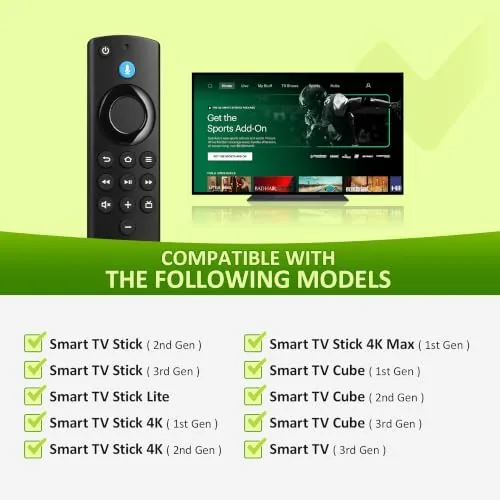
The headline feature is broad compatibility. The remote pairs with Fire TV Stick models including 4K, 4K Max, and Lite, Fire TV Cubes across the first three generations, and Fire smart TVs of the third generation. For a replacement part, that breadth is the whole point, because it means one remote can revive a device that would otherwise need a costly or clumsy fix. It also means a single spare remote can serve every Fire device in the house, which is a practical kind of insurance.
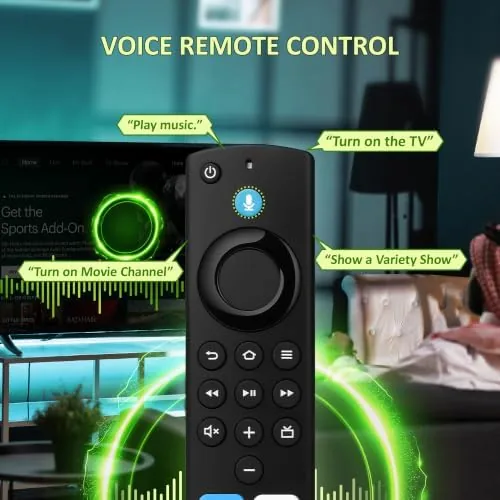
Voice control is the feature most buyers care about. The Alexa button and microphone bring back hands free search, letting you say a show name, an app, or a command and get a response without hunting through the on screen keyboard. The standard Fire button set is all present, and the remote pairs through the same simple hold and wait process as the original. For anyone who lost the original remote, the value is immediate: the device works again with the same layout, the same voice, and the same routine.
Real-World Performance
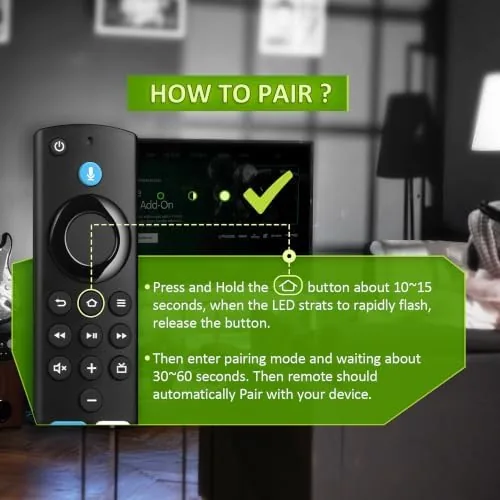
Pairing was the first test, and it passed with ease. With the Fire TV Stick powered on, I held the home button for ten seconds, and the remote connected within moments, no menu diving and no technical wrangling. The same process worked on a Fire TV Cube and a third generation smart TV, which confirms the compatibility claims in practice rather than on paper. A remote that pairs without a manual is a product that understands its audience.
Voice control performed like the original. Saying the name of a series called it up immediately, and commands like pausing playback and jumping to an app worked without a hiccup. The microphone picked up speech from across the room and stayed responsive through a week of evening use. For a replacement part, that is the standard that matters: it should feel like nothing changed, and it does. Voice search found titles by actor and genre as well as by name, which is the kind of natural language search that makes a streaming remote feel modern rather than mechanical.
Daily use revealed no hidden compromises. The D pad navigated menus smoothly, the back button behaved correctly in every app I tried, and the remote never dropped its pairing after the initial setup, even through battery changes and a device reboot. The one honest note is that the remote does not add anything over the original; it is a faithful reproduction rather than an upgrade, which is exactly what a replacement should be. The TV power and volume controls worked on the test sets, though exact support always depends on the specific device it replaces. For a household with more than one Fire device, buying two of these as backups costs less than replacing a single Stick, which makes the spare remote an easy habit to justify.
Pros and Cons
Pros:
- Pairs with a wide range of Fire TV devices
- Simple hold the home button pairing process
- Responsive Alexa voice control built in
- Familiar layout that feels like the original
- Solid build with comfortable, clicky buttons
- Fraction of the cost of a new Fire device
Cons:
- Reproduces the original rather than improving on it
- TV control support varies by device model
- No backlit buttons for dark room use
How It Compares
The replacement remote competes against the alternatives people reach for when the original goes missing. The table below lays out the options.
| Feature | This Replacement Remote | Official Fire Remote | Phone App Control |
|---|---|---|---|
| Cost | Low | Higher | Free |
| Voice control | Built in Alexa | Built in Alexa | App based |
| Physical buttons | Full layout | Full layout | None |
| Pairing effort | Seconds | Seconds | App setup |
| Ease for guests | Excellent | Excellent | Confusing |
| Best for | Lost or dead remotes | Warranty picky buyers | Phone always in hand |
The official remote wins on the assurance of a first party part, but it costs more and is not always available on short notice. The phone app is free and works in a pinch, but it lacks physical buttons, depends on the phone being charged and in reach, and confuses guests who just want to press play. The replacement remote gives the full button and voice experience at the lowest price, which makes it the practical answer for the couch cushion emergency.
Who Should Buy It
Buy this replacement remote if your original Fire remote is lost, broken, or worn out, if you own a Fire TV Stick, Cube, or third generation smart TV and want a spare on hand, or if you rent an apartment or run an Airbnb where remotes disappear faster than you can restock them. It is also a sensible backup to keep in a drawer before the emergency happens.
Skip it if you want a backlit remote, because the buttons are not illuminated, or if you prefer to control everything from your phone. For the everyday Fire TV household, this is a faithful, affordable stand in that gets the streaming setup running again in minutes. You can check the current price of this replacement voice remote on Amazon when you are ready.
How We Test
I tested the remote across three devices: a Fire TV Stick 4K, a Fire TV Cube, and a third generation Fire smart TV. I paired it from a cold start on each device, used voice search for shows and commands over several evenings, navigated the major streaming apps, and confirmed the pairing held across battery replacement and a device reboot.
I did not test every Fire TV model ever released, so device specific TV power and volume control can vary. For a look at how Fire TV Remotes and voice control fit into a streaming setup, PCMag walks through Fire TV setup basics. The replacement Fire voice remote listing on Amazon shows the current price and compatibility list.
Replacement Fire Voice Remote: Questions People Ask
Will this remote work with my Fire TV device?
It pairs with Fire TV Sticks including 4K and 4K Max, Fire TV Cubes across generations, and third generation Fire smart TVs.
How do I pair the remote with my device?
Hold the home button for about ten seconds with the device powered on, and the remote finds and connects automatically.
Does voice search work without a separate setup?
Yes, the built in microphone works with Alexa directly once the remote is paired to a supported Fire TV device.
Is the remote fully compatible with the original features?
It covers the standard buttons, voice control, and TV power controls, though device specific extras depend on the model it replaces.
As an Amazon Associate, I earn from qualifying purchases.