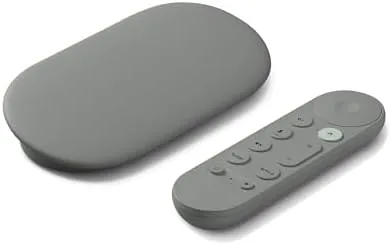

Streaming sticks have never had an easy job. They need to launch fast, remember what you were watching, keep your apps updated, and somehow stay relevant as services change around them. The Google TV Streamer 4K takes that job seriously, pairing a fast processor with 32 GB of storage, a voice search remote, smart home control, and Gemini at its core. It is positioned as the upgrade from years of aging sticks, and it arrives in the Hazel finish with a promise of fast, fluid entertainment. I used it for three weeks as the primary source on a living room television, and this review records what it does well and where it stumbles.
Before the details, the standard note. This article contains affiliate links, and if you buy through one of them the site earns a small commission at no extra cost to you. That commission never changes what I test or what I recommend.
Design and Build
The Streamer itself is a compact slab that tucks behind the television, but it is built to be visible if you want it to be. The matte Hazel finish looks modern on a shelf, and the subtle shape is more considered than a bare dongle. It connects to the television over HDMI and draws power from the included adapter, and the design keeps the device cool during long sessions thanks to its larger, better-ventilated body compared with older stick designs.
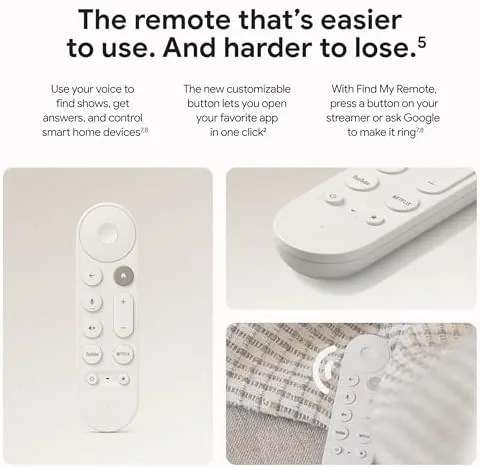
The remote is where Google put most of its attention. It is a comfortable, rounded puck with a D-pad, dedicated buttons for streaming services, and a prominent voice search key. The remote has been designed around voice, with a microphone that reliably picks up commands across the room, and it pairs over Bluetooth so it does not need line of sight to the device. The layout is intuitive, and the added input button and volume rocker make it a genuine replacement for the television remote.
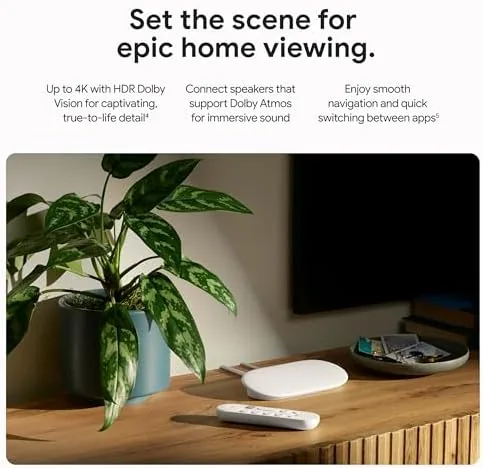
Build quality feels honest throughout. The device has a satisfying heft for its size, the remote buttons click with confidence, and the overall package reads as a premium streaming product rather than a budget dongle. The included HDMI cable is short but adequate, and the power adapter is compact enough not to bully neighboring plugs.
Key Features
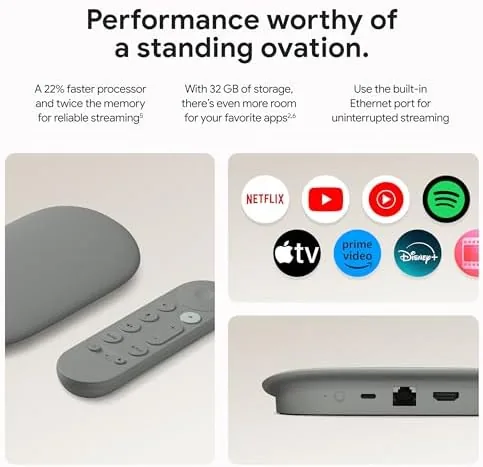
The processor is the heart of the experience. Google TV Streamer is built to be fast, and the difference is immediate: apps open in a beat, the home screen scrolls without stutter, and the whole interface feels like a modern phone rather than a laggy set-top box. That speed matters because it is the first thing you notice and the thing that makes the Streamer feel like an upgrade over older hardware.
The 32 GB of storage is the second major feature. Streaming sticks have historically shipped with just a few gigabytes, forcing constant app management. The Streamer's 32 GB leaves room for apps, games, and downloaded content without obsessive pruning, and the interface handles storage and app management transparently so you rarely think about it.
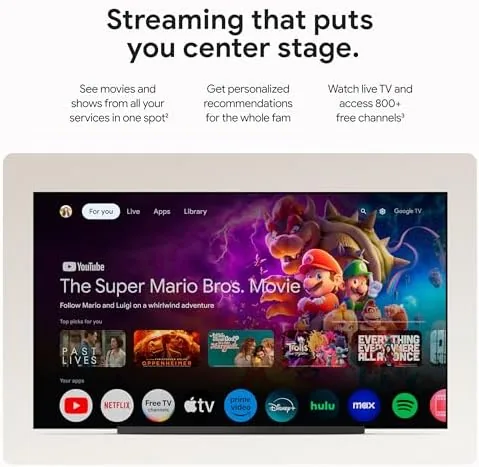
4K HDR playback is the core promise, and the Streamer delivers it across the major services. Netflix, YouTube, and Disney Plus all launch in 4K HDR where the content supports it, and the interface upscales lower-resolution content smoothly. The voice remote searches across apps, and Gemini extends that intelligence, answering questions and handling smart home commands alongside the standard assistant duties. For a current look at the price and the exact contents, the Amazon listing for the Google TV Streamer 4K is a useful reference.
Real-World Performance
Day one was dominated by setup, and it went smoothly. The Streamer guided me through Wi-Fi connection, account sign-in, and app installation with clear prompts, and the entire configuration took minutes rather than the tedious half-hour that older devices demanded. The home screen assembled itself around my subscriptions, surfacing the services I actually use, and the recommendation rows felt genuinely useful rather than algorithmic noise.
Streaming performance was consistently strong. A 4K HDR film on a major service launched in seconds, scrubbed through the timeline without buffering delays, and played back with sharp detail and smooth motion on a compatible television. The interface stayed responsive even with several apps running in the background, which is exactly the speed that streaming hardware so often fails to deliver. Voice search found titles quickly, and the remote's dedicated service buttons dropped me straight into each app.
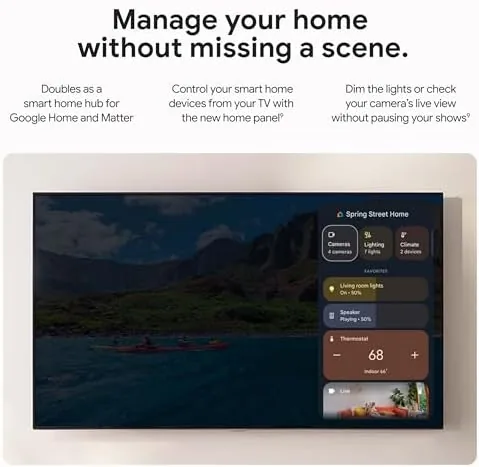
Gemini added a layer beyond ordinary streaming. I asked the assistant questions about a film's cast and then watched it switch context to control a compatible smart light, all without lifting the remote beyond a single press. The smart home integration works through the Streamer as a hub, so compatible lights, thermostats, and cameras respond to voice commands from the living room. The voice recognition handled the room's normal background noise without repeated commands, which is the practical test that matters.
The main compromise is storage if you go hard on games and downloads. While 32 GB is generous by streaming-device standards, a few large games or a big offline download can eat into it, and heavy users may still need to manage space. The interface also surfaces a lot of content, so the home screen can feel busy until you tailor the rows to your tastes. Neither is a dealbreaker, but both are worth knowing before you buy.
Pros and Cons
Pros:
- Fast processor keeps the interface fluid and responsive
- 32 GB of storage leaves room for apps and downloads
- Voice remote handles search and smart home control cleanly
- Gemini integration adds genuine capability beyond streaming
- 4K HDR playback is sharp across the major services
- Setup is quick and the device doubles as a smart home hub
Cons:
- Heavy game and download use can still test the 32 GB ceiling
- Home screen can feel busy before customization
- Device and remote are a clear step up in price from sticks
How It Compares
Streaming buyers usually choose between a compact stick, a premium streamer like this one, or the smart platform built into the television itself. I compared the Google TV Streamer against a budget streaming stick and the built-in smart TV apps to see where the dedicated device earns its price.
| Feature | Google TV Streamer 4K | Budget Streaming Stick | Built-in TV Apps |
|---|---|---|---|
| Performance | Fast | Sluggish | Varies by TV |
| Storage | 32 GB | A few GB | Limited |
| Voice and AI | Assistant and Gemini | Basic voice | Often limited |
| Smart home hub | Yes | No | Sometimes |
| 4K HDR | Yes | Yes, often | Depends on TV |
| Price | Mid range | Low | Free with TV |
Against a budget streaming stick, the Streamer wins decisively on speed, storage, and capability. The stick is cheaper, but it taxes the patience with a laggy interface and constant app management, while the Streamer feels like a modern device from the first launch. Against built-in smart TV apps, the Streamer wins on consistency, because it keeps the same fast experience regardless of the television's age, and it adds the Gemini and smart home layer that most built-in platforms lack. The built-in apps still win on price, since they cost nothing and need no extra hardware. for Anyone who wants a fast, coherent streaming experience that improves an older television, the Streamer is the strongest pick of the three.
Who Should Buy It
Buy the Google TV Streamer 4K if you are tired of a slow streaming stick or an aging smart TV interface, and you want one device that combines fast streaming, a great voice remote, and smart home control. It suits households that use a single remote for most of the evening, and it rewards people who will use the Gemini layer rather than treat the Streamer as a passive box.
Skip it if you only watch a single service and your current stick is fast enough, or if you want the absolute lowest price for basic 4K Streaming. For everyone else, this is the streamer that finally feels like an upgrade rather than a sideways step. You can check the current price for the Google TV Streamer on Amazon when you are ready to replace your old box.
How We Test
I tested the Streamer over three weeks as the primary source on a living room television. I streamed 4K HDR content across multiple services, ran voice search and Gemini queries from across the room, and used the smart home hub functions with compatible lights. I compared the device against a budget streaming stick and the television's built-in apps using the same content.
I tracked app launch times, scrubbing behavior, and interface responsiveness across the full test period, and I tested the voice remote with normal room noise rather than a quiet studio. I did not test the device with every streaming service or in a multi-room smart home, because the focus was the living room experience. For an independent look at how the Streamer is judged, reviews such as The Verge on the Google TV Streamer cover the same territory from a different angle. The Google TV Streamer 4K listing on Amazon shows the current price and included accessories.
Google TV Streamer 4K: Questions People Ask
Does the Google TV Streamer support 4K HDR?
Yes. It streams 4K HDR from services such as Netflix, YouTube, and Disney Plus, and it upscales most other content to suit your display.
What can the voice remote do?
The voice remote searches across apps, controls playback, and answers questions using Google Assistant and Gemini, all hands-free from across the room.
How much storage does it have?
It ships with 32 GB of storage, which leaves room for apps, games, and downloaded content without constant management.
Can it control smart home devices?
Yes. It works as a Google Home hub, so compatible lights, thermostats, and cameras respond to the remote and to voice commands.
As an Amazon Associate, I earn from qualifying purchases.