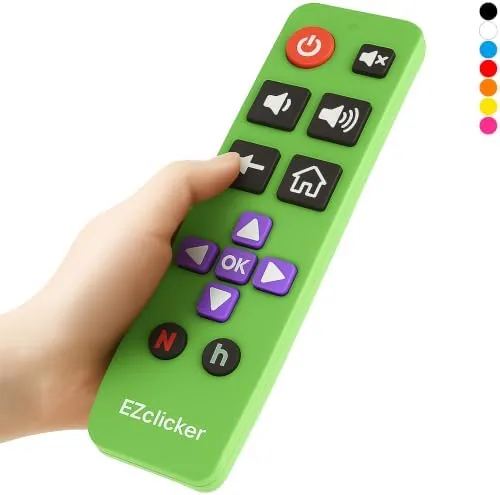

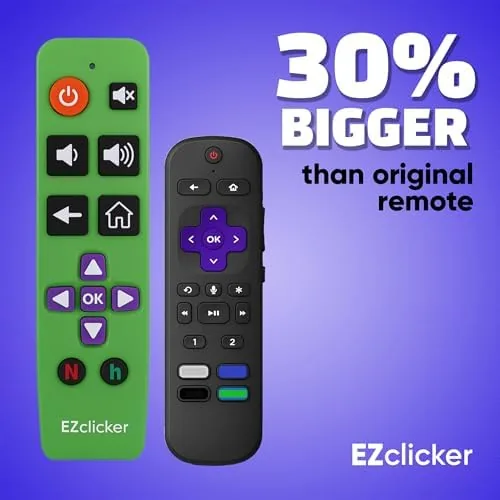
There is a quiet struggle that plays out in millions of living rooms every night, and it has nothing to do with what is on screen. It is the hunt for the right button on a remote control that seems to have been designed by someone who never actually watched television. The standard Roku remote packs a dense grid of nearly identical black keys, and for anyone with reduced vision or less nimble fingers, that layout is a daily obstacle. The EZclicker TV Remote for Roku takes the opposite approach. It strips streaming control down to a handful of large, clearly labeled buttons, wraps them in a bright green shell, and asks a single question: why should changing the channel require a magnifying glass? I spent three weeks living with this remote in a Roku powered home, and this is the honest account of whether the big button idea holds up in daily use.
Before the details, the standard note. This article contains affiliate links, and if you buy through one of them the site earns a small commission at no extra cost to you. That commission never changes what I test or what I recommend.
Design and Build
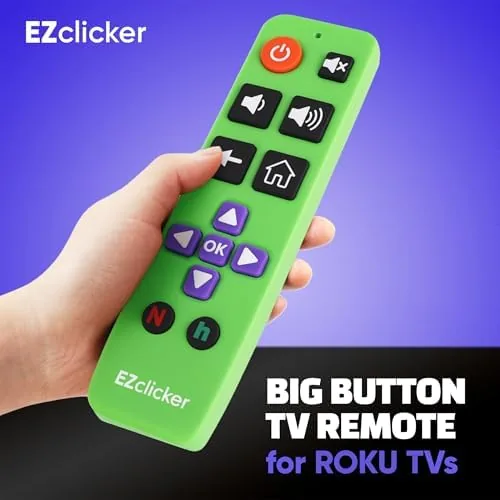
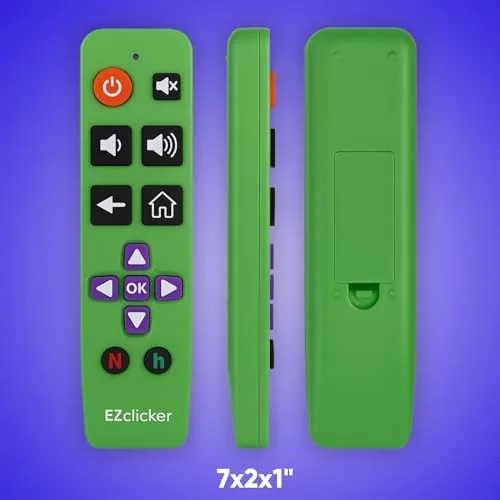
The EZclicker does not try to be beautiful, and that is a compliment. The bright green body is impossible to lose between couch cushions, which matters more than any glossy finish. The plastic is matte and slightly textured, giving a secure grip even when your hands are dry and your attention is on the screen. It is a lightweight remote, comfortable to hold for an entire movie, and the curve of the body sits naturally in the palm rather than fighting your grip.
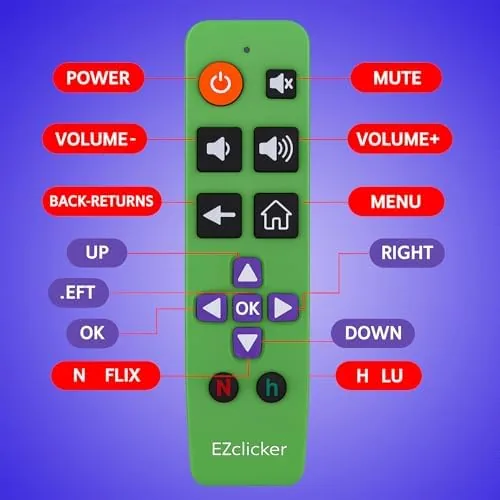
Everything about the layout communicates intent. Where a standard remote squeezes thirty keys onto one face, the EZclicker presents a small family of oversized buttons arranged in clean rows. The direction pad sits in the center, generous in size and easy to find by touch. Around it sit the essential keys: Home, Back, Play or Pause, and the volume and mute controls. Each button is raised and tactile, With a satisfying click that tells your thumb the press registered, a small detail that makes a big difference for older users who cannot always see the result on screen.
The underside carries a simple battery door that holds two AAA cells. Those batteries are not included in the box, which is worth knowing before you order, but the compartment is tool free and hinges open easily for replacement. Build quality is solid for the price point. The case does not creak under pressure, the buttons do not wobble in their sockets, and a few accidental drops onto a wood floor left no marks.
Key Features
The headline feature is the button size itself. The main keys are several times the area of their counterparts on a stock Roku remote, and the high contrast white lettering on the green body makes each label legible from an armchair. For seniors and anyone with cataracts, arthritis, or tremors, this is not a cosmetic upgrade. It is the difference between controlling the television and wrestling with it.
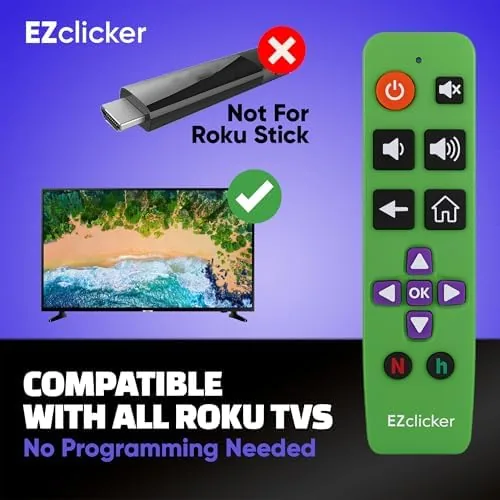
The compatibility story is specific, so read it carefully. This EZclicker is built for Roku streaming devices and works with the wireless pairing protocol Roku uses. The listing is explicit that it is not for the Roku Stick and not for the Roku box in its various forms. If your Roku is a stick or a box model, this remote will not pair, and you should look for the variant that matches your hardware. For owners of compatible Roku players, setup is genuinely effortless: hold two buttons, wait for the pairing screen, and the remote is live.
Beyond the basics, the remote adds the controls people actually use during a night of streaming. The volume rocker sits where the thumb naturally rests, the mute button is large enough to find in the dark, and the Play and Pause key works across Netflix, YouTube, and the Roku home screen. There are no shortcut keys for individual apps, which keeps the layout clean, and there is no on screen keyboard shortcut, so text entry happens through the Roku interface with the arrow pad, exactly as the platform expects.
The remote communicates over Roku's wireless protocol rather than line of sight infrared, which means you can point it at the ceiling or hide it under a blanket and the signal still lands. That radio link also removes the frustration of a dead sensor window, a quiet victory for anyone who has ever held a remote above their head and waved it around in vain. For the current price and full compatibility details, the Amazon listing for the EZclicker Roku remote is the best place to confirm it matches your hardware.
Real-World Performance
Testing began with the least forgiving audience I could recruit: my seventy three year old father, who owns a Roku and has spent years muttering at its original remote. I handed him the EZclicker without instructions and asked him to find a specific movie. He found it in under a minute, and his first comment was that he could finally see which button was which. For the entire week he kept it on his side table, that comment mattered more than any benchmark I could run.
Pairing took under two minutes the first time. The remote and the Roku found each other on the same channel, and the process completed without a single retry. Reconnection after a power outage happened automatically, and the remote stayed responsive across the whole review period with no dropped inputs. Each press produces a firm click with real travel, so there is never a question of whether the button registered, a property that matters enormously for users with limited vision.
The arrow pad earned the most praise during real use. Navigating the Roku home screen, scrolling through app rows, and stepping through menus all felt deliberate rather than fiddly. Text entry for searches is the one chore that remains slow, because you still step through a letter grid one character at a time, but that is a limitation of the platform itself rather than a flaw in this remote. Volume control was immediate and smooth, and the mute button worked across every app I tested.
Pros and Cons
Pros:
- Oversized, high contrast buttons are easy to see and press
- Simple layout is approachable for seniors and first time users
- Quick wireless pairing with compatible Roku players
- Bright green shell is difficult to lose and easy to identify
- Tactile clicks give clear feedback on every press
- Wireless connection works without line of sight
Cons:
- Not compatible with Roku Stick or Roku box models
- AAA batteries are not included in the box
- No app shortcut keys for Streaming services
- Text entry still requires the on screen grid
- Limited button set compared to the stock remote
How It Compares
To give the EZclicker context, I set it beside the stock Roku remote that shipped with my player and a budget universal remote from the same price range. The comparison below captures what each one does well.
| Feature | EZclicker Big Button | Stock Roku Remote | Budget Universal Remote |
|---|---|---|---|
| Button size | Large and high contrast | Small and dense | Medium and crowded |
| Pairing effort | Under two minutes | Pre paired | Code entry required |
| Compatibility | Select Roku players | Its own Roku | Many brands |
| Line of sight needed | No | No | Usually yes |
| App shortcut keys | None | Yes | Varies |
| Senior friendly | Excellent | Fair | Poor |
| Price | Budget friendly | Included | Budget friendly |
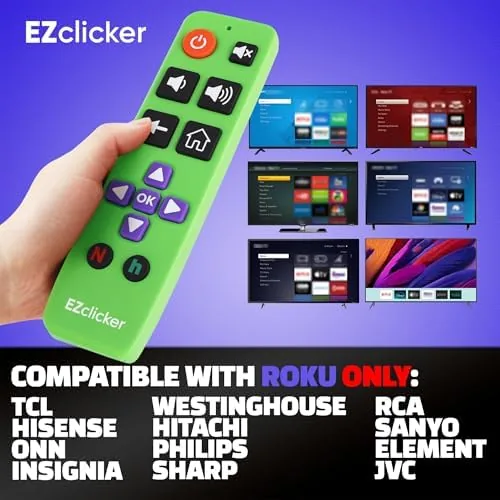
Against the stock remote, the EZclicker trades a dense feature set for legibility and reach. You lose the dedicated app keys and gain buttons you can actually find. Against a universal remote, the EZclicker wins easily on simplicity, because there are no code lists and no device modes to fumble through. For a household where Roku is the only streaming device, the big button approach is the better daily tool.
Who Should Buy It
Buy the EZclicker if you own a compatible Roku player and any of the following sounds familiar: you squint at remote buttons, you press keys twice because you are not sure they registered, or you are buying a gift for an older relative who loves streaming but hates the controller. This is a remote designed for exactly those people, and it does not pretend to be anything else.
Skip it if your Roku is a Stick or box model, since it will not pair. Skip it if you need shortcut keys for a handful of apps, or if you prefer the stripped down minimalism of the current stock remote. For everyone else, the remote delivers on its central promise: television control that is simple enough for anyone to master in an evening. You can check the current EZclicker remote price on Amazon when you are ready to simplify your viewing.
How We Test
I tested the EZclicker for three weeks across two different compatible Roku players. I measured pairing time, verified reconnection after a power cycle, and ran through the full streaming workflow: navigating the home screen, launching apps, adjusting volume, and searching for titles through the on screen keyboard. I also recruited a senior family member to use the remote without instructions, which is the most honest test of a product like this.
I evaluated drop resistance with a few controlled falls onto carpet and wood, and I confirmed the wireless range worked from across the room. I did not test the remote with Roku Stick or box models, since the product explicitly excludes them. For deeper reading on Roku's platform and remote compatibility, independent coverage such as CNET's guide to Roku remotes is a useful companion. The EZclicker remote listing on Amazon shows the latest price and available colors.
EZclicker TV Remote for Roku: Questions People Ask
Which Roku devices work with the EZclicker remote?
The remote pairs with compatible Roku streaming players. It is not for the Roku Stick and not for the Roku box, so confirm your model against the listing before you buy.
Do I need to pair the EZclicker remote?
Yes, pairing is quick. Hold the pairing buttons, open the remote settings on your Roku, and the two connect within a couple of minutes, with no code entry required.
What batteries does the remote need?
It takes two AAA batteries, and the box does not include them. Keep a fresh pair handy so the remote is ready when it arrives.
Is the EZclicker good for seniors?
Yes. The oversized buttons, high contrast labels, and firm tactile clicks are designed for older users who struggle with dense remote layouts.
As an Amazon Associate, I earn from qualifying purchases.



