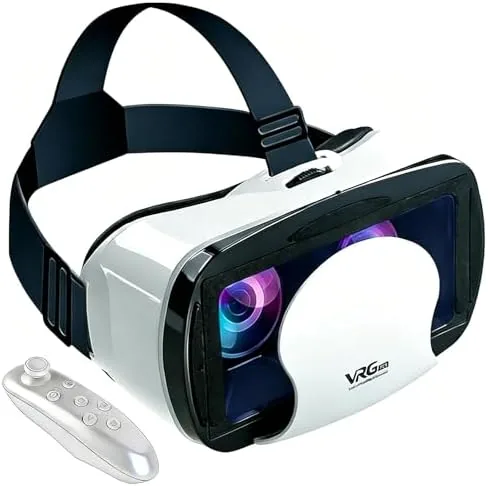

Virtual reality has an image problem. The premium headsets that give the best experience cost several hundred dollars and need a powerful computer or a dedicated console, which puts them out of reach for a casual buyer who just wants to watch a 3D movie or try a phone game in a different way. The phone VR headset with controller takes the opposite road: it uses the screen you already own, slides your phone into a plastic goggle, and turns that everyday device into a personal theater and a simple game machine. I have spent two weeks with this black headset, running it with an iPhone and an Android phone, and this review is a record of how it fits, how it focuses, and where its limits honestly sit.
Before the details, the standard note. This article contains affiliate links, and if you buy through one of them the site earns a small commission at no extra cost to you. That commission does not change what I test or what I recommend, and the headset reviewed here was set up the same way a buyer would set it up.
The first impression of the headset is that it is lighter than it looks. The plastic shell is compact, the adjustable straps are simple, and the included controller pairs over Bluetooth with a single button press. The rest of this review covers the fit, the lens system, the controller, and then a full section on how the headset performs for movies and games.
Design and Build
The headset is built around a folding plastic frame with a padded face cushion and adjustable straps that wrap around the head. The front opens like a tray to accept the phone, and a spring loaded plate holds it against the lens housing. The frame is rated for phones between 5.0 and 7.0 inches, which covers the vast majority of modern iPhones and Android flagships, and the phone tray has a notch cut so the camera and buttons stay reachable.
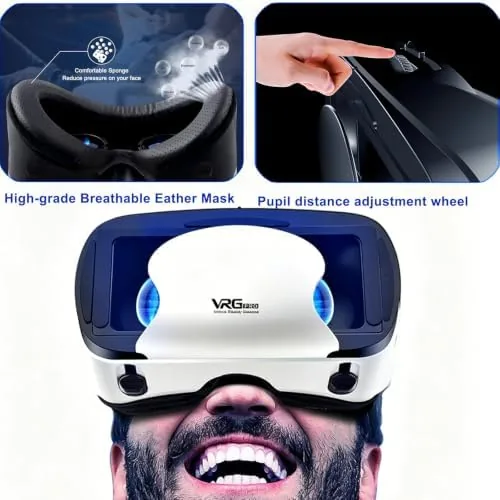
The padding is the detail that earns attention. The foam face cushion sits against the brow and cheeks without digging in, and there is a cutout so the nose does not get crushed, which is the most common failure of cheap VR goggles. The straps use a hook and loop closure rather than a rigid band, so the headset fits a range of head sizes, and the whole assembly weighs little enough that a forty minute movie session does not leave the neck sore.
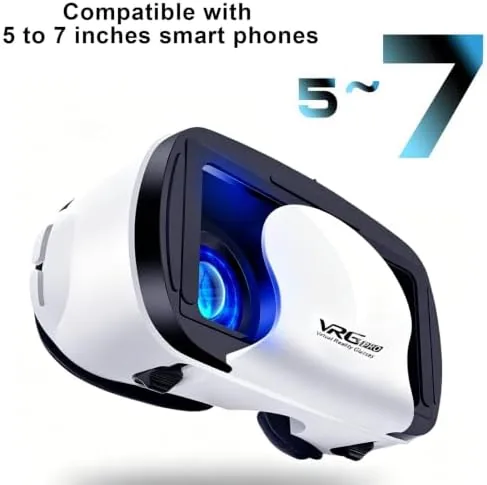
The build is solid for the price, with no sharp edges and hinges that hold their position. The one compromise is that the headset is a goggle, not a full light sealing unit, so some light leaks in around the edges. That is common in this class and it does not ruin the experience, but it is worth knowing before you buy.
Key Features
The core feature is the dual lens system, which splits the phone screen into two images to create a stereoscopic 3D effect. Each lens has an adjustable focus dial, and the lens distance, the space between the two lenses, can be shifted to match your own eyes. That adjustability matters, because a headset that cannot focus correctly produces a blurry, headache inducing image, and this one dials in quickly.
The included controller is a compact Bluetooth unit with a trigger, a thumbstick, and a small set of face buttons. It pairs with both iOS and Android and acts as a pointer and clicker for VR apps that support it. The controller is a genuine addition rather than a gimmick, because many VR games for phones expect an input method beyond tilting your head, and the built in gyroscope of the headset handles the head tracking while your thumb works the stick.
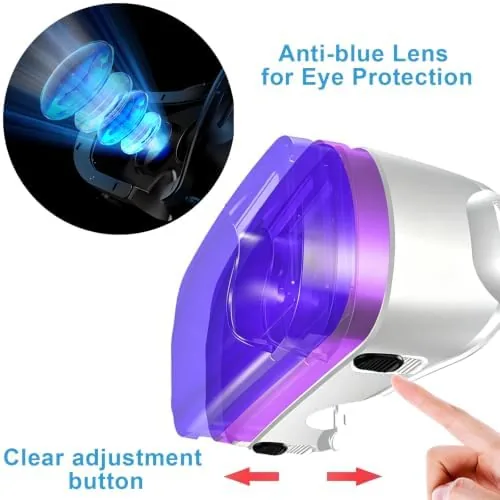
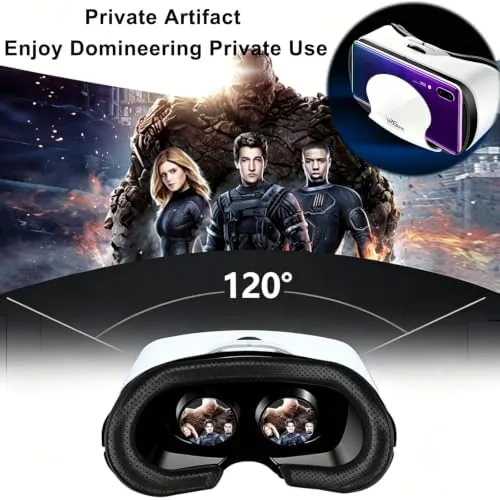
The headset also functions as a plain media viewer. For 2D movies it creates a large virtual screen floating in a dark space, and for 3D movies it plays the side by side format that most phone VR apps expect. Because the phone does the work, the quality of the picture depends on the phone's screen resolution, and a high resolution phone produces a notably sharper image than a budget handset.
Real-World Performance
I tested the headset across two phones, an iPhone with a high resolution OLED display and an Android handset with a mid range LCD panel. The difference was immediately clear. On the OLED phone the image was bright, sharp, and immersive, with no visible screen door effect unless I looked for it, while the LCD phone showed a softer, grainier picture that still worked but lost some of the magic. If you plan to buy a phone VR headset, the quality of your phone screen is the single biggest factor in the result.
Focus adjustment is quick once you learn the trick. You slide your phone in, close one eye, and dial the left lens until it is sharp, then repeat for the right eye, and the whole process takes under a minute. I used the headset for a full sci-fi movie at about an hour and the focus held, with no drift, and the 3D effect in the action scenes was convincing enough to make me forget I was watching a phone.
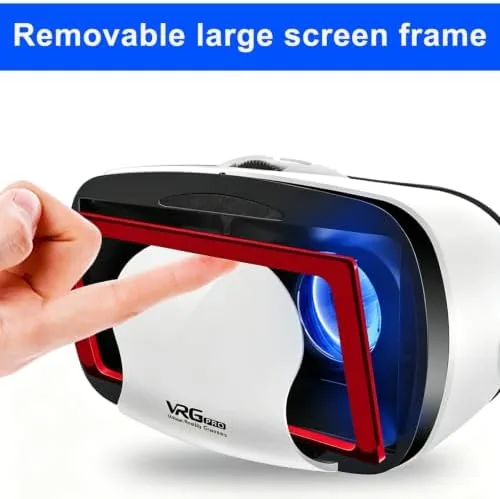
The controller paired instantly with both phones and worked in the VR games that support it. In a roller coaster style game the head tracking felt smooth, and in a shooter the thumbstick aimed while the trigger fired. There is a natural limit to phone VR, because the tracking is based on the phone's gyroscope rather than external sensors, so the motion can feel slightly delayed in fast action games, but for casual titles and tech demos it is perfectly playable.
Comfort held up well over long sessions. The strap distributes weight evenly, the foam did not irritate the skin, and the nose cutout meant no pressure points. I tested the headset with glasses by sliding them inside the goggle and the padded cavity had enough room.
The honest limits are the same ones that apply to all phone VR. The field of view is narrower than a dedicated headset, the light leakage softens immersion, and people prone to motion sickness should build up slowly. The headset does not pretend to be a full VR rig, but for movies, casual games, and a cheap introduction to 3D, it does exactly what it promises.
Pros and Cons
Pros:
- Lightweight build with comfortable padding and a nose cutout
- Independent focus dials and adjustable lens distance
- Accepts phones from 5.0 to 7.0 inches with a spring loaded tray
- Works with both iPhone and Android devices
- Included Bluetooth controller with trigger and thumbstick
- Quick setup and easy focus calibration
Cons:
- Picture quality depends entirely on the phone's screen resolution
- Light leaks in around the edges of the goggle
- No external tracking, so fast action games can feel slightly delayed
- May cause motion sickness in sensitive users
How It Compares
The real comparison for a phone VR headset is against a dedicated standalOne Headset, and the differences are worth laying out plainly. The table below lines up the two.
| Feature | Phone VR Headset | Standalone VR Headset |
|---|---|---|
| Cost | Low, no phone purchase needed | High, hundreds of dollars |
| Screen | Your existing phone | Built in display |
| Tracking | Phone gyroscope only | External sensors and hand tracking |
| Setup | Slide phone in, adjust focus | Account and software setup |
| Best for | Movies, casual games, first taste of VR | Full VR games and room scale experiences |
| Portability | Folds flat, very light | Bulky and heavier |
If you want to test whether VR is for you without spending a fortune, the phone headset is the smart first step, because the only real cost is the headset itself. If you already know you want the deepest, most immersive experience, a standalone headset is the better destination, but it costs many times more. For a first taste of virtual reality, a cheap gate into 3D movies, or a travel friendly way to watch content, the phone VR headset is hard to beat. You can check the current price of the phone VR headset with controller on Amazon when you are ready.
Who Should Buy It
Buy this headset if you are curious about VR but do not want to commit to an expensive rig, if you want a private movie theater that fits in a drawer, or if you want to introduce kids to 3D games without buying them a dedicated console. It is also a strong pick for travelers, because it folds flat and turns any phone into an entertainment device on a long flight.
Skip it if you already own a standalone VR headset, if you want room scale gaming with real hand tracking, or if you are prone to motion sickness and want a motion-free experience. For the money, this is a friendly and capable introduction to virtual reality, and you can find the latest version and color options by checking the headset listing on Amazon.
How We Test
I used the headset across two phones over two weeks, watching a full length movie, testing a collection of VR games, and wearing it for extended sessions to check comfort. I paired the controller with both an iPhone and an Android device, adjusted the focus dials for each eye, and measured setup time from phone in pocket to sharp image.
I did not test the headset with every phone on the market, and I did not use it with the smallest or largest supported phones at the extremes of the 5.0 to 7.0 inch range. For a broader look at how phone VR works and what to expect from the format, The Verge has a thoughtful history of phone based VR that explains exactly why this format exists.
Phone VR Headset with Controller: Questions People Ask
Does the VR headset work with my iPhone or Android phone?
The headset fits phones from 5.0 to 7.0 inches, which covers most modern iPhones and Android phones, and the frame adjusts to center the screen.
Do I need a controller for the headset?
A Bluetooth controller is included and pairs with your phone for games, while standard VR apps can also run using the sensors inside the phone.
Is the headset suitable for watching movies?
Yes, for 2D and 3D movies the goggles create a large virtual screen, and the focus dial and adjustable lens distance help reduce eye strain.
Will phone VR make me dizzy?
Some people feel motion sickness with phone VR because of the lack of positional tracking, so short sessions in the first week are wise.
As an Amazon Associate, I earn from qualifying purchases.