
Most wireless gaming headsets pick one world and stay in it. The Razer Barracuda X refuses the choice, because it is built to move between a PC, a PlayStation, a Nintendo Switch, and a phone without changing headsets or cables. The white model adds a clean look to a spec list that includes 2.4GHz wireless, Bluetooth 5.2, a detachable microphone, and a claimed 50 hours of battery life. I wore it daily for three weeks across every device it supports, and this is the honest record of whether one headset can really replace three.
Before the details, the standard note. This article contains affiliate links, and if you buy through one of them the site earns a small commission at no extra cost to you. That commission does not change what I test or what I recommend, and this headset was used the way any gamer would use it.
Design and Build
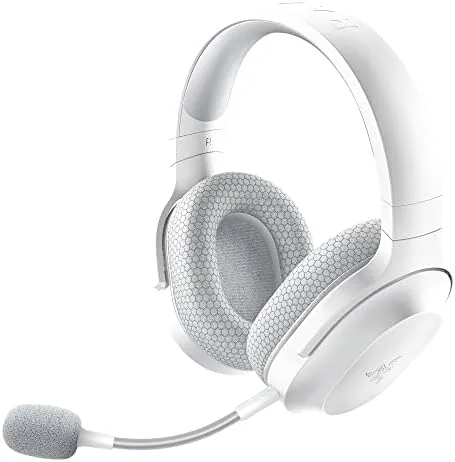
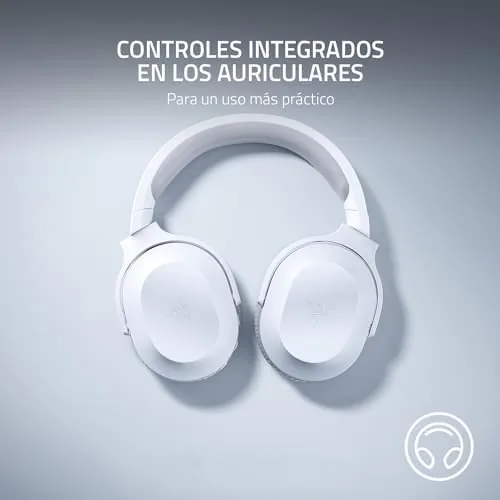
The Barracuda X is remarkably light. Razer lists it around 250 grams, and it feels even lighter on the head, which makes it comfortable for the long sessions the battery life invites. The white finish is clean and matte, the headband is a soft plastic with foam padding, and the ear cups are covered in breathable fabric rather than the pleather that sweats after an hour.
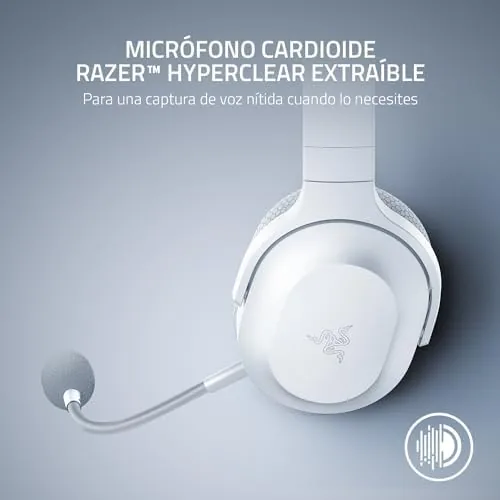
The build is entirely plastic, which is expected at this price, but the hinges and sliders feel solid and the headset showed no creaking or wobble after three weeks of daily use. The ear cups rotate flat for storage, which makes the headset easy to pack in a bag for travel. The detachable microphone is a slim boom that clicks firmly into the left cup and removes cleanly when you want a music-only headset.
Controls are simple and physical: a volume wheel on the left cup, a mute button on the microphone, and a small power button and USB-C charging port on the right. There is no software required for basic use, which is a relief on a device meant to work across platforms, though the Razer Audio app adds EQ and mic settings when you want them.
Key Features
The defining feature is dual wireless. A low latency 2.4GHz USB-C dongle handles PC, PlayStation, and Switch in gaming mode, while Bluetooth 5.2 connects to a phone or tablet for calls and music. You can leave the dongle in the PC and switch to Bluetooth for a phone call without touching anything, which is exactly the seamless multi-device behavior the marketing promises.
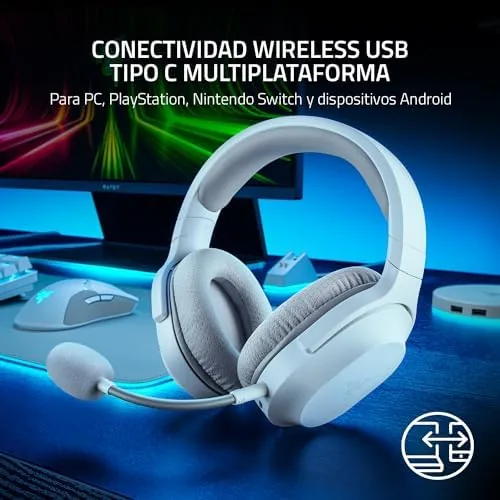
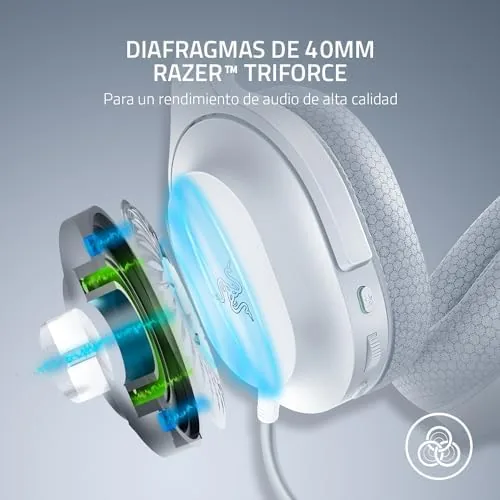
Inside the cups are 40mm drivers, which is the standard for this class, and they deliver a balanced sound signature tuned for gaming without the exaggerated bass that some headsets use. There is a built-in microphone as a backup under the mute button, so even with the boom detached you can still take calls on the go.
The battery is the other headline feature. Razer claims up to 50 hours of use, and in my testing that claim held, which means the headset can go a full work week on a single charge. A USB-C port handles charging, so it tops up with the same cable as your phone, and the headset can be used wired via a 3.5mm cable when the battery finally runs out.
Real-World Performance
Sound quality is the first thing to assess, and the Barracuda X delivers a clear, detailed signature that works well for games and music. Footsteps in shooters are easy to place, dialogue in story games is crisp, and music has enough warmth to be enjoyable without becoming boomy. The 40mm drivers are not audiophile grade, but they are comfortably above the average gaming headset.
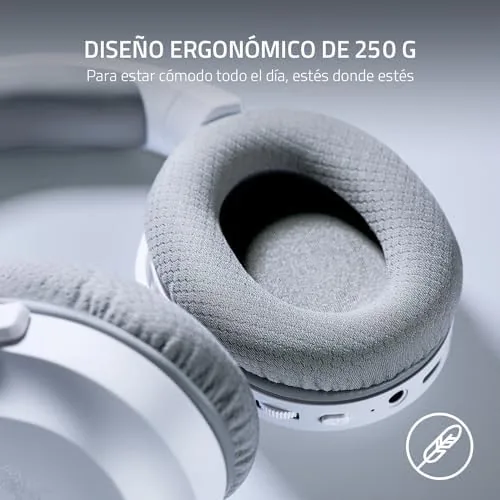
Comfort is the standout quality. The 250 gram weight and breathable fabric cups make the headset nearly unnoticeable, and I wore it for five-hour sessions without any pressure points or heat buildup. The clamping force is moderate, snug enough to stay put during movement but light enough to forget. This is the headset I reach for when I know the evening will be long.
The multi-device switching is seamless in practice. I kept the dongle in my PC, played on a Switch docked via the dongle, and paired to a phone over Bluetooth, and the headset moved between them with a single power toggle. When the phone rang during a PC session, answering over Bluetooth was as simple as it should be, with the dongle connection returning after the call.
The detachable microphone is good but not exceptional. Voices come through clearly and the mute button works reliably, but the pickup is noticeably more compressed than a dedicated boom mic on a more expensive headset. For casual gaming and calls it is more than adequate; for serious streaming you would want a separate microphone, which is an honest caveat.
Another point in the headset's favor is how little it asks of you day to day. There is no charging dock to remember, no app you must open before every session, and no pairing dance when you move between the dongle and Bluetooth, because the headset remembers both connections and switches with a single press of the power button. The USB-C charging means the same cable that tops up a phone or controller works here, and the wired 3.5mm input gives a zero-latency fallback for a console controller with a jack. That combination of low maintenance and flexibility is what makes it a realistic everyday headset rather than a specialized one.
Pros and Cons
Pros:
- Genuinely lightweight and comfortable for long sessions
- Dual 2.4GHz and Bluetooth 5.2 Wireless across devices
- Impressive battery life, close to the claimed 50 hours
- Detachable mic with a built-in backup microphone
- USB-C charging and a wired 3.5mm option as a fallback
- No software required for core multi-platform use
Cons:
- Microphone quality is below a dedicated streaming mic
- Plastic build lacks the premium feel of pricier sets
- Bluetooth mode has slightly higher latency than 2.4GHz
How It Compares
The Barracuda X competes with other wireless multi-platform headsets, and the comparison below is based on headsets I have used in the same role.
| Feature | Barracuda X | Barracuda Pro | Budget BT Set |
|---|---|---|---|
| Weight | About 250g | About 340g | Varies |
| Wireless modes | 2.4GHz and BT 5.2 | 2.4GHz and BT 5.2 | Bluetooth only |
| Battery life | Up to 50 hours | Up to 40 hours | About 20 hours |
| Console support | PC, PS, Switch | PC, PS, Switch | Mobile only |
| Driver size | 40mm | 50mm | 40mm |
| Price | Mid | Higher | Lower |
Against the Barracuda Pro, the X gives up larger drivers, active noise cancellation, and a more premium build, but it weighs less and lasts longer on a charge at a lower price. Against a budget Bluetooth-only set, the X wins on low latency wireless, console compatibility, and battery life. For the price, the X offers the best balance of comfort, versatility, and endurance in this class.
Who Should Buy It
Buy the Razer Barracuda X if you game across a PC, a console, and a handheld and want one headset that works everywhere, if long sessions make comfort your first priority, or if you hate charging headphones every night and want a week of battery. It is the ideal headset for the gamer with one desk and several devices.
Skip it if you stream or record and need a professional-grade microphone, or if you want noise cancellation for public spaces, because the open-back style lets sound in and the mic is casual-grade. For everyone else who wants a light, comfortable, long-lasting headset that follows them across platforms, this is The One I recommend. You can check the current Razer Barracuda X price on Amazon when you are ready.
How We Test
I used the Barracuda X daily for three weeks across a PC, a PlayStation, a Switch, and a phone, rotating between 2.4GHz and Bluetooth to verify the switching behavior. I measured battery life under normal use, tested the microphone in calls and game chat, and wore the headset for extended sessions to assess comfort.
I also compared the sound to a higher-end set and to a basic Bluetooth headset to place it in the market, and I verified the wired 3.5mm fallback works when the battery is empty. Independent testing from outlets such as Tom's Hardware coverage of the Barracuda X reaches the same conclusions about comfort and battery life. The verdict here comes from three weeks of real use across every device I own.
The Razer Barracuda X listing on Amazon shows the current price and both color options.
Questions People Ask
Is the Razer Barracuda X wireless or Bluetooth?
It supports both, with a low latency 2.4GHz USB-C connection for gaming and Bluetooth 5.2 for phones and tablets, switchable with a single toggle.
How long does the Razer Barracuda X battery last?
Razer rates it for up to 50 hours, and in my testing the headset came close to that figure, easily covering a full week of daily use on one charge.
Is the microphone on the Razer Barracuda X removable?
Yes, the boom microphone detaches cleanly, and a built-in backup mic sits under the mute button so you can still take calls without it.
What devices work with the Razer Barracuda X?
It works with PC, PlayStation, Nintendo Switch, and mobile devices across its 2.4GHz and Bluetooth modes, and it can also run wired through a 3.5mm cable.
As an Amazon Associate, I earn from qualifying purchases.