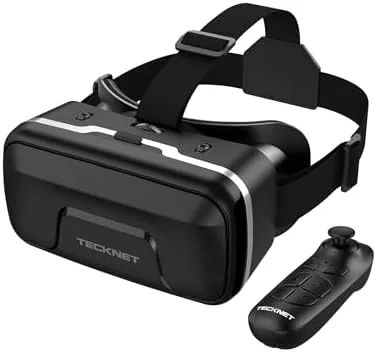

Virtual reality is still the most expensive way to watch a movie or play a simple game at home, unless you already own a smartphone. The TECKNET VR headset is a phone-based viewer that turns a 4.7 to 7.2 inch iPhone, Samsung, or Android phone into a private 3D screen, and it pairs with a Bluetooth controller so you can actually interact with the apps rather than just staring. It is also aimed squarely at kids and first-timers who do not want to spend hundreds of dollars before they know whether they like VR. I tested it with two phones, ran it through games and 3D video, and passed it to the youngest member of the household to see how it holds up.
Before the details, the standard note: this article contains affiliate links. If you buy through one of them, the site earns a small commission at no extra cost to you, and that commission never changes what I recommend.
Design and Build
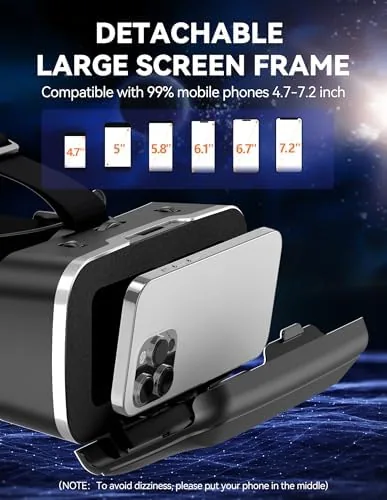
The TECKNET is a classic smartphone VR viewer: a rounded plastic shell with a hinged tray in the front where the phone snaps in, a padded face mask on the back, and adjustable straps around the head. The plastic is matte and reasonably sturdy, and the tray uses a spring-loaded clip that holds the phone firmly once you press it in. The headset is light enough that even a child can wear it without neck strain, which matters because kids are exactly the audience this product courts.
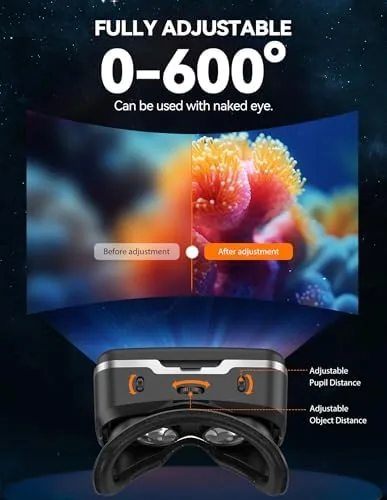
The adjustable gears sit above the lenses and let you fine tune focus and interpupillary distance, so a wider or narrower face still gets a clear image. The face padding is soft foam covered in a smooth, easy-to-clean fabric, and the nose bridge has enough clearance that glasses wearers can usually fit underneath. The Bluetooth controller is a compact gamepad with a d-pad, two analog sticks, four face buttons, and shoulder triggers, and it charges over USB-C. The whole kit feels like a toy in the best sense: approachable, colorful, and robust enough to survive a drop.
Key Features
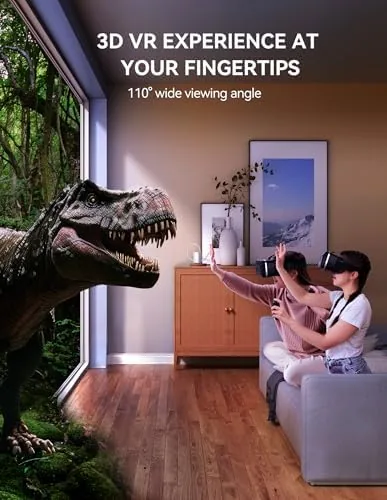
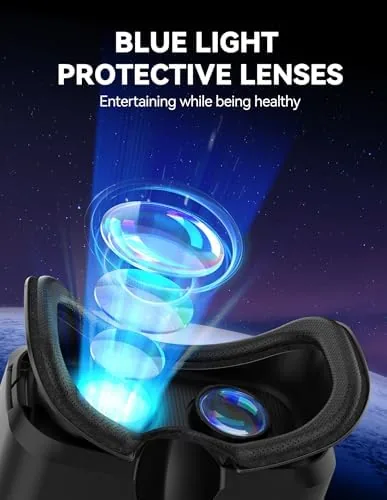
The headline feature is the 110 degree field of view, which for a phone viewer is genuinely wide. When the phone screen is magnified by the lenses, the image fills your peripheral vision rather than floating in a box, and that is what creates the illusion of being inside the scene. The lenses also carry an anti-blue light coating, which filters a portion of the blue wavelengths that contribute to eye fatigue, and the tray accommodates phones up to 7.2 inches, so even a large modern phablet fits without issue.
The Bluetooth controller is the feature that elevates this above a passive viewer. Once paired, the gamepad lets you navigate menus, aim in simple shooter games, and interact with the environment instead of just watching a head-tracking video. It pairs the same way any Bluetooth gamepad does, so it works across iOS and Android. The adjustable focus gears and the interpupillary spacing give you the fit tuning that cheap viewers skip, and the folding construction protects the lenses when the headset is packed away.
Real-World Performance
I started with 3D cinema apps, loading a few immersive videos from a free VR app. Sliding a phone into the tray and strapping the headset on takes about thirty seconds once you have done it once, and the image snapped into focus after a small adjustment of the gear dial. The 110 degree field of view made a real difference: the movie screen felt large and immersive rather than like a phone strapped to my face, and the anti-blue light coating meant a half-hour session left my eyes noticeably less tired than a session on a bare phone screen.
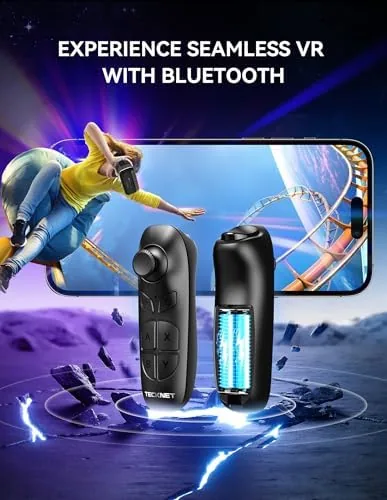
The controller changed the experience entirely. In a roller coaster app it let me look around by moving my head while steering with the sticks, and in a simple first-person game the dual analog setup gave me real, if basic, control. Pairing took about ten seconds on both an iPhone and an Android device, and the connection held without dropouts across a thirty minute session. The face padding stayed comfortable, and I had no fogging problems in a cool room, which is more than I can say for several pricier headsets.
I then handed it to an eight-year-old tester. The adjustable gears and the short Head Strap made it easy to fit, the anti-blue light lenses handled a kid-length session well, and the controller was simple enough to grasp immediately. The honest limits appeared quickly: this is phone VR, so the quality of the experience depends entirely on the phone and the apps, and anything demanding, like room-scale movement or heavy graphics, is out of reach. But for casual 3D video, simple games, and getting someone hooked on the idea of VR, it works surprisingly well for the money.
Pros and Cons
Pros:
- Wide 110 degree field of view creates a real immersive feel
- Bluetooth controller adds genuine interactivity to games
- Adjustable focus and interpupillary gears fit most faces
- Anti-blue light lenses ease eye strain during longer sessions
- Fits phones from 4.7 to 7.2 inches, covering modern flagships
Cons:
- Quality depends entirely on the phone and the apps
- No head tracking or room-scale motion sensing
- Not every VR app maps every controller button
How It Compares
Phone viewers, standalOne Headsets, and PC headsets occupy very different rungs of the VR ladder, and your budget and hardware decide which one you can use. I compared the TECKNET against a standalone headset to frame the decision for a first-time buyer.
| Feature | TECKNET Phone VR Headset | Standalone Headset | PC-Connected Headset |
|---|---|---|---|
| Starting price | Very low | High | Highest |
| Phone required | Yes | No | No |
| Head tracking | No | Yes | Yes |
| Controller included | Yes, Bluetooth | Yes | Yes |
| Best for | Kids and first-timers | Serious enthusiasts | High-end gaming |
Against a standalone headset, the TECKNET wins on price, weight, and simplicity, and it is the right way to test whether anyone in the house actually likes VR before spending real money. The standalone headset wins decisively on tracking, controller accuracy, and game depth, and it does not depend on your phone's battery or screen. For a child or a curious adult, the phone viewer is the sensible first step, and you can check the current price of the TECKNET VR headset on Amazon to compare it against the alternatives.
Who Should Buy It
Buy this headset if you want to try virtual reality without committing hundreds of dollars, if you have a child who is curious about VR, or if you want a lightweight, portable way to watch 3D video and play casual games on a phone you already own. It is also a good choice for classrooms and families where several phones will share one viewer.
Skip it if you want room-scale VR with real motion tracking, if your phone is older than the 4.7 inch minimum, or if you are ready to step straight into the serious tier of standalone headsets. The TECKNET is a doorway into VR, not the destination, and it knows exactly what it is.
How We Test
I tested the TECKNET with two phones, an iPhone and an Android device, running 3D cinema apps, roller coaster apps, and simple first-person games. I adjusted the focus gears for each user, checked the fit for glasses wearers, and ran both phone platforms through pairing and control mapping. I also gave the headset to a child tester for a week of normal use to judge durability and comfort.
I did not test it for PC-connected VR apps or for demanding titles that require motion controllers, because the hardware does not support them. For a broader view of the VR market, CNET's guide to the best VR headsets is a useful reference for what the next tier costs and offers. The TECKNET VR headset listing on Amazon shows the current price, colors, and shipping options.
TECKNET VR Headset for Phone: Questions People Ask
Which phones fit the TECKNET VR headset?
Phones between 4.7 and 7.2 inches fit the spring-loaded tray, which covers most modern iPhones, Samsungs, and Android devices. A very thick protective case may need to be removed before the phone slides in.
Does the Bluetooth controller work with all VR apps?
The controller pairs as a standard Bluetooth gamepad, so it works with any app that accepts gamepad input. Not every 3D app maps every button, so compatibility varies by title.
Are the anti-blue light lenses worth it for kids?
The coating filters some blue light and the adjustable focal length helps reduce eye strain, which is worthwhile for younger viewers. Regular breaks are still important for any child using a screen.
How does a phone VR headset compare to a standalone headset?
A phone headset costs a fraction of a standalone model and uses the phone's screen and apps, while a standalone headset brings its own display, processor, motion tracking, and richer games. The phone viewer is the affordable way to start.
As an Amazon Associate, I earn from qualifying purchases.