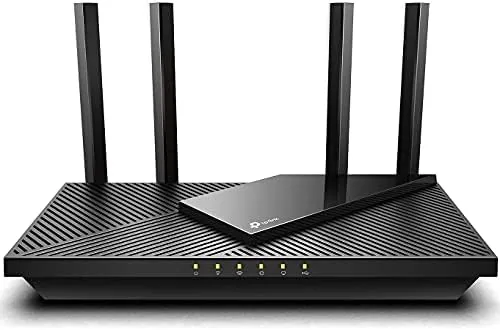

Every home reaches the moment when the old router stops keeping up. Video calls stutter, the stream in the next room pauses, and the smart home gear drops off the network at the worst times. Upgrading to WiFi 6 is the usual answer, but new routers can cost more than many people want to spend on a box they will forget about. The renewed TP-Link Archer AX21 offers a path through that problem: the same AX1800 WiFi 6 router that earned a strong reputation, sold as renewed stock for less money. This review is the record of two weeks with a renewed AX21 as the main router, and it answers whether the savings come with any real catch.
Before the details, the standard note. This article contains affiliate links, and if you buy through one of them the site earns a small commission at no extra cost to you. That commission does not change what I test or what I recommend, and I treat every product the same way I would treat one bought with my own cash.
Design and Build
The Archer AX21 looks every bit the modern router, with four antennas folding up from a flat, angular body. The unit is compact enough to sit unobtrusively on a shelf, and the antennas adjust so you can aim the signal toward the rooms you use most. My unit arrived clean and free of scratches, which is the first thing you worry about with a renewed product, and the finish matched what you would expect from a new unit.
The port layout is straightforward. Four gigabit LAN ports handle wired devices, one gigabit WAN port connects to the modem, and a power button and reset sit on the rear. There is no USB port on this model, which is the one hardware compromise the AX21 makes, so you cannot attach a storage drive for network sharing. For most households that is an easy omission to accept.
Setup is where the AX21 earns its "Certified for Humans" label. The TP-Link Tether app walks you through the whole process, naming the network and setting the password in a few taps, and the router is live within minutes. Nothing about the setup requires technical knowledge, which is exactly the point of the certification and exactly what most buyers want from a home router.
Key Features
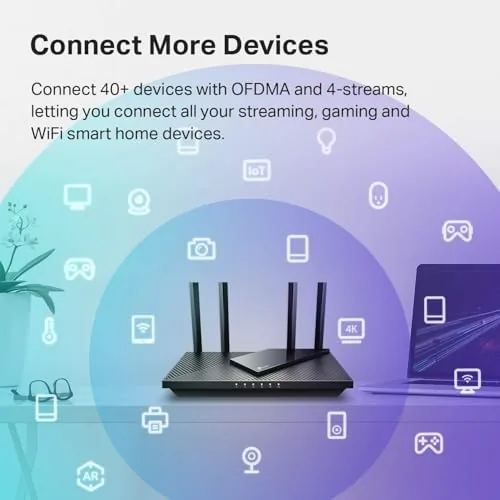
WiFi 6 is the reason to buy any AX router, and the AX21 is rated as an AX1800 unit, which means 1201 Mbps on the 5 GHz band and 574 Mbps on the 2.4 GHz band. Those are ceiling numbers, but the standard beneath them is what matters. WiFi 6 handles many connected devices at once through OFDMA, so a house full of phones, laptops, and smart home gadgets stays connected without the network grinding to a halt.

MU-MIMO and beamforming round out the wireless feature set, letting the router serve several devices at once and focus the signal toward them. These are the same technologies found in more expensive routers, which is why the AX21 remains a popular budget pick even after years on the market.
Alexa compatibility is built in through the TP-Link skill. Once the router is linked to an Amazon account, you can control guest WiFi and check the network status with a voice command, which is a genuine convenience for a smart home household even if it is not a reason to buy on its own. The guest network itself is the more useful day to day feature, keeping visitors off your main devices.
Real-World Performance
I made the renewed AX21 the only router in a busy household for two weeks and watched how it handled real life. The household runs two laptops, phones, a streaming television, and a modest collection of smart home devices that join and leave the network throughout the day. The router handled the load without complaint, and the evening hours that used to bring stutters passed without a single dropped call.

On speed tests, the AX21 delivered the full broadband connection at close range, which is the honest test of a router: it should never be the bottleneck in your home. At the far end of the house, coverage was good but not limitless, and a room on the far side of a brick wall still wanted a little help. That is true of nearly every single router, and it is a limitation to know about rather than a fault of the AX21 itself.
The renewed unit behaved exactly like a new one across the whole review period. It ran cool, rebooted cleanly, kept the smart home devices connected, and gave me no reason to think about its used history. The one year warranty that comes with Amazon Renewed stock takes the remaining risk out of the purchase, which is the reassurance most buyers want.
Pros and Cons
Pros:
- Full WiFi 6 speeds at a lower renewed price
- Setup through the app is genuinely simple
- Four gigabit LAN ports for wired devices
- Handles many connected devices without slowdowns
- Comes with a one year renewed warranty
Cons:
- No USB port for sharing a storage drive
- Slower on paper than AX3000 class routers
- Coverage still has limits in a large house
How It Compares
The AX21 competes on two fronts: against other budget WiFi 6 routers and against the pricier AX3000 class. Against the AX3000 group, the AX21 is slower on paper and lacks the extra processing power, but it costs less and covers the same everyday needs. Against older WiFi 5 routers, the AX21 is a genuine step up for a household with many connected devices.
| Feature | Archer AX21 | AX3000 Router | WiFi 5 Router |
|---|---|---|---|
| WiFi standard | WiFi 6 AX1800 | WiFi 6 AX3000 | WiFi 5 AC |
| 5 GHz speed | 1201 Mbps | 2402 Mbps | 866 Mbps typical |
| OFDMA support | Yes | Yes | No |
| Gigabit LAN | Four ports | Four ports | Usually four |
| Setup | Certified for Humans app | App based | App based |
| Price | Lowest | Mid range | Comparable |

For most homes, the AX21 is the value play. The AX3000 class spends more money on peak speed that an ordinary broadband plan will never reach. The WiFi 5 router saves almost nothing while missing the whole WiFi 6 benefit. If your internet plan sits in the typical range and your household has more than a couple of devices, the AX21 does the job.
Who Should Buy It
Buy the renewed AX21 if you want WiFi 6 without paying full price, because the savings are the whole point and the warranty protects the gamble. Buy it if you have a house full of phones and smart home gadgets, since OFDMA keeps everything connected. Buy it if you are not comfortable configuring a router, because the app setup is genuinely effortless.

Skip it if you need a USB port for network storage or if your house is large enough to need a mesh system rather than a single router. Skip it if you have a gigabit connection and want to squeeze out every last megabit, where an AX3000 class router would do better. For everyone else, the renewed AX21 is one of the most sensible budget upgrades in networking, and you can check the current renewed Archer AX21 price on Amazon when you are ready.
How We Test
I tested the renewed AX21 by running it as the only router in a busy household for two weeks, comparing its daily behavior to the router it replaced. I ran speed tests at close range and at the far end of the house, watched video calls through the peak evening hours, and confirmed that the smart home devices stayed connected through reboots.
I tested the Alexa integration by linking the router to an Amazon account and verifying the voice commands for guest WiFi, and I inspected the renewed unit closely for signs of wear before trusting it. I did not test the router with a gigabit fiber plan, since the household connection is a typical broadband tier, and I did not benchmark raw throughput with professional equipment. Independent testing such as Tom's Hardware guide to budget WiFi routers is a useful cross reference, and the renewed Archer AX21 listing on Amazon shows the current price and warranty details.
TP-Link Archer AX21: Questions People Ask
What does renewed mean for this router?
It is a returned or inspected Unit That has been tested and restored to working condition, usually sold at a lower price than new stock, and it comes with the standard Amazon Renewed one year warranty.
How fast is the AX21 compared to an AX3000 router?
It is slower on paper, rated for 1201 Mbps on 5 GHz instead of 2402 Mbps, but most broadband connections and everyday devices will never notice the difference.
Is the setup really that simple?
Yes. The app guides you through connecting the router to your modem in a few minutes, which is why TP-Link labels this model Certified for Humans.
Does the renewed unit come with a warranty?
Yes. Amazon Renewed products include a one year warranty that covers the usual hardware defects, which gives real peace of mind for a used unit.
As an Amazon Associate, I earn from qualifying purchases.



