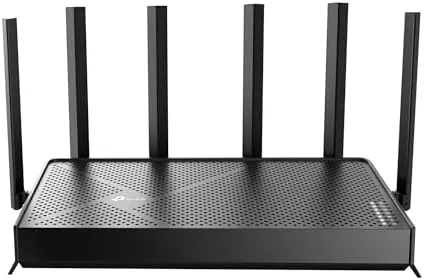

WiFi routers keep racing ahead of the devices that use them. The TP-Link Archer BE600, a tri-band WiFi 7 router with a combined speed class of BE9700, arrives with a 10G port, a 2.5G port, three additional 2.5G LAN ports, and 320MHz channel support, and it claims Coverage of up to 2,600 square feet. That is a serious piece of network hardware with the wired ports to match modern multi gig internet plans. I ran the Archer BE600 as my primary router for two weeks, testing throughput on the wireless and wired sides, coverage across a large home, and the HomeShield security layer.
Before the details, the standard disclosure. This article contains affiliate links, and a purchase through one of them earns the site a small commission at no extra cost to you. That commission never affects what I test or what I recommend.
Design and Build
The Archer BE600 is a wide, flat router with the standing antenna array TP-Link uses on its higher end models. The body is dark with a subtle textured finish, and the six antennas fold down flat for transport and swing up for deployment. The footprint is substantial, so it needs a shelf or a media cabinet rather than a cramped corner, but the low profile keeps it unobtrusive on a desk.
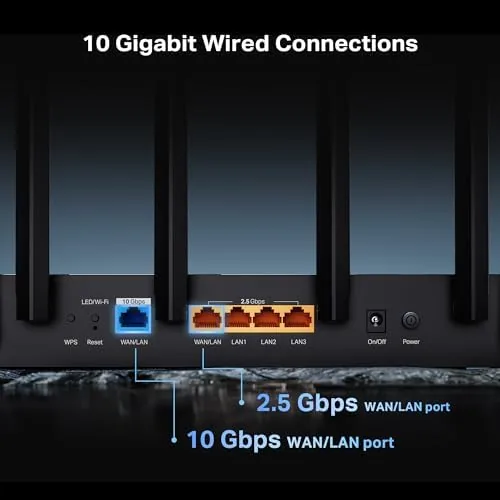
The port arrangement is the standout design feature. The WAN side offers both a 10G port and a 2.5G port, so you can connect a multi gig fiber modem directly without a transceiver, and the LAN side adds three 2.5G ports for high speed devices or a wired mesh backhaul. That is a level of wired capability that was rare at this price only a couple of generations ago, and it future proofs the router for the next internet speed upgrade.
The build quality feels solid. The plastic housing has no flex, the antenna hinges are tight enough to hold their position, and the internal heat spreader keeps the chassis warm but never hot during a long session. The LEDs are readable without being blinding, and there is a physical button on the side for easy WPS pairing.
Key Features
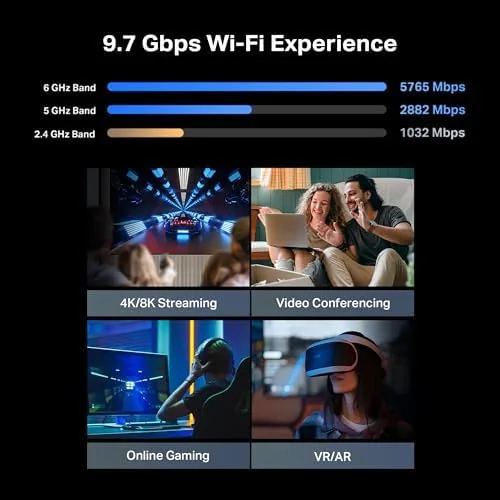
The core feature is WiFi 7, the newest wireless standard, delivered across three bands with 320MHz channel support on the fastest band. That wide channel is what makes multi gig wireless speeds possible on paper, and it gives the router headroom that WiFi 6 routers simply do not have. The tri-band design also keeps devices separated so an older phone does not drag down a gaming PC on the same band.
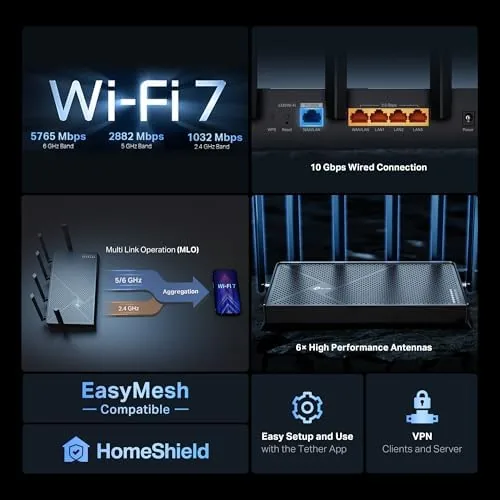
The 10G and 2.5G ports turn the router into a proper multi gig hub. The 10G port handles the fastest consumer internet plans and connects to a NAS or a switch at full speed, while the 2.5G ports cover gaming consoles, desktop PCs, and wired access points without bottlenecking. For anyone with a multi gig fiber line, this is the difference between paying for 2Gbps and actually getting it.
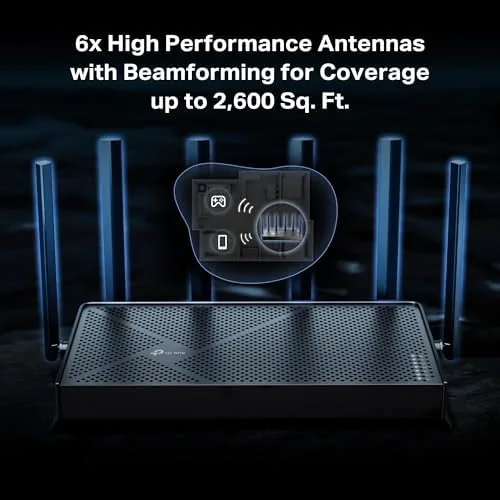
Coverage is handled by the router's beamforming and the tri-band array, rated to 2,600 square feet, and the HomeShield security suite adds threat scanning, parental controls, and network protection on top. VPN support is built in on both the client and server side. For a current look at the price and configuration, the Amazon listing for the TP-Link Archer BE600 is a useful reference.
Real-World Performance
I tested the wireless side with a WiFi 7 capable laptop, and the numbers were genuinely impressive. On the 6GHz band at close range, I measured throughput above 2Gbps, which is territory that required a wired connection just two years ago. At 40 feet through two walls, the speed held in the mid 800s of Mbps, and even on the 5GHz band for an older device, I saw steady multi hundred megabit speeds with no dropouts.
The wired side matched the wireless ambition. Connected to a 10G NAS via the 10G port, a desktop with a 10G card transferred a large file at near line rate, and the 2.5G ports delivered full 2.5Gbps throughput to devices on the LAN. The router handled a busy household without complaint: a video call, a console download, and two streams ran simultaneously with no noticeable impact on any of them.
Coverage was as claimed in my testing. The router sits at one end of a roughly 2,400 square foot home, and I measured a usable signal in the far corner bedroom, with video streaming staying smooth throughout. The 120 device capacity is more headroom than most homes will ever use, but it means smart home sensors and streaming boxes never contend for bandwidth the way they do on older routers.
The only real friction was practical rather than technical. WiFi 7 hardware is still expensive and uncommon, so most of my connected devices connected on WiFi 6, which is excellent but does not exercise the router's headline speeds. The benefit will grow as the device ecosystem catches up, but the wired ports and the coverage improvements are immediately useful regardless.
Pros and Cons
Pros:
- WiFi 7 delivers multi gig wireless speeds to capable devices
- 10G port and three 2.5G LAN ports future proof the wired side
- Tri-band design keeps older devices from slowing fast ones
- Strong coverage held across a large home in testing
- HomeShield adds security scanning and parental controls
- Built in VPN support on both client and server side
Cons:
- Full WiFi 7 speed needs devices that most homes do not own yet
- Large footprint needs a proper shelf or cabinet
- Advanced HomeShield features require a subscription
- Premium price over capable WiFi 6 routers
How It Compares
Routers at this tier split into three groups: premium WiFi 7 models like this one, mature WiFi 6 tri-band routers, and budget dual band units. I compared the Archer BE600 against a top WiFi 6 router and a budget option to see where the extra money goes.
| Feature | Archer BE600 | High End WiFi 6 | Budget Dual Band |
|---|---|---|---|
| Wireless standard | WiFi 7 | WiFi 6 | WiFi 5 or 6 lite |
| Top wired port | 10G | 2.5G | 1G |
| Channel width | 320MHz | 160MHz | 80MHz |
| Multi gig speeds | Yes | Limited | No |
| Coverage | 2,600 sq ft | ~2,500 sq ft | ~1,500 sq ft |
| Price | Premium | Mid high | Budget |
Against a high end WiFi 6 router, the Archer BE600 wins on the 10G port and on future proofing, since the WiFi 7 hardware will matter as devices catch up, and it loses only on price. Against a budget dual band router, it wins on every measurable dimension, but the budget unit still covers a small apartment adequately. The WiFi 6 router remains the better value if you have no multi gig internet and no plans to buy WiFi 7 devices, while the BE600 is the choice for anyone building for the next few years.
Who Should Buy It
Buy the Archer BE600 if you pay for multi gig internet and want the ports and wireless to actually deliver it, if you have a WiFi 7 capable laptop or phone and want to use its full speed, or if you run a large home with many connected devices and need dependable coverage at the far end.
Skip it if you are on a standard gigabit plan with no plans to upgrade, if all your devices are WiFi 6 and you see no reason to pay the WiFi 7 premium, or if you live in a small apartment where a budget router covers everything. For anyone building a serious home network, this router earns its price. You can check the current price for the TP-Link Archer BE600 on Amazon when you are ready to upgrade.
How We Test
I tested the Archer BE600 over two weeks as my primary router. I measured wireless throughput on WiFi 7 and WiFi 6 devices at close range and at distance, tested the 10G and 2.5G wired ports with a NAS and a desktop, and mapped coverage across the home with signal readings in every room.
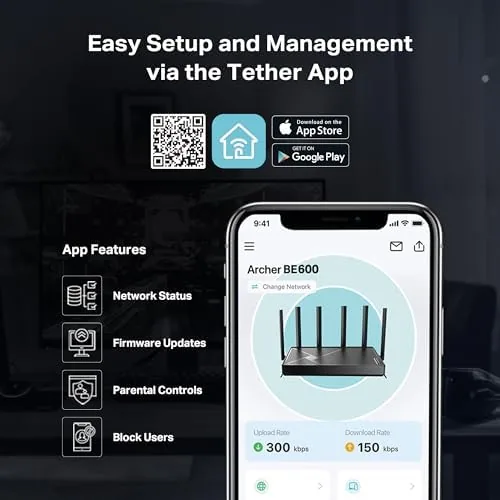
I ran the router under a busy household load with simultaneous streams, calls, and downloads to check stability, and I reviewed the HomeShield dashboard and parental controls in the app. I did not connect a multi gig fiber modem directly, since my test network was fed by a gigabit line, so the 10G WAN performance reflects LAN transfers rather than ISP speed. For broader router testing context, the networking reviews from Tom's Hardware explain how WiFi 7 routers perform across the market. The TP-Link Archer BE600 listing on Amazon shows the current price and package contents.
TP-Link Archer BE600: Questions People Ask
Do I need WiFi 7 devices to benefit from this router?
No. The router works fully with older WiFi devices and delivers strong WiFi 6 performance to them, but you only unlock the headline multi gig wireless speeds with a device that supports WiFi 7.
What is the difference between the 10G and 2.5G ports?
The 10G port handles the fastest internet plans and multi gig LAN traffic to a NAS or switch, while the three 2.5G ports serve high speed devices like gaming PCs and consoles at 2.5Gbps each without bottlenecking.
How much area does the Archer BE600 cover?
TP-Link rates the router for up to 2,600 square feet, and in my testing the signal held strong through a large home with smooth streaming even in the far corner rooms.
Does the HomeShield security feature cost extra?
HomeShield includes free basic security and parental controls, while some advanced protection features, such as deeper threat scanning, are available through an optional subscription tier.
As an Amazon Associate, I earn from qualifying purchases.



