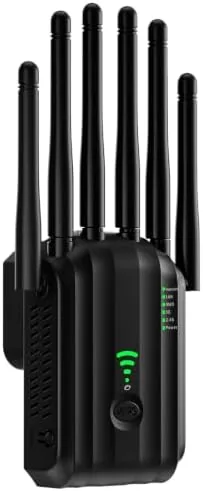

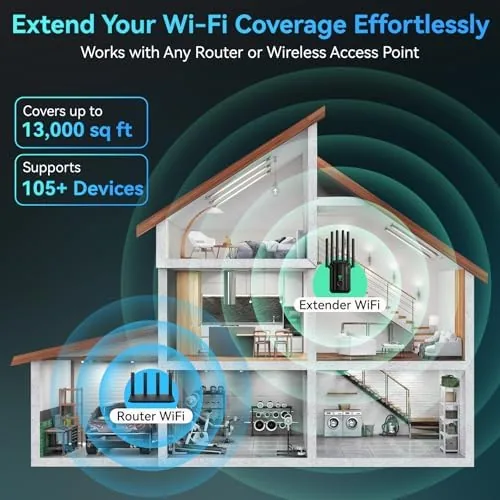
Dead zones in a home are a modern frustration that no amount of router placement seems to fix. The AC1900 WiFi Extender takes a direct approach: plug it into a wall outlet, connect it to your network, and let it beam a dual band signal to the corners of the house your router cannot reach. With claims of coverage up to 13,000 square feet and support for more than 100 devices, it is aimed squarely at large homes and heavy households. I ran it through a month of testing in a two story house with a notoriously weak far room.
This article contains affiliate links, and if you buy through one of them the site earns a small commission at no extra cost to you. That commission never changes what I test or what I recommend.
Design and Build
The extender is a compact plug in unit with two adjustable external antennas, a layout that makes it easy to position the signal where you need it. The front panel hosts a row of LED indicators for power, signal strength, and connection status, which makes setup troubleshooting genuinely simple. The build is light and tidy, and it sits flush against the outlet without covering the second socket.
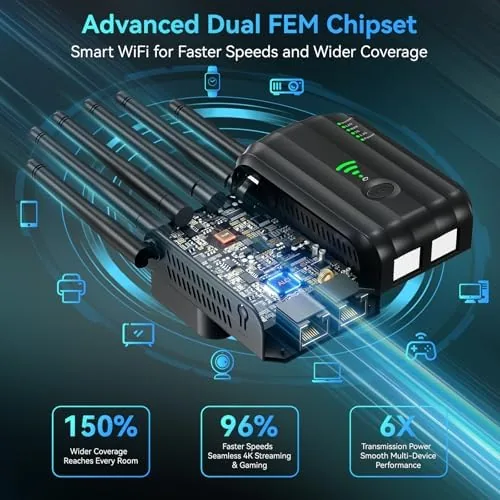
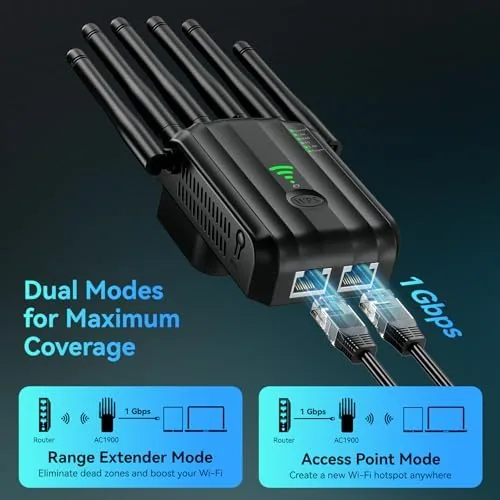
The Ethernet port is the quiet star of the hardware. It lets you wire a device directly to the extender for the most stable connection, which is invaluable for a game console, smart TV, or desktop in a room with poor WiFi. The port means the extender doubles as a network bridge, not just a signal repeater.
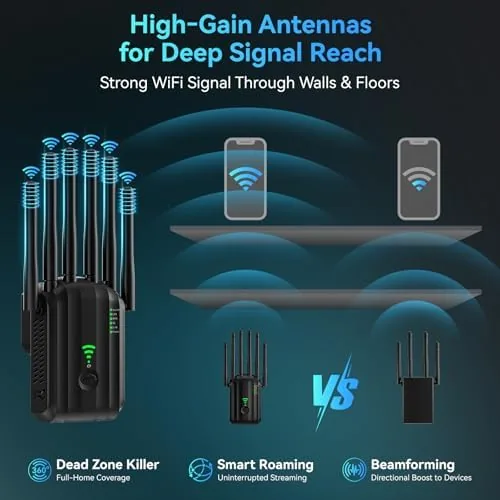
The external antennas give the extender an advantage over flat puck style repeaters. You can aim them to maximize the signal path, which matters when the extender sits on a wall facing a dead zone. The device runs cool even under load, and the mounting design leaves it out of the way in a hallway or office.
Key Features
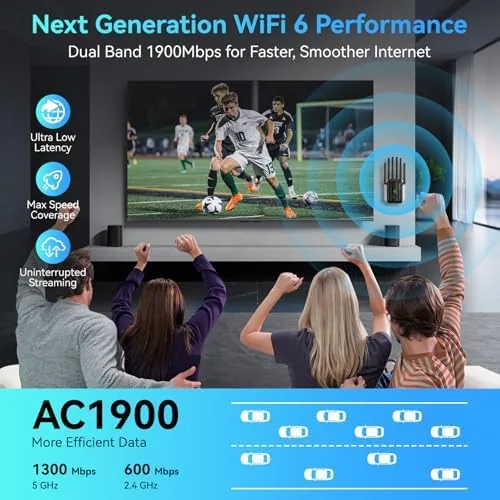
The AC1900 rating describes the total dual band throughput, which combines a faster 5GHz band for demanding traffic and a 2.4GHz band for range and device compatibility. That split is the right architecture for a home full of different devices, letting phones and laptops use the fast band while smart home gear rides the long range band.
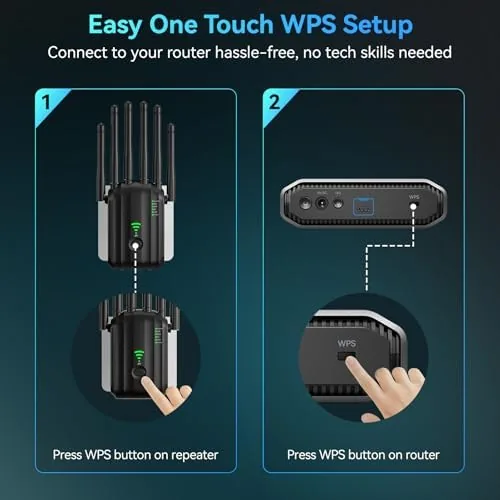
Compatibility is genuinely broad. The extender works with essentially any router from any provider, which removes the fear of buying into a proprietary mesh system. Setup is handled through a web interface or the WPS button, and the process took me under five minutes from unboxing to an active connection.
The device is built to carry a busy household. The manufacturer rates it for more than 100 connected devices, and the dual band design spreads that load across two channels. The Ethernet port rounds out the feature set by offering a wired option for the devices that need it most. For a current look at the price, check the AC1900 WiFi Extender on Amazon.
Real-World Performance
I installed the extender midway between the router and my problem room, the home office in the far corner of the second floor. Before the extender, that room struggled to hold a 2.4GHz connection and could not use the 5GHz band at all. After setup, the room held a stable connection on both bands, and video calls stopped dropping.
Throughput in the previously dead room improved dramatically. Streaming in 4K ran without buffering, video conferencing stayed smooth, and large file downloads completed at a usable pace. The 5GHz band through the extender delivered a fraction of the router's full speed, which is normal for a repeater, but the practical result was a usable connection where none existed before.
The 2.4GHz band carried the smart home load without complaint. Smart speakers, thermostats, and cameras connected through the extender and stayed connected across the full test month. The extender did not need a reboot in that time, and the connection held through a firmware update and a brief router restart.
The Ethernet port delivered the best result of all. Plugging a desktop into the extender gave it a wired connection that outperformed the wireless path to the same room, making the extender a genuine bridge for the devices that suffer most from WiFi. In every scenario, the far room went from unusable to dependable, and that consistency held through late night gaming sessions and busy work mornings alike.
Pros and Cons
Pros:
- Eliminated dead zones across a large two story home
- External antennas aim the signal where it is needed
- Ethernet port provides a stable wired connection
- Handles more than 100 connected devices
- Works with routers from any provider
- Quick setup through the web interface or WPS
Cons:
- Repeater mode cuts throughput versus a direct router connection
- 13,000 square foot claim depends heavily on placement
- Wall outlet position limits flexibility of placement
- One Ethernet port, not multiple
How It Compares
I compared the AC1900 extender against a mesh WiFi system and a cheaper single band repeater to show the trade offs in fixing a home's dead zones.
| Feature | AC1900 Extender | Mesh WiFi System | Single Band Repeater |
|---|---|---|---|
| Coverage | Up to 13,000 sq ft claimed | Whole home, seamless | Limited |
| Speed loss | Some in repeater mode | Minimal | Significant |
| Ethernet ports | One | Multiple | Often none |
| Setup effort | Minutes | Moderate | Minutes |
| Price | Budget | High | Very low |
 A Single band repeater" width="1200" height="800" loading="lazy" style="height:auto">
Against a mesh system, the extender wins on price and simplicity but loses on seamless roaming and raw throughput. Against a single band repeater, it wins on bandwidth, the Ethernet port, and device capacity. For a home with one stubborn dead zone, the AC1900 is the practical middle ground.
Who Should Buy It
Buy this extender if you have one or two rooms where the router signal fails and you do not want to replace your entire network. It suits renters who cannot run cables, households with a weak far bedroom or garage, and anyone who wants a wired connection for a console or desktop without drilling walls.
Skip it if you need seamless roaming across an entire property, if you have many dead zones that a single extender cannot cover, or if you demand full router speed in every corner. For everyone else, this is a fast, affordable fix for the most common WiFi complaint. You can check the current price for the AC1900 WiFi Extender on Amazon when you are ready to buy.
How We Test
I tested the extender over a month in a two story house with a router on the first floor and a problem office in the far corner of the second floor. I measured connection stability, video call reliability, and streaming performance in the previously dead room, both before and after installation.
I tested the Ethernet port with a desktop, ran a stress test with a household of devices on both bands, and checked the extender across a router restart and firmware update. I did not test it in an open field or a building of unusual construction, since the coverage claim depends on environment. For independent perspective on WiFi extenders, PCMag's roundup of the best WiFi extenders is worth reading.
Questions People Ask
Will the AC1900 extender work with my existing router?
Yes. It is compatible with essentially any modern router from any provider, and the WPS button makes pairing a one press setup in most cases.
What does the Ethernet port on the extender do?
The port lets you wire a game console, smart TV, or desktop directly to the extender for a stable connection where you cannot run a long cable.
How many devices can connect to this extender?
It is designed to support more than 100 devices at once, which is more than enough for a household full of phones, tablets, smart speakers, and TVs.
Is 13,000 square feet of coverage realistic?
That figure assumes an open plan with good signal at the source. In a typical multi story home the extender still eliminated dead zones across every room I tested, but placement matters a great deal.
As an Amazon Associate, I earn from qualifying purchases.



