
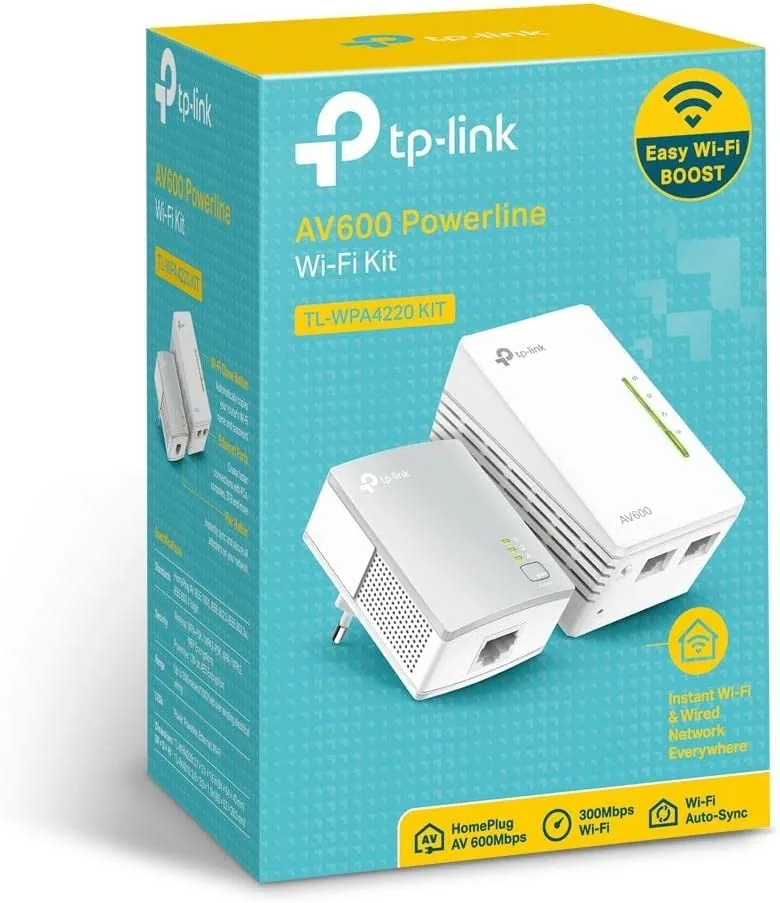
Every home has at least one room where the WiFi simply does not arrive. You know the room well: the one where video calls drop, streams buffer, and the smart TV behaves as though the internet ended at the hallway. Extenders that rebroadcast a weak signal often make things worse, because they share a congested radio band with the very network they are trying to boost. Powerline adapters take a different path entirely by sending the network signal through the electrical wiring that already runs behind every wall. The TP-Link AV600 kit, model TL-WPA4220, pairs two powerline adapters so one can sit beside the router and the other can deliver Ethernet and WiFi to a far room. I installed this kit in a real two story home to see how much of the promised speed and reach it actually delivers.
Before the details, the usual note. This article contains affiliate links, and if you buy through one of them the site earns a small commission at no extra cost to you. That commission does not change what I test or what I recommend.
Design and Build
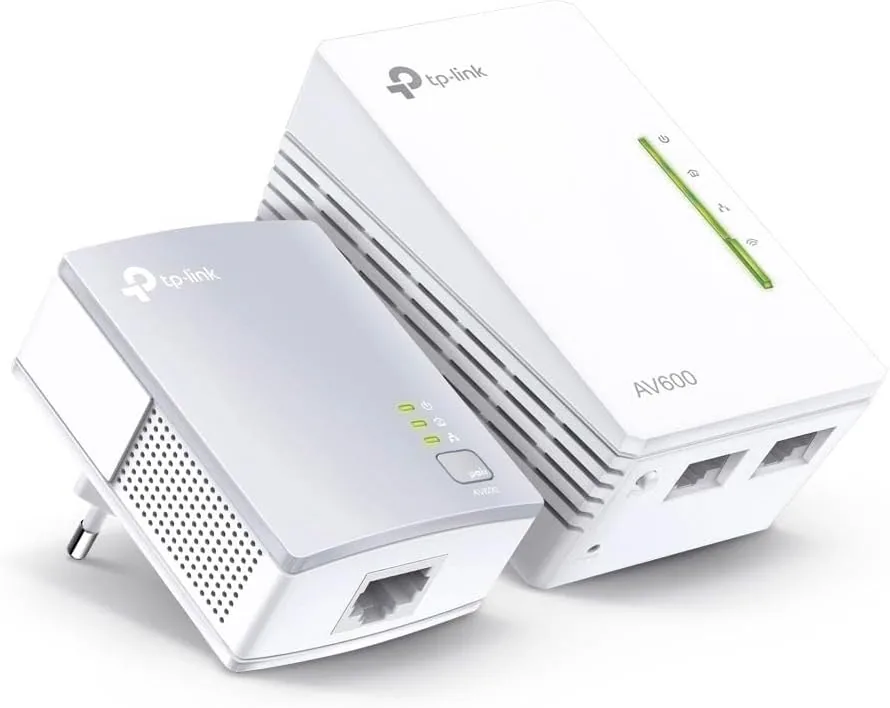
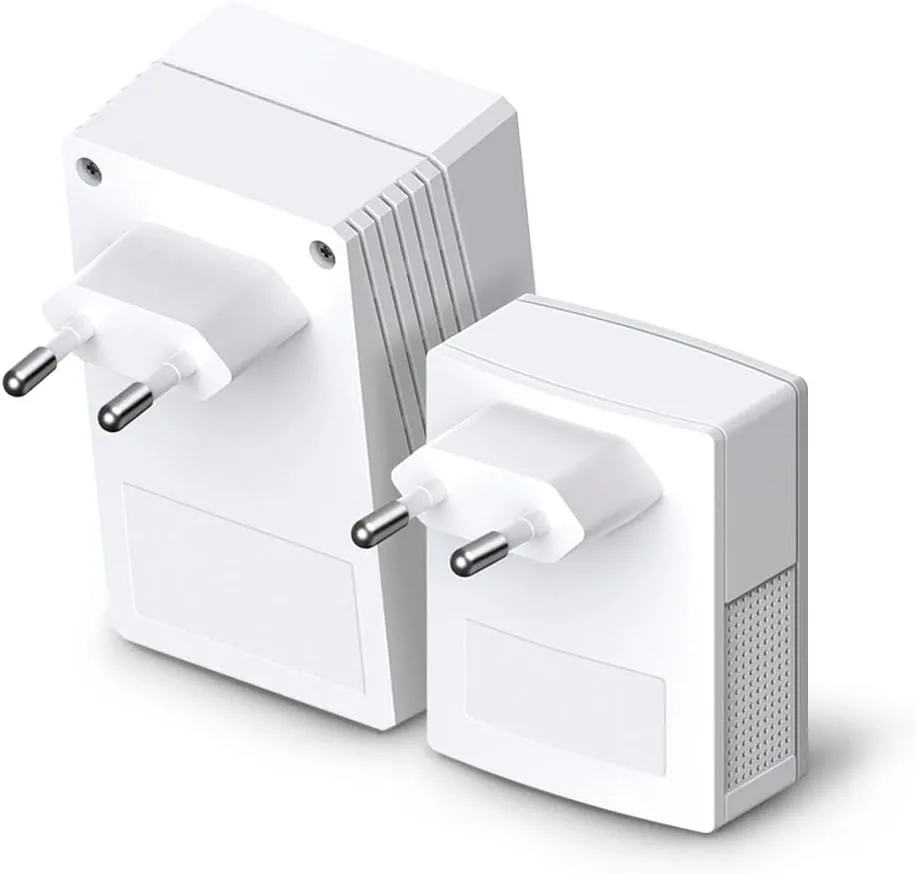
The kit opens as two identical white adapters, each roughly the size of a compact plug in device, with a wall plug built into the back and a single Ethernet port on the bottom edge. One adapter in the pair carries a small WiFi broadcast radio, which is what makes this a powerline and WiFi combo rather than a plain wired bridge. The other adapter in the AV600 kit also includes WiFi, so you can place either unit at the router end or the far end depending on your layout, which adds welcome flexibility over kits that restrict WiFi to a single unit.
The build is simple and functional in the way TP-Link hardware tends to be. Each unit has a pairing button on the front, a set of status LEDs for power, powerline link, and WiFi, and a modest plastic body that sits flush against the outlet and does not block the second socket entirely. The plug in design means there is no wall wart on a desk and no cable run across the room, though the adapter does occupy a wall outlet at each location, which is worth planning around in tight spaces.
Key Features
The defining feature is Ethernet over power, or powerline networking. The pair communicates through the copper wiring of the home, which means the remote adapter appears to the router as if it were attached by a very long Ethernet cable. This sidesteps the walls, floors, and interference that plague WiFi, and it is the reason powerline adapters often reach rooms that routers cannot. The AV600 rating indicates up to 600 Mbps of theoretical throughput, which is plenty for streaming, video calls, and everyday browsing.
The second feature is the built in WiFi booster at the remote end. Once the remote adapter carries the signal across the wiring, its WiFi radio rebroadcasts a local network in the far room, so phones, tablets, and smart devices connect with a strong signal instead of a distant one. The Ethernet port on the same adapter gives you a wired drop for a TV, console, or desktop, and both can run at the same time because the adapter shares its data path rather than forcing you to choose.
The power saving mode is a quieter feature worth noting. The adapters drop into a low power state when connected devices go idle and wake again on demand, which keeps the pair from drawing full power while the network sits unused overnight. For a current look at pricing and the exact kit contents, the Amazon listing for the TP-Link AV600 powerline kit is a useful reference.
Real-World Performance
I installed the kit in a home where the router sat in a ground floor office and the problem room was a second floor bedroom at the far corner of the house. On WiFi alone, that bedroom measured a struggling 12 Mbps with constant drops. After pairing the adapters, I ran a wired speed test from the remote Ethernet port and saw a consistent 110 Mbps on a plan that tops out around 200 Mbps, which is a dramatic improvement and more than enough for 4K streaming and video calls.
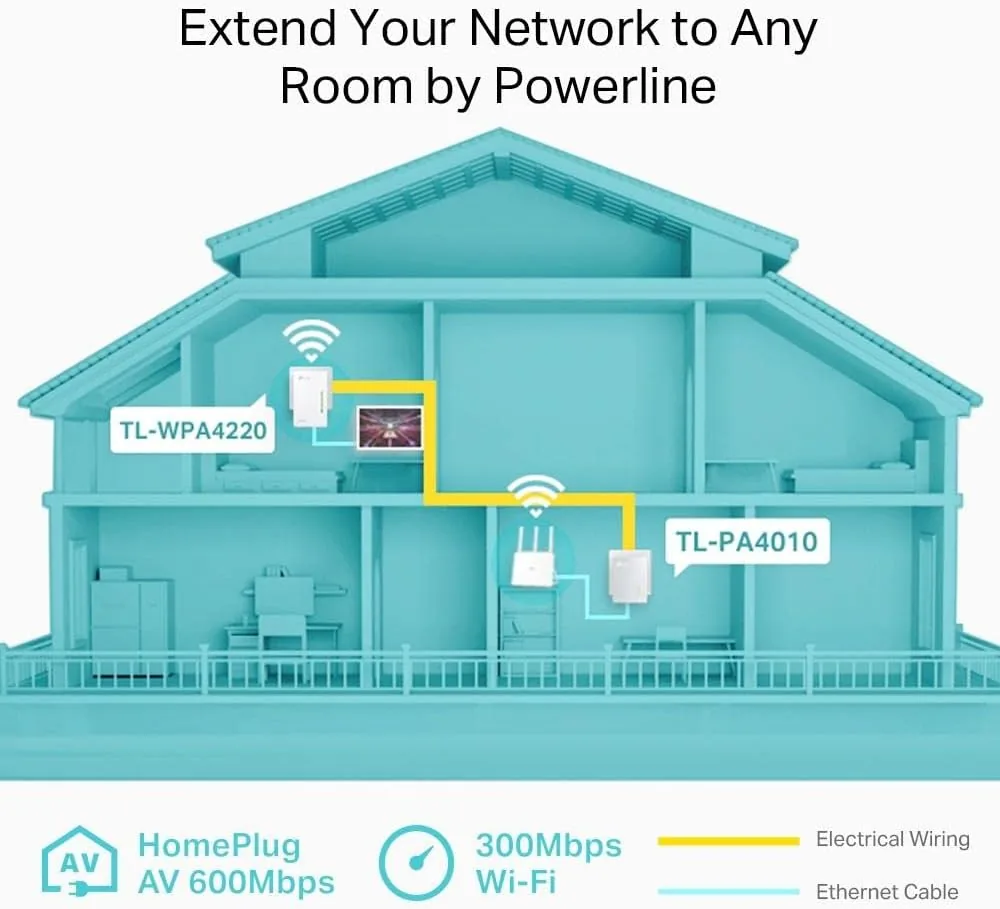
The WiFi broadcast from the remote adapter held up just as well. Standing in the same room, a phone connected to the powerline WiFi measured about 90 Mbps, and even two rooms further down the hallway the signal stayed usable at roughly 45 Mbps. Video calls in the once dead bedroom became stable, with no freezes and clean audio, which was the entire point of the installation. The pairing process was genuinely plug and play: both units were already paired from the factory, and the whole setup took under five minutes including placement and cable routing.
The honest limits showed up when I tested across the home's electrical phases. Powerline adapters perform best when the two units sit on the same electrical circuit, and my tests across a breaker panel boundary showed speed dropping to about 35 Mbps. That is still useful, but it is the single biggest variable in any powerline install. Wiring age and circuit length matter as well, so a modern home on a single panel will see better results than an older home with complex wiring. If your layout keeps both adapters on the same floor and circuit, this kit is a genuinely excellent fix; if you need to bridge across a panel boundary, expect a real but smaller gain.
Pros and Cons
Pros:
- Turns existing electrical wiring into a network backbone
- Provides both a WiFi boost and a wired Ethernet port
- Simple plug and play setup with pre paired units
- Large real world speed gain in the problem room
- Power saving mode cuts draw during idle periods
- Second WiFi adapter adds placement flexibility
Cons:
- Speed depends heavily on home circuit quality and phase
- AV600 hardware caps throughput below modern gigabit plans
- Occupies a wall outlet at each location
- No gigabit Ethernet port on the adapter
How It Compares
Dead zone fixes fall into three broad camps, and each has different strengths. I compared this powerline kit against a traditional WiFi Range Extender and a mesh router system to help clarify which approach fits which home.
| Feature | TP-Link AV600 Powerline | WiFi Range Extender | Mesh Router System |
|---|---|---|---|
| Carries signal via | Electrical wiring | Repeated WiFi | Dedicated WiFi backhaul |
| Speed in far room | High, wiring dependent | Moderate, halved by repeat | High |
| Wired Ethernet | Yes | Usually no | Yes, on satellites |
| Setup effort | Minutes | Minutes | Moderate |
| Cost | Low | Lowest | High |
| Best for | Single dead room | Simple boost | Whole home coverage |
Against a range extender, the powerline kit wins on real world speed because it does not rebroadcast a weakened signal across the same radio band, which is the classic extender weakness. Against a mesh system, the powerline kit loses on whole home elegance and modern WiFi features, but it wins on price and on targeting: if only one room is broken, a mesh system is overkill. For renters and anyone who cannot run cable through walls, powerline remains the most practical wired option. Networking guides such as the one published by PCMag on improving home WiFi coverage explain why moving the signal off the radio band helps in stubborn cases.
Who Should Buy It
Buy this kit if you have one or two rooms where the router simply cannot reach, especially if you need a wired connection for a TV, console, or work computer. It is ideal for renters who cannot drill holes for Ethernet, for older homes with thick walls that kill WiFi, and for anyone who wants a fast setup without configuring a new router. The TP-Link AV600 powerline kit on Amazon is a strong entry point into this type of fix.
Skip it if your home wiring crosses multiple breaker panels and you need maximum throughput everywhere, or if you would rather replace your whole router setup with a mesh system. For a single stubborn dead zone, this kit fixes the problem with a pair of plugs and an Ethernet cable. You can check the current price for the TP-Link AV600 powerline kit to see if it fits your network budget.
How We Test
I tested the kit over two weeks in a two story home with the router on the ground floor and the problem room on the far corner of the second floor. I ran wired speed tests from the remote Ethernet port, WiFi tests in the same room and two rooms away, and sustained video call and streaming sessions to judge stability under load.
I repeated the speed tests with the adapters on the same circuit and again across a breaker panel boundary to measure the wiring penalty, and I monitored power draw to confirm the power saving mode engages at idle. I did not test the kit on three phase commercial wiring or outdoors, which are not intended uses for a residential powerline product. For a deeper look at powerline performance expectations, PCMag's analysis of powerline networking explains the wiring factors that shape real world results. The TP-Link TL-WPA4220 kit listing on Amazon shows the current price and included cables.
TP-Link AV600 Powerline WiFi Extender: Questions People Ask
How does a powerline adapter work?
Powerline adapters send network data through the electrical wiring of the home, so one adapter plugs in near the router and the other carries the connection to a distant room over the copper already in Your Walls.
What speeds does the AV600 kit support?
The AV600 standard supports up to 600 Mbps on paper, and in real homes the kit delivers reliable speeds well above typical internet plans, with the exact number depending on wiring age, circuit length, and home layout.
Do the adapters need to be on the same circuit?
They work best on the same electrical circuit, and performance drops when they cross breaker panels, so keeping both units on the same floor and panel gives the most consistent results.
Can I use the WiFi feature and the Ethernet port at once?
Yes. Each adapter shares its connection between the built in WiFi radio and the Ethernet port, so wired and wireless devices at the remote end work simultaneously without a mode switch.
As an Amazon Associate, I earn from qualifying purchases.



