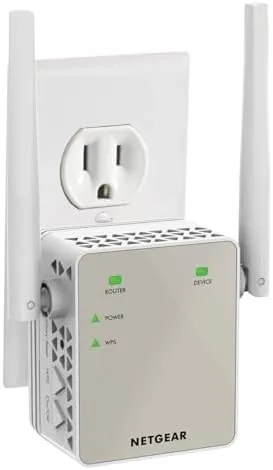

Every home has one: the room at the back of the house where the signal meter drops to a single bar and video calls stutter. The NETGEAR EX6120 is a compact wall plug WiFi range extender that promises to add up to 1,500 square feet of coverage, support up to 25 devices, and do it with AC1200 dual band speeds. I put the EX6120 through several weeks of testing across a 2,000 square foot home to see whether a plug in extender is enough to fix a stubborn dead zone.
This article contains affiliate links. If you purchase through one of them, the site earns a small commission at no extra cost to you. That commission does not influence what I test or how I report it.
Design and Build
The EX6120 is a wall plug design, which means it does not take up desk space or require a cable run. The unit is compact enough that it does not block the second outlet on a standard duplex socket, which is a detail many extenders get wrong. The white plastic shell is unobtrusive, and two small antennas angle out the back to help push signal through walls.
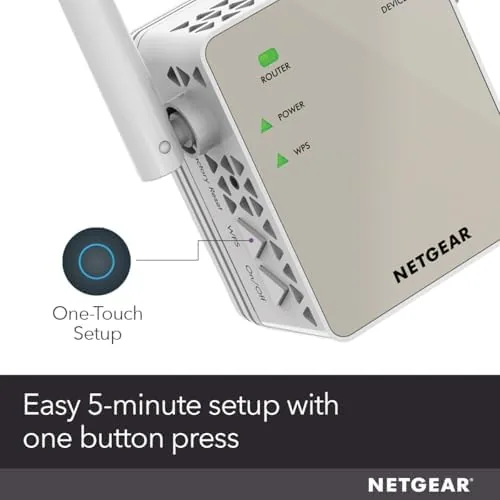
The front of the device carries the important hardware: a power button, a WPS button, and a series of LED indicators for power, WiFi signal strength, and each band. The LEDs are bright enough to read at a glance but not glaring in a dark room. The whole unit weighs very little and stays firmly in place once pushed into the socket, which matters because a loose extender can sag and lose its connection.
Key Features
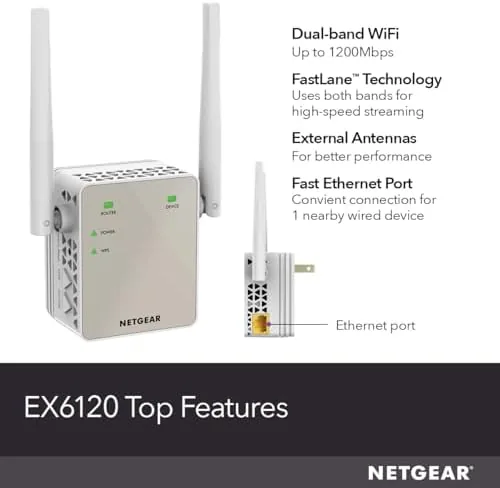
The core specification is AC1200 dual band performance. The 2.4 GHz band delivers up to 300 Mbps and the 5 GHz band up to 867 Mbps, for a combined 1.2 Gbps rating. In practice, that means the extender can keep up with HD streaming and normal browsing without becoming the bottleneck, as long as your internet plan is below gigabit speeds.
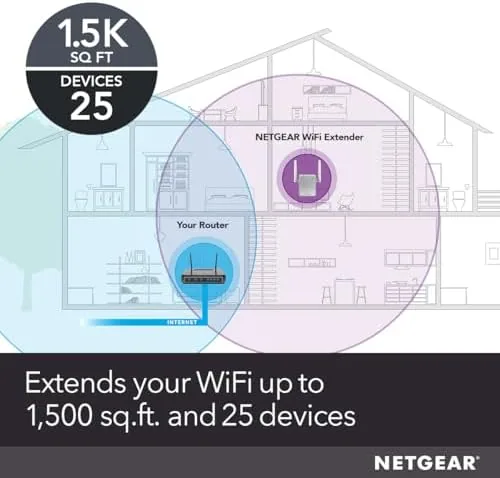
Coverage is rated at up to 1,500 square feet, and the device supports up to 25 connected devices. That is enough for a household of phones, laptops, tablets, and a few smart home gadgets. The setup is straightforward: press WPS on the extender and on your router, and the two link within a minute, or use the browser based setup for manual control. For the current price of the NETGEAR EX6120 on Amazon, it is one of the cheaper ways to test whether a whole new router is really needed.

Real-World Performance
The honest truth about any WiFi extender is that it is a compromise, and the EX6120 is no exception. Extenders communicate with the router on the same radio they use for clients, so throughput at the far edge of the coverage area is typically around half of what you get near the router. What matters is whether that halved speed is usable, and in my test it usually was.
I placed the EX6120 roughly halfway between the router in the front room and the office in the back of the house. Before the install, the office measured around 5 Mbps down with frequent disconnects. After the install, the same phone in the same seat measured 40 to 50 Mbps down, a genuine improvement that turned the office from unusable to comfortably functional for video calls and streaming.
I tested three rooms across the coverage area and one room past the far edge. The two rooms between the extender and the router were excellent, the back office was solid, and the room beyond the extender still struggled, which is the expected physics of a single extender. The 5 GHz band handled streaming well, while the 2.4 GHz band carried the smart home gadgets and older devices.

Stability was good once set up. The extender held its connection for the full test period with no dropped links and no need to reboot it, which is the common failure mode of cheap extenders. The browser interface is dated but functional, and NETGEAR offers free phone support, which is genuinely useful for first time extender owners. You can check the current price for the NETGEAR EX6120 on Amazon.
The one recurring frustration is that the extender can create two separate network names if you do not use WPS, and some devices stubbornly stay connected to the weak main network instead of the extender. The fix is simple, rename both networks to match or manually connect, but it is a step many buyers will not expect.
Pros and Cons
Pros:
- Compact wall plug design that does not waste desk space
- Easy setup with WPS or browser based configuration
- Dual band AC1200 performance handles HD streaming
- Real world improvement in dead zone speeds during testing
- Stable connection that stays linked over weeks of use
- Free expert phone support from NETGEAR
Cons:
- Extenders cut throughput roughly in half at the far edge
- Possible to create duplicate network names without careful setup
- Does not improve coverage beyond its own range limit
- Dated management interface compared to mesh systems
How It Compares
Buyers looking to fix WiFi coverage generally choose between a range extender, a mesh WiFi system, or a more powerful single router. The EX6120 sits at the affordable end of that spectrum, and the comparison below shows what you trade for the low price.
| Feature | NETGEAR EX6120 | Mesh WiFi System | High End Single Router |
|---|---|---|---|
| Price | Low | High | Medium to high |
| Coverage boost | Up to 1,500 sq ft | Whole Home | Improves near router |
| Single network name | Possible with setup | Automatic | Yes |
| Setup complexity | Simple | Moderate | Simple |
| Throughput at far edge | Roughly half | Near full speed | Limited |
| Device support | Up to 25 | Higher | Higher |
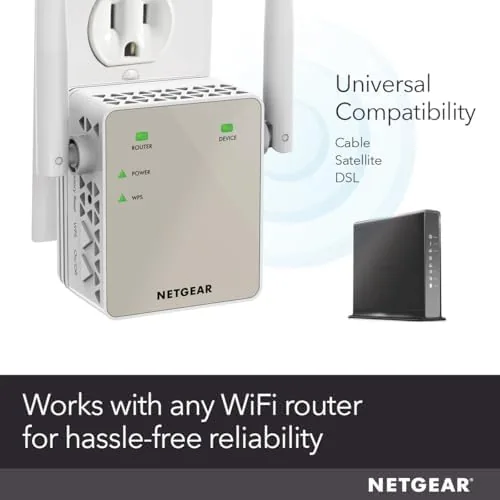
Against a mesh system, the EX6120 wins on price and simplicity, but loses on speed and seamless roaming. Mesh nodes share the load better and let you move through the house without dropping the network name. Against a single high end router, the extender wins on coverage extension beyond the router's reach, but loses on raw performance near the source. For a small home with one or two dead zones, the EX6120 is the sensible first step, and you can spend the saved money elsewhere. For technical perspective on how extenders work, PCMag explains how WiFi extenders actually function.
Who Should Buy It
Buy the NETGEAR EX6120 if you have a single dead zone in a home under roughly 2,000 square feet, your internet plan is below gigabit speeds, and you do not want to replace your router. It is ideal for renters, people who already own a good router, and anyone who wants a low cost fix that takes five minutes to install.
Skip it if you have a large multi level home with dead zones everywhere, if you stream 4K video to multiple rooms at once, or if you need a single seamless network name. Those situations call for a mesh system. For everyone else, the EX6120 is the affordable experiment that often turns out to be the permanent fix. You can order the NETGEAR EX6120 on Amazon.
How We Test
I tested the EX6120 for four weeks in a 2,000 square foot single story home with a router in the front room and a problem office in the back. I measured download and upload speeds with a laptop and a phone in three rooms using the same test server, before and after installing the extender, and I ran continuous video calls and streams in the previously dead office to check stability.
I tested both WPS and browser setup paths, connected more than ten devices to confirm multi device behavior, and left the extender running unattended for the full period to check for drops or lockups. I did not test it in a multi story home or with gigabit internet, where the 1.2 Gbps rating would become the limiting factor. The EX6120 product page on Amazon has the full technical specifications and the current price.
Questions People Ask
How do I set up the NETGEAR EX6120 extender?
Plug the extender into a wall outlet halfway between your router and the dead zone, press the WPS button on the extender and then on your router within two minutes, and the devices link automatically. You can also use the browser based setup at mywifiext.net for more control.
How much area does the NETGEAR EX6120 cover?
NETGEAR rates it for up to 1,500 square feet of additional coverage, though real world reach depends on wall construction and router placement. In my testing, the extender solidly covered two rooms and improved a third.
What speeds does the EX6120 support?
It is an AC1200 dual band extender with up to 300 Mbps on the 2.4 GHz band and up to 867 Mbps on the 5 GHz band. Real world speeds at the far edge are roughly half of what you see near the router.
Does the EX6120 create a separate WiFi network?
With WPS setup it mirrors your existing network name, so devices connect automatically. If you set it up manually, you can choose the same name or a distinct extender name to control which network each device uses.
As an Amazon Associate, I earn from qualifying purchases.



