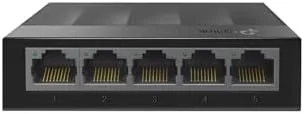

Most home networks run out of ports long before they run out of signal. The router in the living room has four ethernet jacks, and by the time you wire the desktop, the streaming box, the printer, and the network attached storage, every socket is full, and there is still a game console waiting for a cable. The TP-Link LS1005G is the unglamorous answer to that problem, a five port gigabit Ethernet Switch that costs little, needs no configuration, and quietly multiplies the number of wired devices your network can hold. I ran one in a home office and entertainment setup for several weeks to find out whether a cheap unmanaged switch has any hidden costs. It does not, and that is the whole point.
Before the details, the standard note. This article contains affiliate links, and if you buy through one of them the site earns a small commission at no extra cost to you. That commission does not change what I test or what I recommend.
Design and Build
The LS1005G is a small plastic box about the size of a phone in a protective case, with five gigabit ports across the front and the power input at the back. The Litewave line is TP-Link's budget hardware tier, and the design reflects it, plain dark casing, minimal branding, and no moving parts. That simplicity is not a flaw; it is the reason the switch costs what it costs and lasts as long as it does.
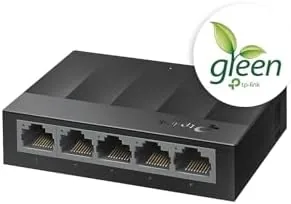
The build quality is fine for a device that will sit forgotten behind a desk. The case feels light but solid, the ports grip cables firmly without wobble, and the LED indicators on each port show link and activity status at a glance. There is no wall mount included, but the case has keyhole slots on the underside, so it can be screwed to a wall or a desk edge if you want it out of the way. For the price, the construction exceeds expectations, and the fanless design means there is nothing to wear out or whine.
Key Features
The core feature is simple: five gigabit ethernet ports that work the moment you plug them in. The LS1005G is an unmanaged switch, which means there is no software, no web interface, and no settings to touch. You connect the power adapter, run a cable from your router or another switch into one port, and connect up to four more devices to the rest, and traffic starts flowing immediately.
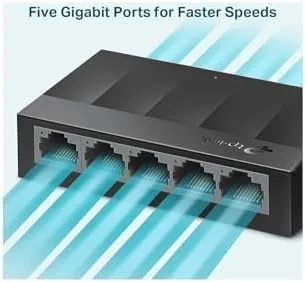
Every port runs at gigabit speed, which matters more than most people expect. At gigabit, large file transfers, backups, and 4K streaming traffic move without the bottleneck you get from a 100 megabit switch, and the difference shows up every time you move a large file across the network. The switch also handles full duplex traffic on all ports at once, so a backup running to the network drive does not starve the streaming box connected to the same switch. For a network that keeps growing, five ports are a cheap way to buy room to breathe. If you want to see the current price, the LS1005G listing on Amazon has the up to date details.
Real-World Performance
The test setup connected the LS1005G to the living room router and used the four remaining ports for a desktop PC, a network storage drive, a streaming box, and a game console. The switch lived on a media shelf behind the TV, out of sight, and it sat there for the entire test period without being touched, which is exactly the experience an unmanaged switch is supposed to deliver.
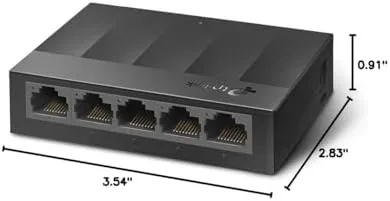
Performance was exactly what the spec sheet promised. A large video file transferred from the desktop to the network storage at near gigabit speeds, and simultaneous traffic, a backup running alongside a 4K stream, did not slow either one down. The console pulled the full speed of its connection for downloads, and the streaming box never buffered once during the test. All four downstream ports carried traffic at once without any drop, which is the scenario that exposes weak switches.
Noise and heat were non issues, which is the quiet triumph of the fanless design. The switch produces no sound at all, and after running continuously for weeks it stayed cool to the touch even with all ports active. The single LED per port made troubleshooting simple, a quick glance confirmed every link was up. The one thing to remember is that the switch is not a router, it has no internet routing, no firewall, and no management features, but for adding wired ports, none of that matters.
Pros and Cons
Pros:
- Five gigabit ports with no configuration needed
- Completely silent fanless design
- Runs cool even with all ports active
- Near gigabit real world transfer speeds
- Handles full duplex traffic on all ports
- Small size and easy placement options
Cons:
- No management or VLAN features
- No redundant power option
- Plastic case feels budget grade
How It Compares
The five port gigabit market is crowded, and the differences are usually in price, port count, and build. I compared the LS1005G against a metal cased switch and a larger eight port model to show where each fits.
| Feature | TP-Link LS1005G | Metal Cased Switch | Eight Port Switch |
|---|---|---|---|
| Ports | 5 gigabit | 5 gigabit | 8 gigabit |
| Cooling | Fanless | Fanless | Fanless |
| Case | Plastic | Metal | Metal or plastic |
| Management | None | None | None |
| Mounting | Keyhole slots | Wall mount | Wall mount |
| Price | Lowest | Low | Moderate |
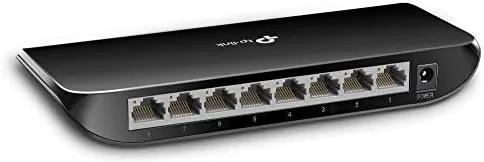
For a home office that needs a handful of extra wired ports at the lowest cost, the LS1005G is the sensible choice, because the plastic case makes no practical difference once the switch is behind a desk. For a wall mounted installation where the switch is visible, a metal cased model looks better, and for more than four extra devices, the eight port version saves you from daisy chaining. Guides at PCMag have covered the best ethernet switches and regularly place budget gigabit models like this one near the top of the value list.
Who Should Buy It
Buy the TP-Link LS1005G if your router is out of ports, if you want a fast wired connection for a console, desktop, or network drive, or if you want to grow your home network without learning anything about networking. It suits renters, home offices, and anyone who needs a silent, dependable way to add ethernet ports.
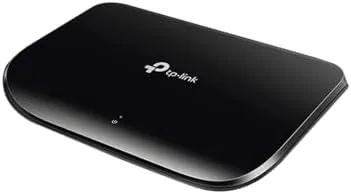
Skip it if you need more than four extra ports, if you want managed features like VLANs and traffic prioritization, or if you insist on a metal enclosure. For a simple, silent, and cheap way to add gigabit ports, this is hard to beat, and you can check the current price of the LS1005G on Amazon when you are ready to order.
How We Test
I ran the LS1005G for several weeks in a home office and entertainment setup, connecting a desktop, network storage, a streaming box, and a game console. I tested file transfer speeds, simultaneous traffic on all ports, noise, and heat under continuous load, and I left the switch running the whole time to check for drops or resets.
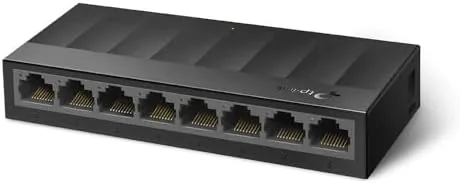
I did not test managed features, because the LS1005G has none by design, and I did not run it in a commercial or outdoor environment, since it is built for indoor home use. For independent context on ethernet switches, PCMag's ethernet switch guide is a useful reference before you buy.
TP-Link LS1005G: Questions People Ask
Do I need to configure the LS1005G before using it?
No. It is an unmanaged plug and play switch, so you connect the power and your ethernet cables and traffic starts flowing immediately with no software or settings.
Is the LS1005G actually silent in use?
Yes. It has no cooling fan at all, so it runs completely silent and stays cool even when all five ports carry traffic at the same time.
Can the switch handle gigabit speeds on all ports at once?
Yes. Each of the five ports supports up to a gigabit, and the switch's switching capacity handles all ports in full duplex without throttling in normal home use.
What is the best way to place the LS1005G?
Set it flat on a desk or shelf, or mount it to a wall with the included hardware. The fanless design means it can sit nearly anywhere without airflow concerns.
As an Amazon Associate, I earn from qualifying purchases.