
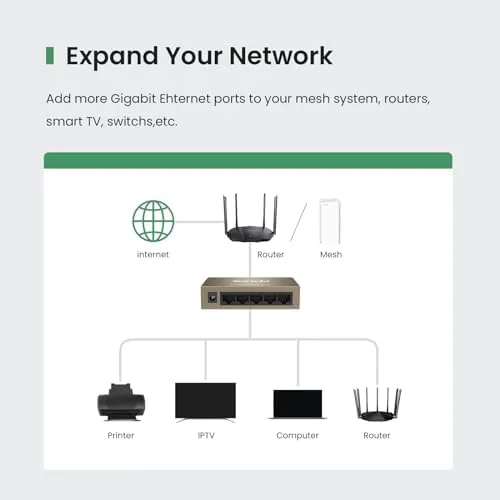
Modern homes have a funny shortage. The router sits in one corner with a handful of ports, and the television, the game console, the desktop, and the streaming box all want a wired connection at once. Wi-Fi handles some of it, but the devices that really matter, the ones streaming video or running online games, always behave better on a cable. The Tenda 5 port fast Ethernet switch solves that shortage in the simplest way possible: five extra ports, plug and play, no software, no configuration. I used one to wire a desk and a media corner for a month, and this review is the record of how well a small metal box can quietly make a network better.
Before the details, the standard note. This article contains affiliate links, and if you buy through one of them the site earns a small commission at no extra cost to you. That commission does not change what I test or what I recommend, and I treat every switch here the way I would treat one bought with my own cash.
An unmanaged switch is the humble workhorse of networking. It takes one incoming cable from the router and splits the connection across multiple ports, letting every device talk to the network at once. There is no app, no dashboard, and no login, which is exactly the point, and the Tenda version of that idea adds a metal case, a fanless design, and a price that makes the decision easy.
Design and Build
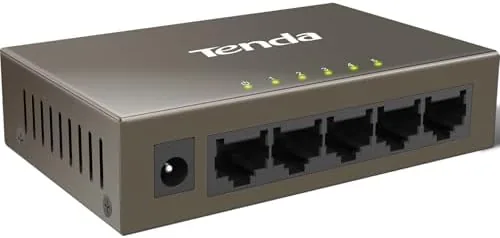
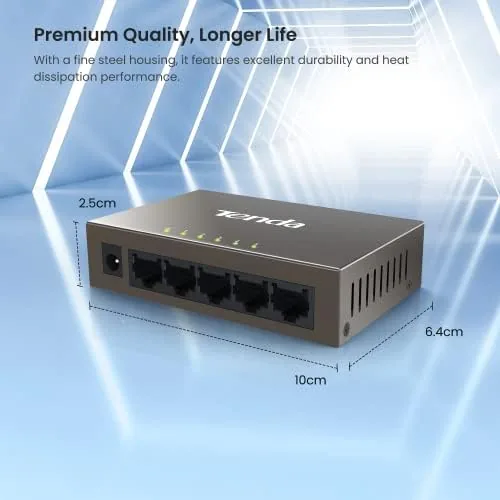
The switch is a compact metal box about the size of a deck of cards, with five ports across the front, a power connection, and the status LEDs. The metal case is a genuine upgrade over the plastic shells many cheap switches use, because it dissipates heat well and shrugs off the knocks that come with living under a desk or behind a television.
The layout is tidy and practical. The ports are labeled clearly, the power indicator sits where you can glance at it, and the rear panel has mounting holes so the switch can screw flat to a wall or under a desk. The small size means it disappears into a media cabinet, and the fanless design means there is no air vent that collects dust and no fan that collects noise.
Key Features
The headline feature is the plug and play simplicity. The switch has no configuration, no software, and no managed settings, which is the entire point of an unmanaged hub. You plug in the power, run a cable from the router, and every other port starts working the moment a device connects. For anyone who does not want to spend an afternoon inside a router admin page, that is the feature that matters most.
The second feature is the five ports with fast Ethernet speed. Each port runs at 10/100Mbps, which covers standard broadband plans, streaming, online gaming, and everyday file transfer. The switch auto negotiates the speed for each connection, so old and new devices all work without any fiddling, and the fanless metal build keeps it cool and silent even when every port is busy.
Real-World Performance
The first thing I did was connect the switch to my router and spread the ports across a desktop, a streaming box, and a game console. Everything came up without a single configuration step. I unplugged a cable from the router, plugged it into the switch, ran short cables to each device, and within a minute all three were online. That is the entire job of a plug and play switch, and it did it flawlessly.
Performance held up across a month of daily use. The game console kept a stable connection for online play with no drops, the streaming box played 4K video without buffering, and the desktop handled large downloads and video calls at the same time. The 100Mbps ceiling is real, and anyone on a plan faster than that should buy a Gigabit switch instead, but for standard broadband the speed is more than adequate.
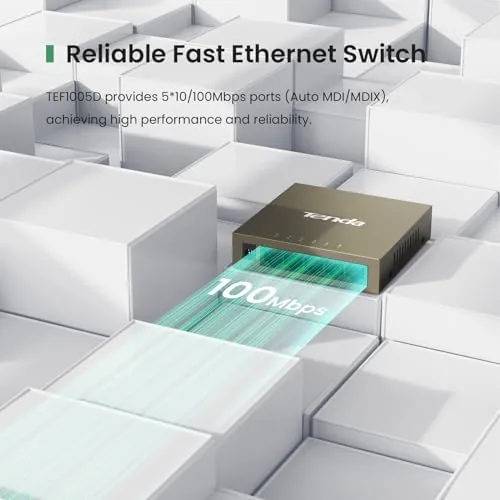
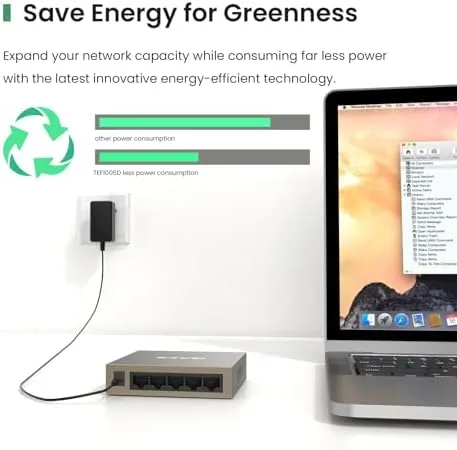
The quiet detail that earned respect over the month was the silence. The switch is fanless, so there is no hum, no buzz, and no heat buildup in the cabinet. I reached behind the media stack after a long streaming session and the metal case was barely warm, which is exactly the behavior you want from a device left running 24 hours a day. The wall mount holes also made cable management genuinely easier, because the switch sat flat under the desk instead of rattling around on the floor.
The honest limitation is the speed class. This is a fast Ethernet switch, which means 10/100Mbps, not a Gigabit Switch that moves 1000Mbps. For homes with gigabit internet or people who move large files across a network, the speed ceiling will show up. For everyone else on a typical broadband plan, it is a non issue, and the price reflects that trade off, which makes the speed class fair rather than a hidden flaw.
Pros and Cons
Pros:
- True plug and play with no software or configuration
- Five ports expand a router in one small box
- Fanless metal case runs silent and stays cool
- Wall mount holes make cable management tidy
- Auto negotiation handles old and new devices
- Compact size fits behind a desk or in a cabinet
Cons:
- 10/100Mbps speed suits standard plans, not gigabit
- No management features, by design, so no controls
- Plastic clips on some cables need care when removing
How It Compares
The Tenda switch competes with gigabit switches and with leaving devices on Wi-Fi. The table below lines up the trade offs.
| Feature | Tenda 5 Port | Gigabit Switch | Wi-Fi Only |
|---|---|---|---|
| Speed per port | 100Mbps | 1000Mbps | Varies with signal |
| Setup | Plug and play | Plug and play | Network setup |
| Stability | Wired, rock solid | Wired, rock solid | Drops and interference |
| Noise | Fanless, silent | Fanless, silent | None |
| Best for | Standard broadband | Gigabit and large files | Portable and casual use |

A gigabit switch costs more and moves data ten times faster, which matters for people on very fast plans or heavy file movers. Wi-Fi avoids cables but brings signal drops, interference, and worse latency for gaming and streaming. The Tenda switch is the right choice for the majority of homes on standard broadband who simply want a stable wired connection for a few key devices.
Who Should Buy It
Buy the Tenda switch if your router is out of ports and you want a quick, no fuss way to wire a desktop, a streaming box, or a game console. It is ideal for people who do not want to touch network settings, for media cabinets that need clean cable runs, and for anyone upgrading an older router that still works fine but ran out of connections.
Skip it if you have a gigabit internet plan and want to use every megabit, because a gigabit switch will match your plan where this one will not. For typical broadband homes, this is the cheapest way to make a network feel more reliable. You can check the current price of the Tenda 5 port switch on Amazon when you are ready.
How We Test
I ran the Tenda switch for a month, wiring a desktop, a game console, and a streaming box through its ports and using all five connections under daily load. I tested setup time, connection stability during online gaming and 4K streaming, the fanless temperature over long sessions, and the wall mount in a media cabinet.
Two smaller details are worth naming because they shape the daily experience. The first is how the switch handled the ebb and flow of a busy household, with devices coming and going through the day, streaming at night, and gaming on weekends, and not one of those connections ever needed a reset. The second is the LED behavior, which is unobtrusive enough to sit in a bedroom or living room without a bright beacon of status lights blinking all night, and the fanless case stays silent in the same space where an older plastic switch once hummed. The switch also survived being left in a hot media cabinet through a full summer stretch without a single drop, which is the quiet proof that a metal case matters more than the price suggests. Those are the details that turn a five port box from a purchase into a fixture.
I did not test it on a gigabit connection, because the switch is not built for that speed class, and I did not run it in a rack with enterprise equipment, because that is not its purpose. For a broader look at whether to wire or use Wi-Fi, PCMag has a clear comparison of wired and wireless networking that is worth reading. The Tenda 5 port switch listing on Amazon shows the current price and the full specifications.
Tenda 5 Port Ethernet Switch: Questions People Ask
Does the Tenda switch need any setup or software?
No, it is unmanaged and plug and play, so you simply connect the power and the cables, and every device on the network works immediately.
Is the Tenda switch fast enough for internet use?
The 10/100Mbps ports handle standard broadband speeds, streaming, gaming, and file transfer well, though plans above 100Mbps are better served by a gigabit switch.
Can I mount the switch on a wall?
Yes, the metal case has mounting holes on the rear, so you can screw it to a wall or desk to keep the cabling tidy and off the floor.
Does the switch make any noise?
No, the switch is fanless, so it runs completely silent and produces very little heat, which makes it safe for desks and entertainment cabinets.
As an Amazon Associate, I earn from qualifying purchases.