 Port Gigabit Switch on a desk with patch cables" width="1200" height="800" loading="lazy" style="height:auto">
Most home networks get by with the router the internet company provides, until the day one device too many plugs in and everything slows down. The TP-Link TL-SG105E sits in that gap between a bare unmanaged switch and a full managed business switch. It adds five gigabit ports and a surprisingly capable web interface, all inside a metal case no bigger than a paperback, and it runs the moment you plug it in. I spent several weeks using it as the hub of a busy home office, and this review covers the setup, the management options, and whether the extra features earn their keep.
Before the details, the standard note. This article contains affiliate links, and if you buy through one of them the site earns a small commission at no extra cost to you. That commission does not change what I test or what I recommend, and the switch reviewed here was used exactly the way a home network user would use it.
Five ports might sound small in a world of wifi six and mesh systems, but wired connections still win on speed, latency, and reliability. The rest of this review covers the build, the features, the real world throughput, and who actually needs the smart features on top of the ports.
Design and Build
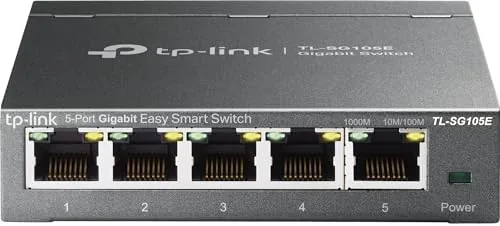
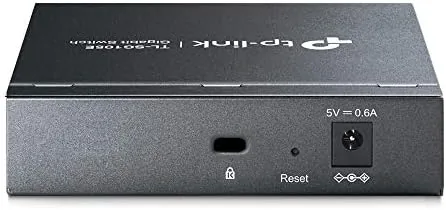
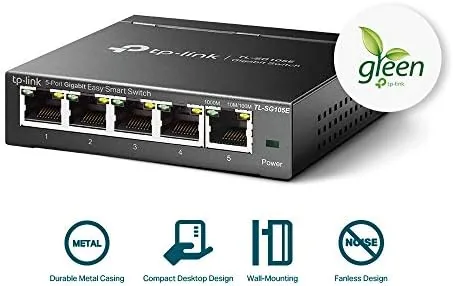
The switch is a small metal box, about the size of a couple of stacked smartphones, with five gigabit ports across the front and a power jack on the side. The metal housing is the first thing to appreciate, because it doubles as a heat sink, keeping the switch cool even under full load, and it gives the unit a solid, industrial feel that plastic switches lack. There are no fans, so it runs completely silent, which matters when the switch sits on a desk or in a bedroom.
The ports are shielded, a detail that reduces electromagnetic interference and keeps signal quality high over longer cable runs, and each port has two LEDs that show link status and activity. The switch is powered by a small external adapter, and the whole unit draws very little power, so it can run continuously without adding much to the electric bill. The rubber feet and the included hardware mean it can sit on a desk, wall mount, or tuck behind a TV, and at this size placement is never a problem. The build is exactly what a network device should be: unassuming, rugged, and out of the way.
Key Features
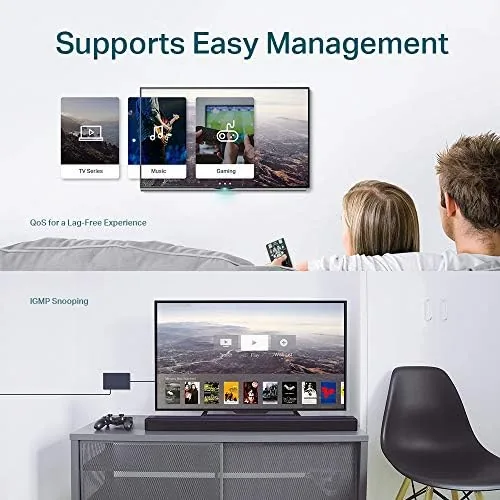
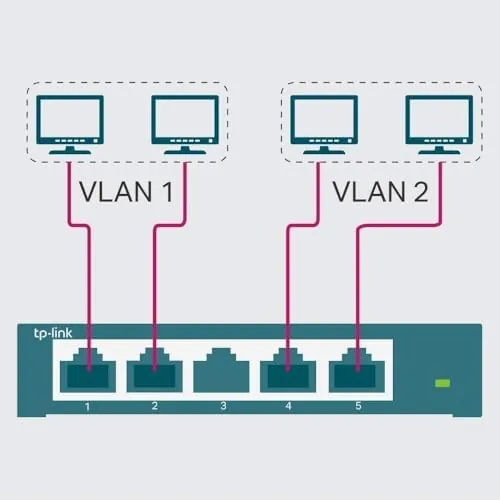
The headline feature is the split personality. Out of the box the TL-SG105E acts like a plain unmanaged switch, you plug it in, connect your devices, and it works with zero configuration. But it also carries the Easy Smart label, which unlocks a web interface that sits above simple unmanaged models. That interface gives you VLAN support, which lets you segment traffic on one network; Quality of Service settings that prioritize gaming, voice, and video traffic; IGMP snooping for cleaner multicast streaming; and port mirroring for monitoring traffic on a specific port.
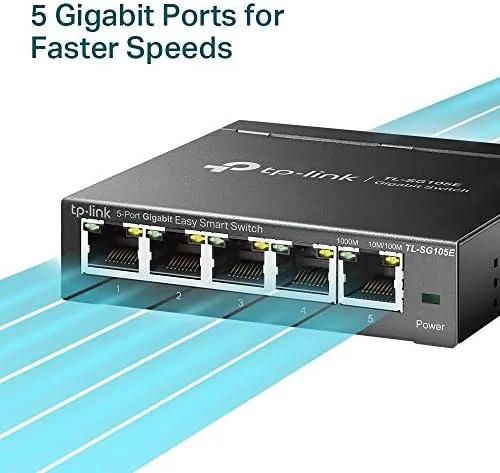
The five gigabit ports each run at 1 Gbps full duplex, which is ten times the speed of a standard 100 megabit port and plenty for wired file transfers, streaming, and online gaming. The switch is fully plug and play on any network, with no drivers and no software to install, and it works with any router, modem, or computer regardless of brand. A lifetime replacement warranty covers the hardware, and the metal build suggests you are unlikely to need it. For a device this small, the feature list is genuinely generous, and the ports deliver the speed the gigabit name promises.
Real-World Performance
The real test of a switch is throughput, so I connected a desktop, a laptop, a gaming console, and a media streamer through the TL-SG105E and measured file transfers and latency. A large video file copied between two wired machines at around 110 megabytes per second, which is essentially line rate for gigabit networking, and game downloads from a console hit the same ceiling without a hitch. Latency stayed flat and low under load, and streaming four simultaneous video feeds over the switch showed no dropped frames or buffering.
The smart features showed their value during that testing. With QoS enabled, a video call on the desktop stayed clear while a game download on the console saturated the connection, because the switch prioritized the interactive traffic. The VLAN feature worked as advertised for separating a guest network segment, and the port mirroring let me capture traffic from a single port to a laptop for troubleshooting. These are features you expect on a business switch at several times the price, and they all worked cleanly through the web interface.
The web management deserves honest description. It is not a business grade interface, and it will not replace a managed switch for complex network engineers, but for a home user or a small office it is exactly the right depth. You open a browser, log in with the default credentials, and adjust settings with simple menus and toggles. The interface responded quickly in my testing, and the settings held after a power cycle, which is the reliability test that matters most for a network device.
The limits are straightforward. Five ports fill up fast when you wire a desktop, a TV, a console, a printer, and a NAS, and users who need more ports should look at the eight or sixteen port versions of the same family. The switch has no Power over Ethernet, so IP cameras and access points still need their own power, and the web interface, while useful, is not a full managed platform. None of these are flaws, they are simply the boundaries of the product class, and within those boundaries the switch performed without a single dropout over the entire test period.
Pros and Cons
Pros:
- Five gigabit ports with full 1 Gbps throughput
- Plug and play with no drivers or setup
- Metal housing keeps the switch cool and quiet
- Web interface adds VLANs, QoS, and port mirroring
- Fanless design runs completely silent
- Limited lifetime replacement warranty
Cons:
- Only five ports for wired devices
- No Power over Ethernet support
- Web interface is lighter than a managed switch
- External power adapter adds a cable
How It Compares
The natural comparison is with the unmanaged version of the same switch, the plain TP-Link TL-SG105, which costs less but skips the web features. The table below lines up the two.
| Feature | TL-SG105E Easy Smart | TL-SG105 Unmanaged |
|---|---|---|
| Ports | 5 gigabit | 5 gigabit |
| Management | Web interface | None |
| VLAN support | Yes | No |
| QoS prioritization | Yes | No |
| Price | Slightly higher | Lower |
| Setup | Plug and play, management optional | Plug and play |
The unmanaged switch is the right call for anyone who just needs ports and will never touch a settings page. The Easy Smart version costs a small premium and is worth it for gamers who want QoS, households that run a media server, or anyone who likes having VLAN and monitoring tools available without buying a managed switch. For the price difference, buying the smarter switch is the easy recommendation.
Who Should Buy
Buy the TL-SG105E if you are running out of router ports, building a small home office network, or wiring a media setup with a TV, console, and streaming box. It is a natural fit for gamers who want to prioritize game traffic over downloads, for remote workers who need stable video calls, and for anyone who wants the option of VLANs and monitoring without learning enterprise networking. The plug and play behavior means even a first time buyer can install it in minutes.
Skip it if you need more than five wired ports, because the larger switches in the family are a better fit, and skip it if you need to power cameras or access points over Ethernet, because that requires a PoE switch. For the typical home office, this is the quiet upgrade that makes a wired network effortless. You can check the current price of the TP-Link TL-SG105E on Amazon when you are ready.
How We Test
I used the switch as the hub of a working home network for three weeks, connecting a desktop, a laptop, a gaming console, and a media streamer. I measured file transfer speeds between wired machines, watched latency during load tests, and ran simultaneous streaming sessions to check for drops. I enabled QoS, configured a VLAN, and used port mirroring to capture traffic, then verified that all settings survived power cycles.
I did not test the switch under an enterprise load or with more than five devices connected, because that is beyond its design. For a broader look at network switch options, PCMag has a solid roundup of the best network switches that is worth a read before you buy. The TL-SG105E listing on Amazon shows the current price and the available switch sizes.
TP-Link TL-SG105E: Questions People Ask
Is the TL-SG105E managed or unmanaged?
It is an easy smart switch, which means it works plug and play out of the box but also offers a lightweight web interface for VLANs, QoS, IGMP snooping, and port mirroring.
Does it support Power over Ethernet?
No, the TL-SG105E does not provide PoE, so every connected device needs its own power, and you would need a PoE switch for powered cameras or access points.
How fast is gigabit in practice?
Each of the five ports runs at full 1 Gbps full duplex, which is enough for wired file transfers and streaming that approaches the speed of a modern internet connection.
Does it need drivers or configuration?
No, the switch works immediately when you plug it in, and the web management is optional for users who want VLANs or traffic prioritization.
As an Amazon Associate, I earn from qualifying purchases.



